What is Form 20A100?
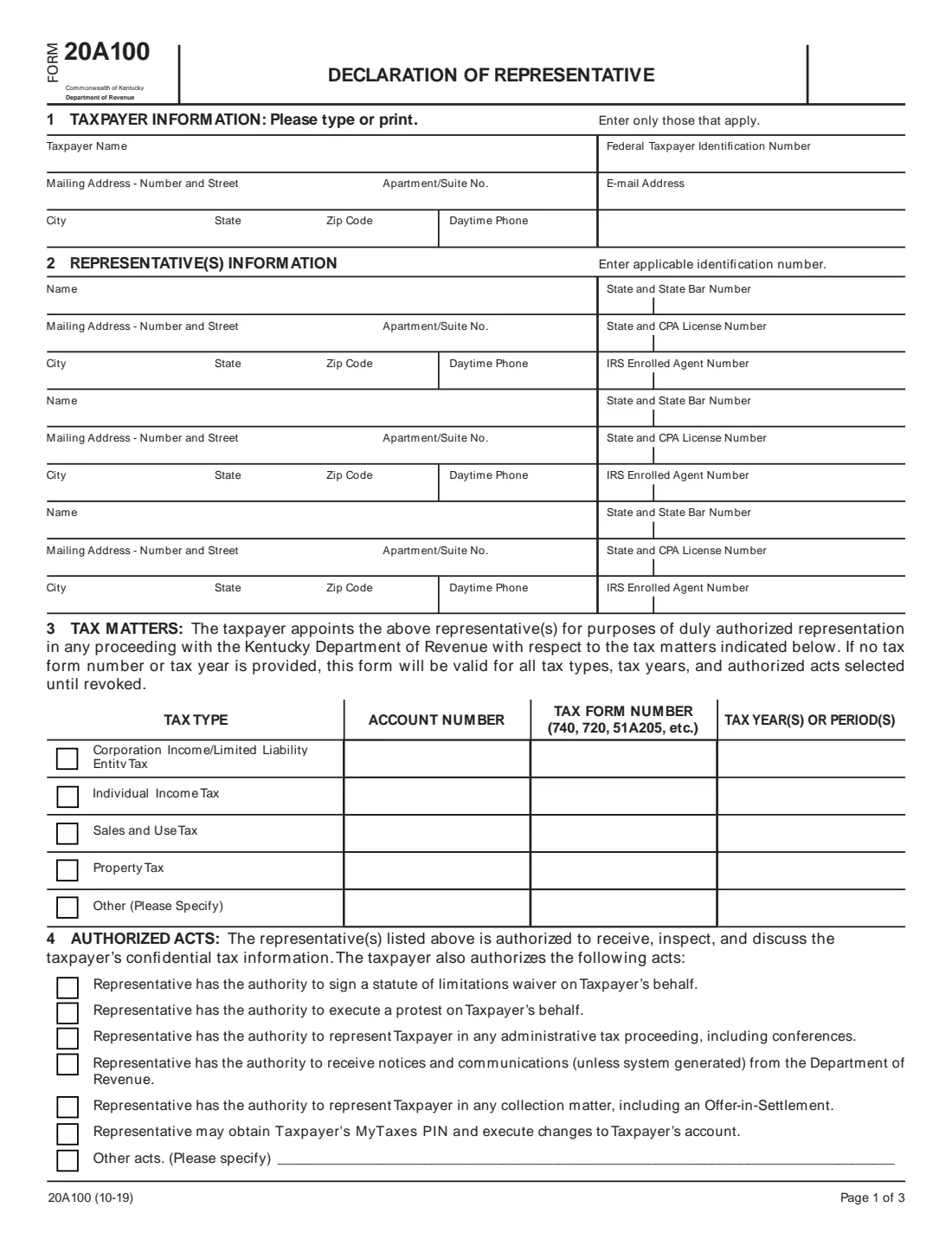
Form 20A100 is Kentucky's power of attorney for state taxes. It authorizes up to three individuals to represent you before the Kentucky Department of Revenue for the tax types you choose: corporation income and limited liability entity tax, individual income tax, sales and use tax, property tax or another tax. One form can cover all the tax types you want the department to discuss with your representatives.
Every representative may receive, inspect and discuss your confidential tax information. You can also authorize them to sign a statute of limitations waiver, execute a protest, represent you in administrative proceedings and collection matters, receive notices, and obtain your MyTaxes PIN. The form doesn't let a representative sign tax returns or settlement agreements for you.
FileIt pre-fills your name and email from your vault, prints everything onto the department's own PDF (10-19), fills the section 8 printed names from section 2, saves the finished form in your vault folder and can send it for signature to you and each representative.
- Representatives
- Up to three individuals.
- Who signs
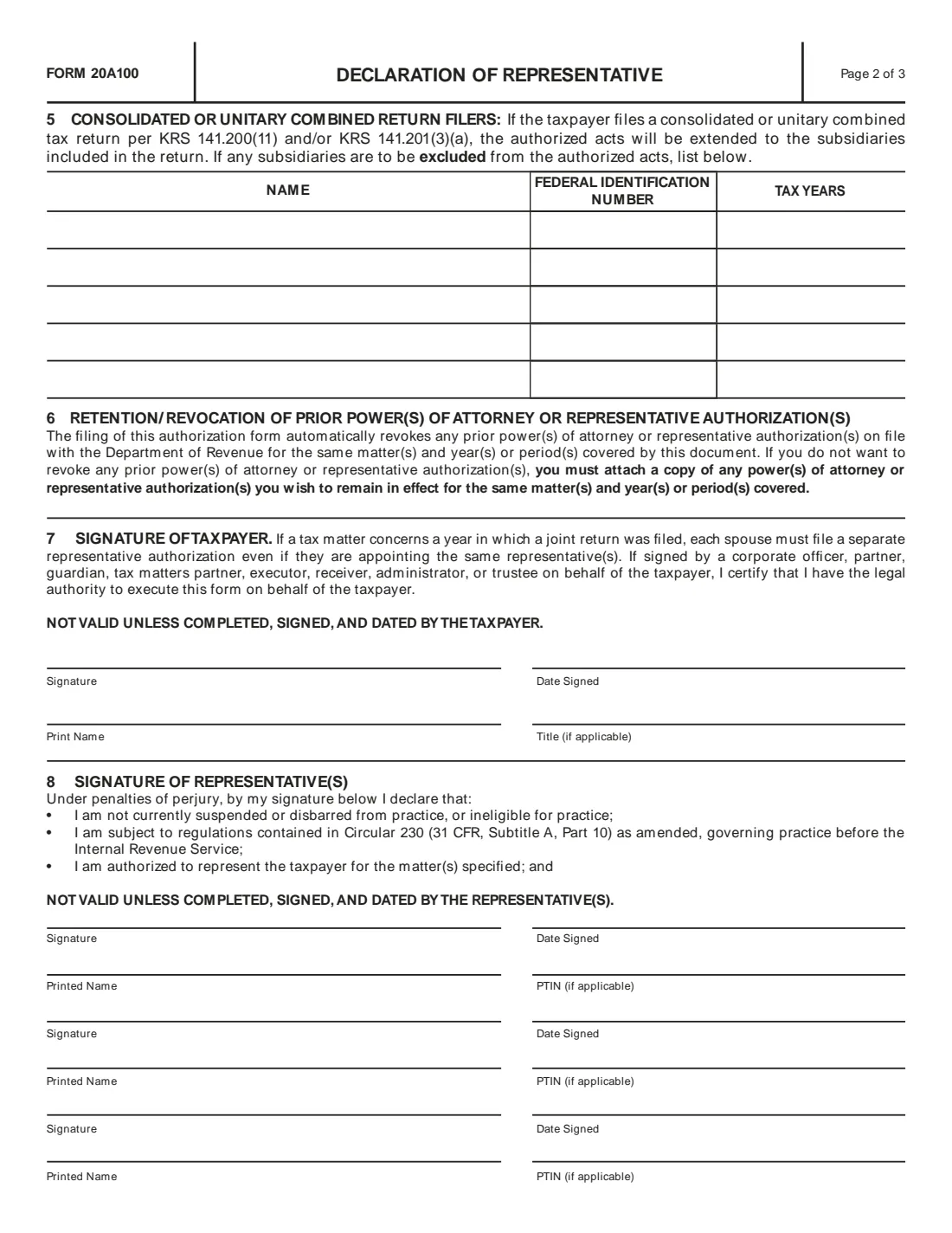
- The taxpayer (section 7) and every representative (section 8). It isn't valid unless all sign and date it.
- Joint returns
- Each spouse files a separate form, even for the same representatives.
- Earlier POAs
- Filing it revokes prior authorizations for the same matters unless you attach a copy of each one to keep.
- Edition
- 20A100 (10-19)
Who needs to fill out Form 20A100?
- Kentucky taxpayers who want a CPA, attorney or enrolled agent to deal with the Department of Revenue.
- Businesses that want an accountant to handle sales and use tax or corporation income tax matters.
- Consolidated or unitary combined return filers, who can exclude subsidiaries from the authorization.
- Families helping a relative with a Kentucky tax notice.
When to use Form 20A100
- Before a representative contacts the department about an audit, notice, protest or collection matter.
- When you want a representative to obtain your MyTaxes PIN or make changes to your account.
- When changing representatives, since a new form revokes the old one for the same matters.
What you need before you start
- Your name, mailing address, daytime phone, email and federal taxpayer identification number (SSN or FEIN).
- Each representative's name, address, daytime phone and, if they have one, state bar number, CPA license number or IRS enrolled agent number.
- The account number for each tax type you select, and any specific tax forms and periods.
- Each representative's PTIN, if they have one.
What’s on Form 20A100
The 2019 edition has 3 pages. FileIt asks for it in 8 parts, and it is signed by Taxpayer and Representative 1 and Representative 2 and Representative 3:
- 1. Taxpayer informationTaxpayer
- 2. Representative 1Representative 1
- 2. Representative 2Representative 2
- 2. Representative 3Representative 3
- 3. Tax mattersTaxpayer
- 4. Authorized actsTaxpayer
- 5. Subsidiaries excluded (consolidated or unitary combined returns)Taxpayer
- 6-7. Signature of taxpayerTaxpayer
How to fill out Form 20A100, step by step
1 1. Taxpayer information
Name, mailing address, phone, federal ID number and email.
2 2. Representatives
Up to three individuals with their address, phone and professional number.
3 3. Tax matters
Tick the tax types and give each one's account number, plus form numbers and years if the authorization is limited to them.
4 4. Authorized acts
Tick the acts beyond receiving and discussing your information, or specify other acts.
5 5. Subsidiaries
Consolidated or unitary combined filers list any subsidiaries to exclude.
6 6-8. Signatures
You sign and date section 7 with your printed name and title; each representative signs and dates section 8 with their printed name and PTIN.
Common mistakes to avoid
- Not having every representative sign and date section 8: the department won't talk to them.
- Filing one form for both spouses for a joint return year: each spouse files their own.
- Forgetting that a new form revokes earlier ones for the same matters unless you attach copies.
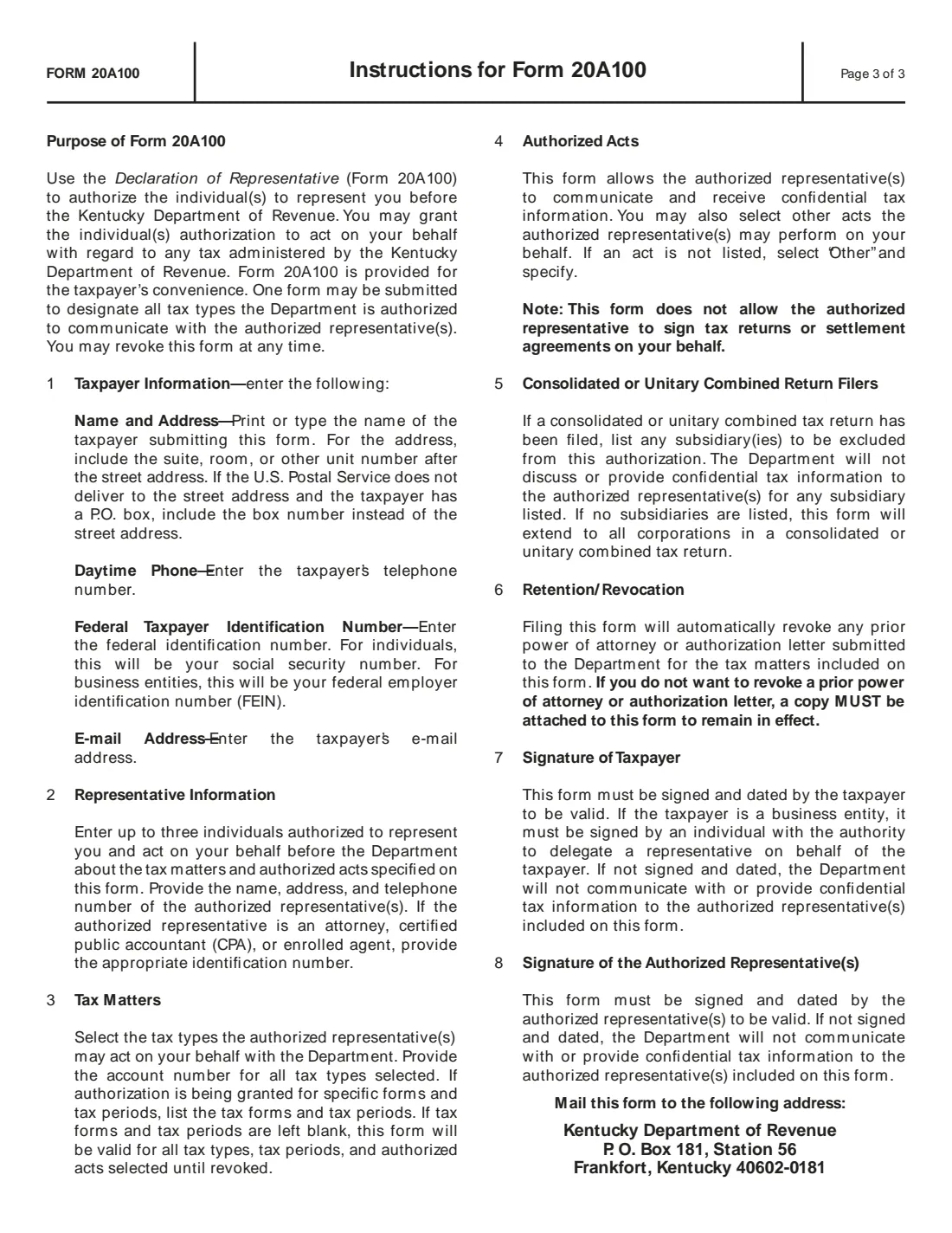
- Expecting a representative to sign your returns: this form doesn't allow it.
- Leaving out the account number for a tax type you selected.
After you fill it out
Sign and date section 7 and have each representative sign section 8, on paper or through FileIt's e-signature request.
Mail it to the Kentucky Department of Revenue, P. O. Box 181, Station 56, Frankfort, Kentucky 40602-0181.
Attach copies of any earlier authorizations you want to keep. FileIt keeps the PDF in your vault folder.
Fill out Form 20A100 online with FileIt
- Pick the person. Choose someone from People and FileIt fills in their name, date of birth, address and other details it already knows.
- Answer plain-language questions. One part of the form at a time, with the official help text beside each question — 100 fields in all. Your answers save as you go.
- Check the live preview. Watch your answers land on the real Kentucky Department of Revenue form, and let FileIt do any worksheet arithmetic.
- Generate the official PDF. FileIt prints your answers into the agency’s own PDF and files it in that person’s folder in your vault. Sign it, or send it for e-signature.
FileIt fills the form — it never files or submits anything for you. Deliver the finished form to whoever asked for it, the way the form’s instructions say.
Start Form 20A100 now — it’s freeForm 20A100: frequently asked questions
How long does the authorization last?
If no tax form number or tax year is given, the form is valid for all the tax types, tax years and authorized acts selected until revoked. You can revoke it at any time.
Can my representative sign my tax return?
No. The instructions say this form doesn't allow the representative to sign tax returns or settlement agreements for you.
What about my spouse?
If a tax matter concerns a year a joint return was filed, each spouse files a separate form, even if they appoint the same representatives.
Does it cover my subsidiaries?
For a consolidated or unitary combined return, the authorized acts extend to all subsidiaries in the return unless you list ones to exclude in section 5.
Official sources
- Blank form (PDF), published by Kentucky Department of Revenue: https://revenue.ky.gov/Forms/20A100.pdf
- Official instructions and guidance: https://revenue.ky.gov/Forms/20A100.pdf
- Edition shown on this page: 20A100 (10-19) (checked 2026-10-25).
FileIt is not affiliated with or endorsed by Kentucky Department of Revenue or any government. This page explains the form in general terms and is not legal, tax or immigration advice. Always read the official instructions, and check that you are using the edition the recipient accepts. Page last reviewed 2026-10-25.