What is MOM candidate's form (EP / S Pass)?
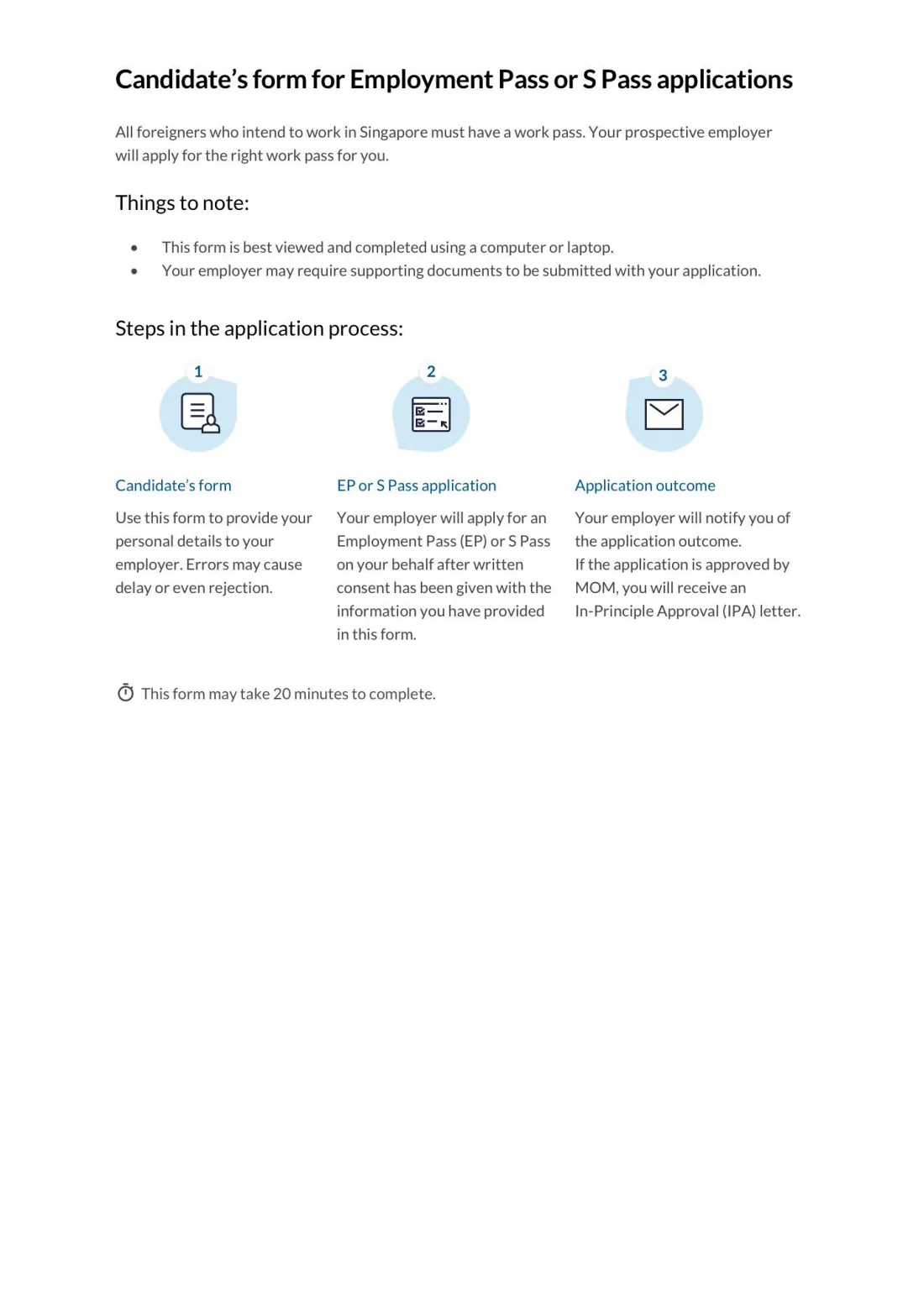
All foreigners who intend to work in Singapore must have a work pass, and it is the prospective employer who applies for it. For an Employment Pass (EP) or S Pass, Singapore's Ministry of Manpower (MOM) provides this candidate's form so that the candidate can give the employer their personal details, travel document, work experience, educational qualifications, professional memberships and declarations.
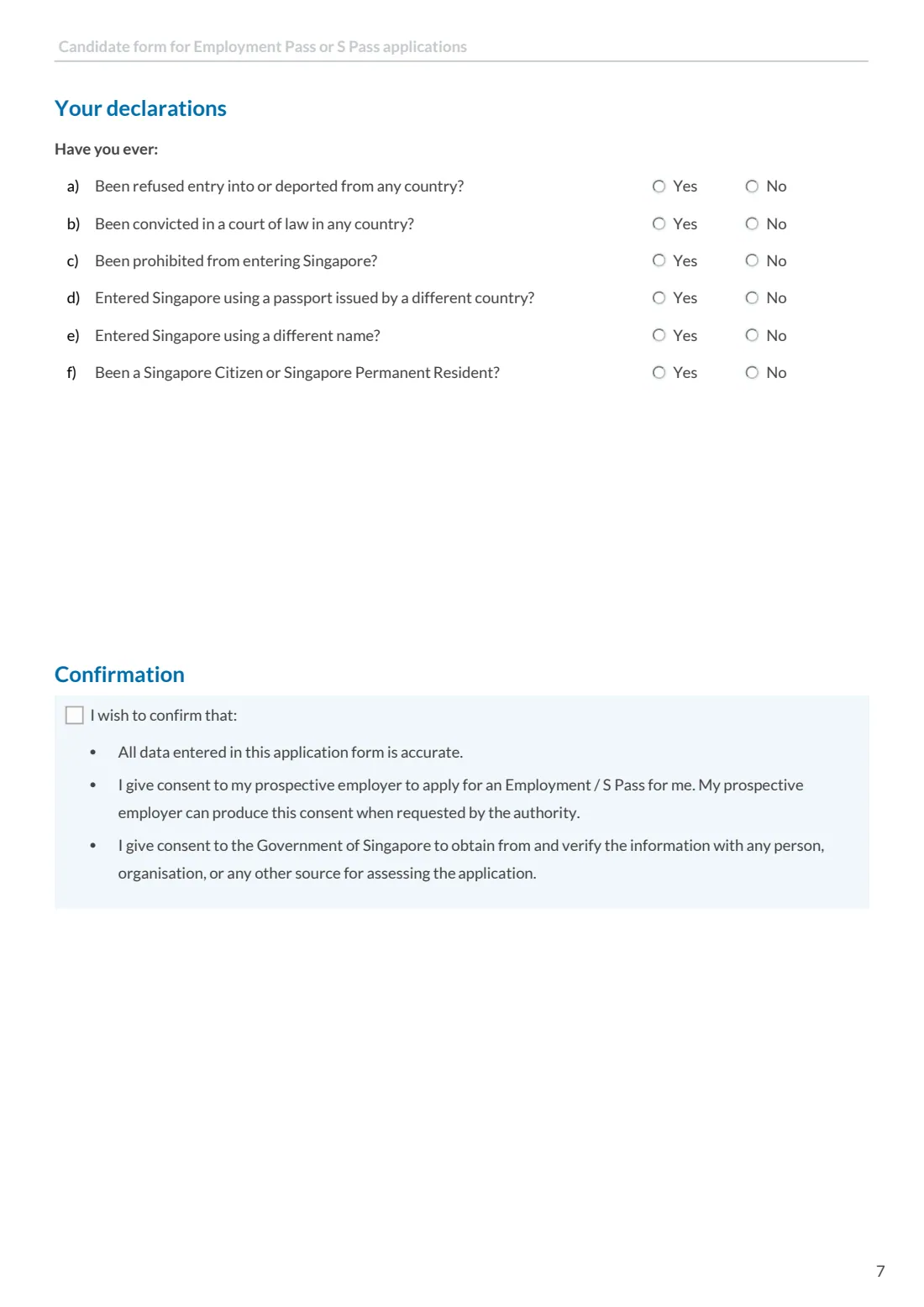
The form ends with a confirmation: that the data is accurate, that you consent to your prospective employer applying for an Employment Pass or S Pass for you (the employer can produce this consent when the authority asks), and that you consent to the Government of Singapore verifying the information with any person, organisation or other source. MOM says errors may cause delay or even rejection, and that the form takes about 20 minutes.
FileIt asks each question in plain language, including only the follow-up questions that apply to you, and prints your answers into MOM's own PDF, names with accents included. The finished form is kept in your vault so you can send it to your employer.
- Who fills it
- The job candidate (the foreigner who will work in Singapore).
- Sent to
- Your prospective employer, who applies for the Employment Pass or S Pass for you.
- Pages
- 7 (page 1 explains the process).
- Signatures
- None. You tick the confirmation box on the last page.
- Edition
- No edition code printed. Retrieved from mom.gov.sg on 28 September 2026.
- Agency
- Ministry of Manpower (MOM), Singapore
Who needs to fill out MOM candidate's form (EP / S Pass)?
- Foreign professionals, managers and executives offered a job in Singapore that needs an Employment Pass.
- Mid-level skilled workers offered a job that needs an S Pass.
- Candidates whose prospective employer asks for MOM's candidate's form before submitting the pass application.
When to use MOM candidate's form (EP / S Pass)
- After you accept a job offer and before your employer applies for your Employment Pass or S Pass.
- When your employer asks you to update your details for a new application.
What you need before you start
- Your latest travel document (usually your passport): type, number, issue and expiry dates.
- Your FIN or Work Permit number if you have studied, worked or stayed long-term in Singapore before.
- Your country of birth and origin, race, religion and marital status. For a married candidate, whether the spouse is a Singapore Citizen, Permanent Resident or pass holder, and if so their name and NRIC or FIN.
- An identity card number if you are a Chinese, Bangladeshi or Malaysian national.
- Your total and relevant working experience, and details of up to two recent jobs, including your last drawn fixed monthly salary in SGD.
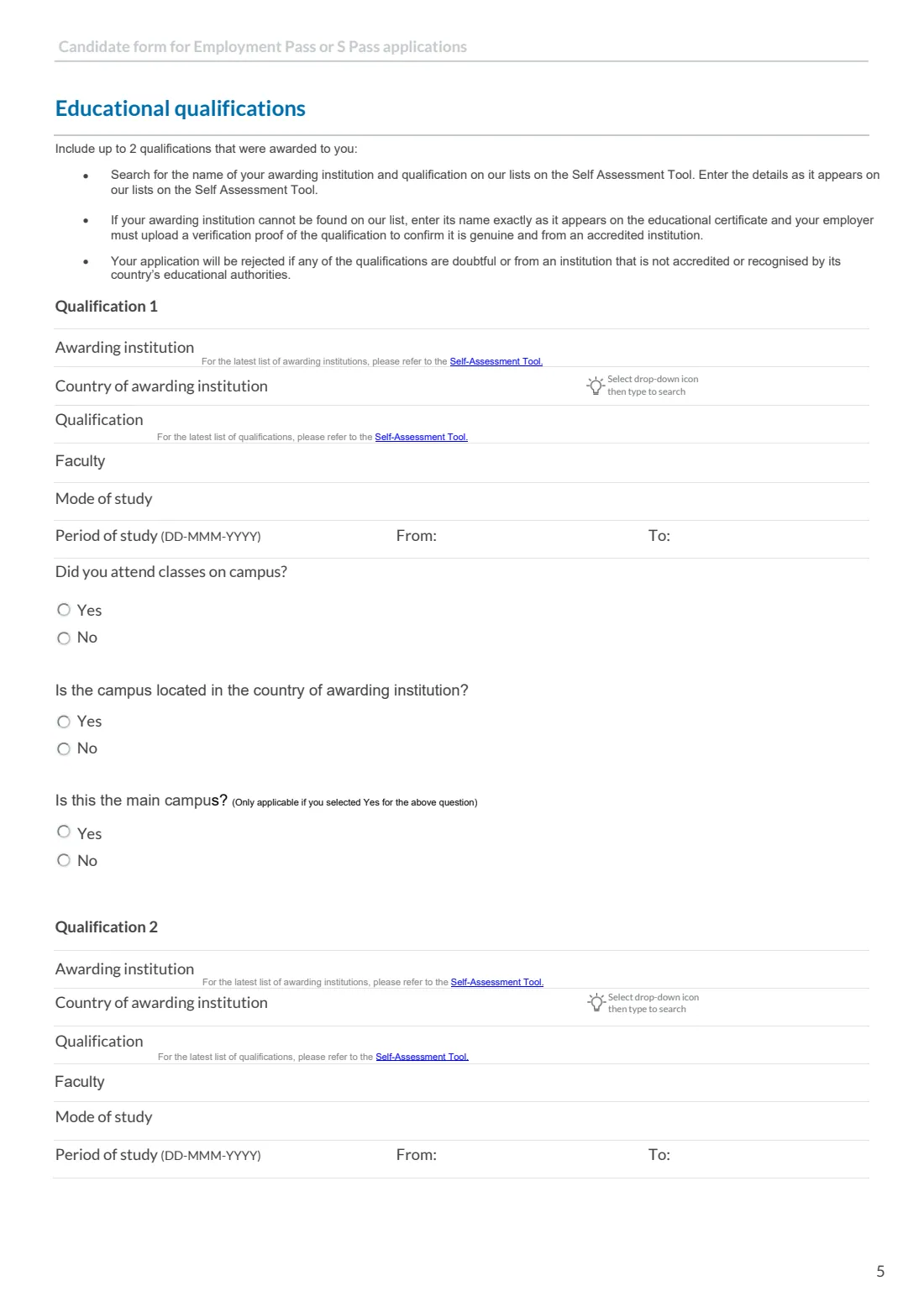
- Details of up to two qualifications: awarding institution, country, qualification, faculty, mode and period of study, and campus details. Your educational certificates help.
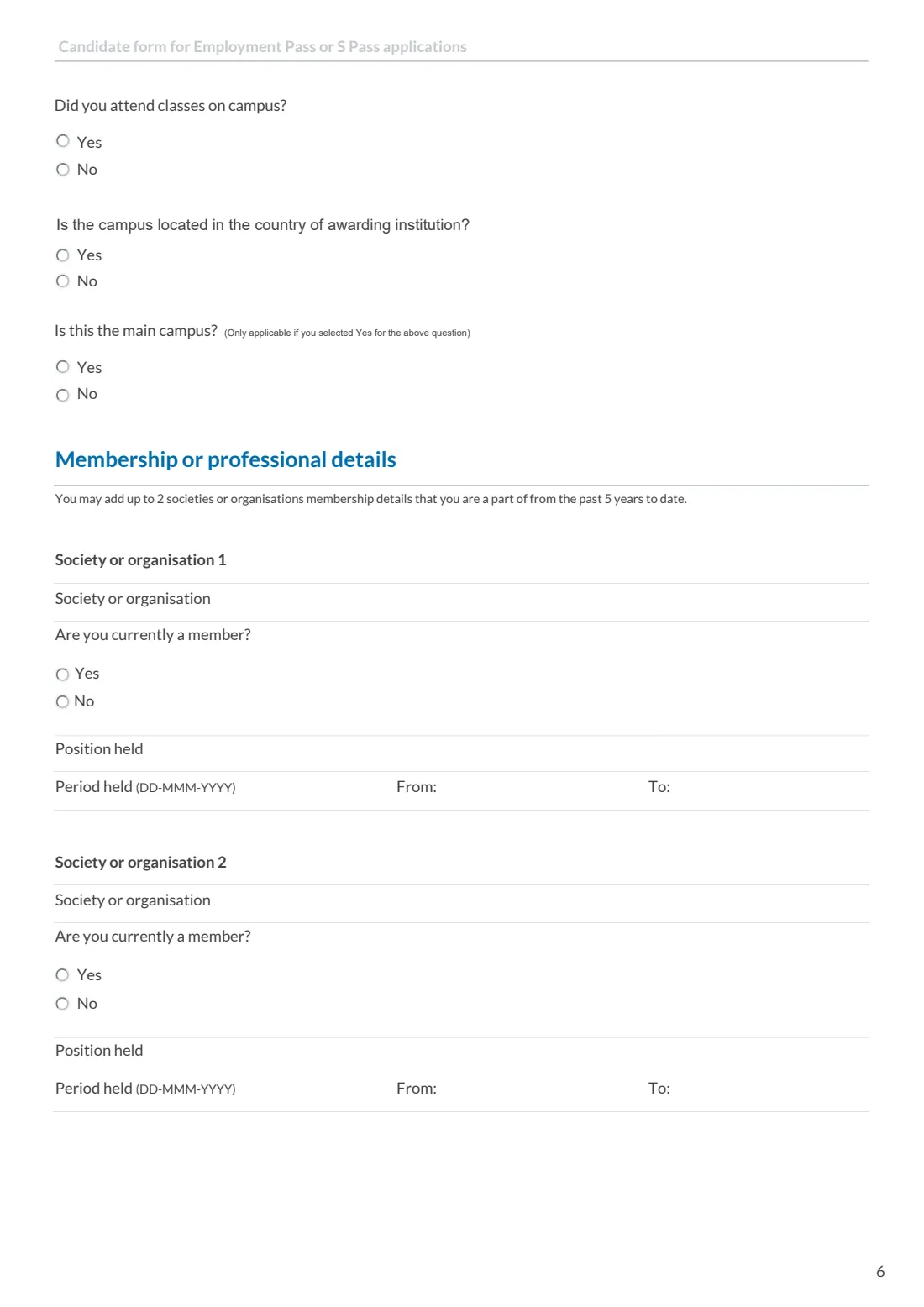
- Up to two society or professional memberships from the past 5 years, if any.
What’s on MOM candidate's form (EP / S Pass)
The 2026 edition has 7 pages. FileIt asks for it in 12 parts:
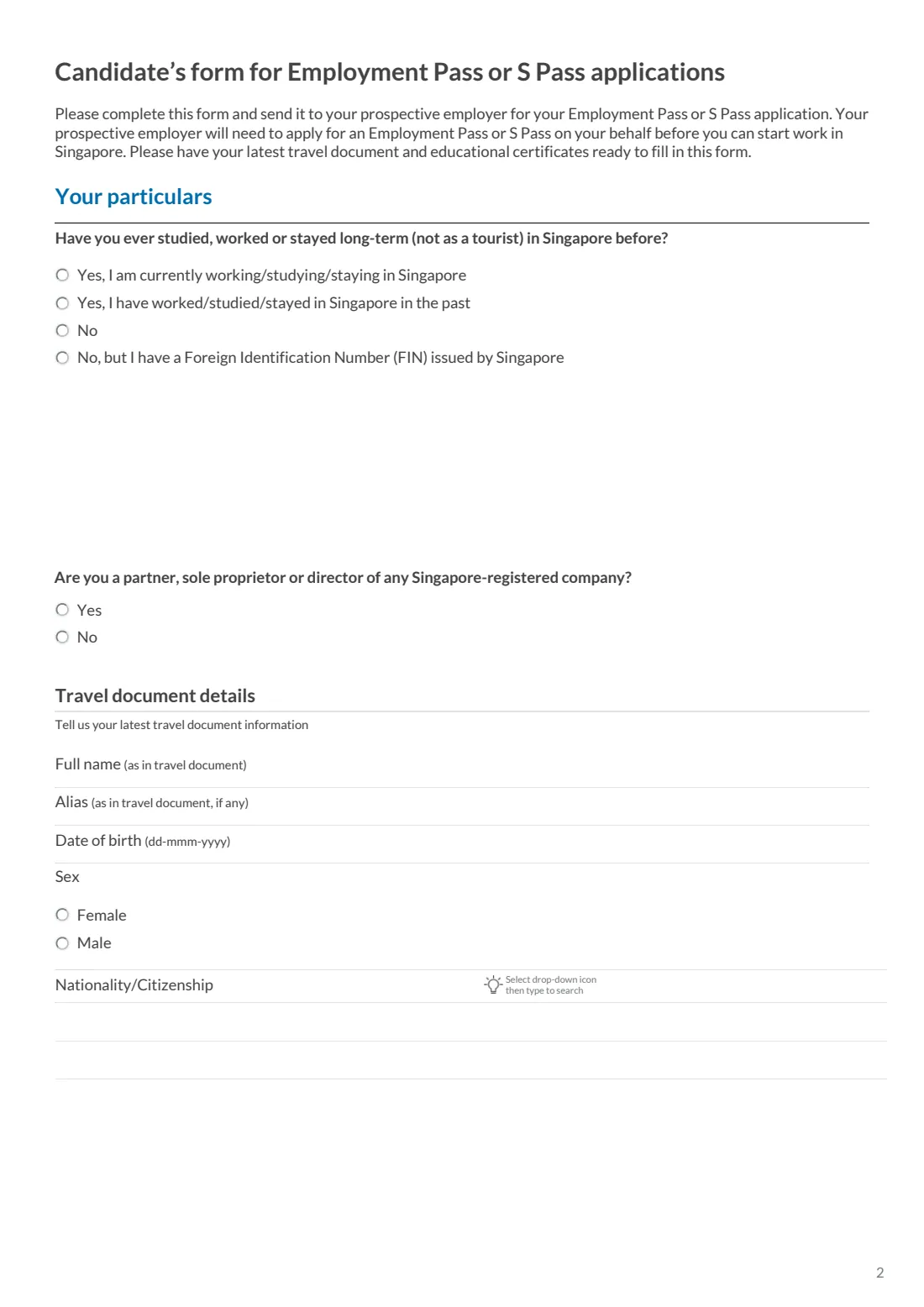
- Your particulars: time in SingaporeCandidate (the job applicant)
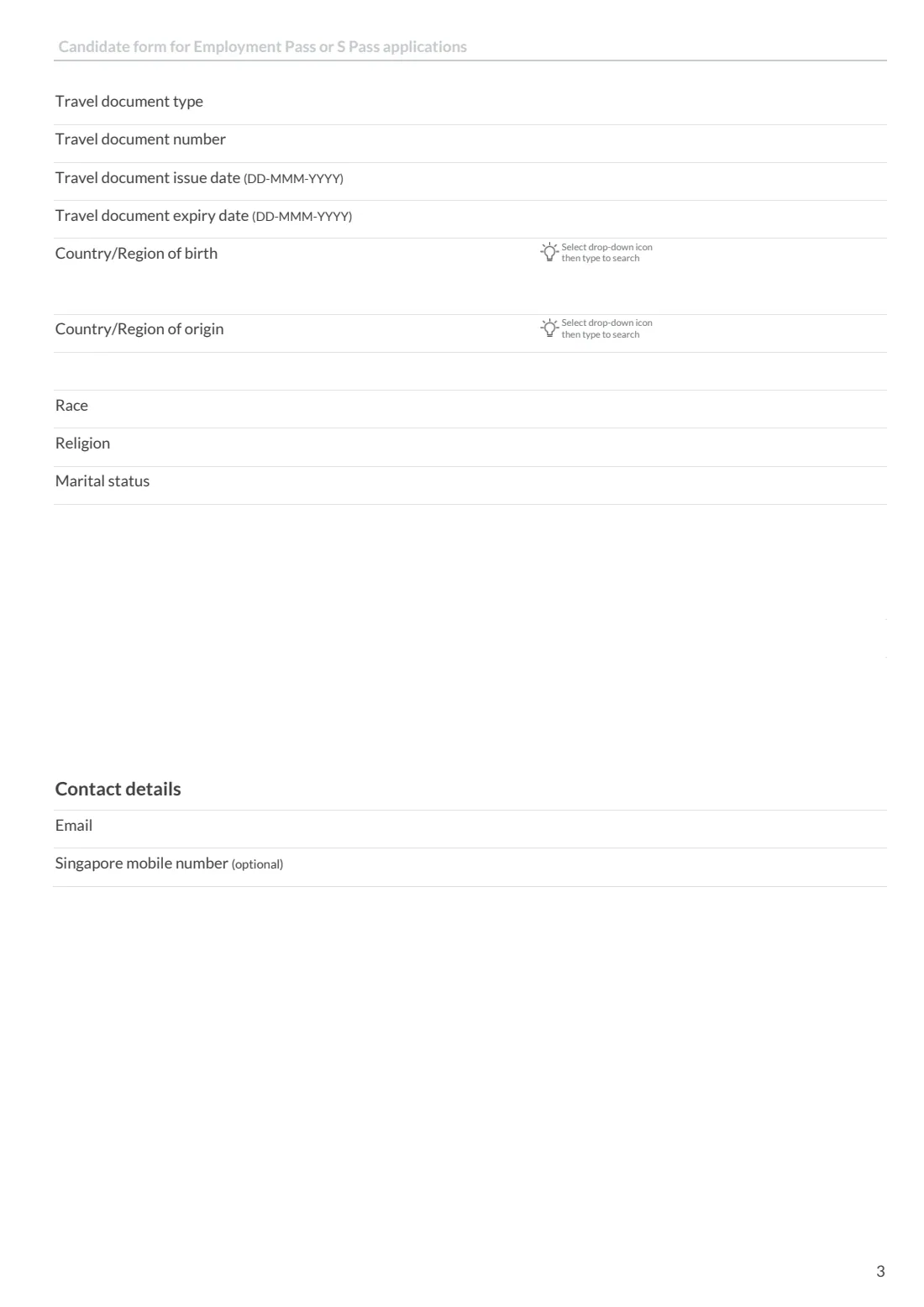
- Travel document detailsCandidate (the job applicant)
- Contact detailsCandidate (the job applicant)
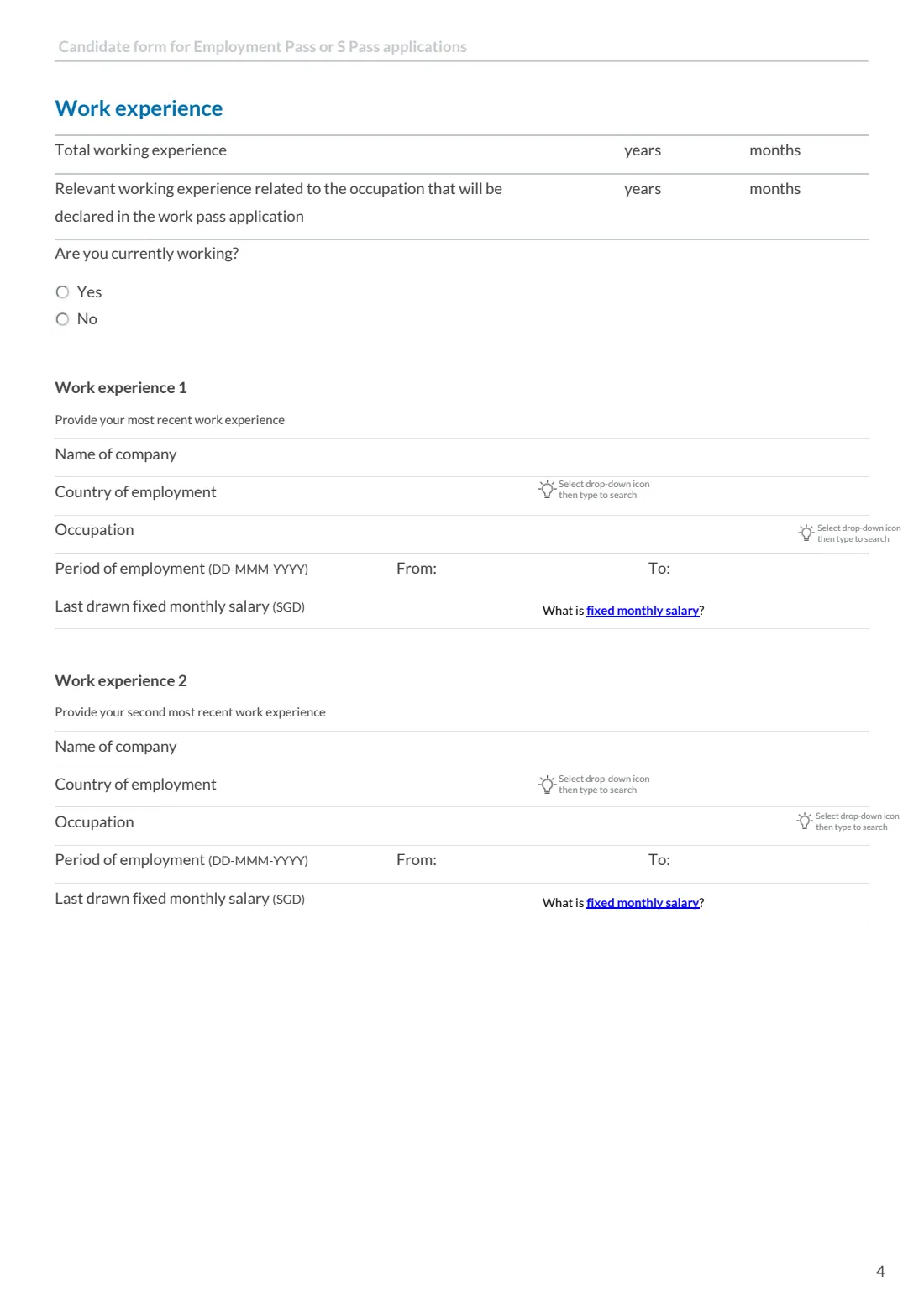
- Work experienceCandidate (the job applicant)
- Work experience 1: your most recent jobCandidate (the job applicant)
- Work experience 2 (optional)Candidate (the job applicant)
- Educational qualification 1Candidate (the job applicant)
- Educational qualification 2 (optional)Candidate (the job applicant)
- Membership or professional details (optional)Candidate (the job applicant)
- Society or organisation 2 (optional)Candidate (the job applicant)
- Your declarationsCandidate (the job applicant)
- ConfirmationCandidate (the job applicant)
How to fill out MOM candidate's form (EP / S Pass), step by step
1 Your particulars
Say whether you have studied, worked or stayed long-term (not as a tourist) in Singapore before, and give your FIN or Work Permit number if so. If you have both, give your FIN. Then say whether you are a partner, sole proprietor or director of any Singapore-registered company.
2 Travel document details
Enter your full name and any alias exactly as in your travel document, your date of birth, sex and nationality. Chinese, Bangladeshi and Malaysian nationals are asked for their identity card number, and Malaysians for the card's colour. Then give the document type, number, issue and expiry dates, your country (and for China, Malaysia, India or the United Kingdom, state or province) of birth and origin, race, religion and marital status.
3 Spouse and contact details
If you are married, say whether your spouse is a Singaporean Citizen, Permanent Resident, EP, S Pass or Work Permit holder, and if so give their name and NRIC or FIN. Then give your email address and, if you have one, your Singapore mobile number.
4 Work experience
Give your total working experience and the part relevant to the occupation your employer will declare, in years and months. Say whether you are currently working, then describe your most recent job (and optionally the one before): company, country, occupation, period and last drawn fixed monthly salary in Singapore dollars.
5 Educational qualifications
Include up to two qualifications that were awarded to you. MOM asks you to search its Self Assessment Tool for the institution and qualification and enter them as they appear there. If the institution isn't listed, enter it exactly as on your certificate; your employer must then upload proof that the qualification is genuine. MOM warns that applications with doubtful qualifications, or ones from institutions not accredited or recognised in their country, will be rejected.
6 Memberships, declarations and confirmation
Optionally list up to two societies or organisations from the past 5 years. Answer the six declaration questions, such as whether you have been refused entry to or deported from any country, and give details for any Yes. Finally, tick the confirmation box to confirm accuracy and give consent.
Common mistakes to avoid
- Writing your name differently from your travel document.
- Giving an expired travel document instead of your latest one.
- Entering an institution or qualification name that doesn't match MOM's Self Assessment Tool list when it is listed there.
- Listing relevant experience that is longer than your total experience.
- Answering Yes to a declaration question without giving details.
- Forgetting to tick the confirmation box. It is your consent for the employer to apply.
After you fill it out
Send the completed form to your prospective employer. They apply for the Employment Pass or S Pass on your behalf and may ask you for supporting documents, such as copies of your passport and educational certificates.
Your employer will tell you the outcome. If MOM approves the application, you receive an In-Principle Approval (IPA) letter.
FileIt keeps a copy of the completed form in your vault, alongside your passport and certificates.
Fill out MOM candidate's form (EP / S Pass) online with FileIt
- Pick the person. Choose someone from People and FileIt fills in their name, date of birth, address and other details it already knows.
- Answer plain-language questions. One part of the form at a time, with the official help text beside each question — 98 fields in all. Your answers save as you go.
- Check the live preview. Watch your answers land on the real Ministry of Manpower (MOM) form, and let FileIt do any worksheet arithmetic.
- Generate the official PDF. FileIt prints your answers into the agency’s own PDF and files it in that person’s folder in your vault.
FileIt fills the form — it never files or submits anything for you. Deliver the finished form to whoever asked for it, the way the form’s instructions say.
Start MOM candidate's form (EP / S Pass) now — it’s freeMOM candidate's form (EP / S Pass): frequently asked questions
Do I submit this form to MOM myself?
No. You complete it and send it to your prospective employer, who applies for the Employment Pass or S Pass for you using the information in it.
Does the form need a signature?
No. There is no signature line. Ticking the confirmation box on the last page is your confirmation that the data is accurate and your consent to the application and to verification of your information.
Which date format is used?
MOM's form asks for dates as DD-MMM-YYYY. FileIt prints them day first, as DD/MM/YYYY.
What if my university isn't on MOM's list?
Enter the institution's name exactly as it appears on your certificate. Your employer must then upload a verification proof that the qualification is genuine and from an accredited institution.
I have both a FIN and a Work Permit number. Which do I give?
The form asks you to give your FIN.
Can I fill in this form online?
Yes. FileIt guides you through it and produces MOM's official PDF with your answers printed in, ready to send to your employer.
Official sources
- Blank form (PDF), published by Ministry of Manpower (MOM): https://www.mom.gov.sg/-/media/mom/documents/work-passes-and-permits/ep-and-s-pass-candidate-form.pdf
- Official instructions and guidance: https://www.mom.gov.sg/passes-and-permits/employment-pass/apply-for-a-pass
- Edition shown on this page: No edition code printed (retrieved 2026-09-28) (checked 2026-09-28).
FileIt is not affiliated with or endorsed by Ministry of Manpower (MOM) or any government. This page explains the form in general terms and is not legal, tax or immigration advice. Always read the official instructions, and check that you are using the edition the recipient accepts. Page last reviewed 2026-09-28.