What is Non-resident allowances declaration?
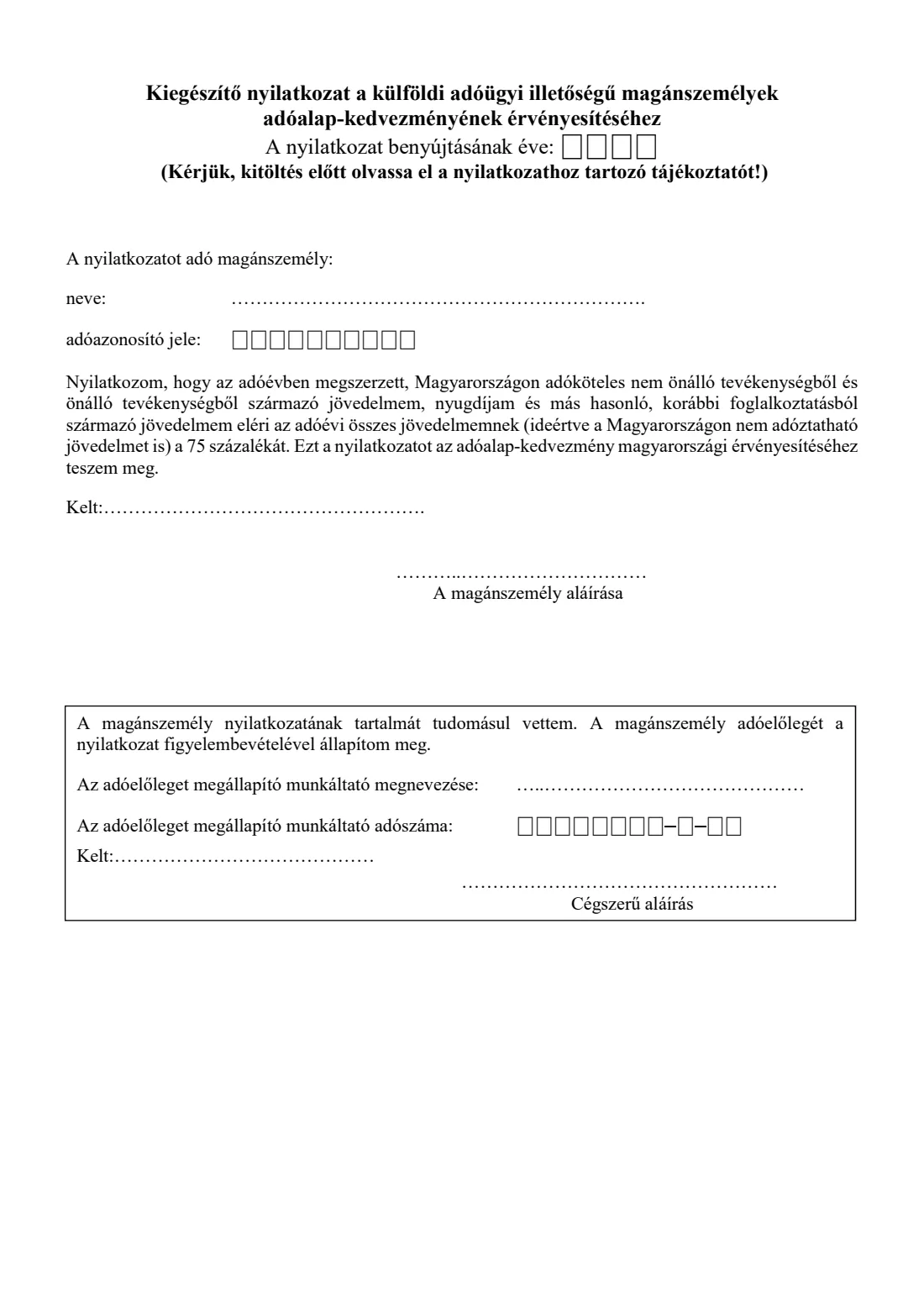
Hungarian tax-base allowances, such as the family allowance (családi kedvezmény), the personal allowance, the first-married couples' allowance or the allowances for mothers, are normally given in the monthly tax advance once the employee hands the employer the right declaration. If you are tax-resident in another country, NAV's guidance says your Hungarian employer (or other payer) only takes them into account when you also attach this supplementary declaration.
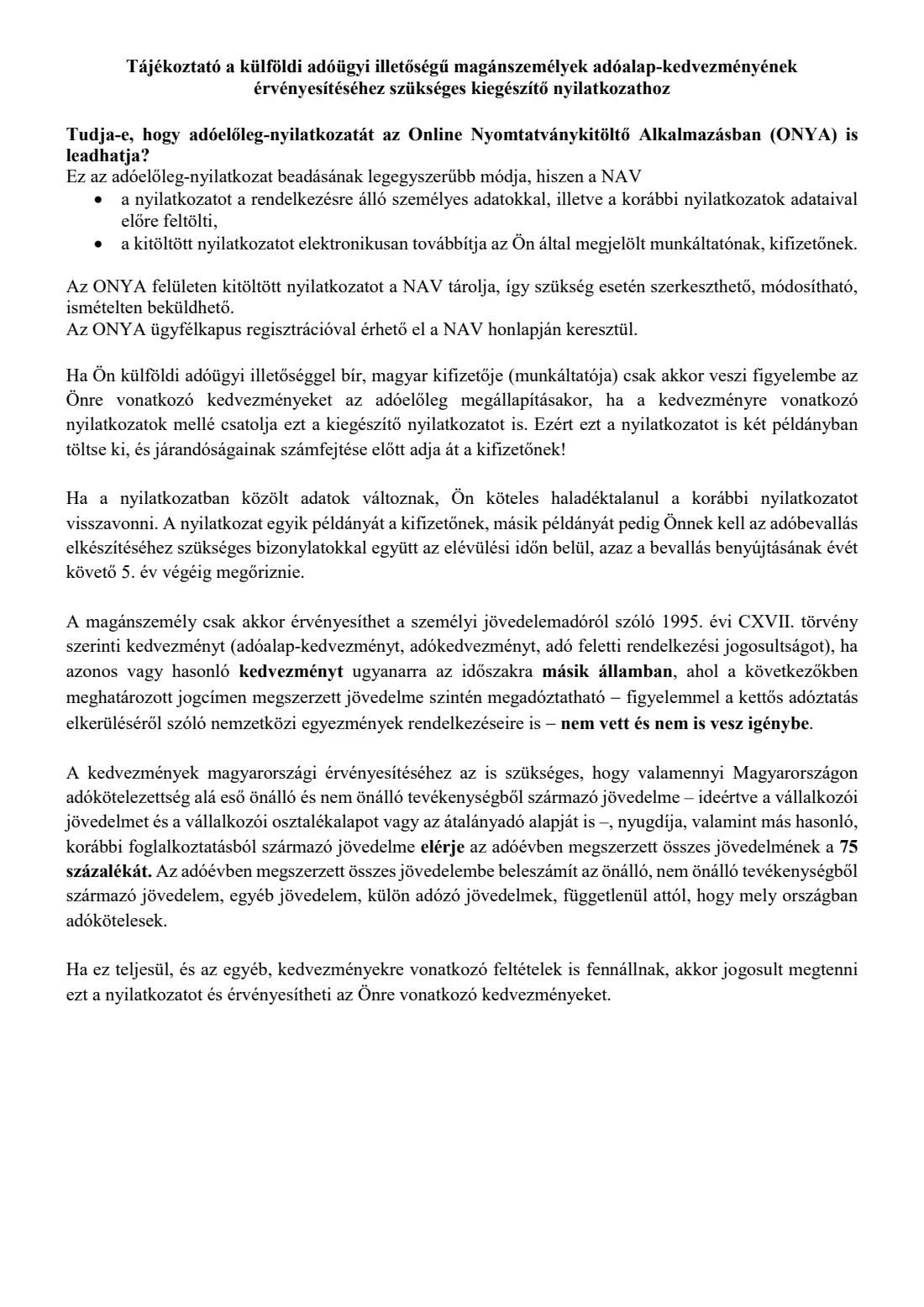
In it you declare that your employment and self-employment income, pension and similar income from earlier employment that is taxable in Hungary reach 75 percent of all your income for the year, including income not taxable in Hungary. NAV's guidance adds that you can only claim if you don't take the same or a similar allowance for the same period in another country where that income is also taxable.
FileIt explains the conditions in English, checks the tax numbers' check digits, and prints your name, tax identification number and the year into NAV's own boxes. You sign two copies and give one to the employer with your other declarations. FileIt never submits anything.
- Who fills it
- Employees and other earners in Hungary who are tax-resident in another country and claim allowances
- Given to
- Your employer or payer, together with the allowance declarations (not sent to NAV)
- Condition
- At least 75 percent of your total income for the year is taxable in Hungary (NAV's guidance)
- Signatures
- You, then the employer's acknowledgement
- Edition
- NAV, as linked on the 2026 declarations page (unchanged since 2022), 1 page plus guidance
Who needs to fill out Non-resident allowances declaration?
- Cross-border commuters and posted workers employed in Hungary while tax-resident in a neighbouring or any other country.
- Non-resident employees claiming the family, personal or first-married couples' allowance, or a mothers' allowance, through Hungarian payroll.
- Payroll teams who need the supplementary declaration on file before applying allowances.
When to use Non-resident allowances declaration
- Each time you give an allowance declaration to a Hungarian employer while you are not tax-resident in Hungary.
- At the start of each tax year, with the year of the declaration filled in.
- When your details change: NAV's guidance says to withdraw the earlier declaration without delay.
What you need before you start
- Your Hungarian tax identification number (adóazonosító jel).
- An estimate of your total income for the year, in Hungary and abroad, to check the 75 percent condition.
- The allowance declarations you are giving with it.
- Your employer's name and tax number (adószám), for the acknowledgement.
What’s on Non-resident allowances declaration
The 2026 edition has 2 pages. FileIt asks for it in 3 parts, and it is signed by Employee and Employer:
- Your details (a nyilatkozatot adó magánszemély)Employee
- The 75 percent declaration (nyilatkozat)Employee
- Employer's acknowledgement (munkáltató, kifizető)Employer
How to fill out Non-resident allowances declaration, step by step
1 Year and your details
The year of the declaration, your name (family name first) and your tax identification number.
2 The 75 percent declaration
Confirm the printed statement that income taxable in Hungary reaches 75 percent of your total income, and that you don't claim the same allowance in another country.
3 Signature
Place and date, then sign on the dotted line.
4 Employer
The employer fills in its name, tax number, place and date, and signs.
Common mistakes to avoid
- Giving it on its own. It only supplements the allowance declarations themselves.
- Counting only Hungarian income for the 75 percent test. The total includes income not taxable in Hungary.
- Claiming the same allowance in your country of residence for the same period.
- Not withdrawing the declaration when your situation changes.
After you fill it out
Sign two copies and give one to your employer or payer with your allowance declarations. FileIt does not send it.
Keep your copy with your tax papers. NAV's guidance says to keep it until the end of the fifth year after the tax return.
File the PDF in your FileIt vault next to the allowance declarations.
Fill out Non-resident allowances declaration online with FileIt
- Pick the person. Choose someone from People and FileIt fills in their name, date of birth, address and other details it already knows.
- Answer plain-language questions. One part of the form at a time, with the official help text beside each question — 15 fields in all. Your answers save as you go.
- Check the live preview. Watch your answers land on the real Nemzeti Adó- és Vámhivatal (NAV), given to the employer or payer form, and let FileIt do any worksheet arithmetic.
- Generate the official PDF. FileIt prints your answers into the agency’s own PDF and files it in that person’s folder in your vault. Sign it, or send it for e-signature.
FileIt fills the form — it never files or submits anything for you. Deliver the finished form to whoever asked for it, the way the form’s instructions say.
Start Non-resident allowances declaration now — it’s freeNon-resident allowances declaration: frequently asked questions
Who counts as having foreign tax residence?
Someone whose tax residence, under Hungarian law and any tax treaty, is in another country, even though they work or earn income in Hungary.
What is the 75 percent rule?
NAV's guidance says your employment and self-employment income, pension and similar income from earlier employment taxable in Hungary must reach 75 percent of all your income for the year, wherever it is taxed.
Which allowances does it cover?
The tax-base allowances and tax allowances under the Hungarian personal income tax act, such as the family, personal, first-married couples' and mothers' allowances. You still give each allowance's own declaration.
Is there an online option?
NAV's guidance says you can also submit tax-advance declarations through its online form-filling application (ONYA) with a Client Gate login.
Can I fill in this declaration online with FileIt?
Yes. FileIt fills NAV's PDF and saves it in your vault. You sign it and give it to your employer yourself.
Official sources
- Blank form (PDF), published by Nemzeti Adó- és Vámhivatal (NAV), given to the employer or payer: https://nav.gov.hu/pfile/file?path=/ado/szja/adoeloleg-nyilatkozatok/2026/Kulfoldi-illetosegu-maganszemely-nyilatkozata-pdf
- Official instructions and guidance: https://nav.gov.hu/ado/szja/adoeloleg-nyilatkozatok/2026
- Edition shown on this page: NAV, as linked on the 2026 tax-advance declarations page (file of 2021-12-28, unchanged since 2022) (checked 2026-10-25).
FileIt is not affiliated with or endorsed by Nemzeti Adó- és Vámhivatal (NAV), given to the employer or payer or any government. This page explains the form in general terms and is not legal, tax or immigration advice. Always read the official instructions, and check that you are using the edition the recipient accepts. Page last reviewed 2026-10-25.