What is Form ID 879 (passport cross link)?
When you renew an HKSAR passport, visas and records in the old one don't move to the new one automatically. A cross link ties the two passports together, which helps when, for example, a visa you still need is in the previous passport. ImmD's General Guide to HKSAR Passport covers when you'd want one.
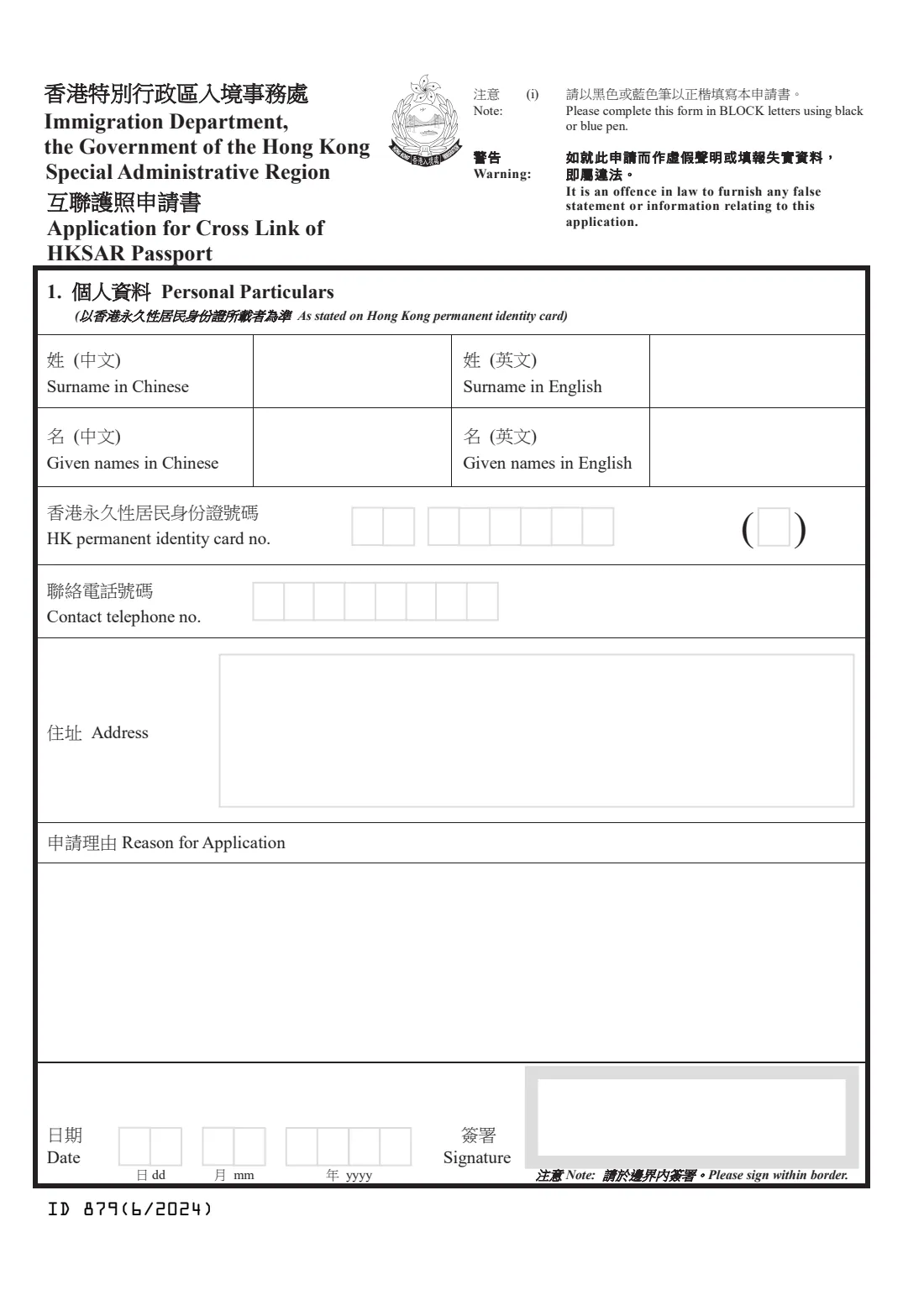
Form ID 879 is short: your name as on your permanent identity card, the card number, a contact telephone number, your address, the reason for the request and the date. FileIt fills the 6/2024 edition in block letters, splits your identity card number and phone number into the boxes, and leaves the Chinese name boxes for you to write by hand.
ImmD accepts the form in person only. FileIt saves the finished PDF in your vault, ready for you to sign inside the signature border.
- Who fills it
- An HKSAR passport holder with a current and a new passport
- Where
- In person at any Immigration branch office or the Travel Documents and Nationality (Application) Section, Tseung Kwan O. Not by post or fax
- Enquiries
- (852) 2824 6111 or [email protected]
- Length
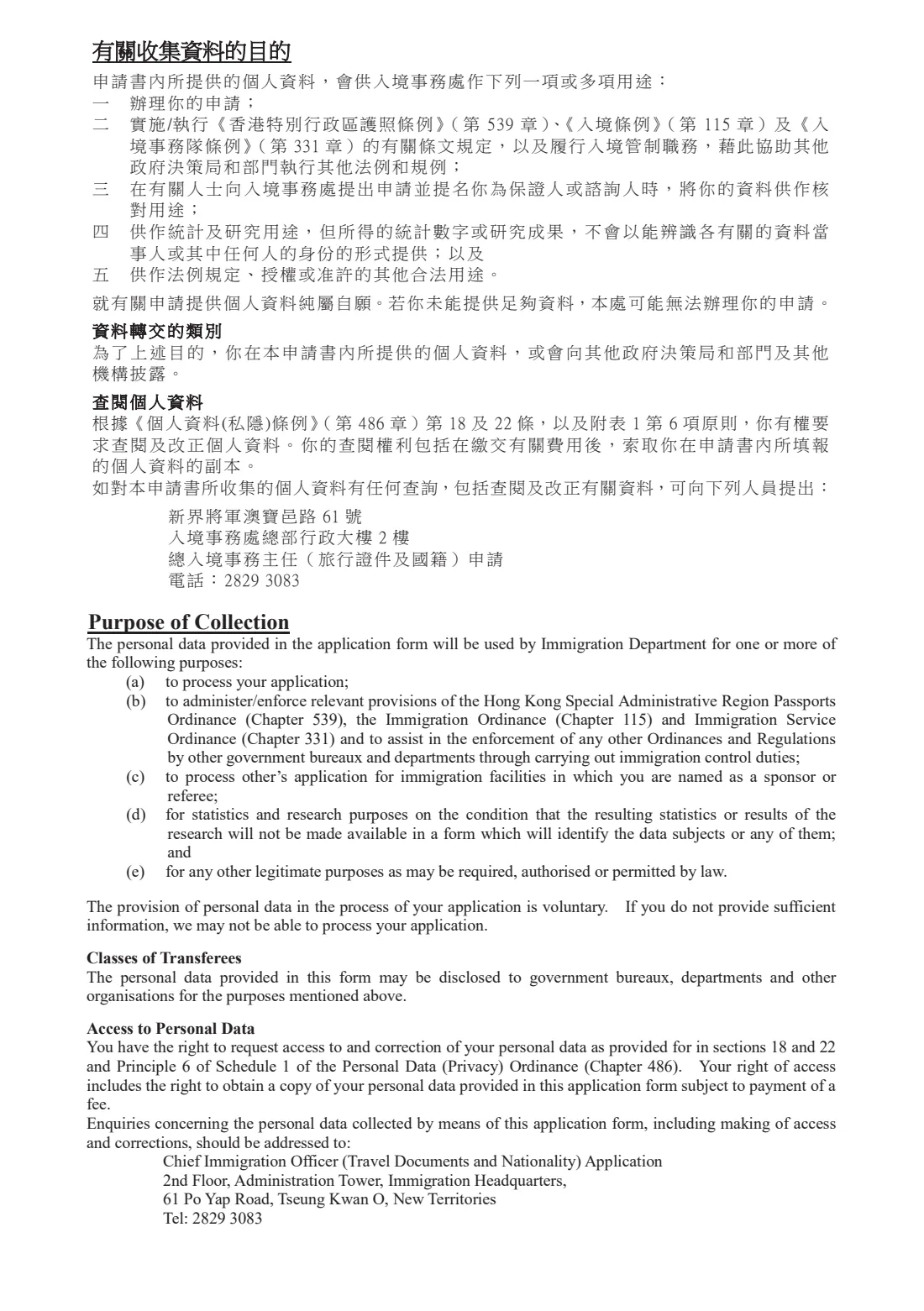
- 1 page plus the statement of purpose
- Edition
- ID 879 (6/2024)
Who needs to fill out Form ID 879 (passport cross link)?
- Holders whose valid visa is in a passport they've just replaced.
- Travellers asked by a consulate or airline to show the link between old and new passport numbers.
- Anyone ImmD's passport guide points to a cross link for their situation.
When to use Form ID 879 (passport cross link)
- After you have received your new HKSAR passport and still hold the old one.
- Before a trip that relies on a visa or entry record in the old passport.
What you need before you start
- Your surname and given names in English, as on your Hong Kong permanent identity card.
- Your permanent identity card number with the check digit.
- An 8-digit contact telephone number and your address.
- A short reason, such as the country whose visa is in the old passport.
- Your old and new passports and identity card when you go to ImmD.
What’s on Form ID 879 (passport cross link)
The 2024 edition has 2 pages. FileIt asks for it in 3 parts, and it is signed by Applicant:
- 1. Personal particularsApplicant
- Reason for applicationApplicant
- Date and signatureApplicant
How to fill out Form ID 879 (passport cross link), step by step
1 1. Personal particulars
Surname and given names (in English, and in Chinese by hand), your permanent identity card number, contact telephone number and address.
2 Reason for application
Explain briefly why you want the passports cross-linked.
3 Date and signature
Date the form and sign inside the grey border.
Common mistakes to avoid
- Posting the form. ImmD takes it in person only.
- Writing your name differently from your identity card.
- Getting the identity card check digit wrong. FileIt checks it for you.
- Signing outside the signature border.
After you fill it out
Print and sign the form.
Take it in person to an Immigration branch office or the Travel Documents and Nationality (Application) Section, with your passports and identity card.
Follow ImmD's instructions on collecting the cross-linked passports.
FileIt keeps a copy in your vault next to your passport records.
Fill out Form ID 879 (passport cross link) online with FileIt
- Pick the person. Choose someone from People and FileIt fills in their name, date of birth, address and other details it already knows.
- Answer plain-language questions. One part of the form at a time, with the official help text beside each question — 11 fields in all. Your answers save as you go.
- Check the live preview. Watch your answers land on the real Immigration Department, the Government of the Hong Kong Special Administrative Region (ImmD) form, and let FileIt do any worksheet arithmetic.
- Generate the official PDF. FileIt prints your answers into the agency’s own PDF and files it in that person’s folder in your vault. Sign it, or send it for e-signature.
FileIt fills the form — it never files or submits anything for you. Deliver the finished form to whoever asked for it, the way the form’s instructions say.
Start Form ID 879 (passport cross link) now — it’s freeForm ID 879 (passport cross link): frequently asked questions
What does cross link mean?
It's ImmD linking your current and new HKSAR passports, so that what's in the old one, such as a visa, can be related to the new one.
Can I post the form?
No. ImmD's form page says mailing and fax aren't accepted. Submit it in person.
Where can I read more?
ImmD's form page points to the Q&A in 'A General Guide to HKSAR Passport'.
Why are the Chinese name boxes blank?
FileIt can't print Chinese characters yet, so you write your Chinese name by hand on the printed form.
Is it free to fill in with FileIt?
Yes. Filling official forms works on every FileIt account. You sign and submit the form yourself.
Official sources
- Blank form (PDF), published by Immigration Department, the Government of the Hong Kong Special Administrative Region (ImmD): https://www.immd.gov.hk/pdforms/ID879n.pdf
- Official instructions and guidance: https://www.immd.gov.hk/eng/forms/forms/id879.html
- Edition shown on this page: ID 879 (6/2024) (checked 2026-10-19).
FileIt is not affiliated with or endorsed by Immigration Department, the Government of the Hong Kong Special Administrative Region (ImmD) or any government. This page explains the form in general terms and is not legal, tax or immigration advice. Always read the official instructions, and check that you are using the edition the recipient accepts. Page last reviewed 2026-10-19.