What is Form T929?
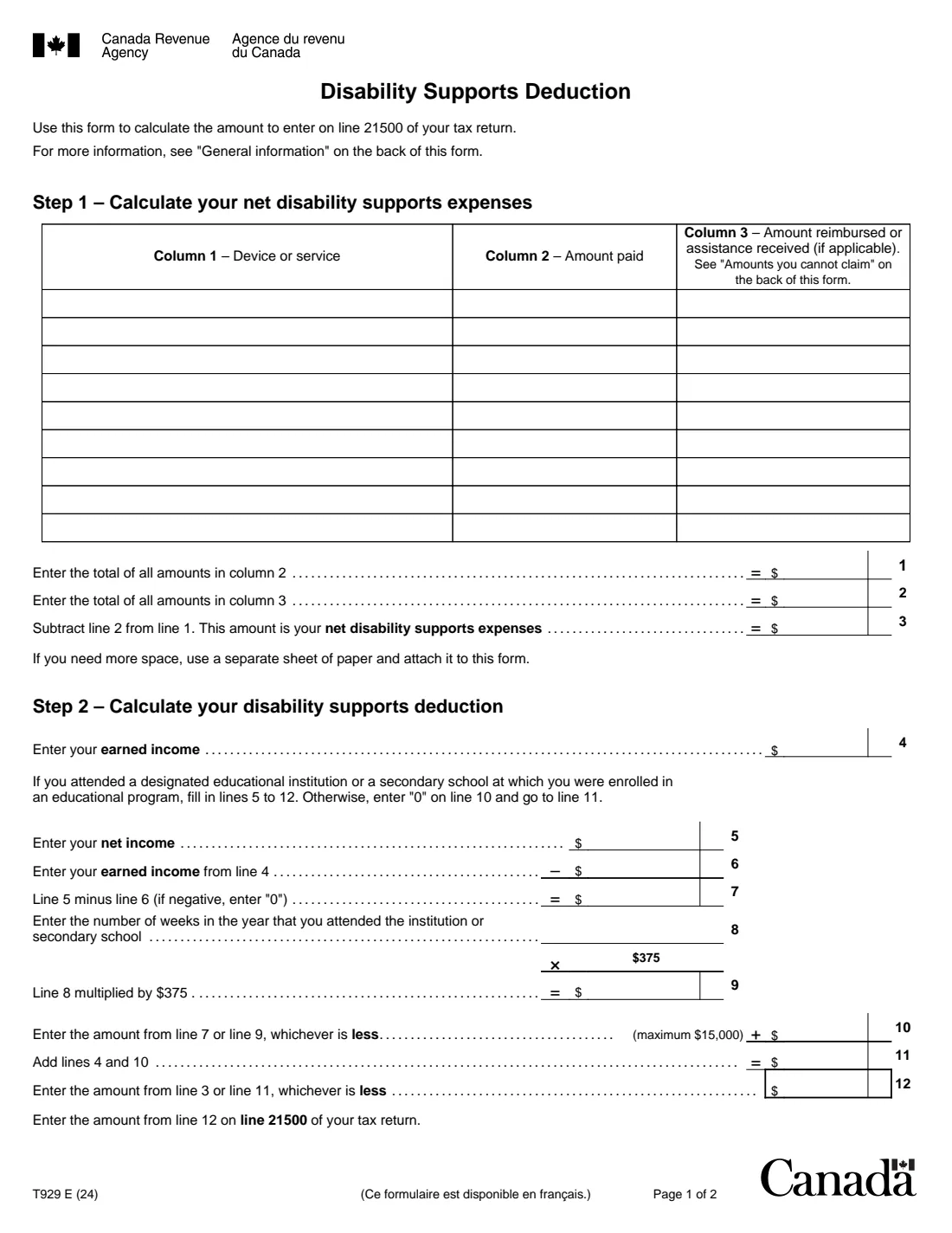
Form T929, Disability Supports Deduction, is the Canada Revenue Agency (CRA) calculation for the deduction on line 21500 of your return. If you have an impairment in physical or mental functions, you may be able to deduct what you paid for devices and services, such as sign-language interpretation, note-taking, talking textbooks or attendant care, so that you could be employed, carry on a business, do research for a grant, or attend a designated educational institution or secondary school.
Step 1 lists the expenses and any reimbursements or assistance. Step 2 limits the deduction to your earned income; if you attended a designated educational institution or secondary school, it adds the lesser of your net income above your earned income and $375 per week of attendance, up to $15,000.
FileIt asks for each expense and your income, does the arithmetic and prints every line into the CRA's fillable T929 PDF (edition T929 E (24), the edition the CRA's form page links). You keep the form and your receipts; FileIt saves them in your vault and doesn't file anything for you.
- Who fills it
- People with an impairment in physical or mental functions who paid for disability supports
- Result
- The disability supports deduction on line 21500 of your return
- Student amount
- Up to $375 per week of attendance, maximum $15,000
- Timing
- Expenses are claimed in the year paid; unused amounts don't carry over
- Signatures
- None
- Edition
- T929 E (24), 2 pages
Who needs to fill out Form T929?
- Employees and self-employed people who paid for attendant care, interpretation or other disability supports to be able to work.
- Researchers paying for supports to do work funded by a grant.
- Students at a designated educational institution or secondary school who paid for supports to attend.
- Factual or deemed residents living outside Canada who paid a non-resident for services provided outside Canada.
When to use Form T929
- When you prepare your return and paid for disability supports in the year.
- Every year you have such expenses: they must be claimed in the year they're paid.
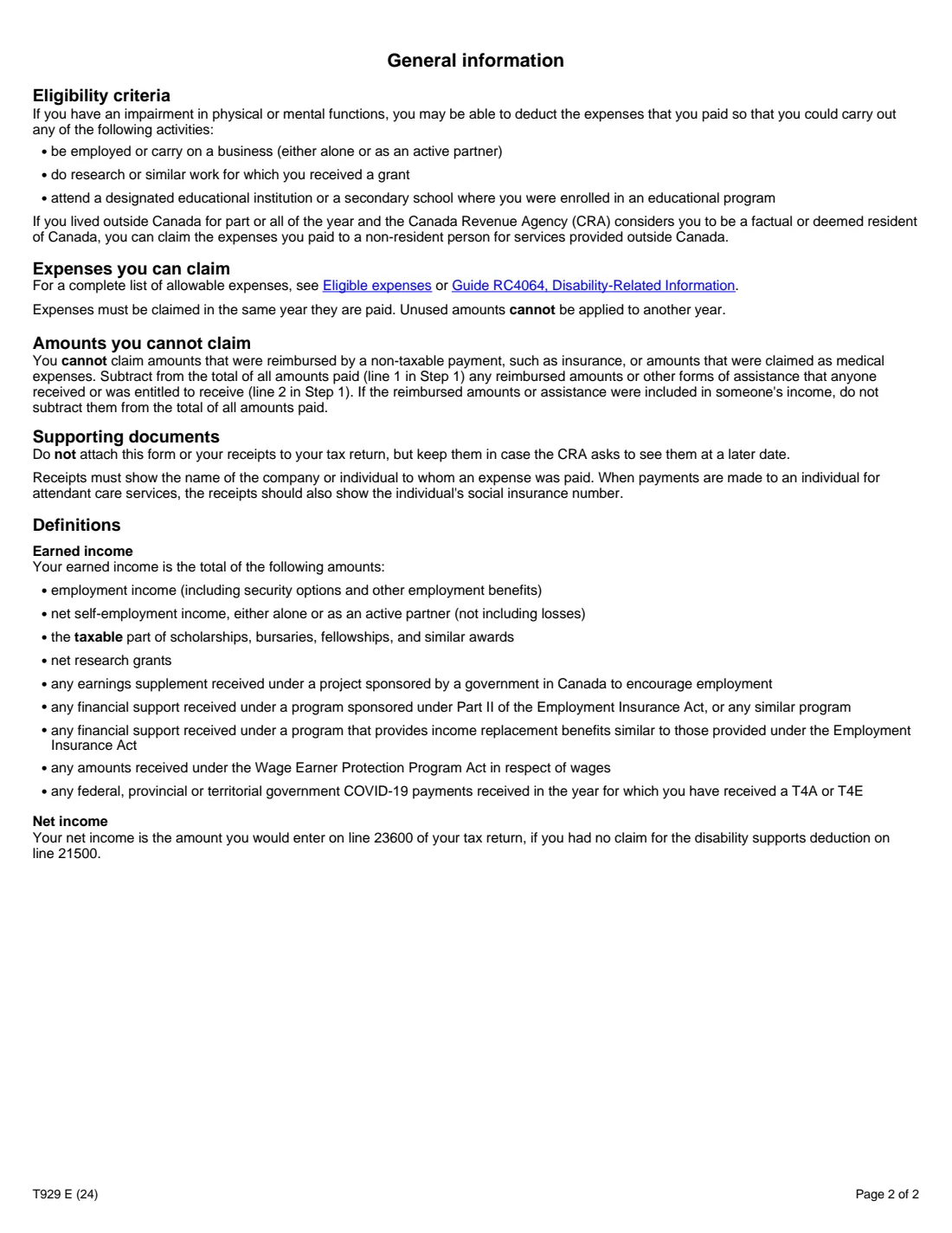
- Not for amounts you claim as medical expenses or that were reimbursed by a non-taxable payment such as insurance.
What you need before you start
- Receipts for each device or service, showing who was paid (and, for attendant care paid to an individual, their social insurance number).
- Any reimbursements or other assistance you or anyone received or were entitled to receive for those expenses.
- Your earned income: employment and net self-employment income, the taxable part of scholarships, net research grants and the other amounts the form lists.
- If you were a student: your net income (line 23600 without this deduction) and the number of weeks you attended.
What’s on Form T929
The 2024 edition has 2 pages. FileIt asks for it in 2 parts:
- Step 1 – Your net disability supports expensesEmployee
- Step 2 – Your disability supports deductionEmployee
How to fill out Form T929, step by step
1 Step 1 – Expenses
List each device or service, the amount paid and any amount reimbursed. FileIt totals both columns and works out your net disability supports expenses on line 3.
2 Earned income (line 4)
Enter your earned income as the form defines it on page 2.
3 Students (lines 5 to 10)
If you attended a designated educational institution or secondary school, tick it and enter your net income and weeks of attendance. FileIt works out lines 6, 7 and 9 and takes the lesser of lines 7 and 9, up to $15,000. Otherwise line 10 is 0.
4 Your deduction (lines 11 and 12)
Line 11 adds lines 4 and 10, and line 12 is the lesser of line 3 and line 11. Enter it on line 21500 of your return.
Common mistakes to avoid
- Claiming the same expense as both a medical expense and a disability supports expense.
- Not subtracting reimbursements from insurance or other non-taxable assistance.
- Including losses from self-employment in earned income.
- Claiming an expense in a year other than the one it was paid.
- Missing receipts that show the payee (and the SIN for an individual attendant).
After you fill it out
Enter line 12 on line 21500 of your return.
Don't attach the form or receipts to your return; keep them in case the CRA asks. FileIt saves the T929 in your vault.
Fill out Form T929 online with FileIt
- Pick the person. Choose someone from People and FileIt fills in their name, date of birth, address and other details it already knows.
- Answer plain-language questions. One part of the form at a time, with the official help text beside each question — 40 fields in all. Your answers save as you go.
- Check the live preview. Watch your answers land on the real Canada Revenue Agency (CRA) form, and let FileIt do any worksheet arithmetic.
- Generate the official PDF. FileIt prints your answers into the agency’s own PDF and files it in that person’s folder in your vault.
FileIt fills the form — it never files or submits anything for you. Deliver the finished form to whoever asked for it, the way the form’s instructions say.
Start Form T929 now — it’s freeForm T929: frequently asked questions
What expenses count?
Devices and services that let you work, carry on a business, do research for a grant or attend school with an impairment, such as sign-language interpretation, note-taking services, talking textbooks and attendant care. The CRA's Eligible expenses page and Guide RC4064 have the full list.
Is there a limit?
The deduction can't be more than your earned income, plus the student amount if you attended a designated educational institution or secondary school.
Why does the form say (24)?
The CRA's form page links the T929 E (24) edition as the current one; FileIt uses that edition.
Do I send the T929 with my return?
No. Keep it and your receipts in case the CRA asks to see them.
Can I fill out Form T929 online?
Yes. FileIt lists your expenses, does the arithmetic and prints it into the CRA's fillable T929.
Official sources
- Blank form (PDF), published by Canada Revenue Agency (CRA): https://www.canada.ca/content/dam/cra-arc/formspubs/pbg/t929/t929-fill-24e.pdf
- Official instructions and guidance: https://www.canada.ca/en/revenue-agency/services/forms-publications/forms/t929.html
- Edition shown on this page: T929 E (24) (checked 2026-10-25).
FileIt is not affiliated with or endorsed by Canada Revenue Agency (CRA) or any government. This page explains the form in general terms and is not legal, tax or immigration advice. Always read the official instructions, and check that you are using the edition the recipient accepts. Page last reviewed 2026-10-25.