What is Form T1198?
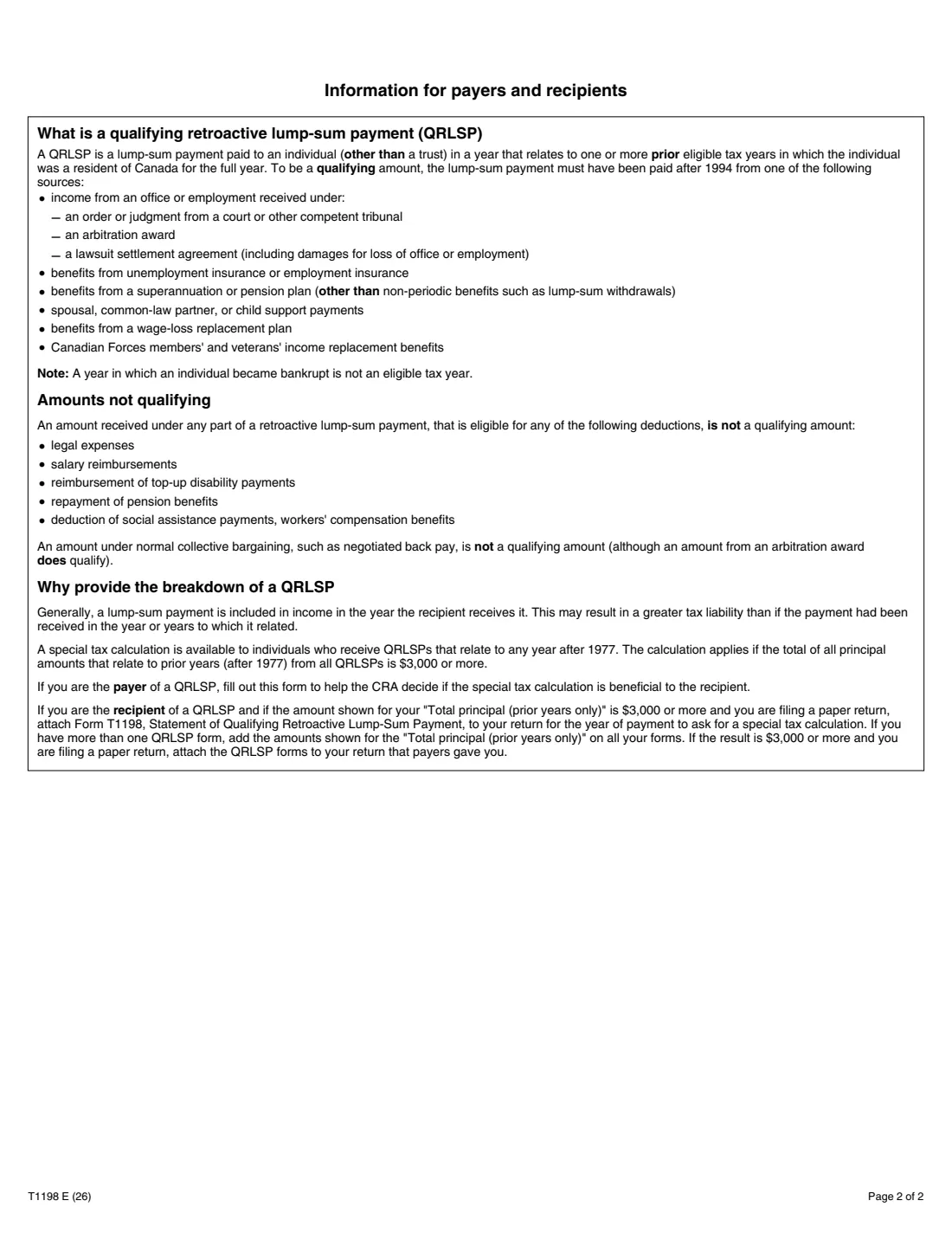
When someone receives a lump sum this year that really belongs to earlier years, such as an arbitration award for back salary, a settlement for loss of employment, retroactive employment insurance or pension benefits, support arrears or wage-loss replacement benefits, taxing it all in one year can push them into a higher bracket. A qualifying retroactive lump-sum payment (QRLSP) can instead be taxed as if each part had been received in its own year, when the prior-year principal adds up to $3,000 or more.
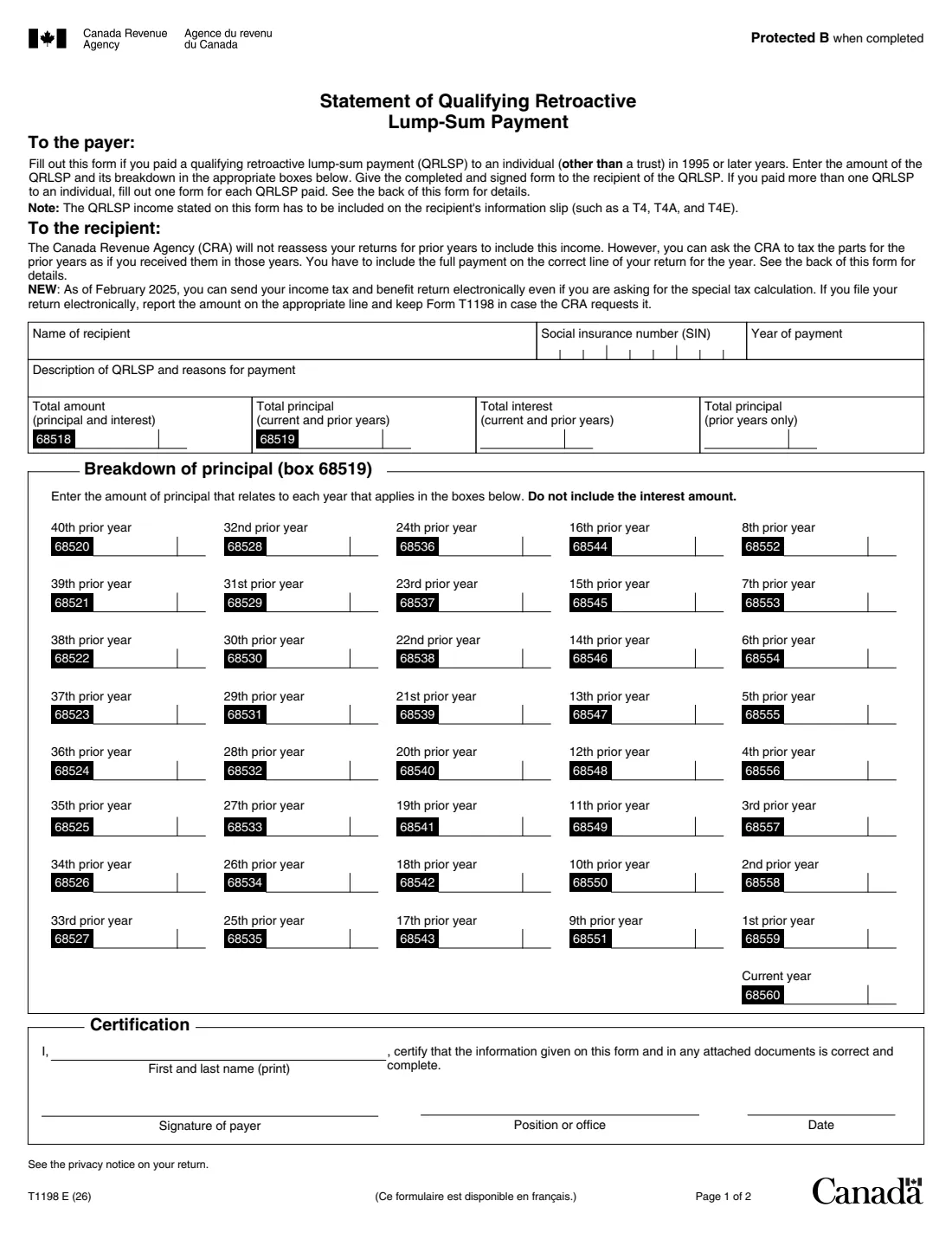
Form T1198, Statement of Qualifying Retroactive Lump-Sum Payment, is filled out by the payer. It records the recipient, the year of payment, a description of the payment and why it was made, the total amount with principal and interest, and the principal broken down by year, from the current year back as far as the 40th prior year. The payer signs it and gives it to the recipient, one form for each QRLSP.
FileIt lets the payer enter each year's principal and the interest, and adds up box 68519, the prior-years total and box 68518 on the CRA's own PDF (edition T1198 E (26)). The finished statement is saved in the recipient's vault folder. FileIt never sends it to the CRA.
- Who fills it
- The payer (for example an employer, insurer, pension plan or support payer)
- Given to
- The recipient of the payment, not the CRA
- When
- For a QRLSP paid to an individual in 1995 or later; one form per payment
- Signatures
- The payer's, by hand, with name, position and date
- Edition
- T1198 E (26)
Who needs to fill out Form T1198?
- Small employers paying back salary under a court order, arbitration award or lawsuit settlement.
- Payers of retroactive pension, wage-loss replacement or similar benefits to an individual.
- Support payers making retroactive spousal, common-law partner or child support payments.
- Recipients who need the statement from their payer to ask for the special tax calculation.
When to use Form T1198
- In the year you pay the lump sum, so the recipient has it for that year's return.
- Once for each QRLSP paid to the same person.
- Only for amounts that qualify: negotiated back pay under normal collective bargaining doesn't, while an arbitration award does.
What you need before you start
- The recipient's name and SIN.
- The year of payment and a short description of the payment and the reasons for it.
- The interest included, if any.
- How much of the principal relates to the current year and to each prior year.
- The name and position of the person certifying for the payer.
What’s on Form T1198
The 2026 edition has 2 pages. FileIt asks for it in 5 parts:
- Recipient and paymentPayer
- TotalsPayer
- Breakdown of principal – current year and the 10 years beforePayer
- Breakdown of principal – 11 to 40 years beforePayer
- CertificationPayer
How to fill out Form T1198, step by step
1 Recipient and payment
The recipient's name, SIN and the year of payment, then a description of the QRLSP and why it was paid.
2 Breakdown of principal
Enter the principal for each year it relates to: box 68560 is the current year, box 68559 the year before, and so on back to box 68520, the 40th prior year. Leave out interest. Years 11 to 40 back sit in an optional part.
3 Totals
FileIt adds the boxes into total principal (box 68519) and prior-years principal, and adds the interest you enter to give the total amount in box 68518.
4 Certification
The person signing for the payer prints their name and position and certifies the statement. Print it and sign it by hand.
Common mistakes to avoid
- Including interest in the yearly principal boxes.
- Putting two separate lump sums on one form.
- Using it for amounts that don't qualify, such as legal expenses, salary reimbursements or negotiated back pay.
- Forgetting that the payment also has to be on the recipient's T4, T4A or T4E.
After you fill it out
Print the PDF from the FileIt vault, have the payer's representative sign it, and give it to the recipient. FileIt doesn't send it to anyone.
As the recipient: if your prior-year principal from all your QRLSP forms is $3,000 or more, attach them to a paper return to ask for the special tax calculation, or keep them if you file electronically, as the form explains.
Fill out Form T1198 online with FileIt
- Pick the person. Choose someone from People and FileIt fills in their name, date of birth, address and other details it already knows.
- Answer plain-language questions. One part of the form at a time, with the official help text beside each question — 52 fields in all. Your answers save as you go.
- Check the live preview. Watch your answers land on the real Canada Revenue Agency (CRA) form, and let FileIt do any worksheet arithmetic.
- Generate the official PDF. FileIt prints your answers into the agency’s own PDF and files it in that person’s folder in your vault.
FileIt fills the form — it never files or submits anything for you. Deliver the finished form to whoever asked for it, the way the form’s instructions say.
Start Form T1198 now — it’s freeForm T1198: frequently asked questions
Who fills out the T1198, the payer or the recipient?
The payer fills it out and signs it, then gives it to the recipient. FileIt files the PDF in the recipient's vault folder.
What is the special tax calculation?
The CRA taxes the prior-year parts of the payment as if they had been received in those years, when that's better for the recipient. It applies when the prior-year principal adds up to $3,000 or more.
Can I file electronically if I have a T1198?
Yes. The form notes that since February 2025 you can file electronically while asking for the special calculation, and keep the T1198 in case the CRA asks for it.
Does the CRA reassess my old returns?
No. The form says the CRA won't reassess prior years; it applies the special calculation on the return for the year of payment.
Official sources
- Blank form (PDF), published by Canada Revenue Agency (CRA): https://www.canada.ca/content/dam/cra-arc/formspubs/pbg/t1198/t1198-fill-26e.pdf
- Official instructions and guidance: https://www.canada.ca/en/revenue-agency/services/forms-publications/forms/t1198.html
- Edition shown on this page: T1198 E (26) (checked 2026-10-19).
FileIt is not affiliated with or endorsed by Canada Revenue Agency (CRA) or any government. This page explains the form in general terms and is not legal, tax or immigration advice. Always read the official instructions, and check that you are using the edition the recipient accepts. Page last reviewed 2026-10-19.