What is Form T1139?
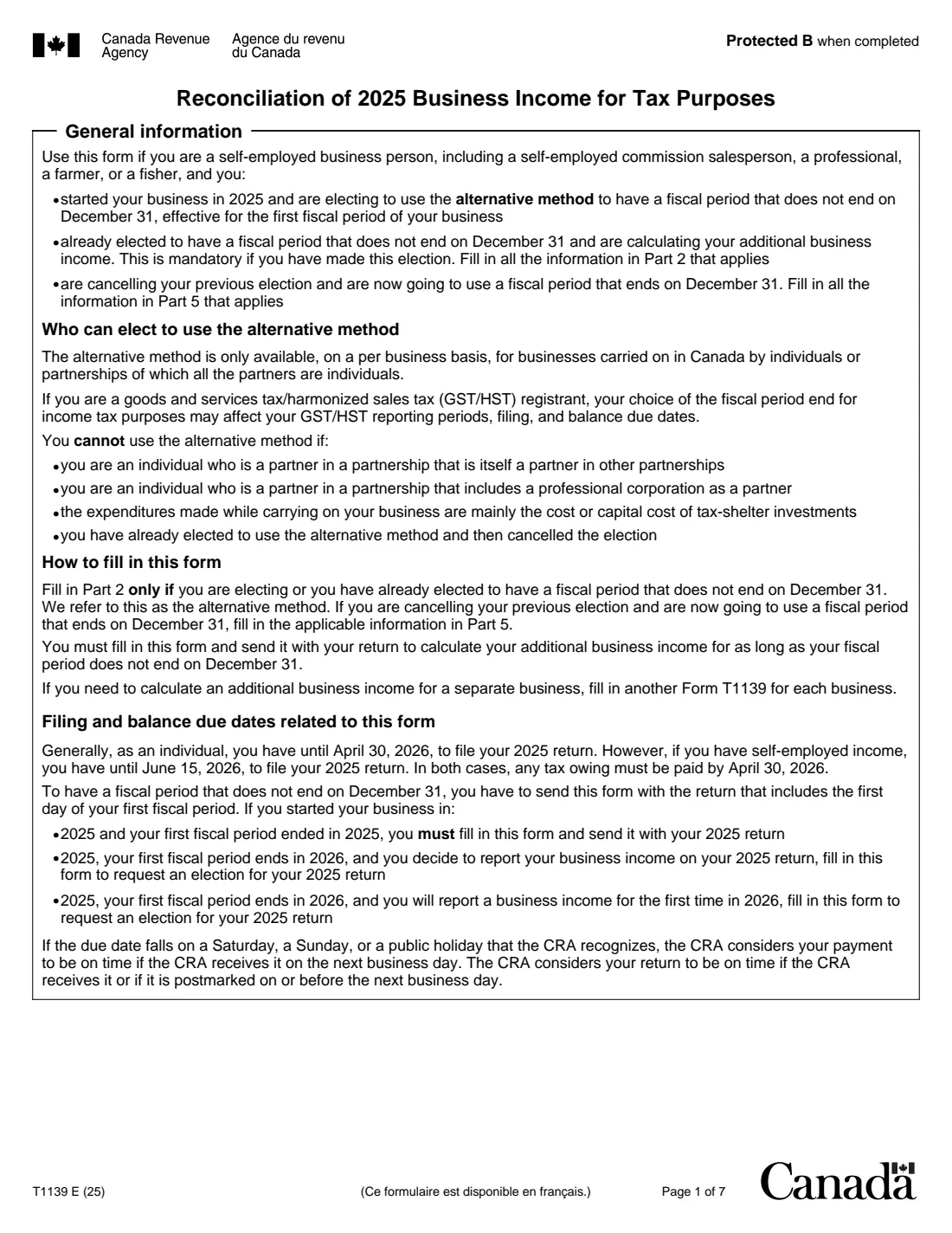
Form T1139, Reconciliation of 2025 Business Income for Tax Purposes, is the Canada Revenue Agency (CRA) form for the alternative method: having a business fiscal period that doesn't end on December 31. It's for self-employed business people, commission salespeople, professionals, farmers and fishers carrying on business in Canada as individuals or in partnerships of individuals.
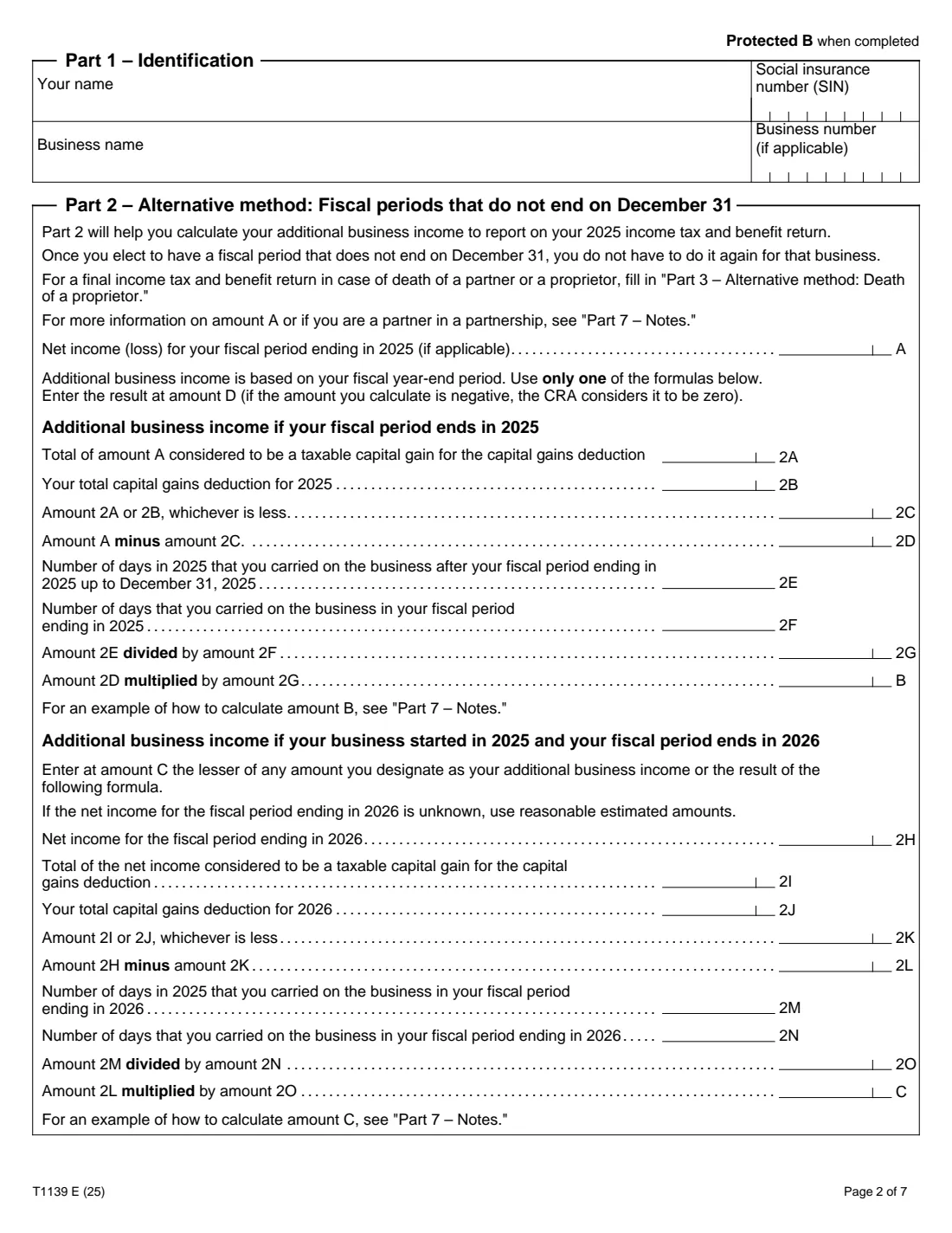
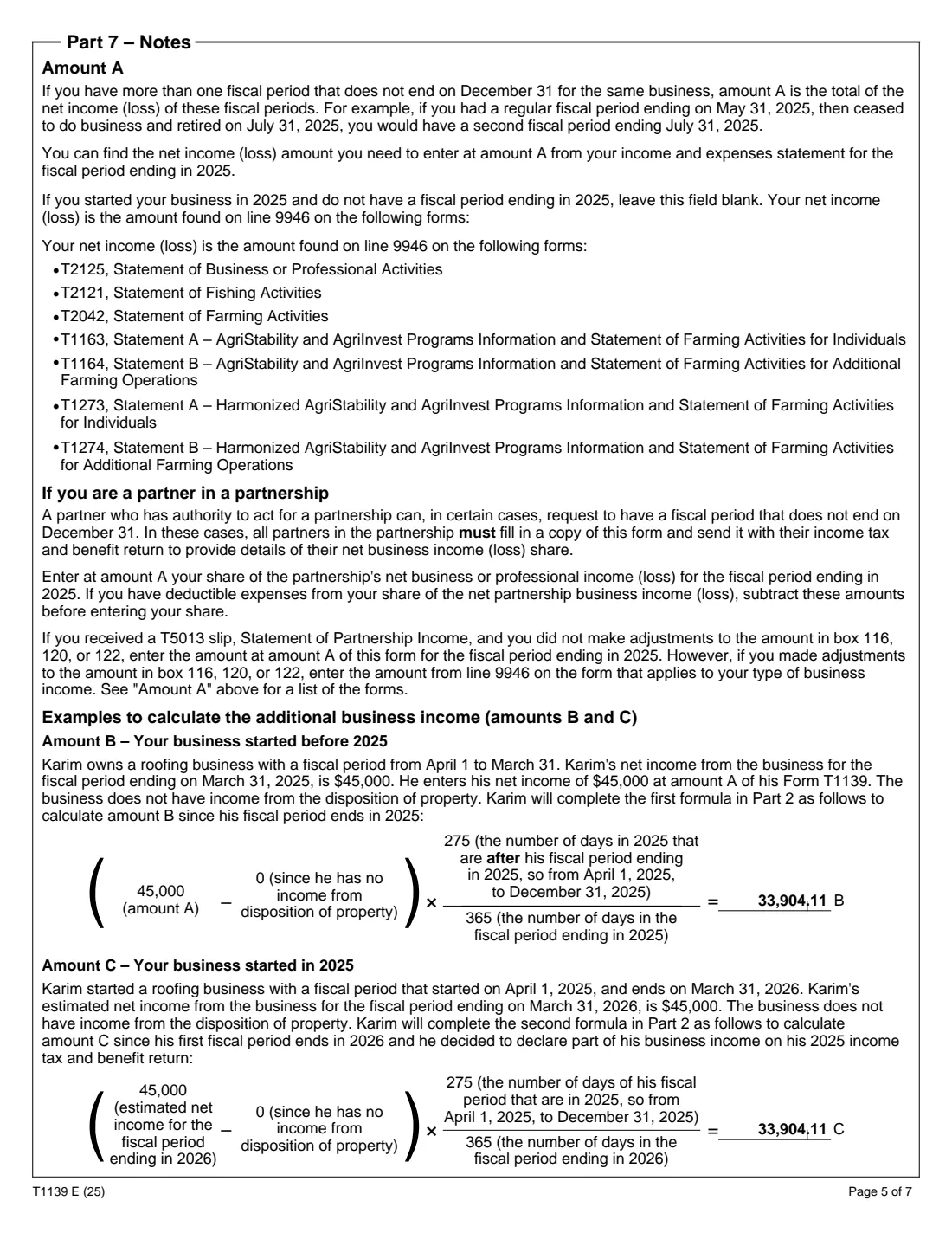
Each year you use the alternative method, the form adds 'additional business income' for the part of the calendar year after your fiscal period ends, prorated by days: amount A less any capital gains part, times the days after the year end over the days in the fiscal period. It also covers a business started in 2025 whose first fiscal period ends in 2026, the final return of a proprietor who died, and cancelling the election to go back to a December 31 year end.
FileIt asks which case applies, shows only that part, does the day-fraction and subtotals, and prints every line into the CRA's fillable T1139 PDF (edition T1139 E (25), for 2025). You sign it by hand and send it with your return. FileIt doesn't file anything for you.
- Who fills it
- Self-employed individuals and partners using a fiscal period that doesn't end on December 31
- Result
- The net business income (loss) to report on line 13500, 13700, 13900, 14100 or 14300
- How often
- With your return every year your fiscal period doesn't end on December 31, one form per business
- Filing dates (2025 return)
- June 15, 2026 for self-employed people; any balance owing is due April 30, 2026
- Signature
- By hand (Part 6 certification)
- Edition
- T1139 E (25), 7 pages
Who needs to fill out Form T1139?
- Sole proprietors and partners whose business year ends on a date other than December 31.
- People who started a business in 2025 and are electing the alternative method for its first fiscal period.
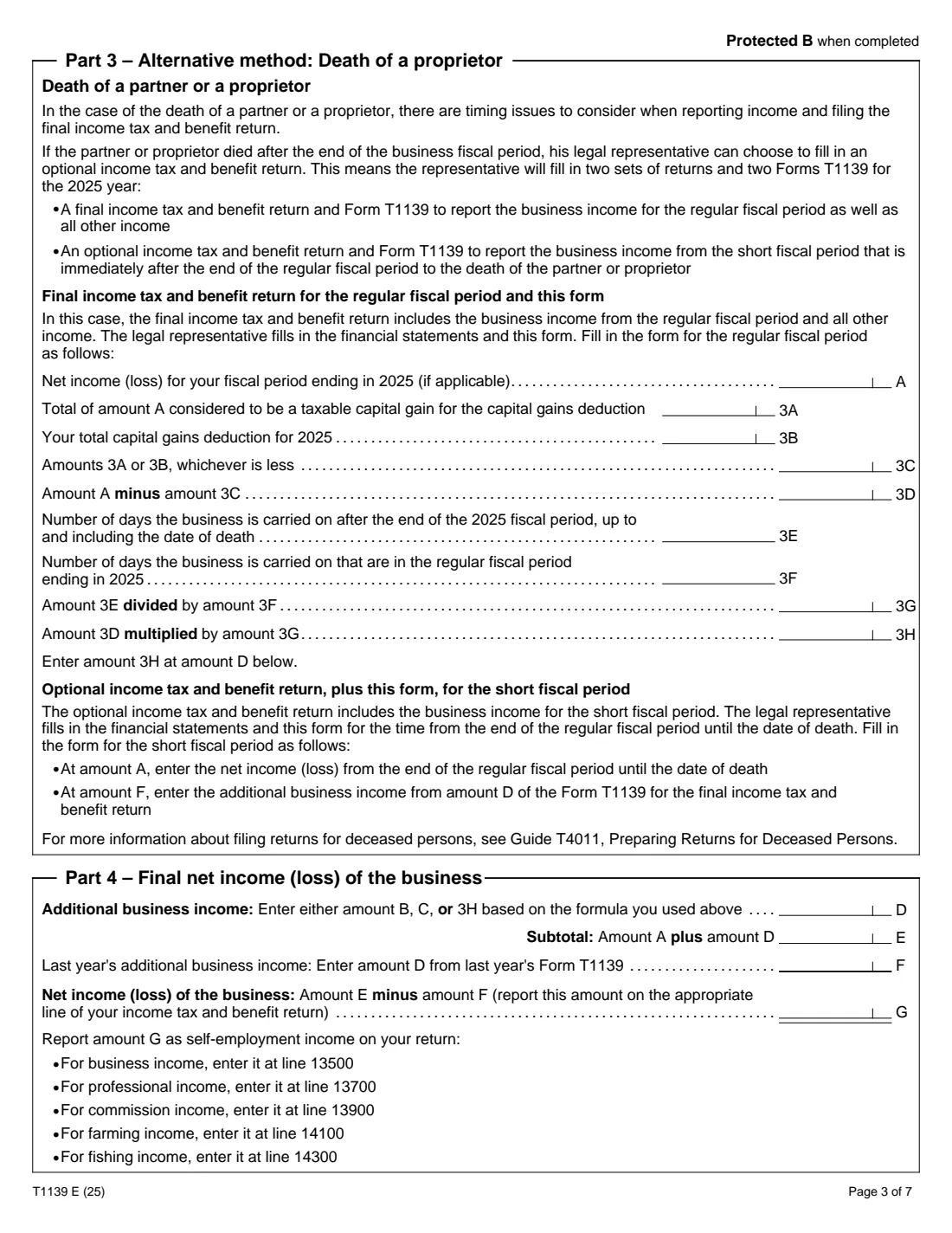
- Legal representatives preparing the final return of a partner or proprietor who died after the end of the business fiscal period.
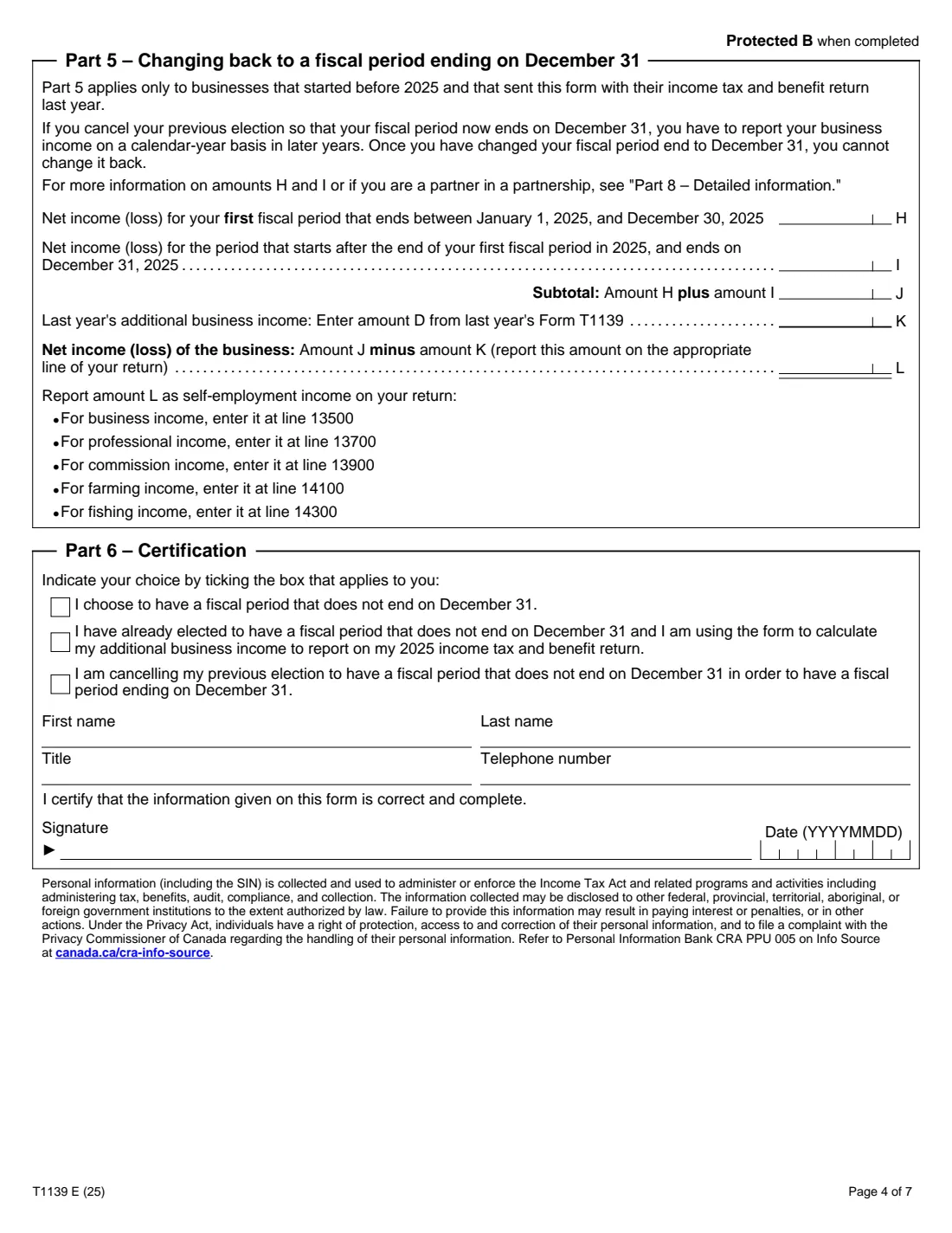
- Businesses that elected the alternative method before and are now changing back to a December 31 year end.
When to use Form T1139
- When you prepare your 2025 return, every year you use the alternative method.
- With the return that includes the first day of your first fiscal period, to elect the alternative method.
- The year you cancel the election, to report both the regular and the short fiscal period.
What you need before you start
- Your income and expense statement (T2125, T2121, T2042 or the AgriStability statements) for the fiscal period ending in 2025, line 9946.
- The number of days in the fiscal period and the days in 2025 after it ended.
- Any part of the income that's a taxable capital gain eligible for the capital gains deduction, and your capital gains deduction.
- Amount D from last year's Form T1139.
- For a partnership, your share of its net income (from your T5013 slip or the statement).
What’s on Form T1139
The 2025 edition has 7 pages. FileIt asks for it in 7 parts:
- Part 1 – IdentificationEmployee
- Part 2 – Alternative method: your fiscal period ends in 2025Employee
- Part 2 – Alternative method: your business started in 2025 and its fiscal period ends in 2026Employee
- Part 3 – Alternative method: death of a partner or proprietorEmployee
- Part 4 – Final net income (loss) of the businessEmployee
- Part 5 – Changing back to a fiscal period ending on December 31Employee
- Part 6 – CertificationEmployee
How to fill out Form T1139, step by step
1 Part 1 – Identification
Your name, SIN, business name and business number, and which case applies.
2 Part 2 or Part 3 – Additional business income
Enter amount A (or the 2026 estimate for a new business), the capital gains amounts and the day counts. FileIt works out the subtotals, the day fraction and amount B, C or 3H. For a new business, you can designate a lower amount for C.
3 Part 4 – Final net income
FileIt carries the result to amount D (a negative result counts as zero), adds amount A, and subtracts last year's amount D to give amount G.
4 Part 5 – Changing back
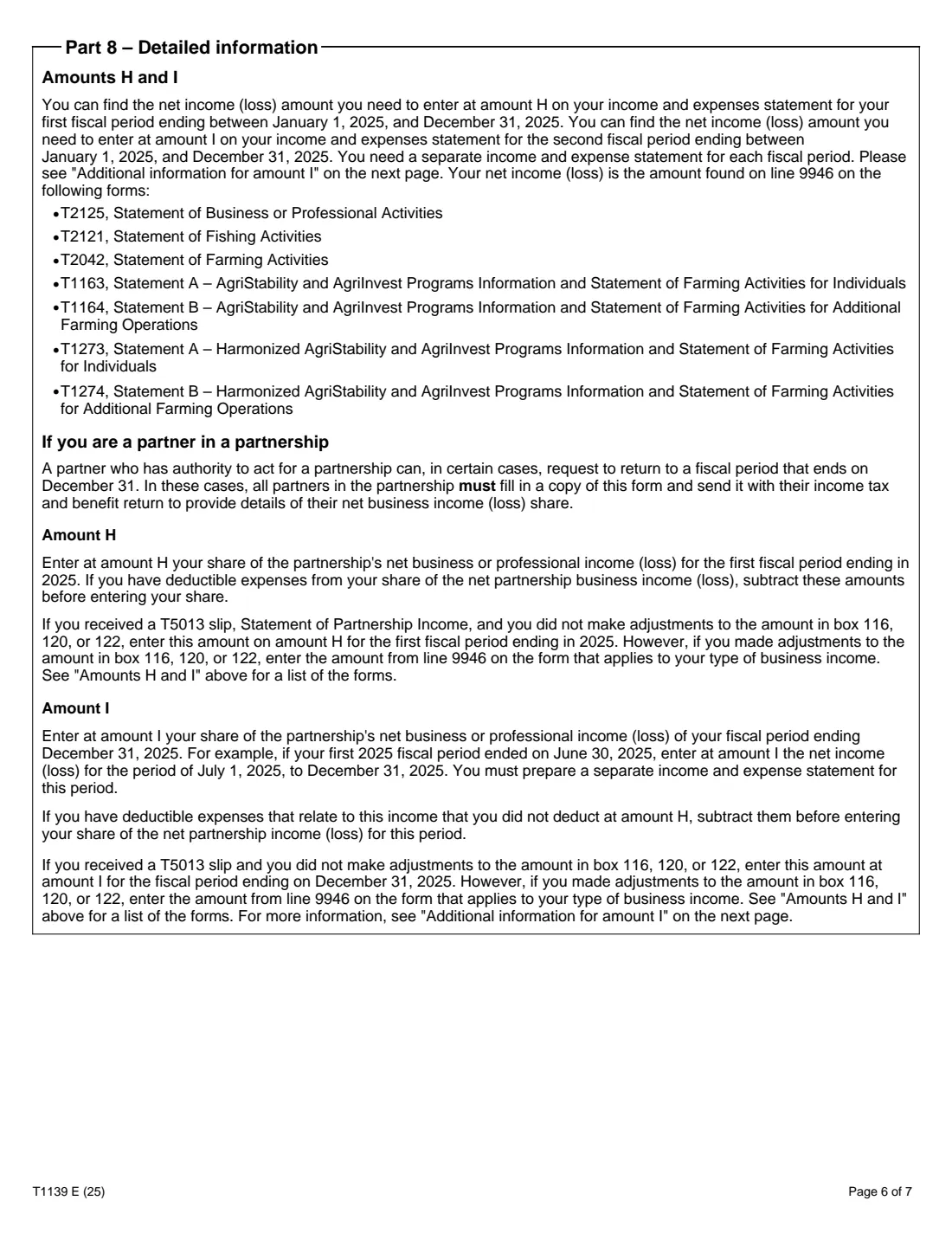
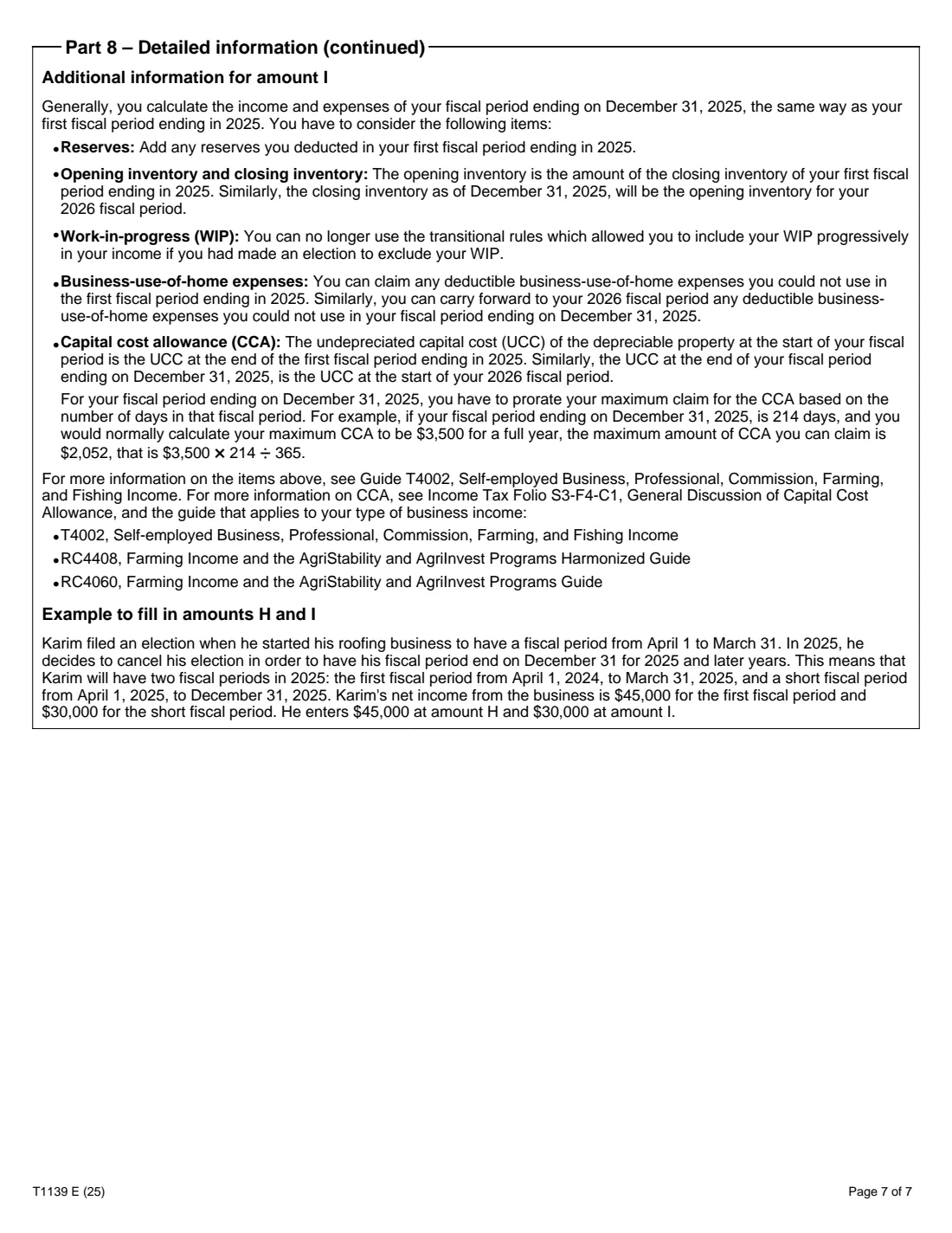
Enter the net income for the first fiscal period ending in 2025 and for the short period to December 31, and last year's amount D. FileIt works out amounts J and L.
5 Part 6 – Certification
Tick your choice, add your name, title, telephone and the date, and sign by hand.
Common mistakes to avoid
- Forgetting to subtract last year's additional business income (amount F or K).
- Using more than one formula; the form says to use only one.
- Counting the days wrongly: 2E is the days in 2025 after the fiscal period ended, 2F the days in that fiscal period.
- Filing one T1139 for several businesses instead of one per business.
- Trying to elect again after cancelling an earlier election, which the form says isn't allowed.
After you fill it out
Report amount G (or L) as self-employment income on the line for your type of income.
Sign Part 6 and send the form with your return. FileIt saves a copy in your vault.
Keep amount D for next year's Form T1139.
Fill out Form T1139 online with FileIt
- Pick the person. Choose someone from People and FileIt fills in their name, date of birth, address and other details it already knows.
- Answer plain-language questions. One part of the form at a time, with the official help text beside each question — 48 fields in all. Your answers save as you go.
- Check the live preview. Watch your answers land on the real Canada Revenue Agency (CRA) form, and let FileIt do any worksheet arithmetic.
- Generate the official PDF. FileIt prints your answers into the agency’s own PDF and files it in that person’s folder in your vault.
FileIt fills the form — it never files or submits anything for you. Deliver the finished form to whoever asked for it, the way the form’s instructions say.
Start Form T1139 now — it’s freeForm T1139: frequently asked questions
Who can use the alternative method?
Individuals carrying on a business in Canada, alone or in a partnership whose partners are all individuals. It's not available to partners in a partnership that is itself a partner in other partnerships, or that has a professional corporation as a partner, to businesses mainly investing in tax shelters, or to anyone who already cancelled an earlier election.
How is the additional business income worked out?
Amount A, less any part that's a taxable capital gain for the capital gains deduction, times the days in 2025 after your fiscal period ended divided by the days in that fiscal period. The form's example is $45,000 x 275 / 365 = $33,904.11.
Do I need to send T1139 every year?
Yes, for as long as your fiscal period doesn't end on December 31, with one form per business.
Can I sign it electronically?
T1139 isn't on the CRA's list of forms it accepts with an electronic signature, so FileIt leaves it to be signed by hand.
Can I fill out Form T1139 online?
Yes. FileIt shows only the part that applies, does the arithmetic and prints it into the CRA's fillable T1139.
Official sources
- Blank form (PDF), published by Canada Revenue Agency (CRA): https://www.canada.ca/content/dam/cra-arc/formspubs/pbg/t1139/t1139-fill-25e.pdf
- Official instructions and guidance: https://www.canada.ca/en/revenue-agency/services/forms-publications/forms/t1139.html
- Edition shown on this page: T1139 E (25) (checked 2026-10-25).
FileIt is not affiliated with or endorsed by Canada Revenue Agency (CRA) or any government. This page explains the form in general terms and is not legal, tax or immigration advice. Always read the official instructions, and check that you are using the edition the recipient accepts. Page last reviewed 2026-10-25.