What is NR6 non-resident rental undertaking?
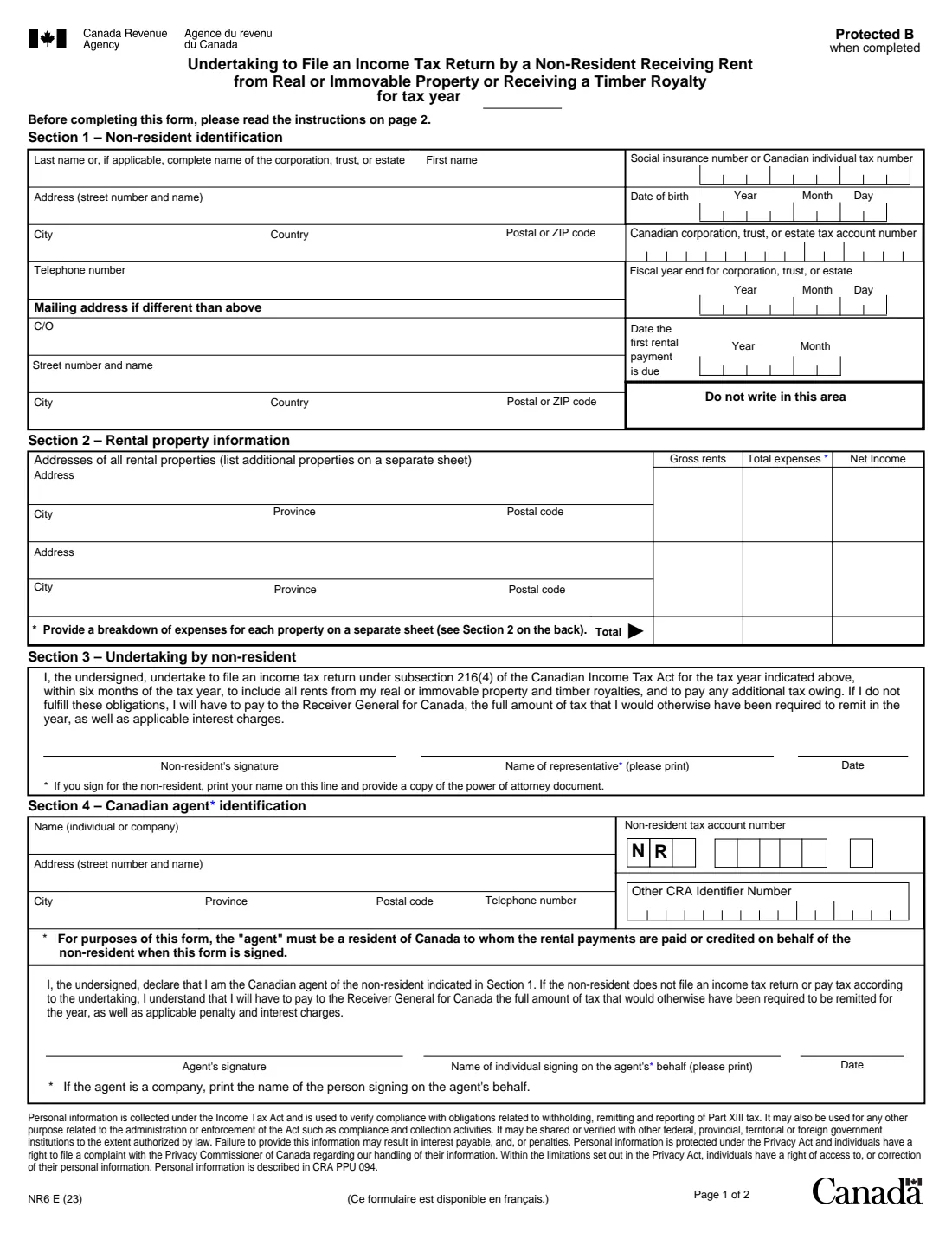
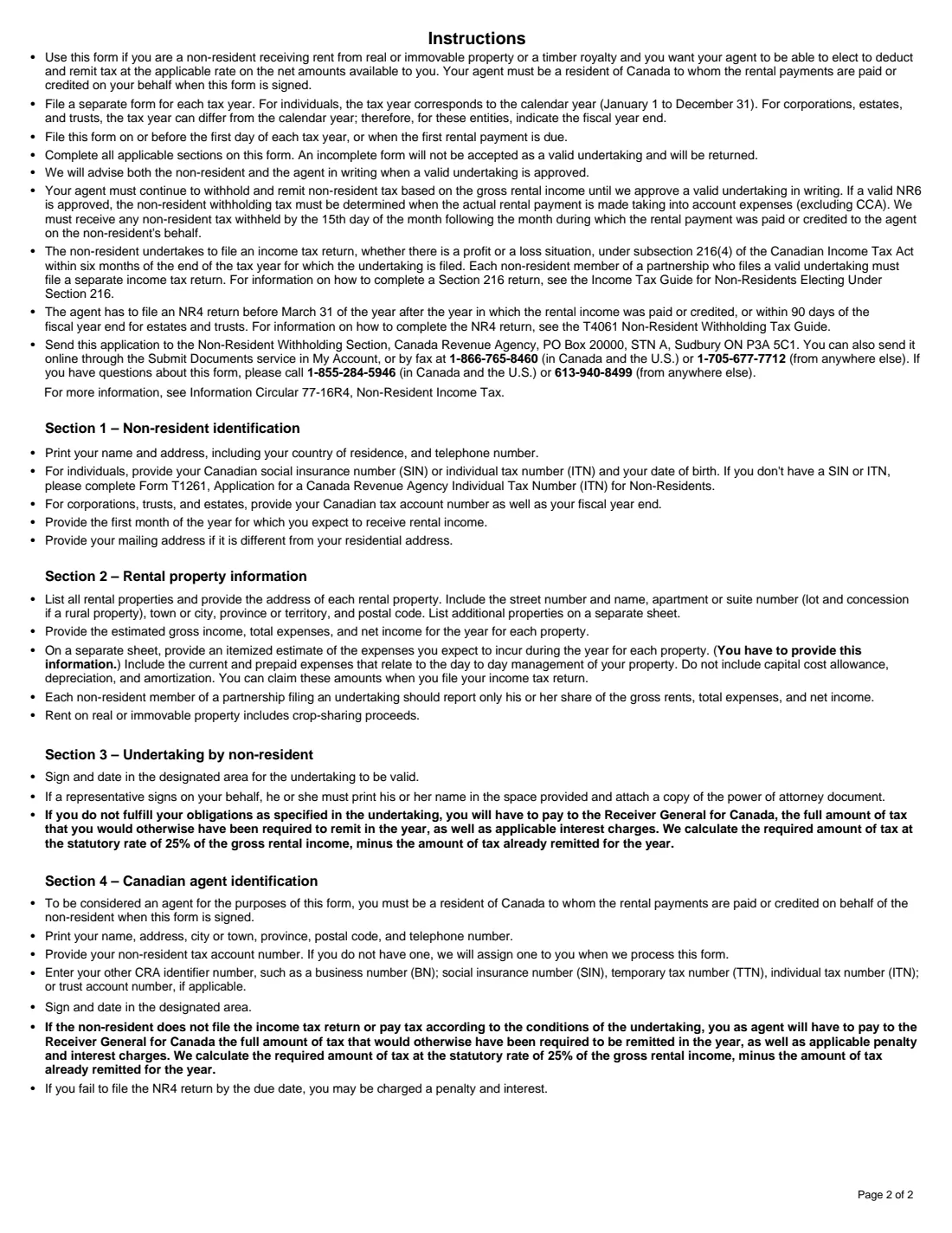
If you live outside Canada and rent out Canadian property, your agent withholds non-resident tax on the gross rent. With an approved NR6, the instructions explain, your agent can withhold on the net amount after expenses (not including capital cost allowance), in return for your undertaking to file a section 216 Canadian return within six months of the end of the year.
You file a separate NR6 for each tax year, on or before the first day of the year or when the first rental payment is due. It lists each property's estimated gross rents and expenses, and your agent, who must be a resident of Canada receiving the rents for you, signs a declaration too. The agent keeps withholding on gross rent until the CRA approves the undertaking in writing.
FileIt prints your details, your properties and your agent's details into the CRA's official NR6 PDF, works out each property's net income and the totals, and saves it in your vault for both of you to sign. FileIt never submits it.
- Who fills it
- A non-resident owner of Canadian rental property, with their Canadian agent
- Given to
- The CRA's Non-Resident Withholding Section, by mail, fax or My Account
- How often
- Once for each tax year
- Pages
- 2 (page 2 is instructions)
- Edition
- NR6 E (23)
- Signatures
- The non-resident (or representative) and the agent, by hand
Who needs to fill out NR6 non-resident rental undertaking?
- Non-residents who own rental property in Canada.
- Non-resident corporations, trusts and estates receiving Canadian rents.
- Property managers and other Canadian agents who collect rent for a non-resident.
- Non-residents receiving a Canadian timber royalty.
When to use NR6 non-resident rental undertaking
- Before the start of each tax year, or when the first rental payment is due.
- When you start renting out a Canadian property after leaving Canada.
- When a Canadian agent starts collecting your rents.
- Each year again: a separate form is needed for every tax year.
What you need before you start
- Your name, address abroad and telephone number, and a mailing address if different.
- Your SIN or ITN and date of birth, or for a corporation, trust or estate its account number and fiscal year end.
- The month the first rental payment is due.
- Each property's address and its estimated gross rents and total expenses for the year.
- An itemized estimate of each property's expenses on a separate sheet.
- Your agent's name, address, telephone number and CRA account numbers.
What’s on NR6 non-resident rental undertaking
The 2023 edition has 2 pages. FileIt asks for it in 5 parts:
- The tax yearNon-resident owner
- Section 1: The non-residentNon-resident owner
- Section 2: Rental propertiesNon-resident owner
- Section 3: Your undertakingNon-resident owner
- Section 4: The Canadian agentCanadian agent
How to fill out NR6 non-resident rental undertaking, step by step
1 Tax year and Section 1
The tax year, and who you are: an individual with SIN or ITN and date of birth, or a corporation, trust or estate with its account number and fiscal year end, plus your addresses and the month the first rent is due.
2 Section 2: Rental properties
Up to two properties on the form (more on a separate sheet), each with its estimated gross rents and total expenses. FileIt works out net income and the totals.
3 Section 3: Your undertaking
You undertake to file a section 216 return within six months of the end of the year. A representative signing for you prints their name and attaches a power of attorney.
4 Section 4: The Canadian agent
The agent's name, address, telephone number, non-resident tax account number and other CRA identifier, and the name of the person signing for an agent company.
Common mistakes to avoid
- Including capital cost allowance or depreciation in the expense estimate.
- Leaving out the separate sheet with each property's itemized expenses.
- Using one NR6 for several years instead of one per tax year.
- Naming an agent who is not a resident of Canada.
- Filing late: the instructions say to file by the first day of the year or when the first rent is due.
After you fill it out
Print the PDF; you (or your representative) and the agent each sign by hand.
Send it to the Non-Resident Withholding Section by mail, fax, or Submit documents in My Account, as the instructions explain. FileIt does not send it.
Keep the saved copy in your vault and plan for the section 216 return due within six months of the year's end.
Fill out NR6 non-resident rental undertaking online with FileIt
- Pick the person. Choose someone from People and FileIt fills in their name, date of birth, address and other details it already knows.
- Answer plain-language questions. One part of the form at a time, with the official help text beside each question — 48 fields in all. Your answers save as you go.
- Check the live preview. Watch your answers land on the real Canada Revenue Agency (CRA) form, and let FileIt do any worksheet arithmetic.
- Generate the official PDF. FileIt prints your answers into the agency’s own PDF and files it in that person’s folder in your vault.
FileIt fills the form — it never files or submits anything for you. Deliver the finished form to whoever asked for it, the way the form’s instructions say.
Start NR6 non-resident rental undertaking now — it’s freeNR6 non-resident rental undertaking: frequently asked questions
What does NR6 change?
With an approved NR6, the instructions say your agent withholds non-resident tax on the net rental amount after expenses instead of the gross rent.
What do I promise in return?
To file a section 216 Canadian return within six months of the end of the tax year, whether you make a profit or a loss, and to pay any tax owing.
Who can be my agent?
A resident of Canada to whom the rents are paid or credited on your behalf when the form is signed, often a property manager.
When does the reduced withholding start?
The agent keeps withholding on gross rent until the CRA approves a valid undertaking in writing.
My agent has no non-resident tax account number. Is that a problem?
The instructions say the CRA will assign one when it processes the form.
Can I fill out NR6 with FileIt?
Yes. FileIt prints your answers into the CRA's official PDF and saves it in your vault for you and your agent to sign. FileIt never submits it.
Official sources
- Blank form (PDF), published by Canada Revenue Agency (CRA): https://www.canada.ca/content/dam/cra-arc/formspubs/pbg/nr6/nr6-fill-23e.pdf
- Official instructions and guidance: https://www.canada.ca/en/revenue-agency/services/forms-publications/forms/nr6.html
- Edition shown on this page: NR6 E (23) (checked 2026-10-19).
FileIt is not affiliated with or endorsed by Canada Revenue Agency (CRA) or any government. This page explains the form in general terms and is not legal, tax or immigration advice. Always read the official instructions, and check that you are using the edition the recipient accepts. Page last reviewed 2026-10-19.