What is SSB Employee List (R1A)?
Every employer in Belize registers with the Social Security Board. SSB's employer registration page says registration is completed in person at an SSB branch within seven days of employing your first employee, and that an Employee List (R1A) is submitted with it. An SSB official can also ask for the list later.
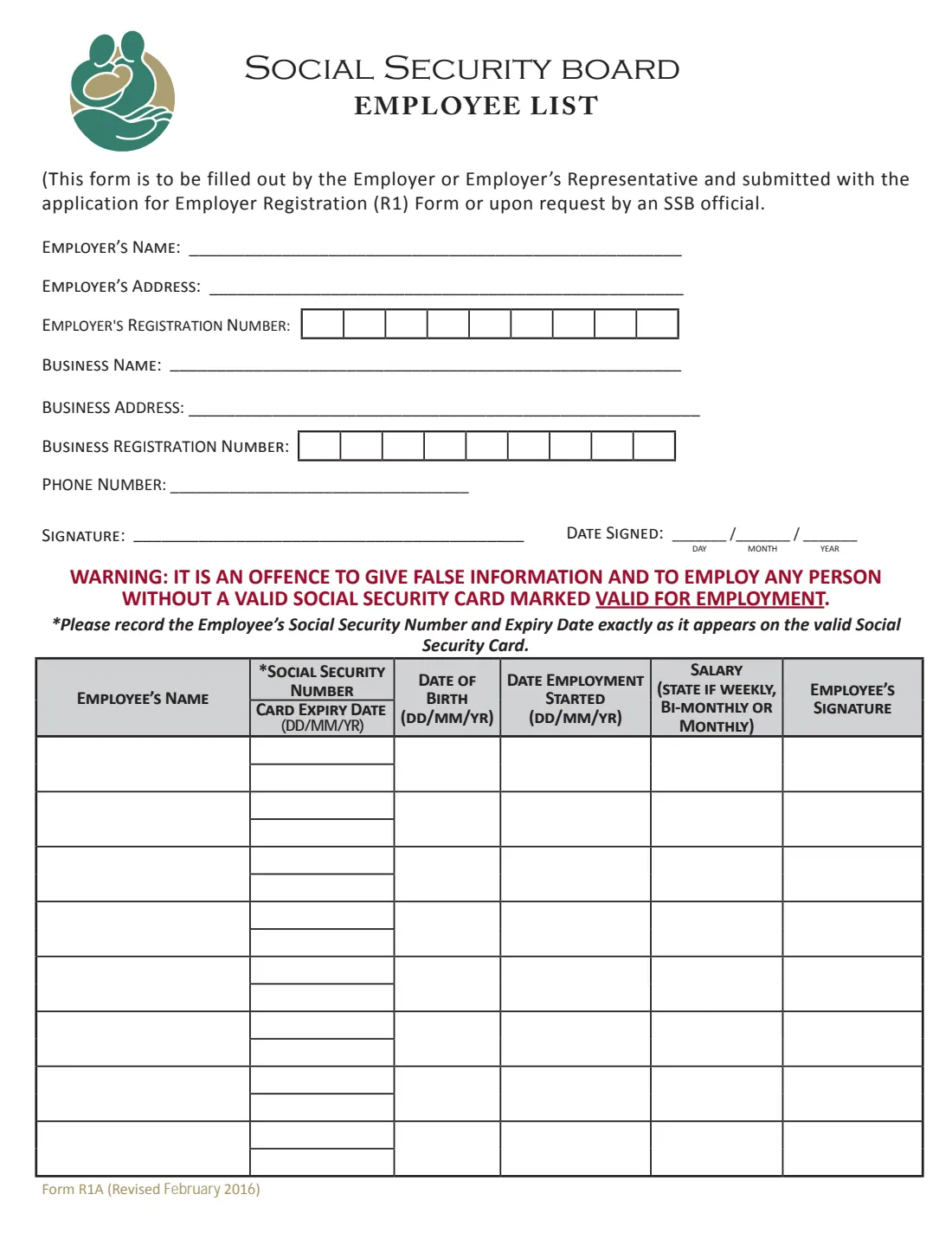
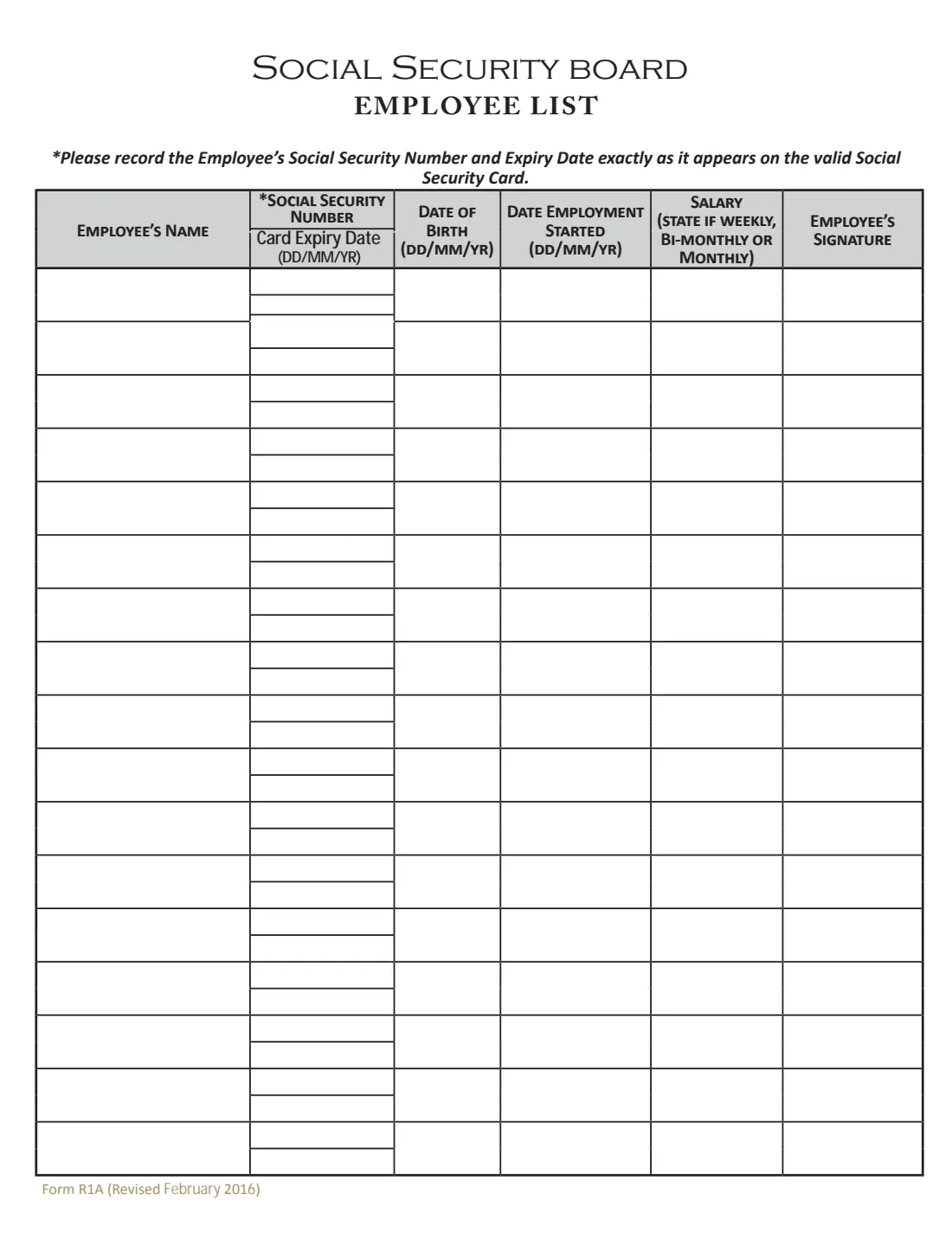
The form gives the employer's name, address and registration number, the business name, address and business registration number, and a phone number. Then, for up to 25 employees on two pages: name, social security number and card expiry date exactly as on the employee's valid social security card, date of birth, date employment started, and salary (saying whether it is weekly, bi-monthly or monthly). Each employee signs beside their own row.
FileIt lets you type the list once, prints it on the Board's own PDF and keeps it in your vault. You and your employees sign the printed list and hand it in to SSB. FileIt never sends anything to the Social Security Board.
- Who fills it
- The employer or the employer's representative
- Handed in to
- The Social Security Board, with the employer registration (R1) or on request
- Employees per form
- Up to 25 (8 on page 1, 17 on page 2)
- Signatures
- The employer, and each employee beside their own row
- Edition
- Form R1A (Revised February 2016)
- Pages
- 2
Who needs to fill out SSB Employee List (R1A)?
- A new employer registering with SSB for the first time.
- An employer an SSB official has asked for a current list of employees.
- A payroll clerk or bookkeeper preparing the registration for a business.
When to use SSB Employee List (R1A)
- With your first employer registration, which SSB's page says is due within seven days of employing your first employee.
- Whenever an SSB official asks for the list.
What you need before you start
- Your employer and business names and addresses, and your phone number.
- Your SSB employer registration number, if you already have one, and your business registration number.
- Each employee's valid social security card, for the number and expiry date exactly as printed.
- Each employee's date of birth, the date they started and their salary, and whether it is weekly, bi-monthly or monthly.
What’s on SSB Employee List (R1A)
The 2016 edition has 2 pages. FileIt asks for it in 4 parts, and it is signed by Employer:
- EmployerEmployer
- Employees 1 to 8 (page 1)Employer
- Employees 9 to 16 (page 2)Employer
- Employees 17 to 25 (page 2)Employer
How to fill out SSB Employee List (R1A), step by step
1 Employer
The employer's name and address, the employer's registration number (nine boxes), the business name and address, the business registration number and a phone number. Then the date you sign.
2 Employees 1 to 8
For each employee: name, social security number and card expiry date, date of birth, date employment started and salary with its frequency.
3 Employees 9 to 25
Page 2 has room for 17 more. Switch these parts on only if you need them. For more than 25 employees, fill in another list.
4 Signatures
You sign as employer on page 1, and each employee signs in the last column of their row on the printed list.
Common mistakes to avoid
- Copying the social security number or expiry date from memory instead of from the employee's valid card.
- Listing someone whose card has expired. The form warns it is an offence to employ any person without a valid social security card marked valid for employment.
- Leaving out whether a salary is weekly, bi-monthly or monthly.
- Handing in the list without the employees' signatures.
After you fill it out
Print the list, sign it and have each employee sign their row.
Take it to an SSB branch with your employer registration (R1) and the documents SSB's registration page lists.
FileIt keeps the list in your vault, so you have a record of who was registered and when.
Fill out SSB Employee List (R1A) online with FileIt
- Pick the person. Choose someone from People and FileIt fills in their name, date of birth, address and other details it already knows.
- Answer plain-language questions. One part of the form at a time, with the official help text beside each question — 158 fields in all. Your answers save as you go.
- Check the live preview. Watch your answers land on the real Social Security Board Belize form, and let FileIt do any worksheet arithmetic.
- Generate the official PDF. FileIt prints your answers into the agency’s own PDF and files it in that person’s folder in your vault. Sign it, or send it for e-signature.
FileIt fills the form — it never files or submits anything for you. Deliver the finished form to whoever asked for it, the way the form’s instructions say.
Start SSB Employee List (R1A) now — it’s freeSSB Employee List (R1A): frequently asked questions
Can I fill in the SSB employee list online?
Yes. FileIt prints the list on the Board's official PDF. You and your employees still sign it, and you hand it in to SSB. FileIt does not submit anything.
When is the R1A needed?
The form says it is submitted with the application for employer registration (R1) or on request by an SSB official.
What if I have more than 25 employees?
The form has room for 25. Fill in another list for the rest.
What if an employee's card has expired?
The form warns that it is an offence to employ any person without a valid social security card marked valid for employment. FileIt flags an expiry date in the past.
Do the employees have to sign?
Yes. The last column is the employee's signature, so each person signs beside their own details on the printed list.
Official sources
- Blank form (PDF), published by Social Security Board Belize: https://socialsecurity.org.bz/wp-content/uploads/2021/02/Form-R1A.pdf
- Official instructions and guidance: https://socialsecurity.org.bz/employer-registration/
- Edition shown on this page: Form R1A (Revised February 2016) (checked 2026-10-25).
FileIt is not affiliated with or endorsed by Social Security Board Belize or any government. This page explains the form in general terms and is not legal, tax or immigration advice. Always read the official instructions, and check that you are using the edition the recipient accepts. Page last reviewed 2026-10-25.