
What is Add an applicant after lodgement (form 1436)?
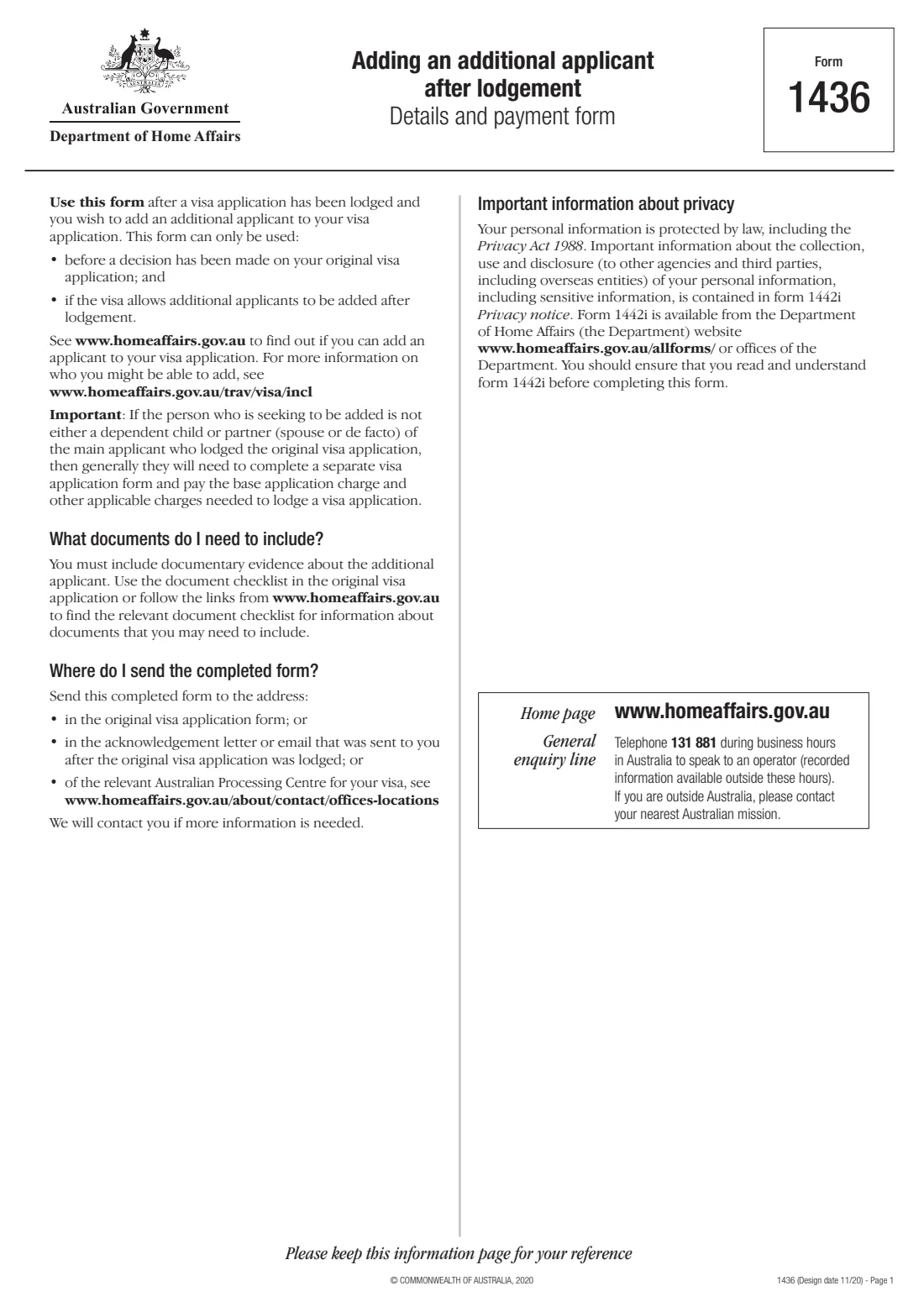
Some visas let you add a family member to your application after you have lodged it, as long as no decision has been made yet. Form 1436 is the Department of Home Affairs form for doing that. It is generally for a dependent child or a partner (spouse or de facto) of the main applicant; anyone else usually needs a separate visa application.
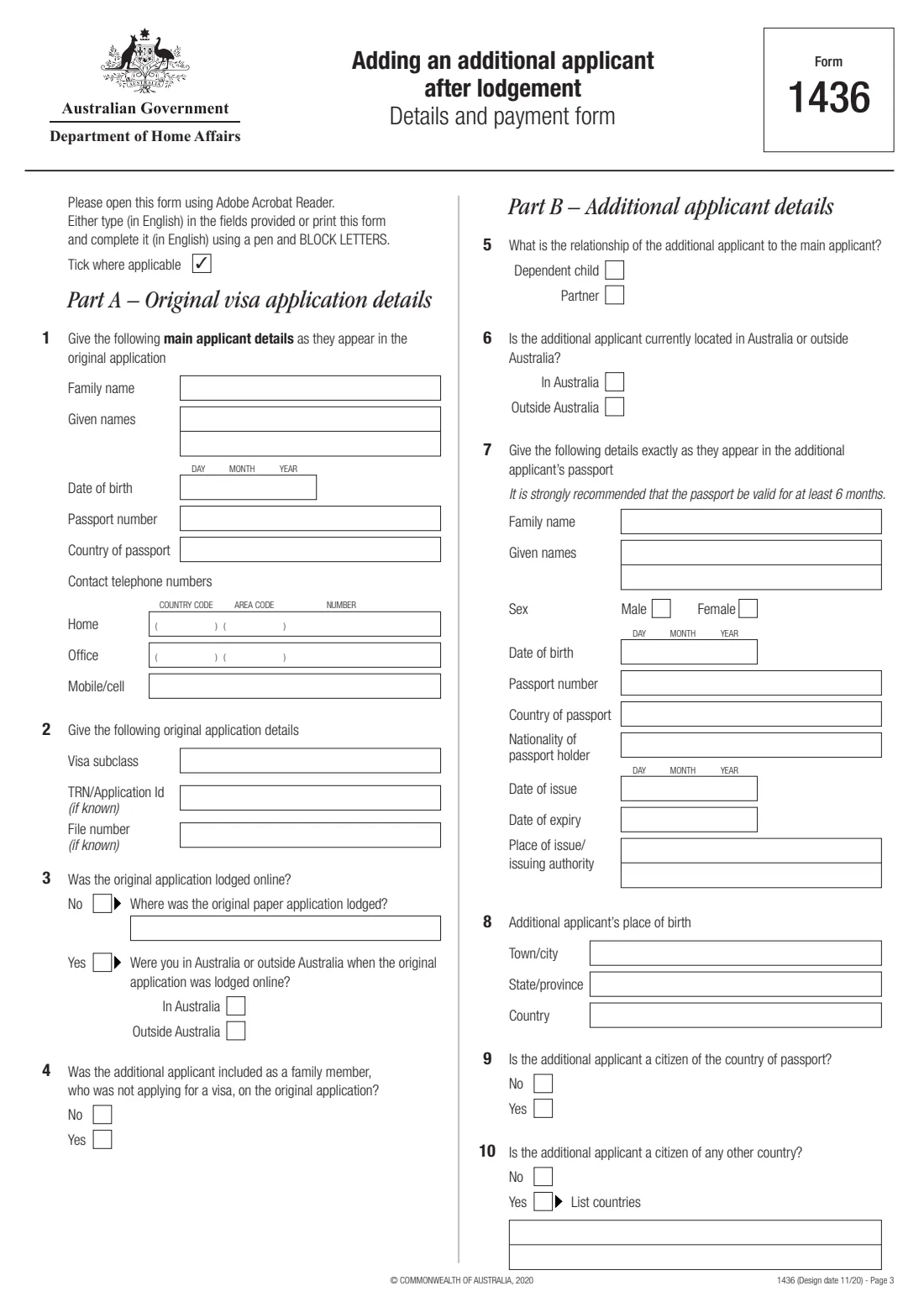
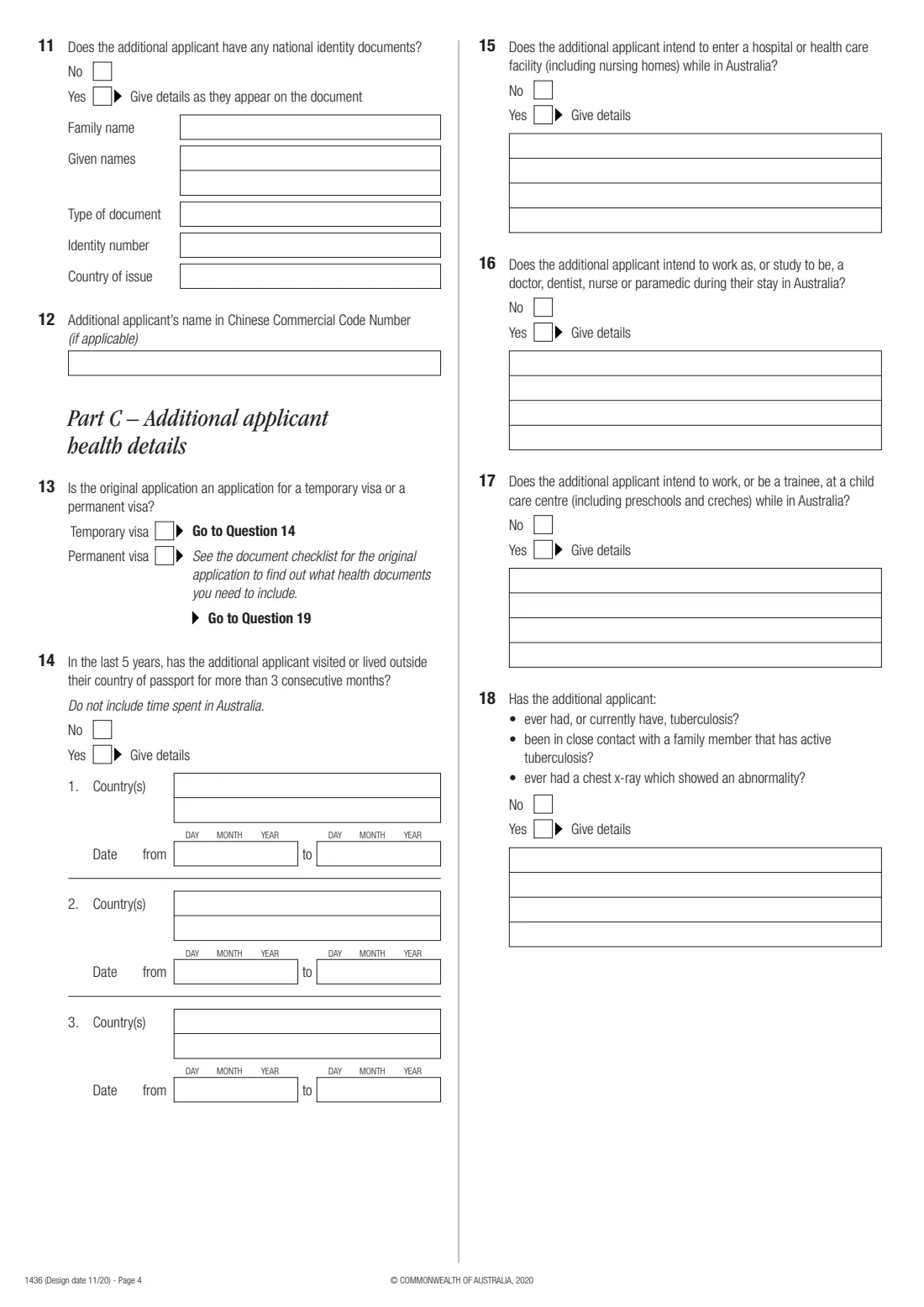
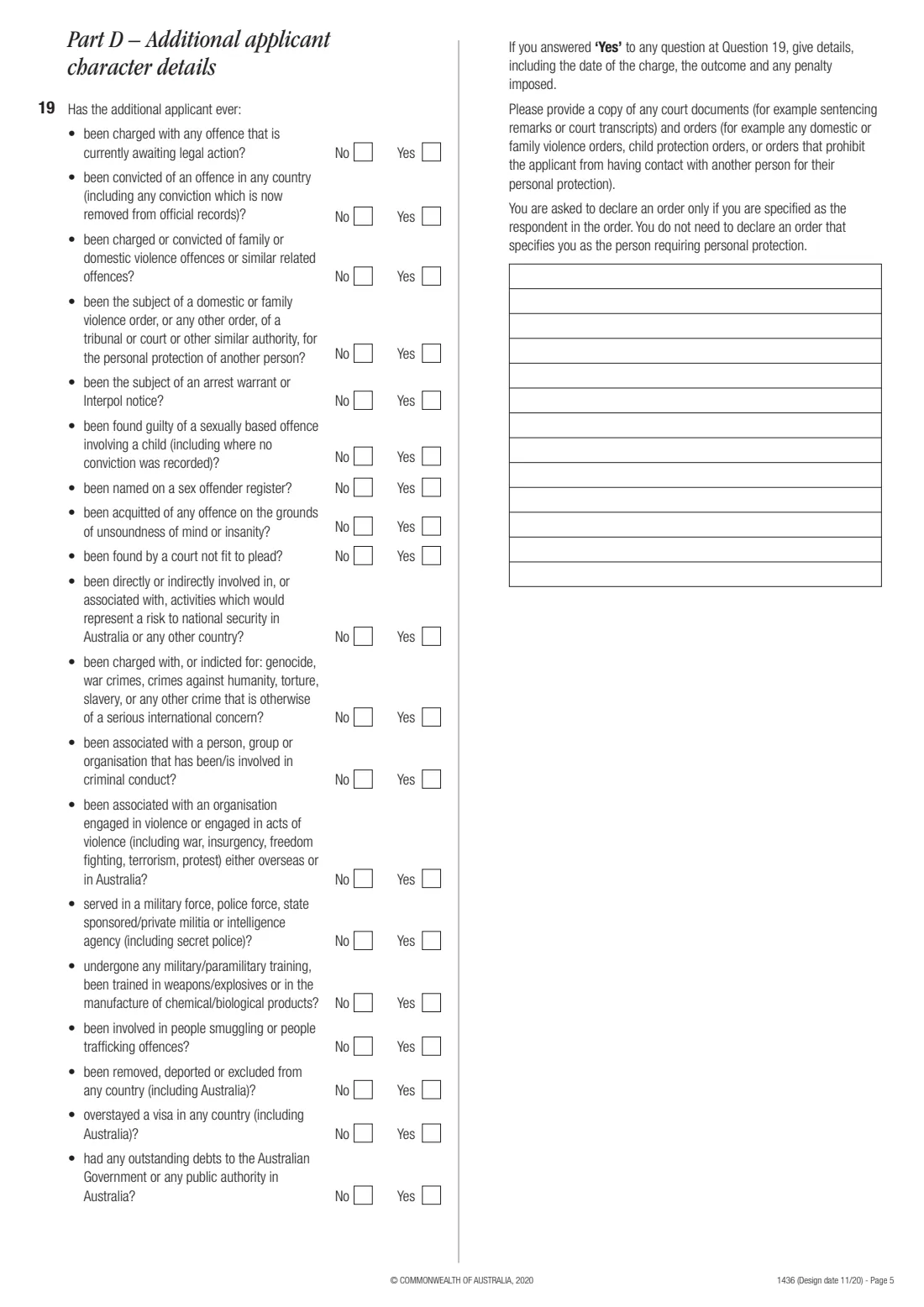
The main applicant fills in the original application's details (Part A) and the additional applicant's passport, citizenship and identity details (Part B), health questions (Part C), 19 character questions (Part D) and the Visa Application Charges paid (Part E). The main applicant signs the declaration, and so does the additional applicant, or both parents or a guardian if they are under 18.
FileIt fills in the Department's own PDF, wraps long answers onto the printed lines, and adds up the charges you enter. It doesn't know the charges: you look them up on the Department's fees page. You send the form yourself, as the Department says.
- Who fills it
- The main applicant of the original visa application
- Who can be added
- Generally a dependent child or a partner, if the visa allows it
- When
- After lodgement and before a decision on the original application
- Signatures
- Main applicant, plus the additional applicant or their parents / guardian
- Payment
- Additional Applicant Charge from the Department's fee tables
- Edition
- Form 1436, design date 11/20
Who needs to fill out Add an applicant after lodgement (form 1436)?
- A visa applicant whose child was born, or who married or entered a de facto relationship, after lodging and who wants to add them.
- A main applicant who left a dependent child or partner off the original application and the visa allows them to be added.
- Parents or guardians signing for an additional applicant under 18.
When to use Add an applicant after lodgement (form 1436)
- Only before the Department decides the original application.
- Only if the visa allows additional applicants to be added after lodgement: check on homeaffairs.gov.au.
- Once you have paid the Additional Applicant Charge, or know how you will pay it. The form says to lodge within 30 days of paying online.
What you need before you start
- The original application's visa subclass, TRN or application ID and file number, if known.
- The main applicant's details exactly as in the original application.
- The additional applicant's passport details, place of birth, citizenships and any national identity document.
- Their travel history for the last 5 years (for temporary visas), and answers to the health and character questions.
- The charges from the Department's reference table for your visa subclass, and your payment receipt number if you paid in ImmiAccount.
- The documentary evidence the original application's document checklist asks for.
What’s on Add an applicant after lodgement (form 1436)
The 2020 edition has 7 pages. FileIt asks for it in 7 parts, and it is signed by Main applicant and Additional applicant (18 or over) and Parent / guardian 1 and Parent / guardian 2:
- Part A: Original visa application detailsMain applicant
- Part B: Additional applicant detailsMain applicant
- Part C: Additional applicant health detailsMain applicant
- Part D: Additional applicant character detailsMain applicant
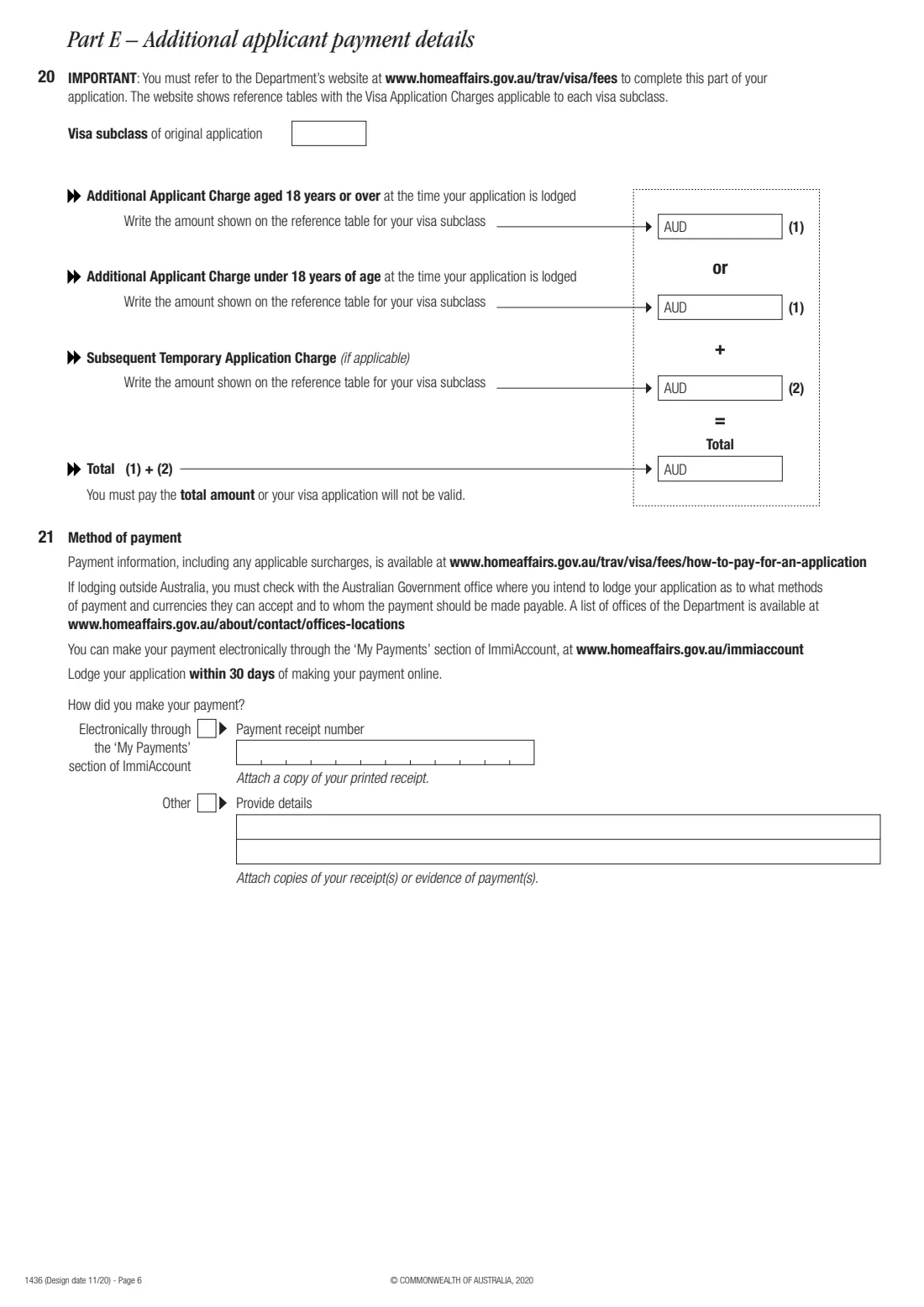
- Part E: Additional applicant payment detailsMain applicant
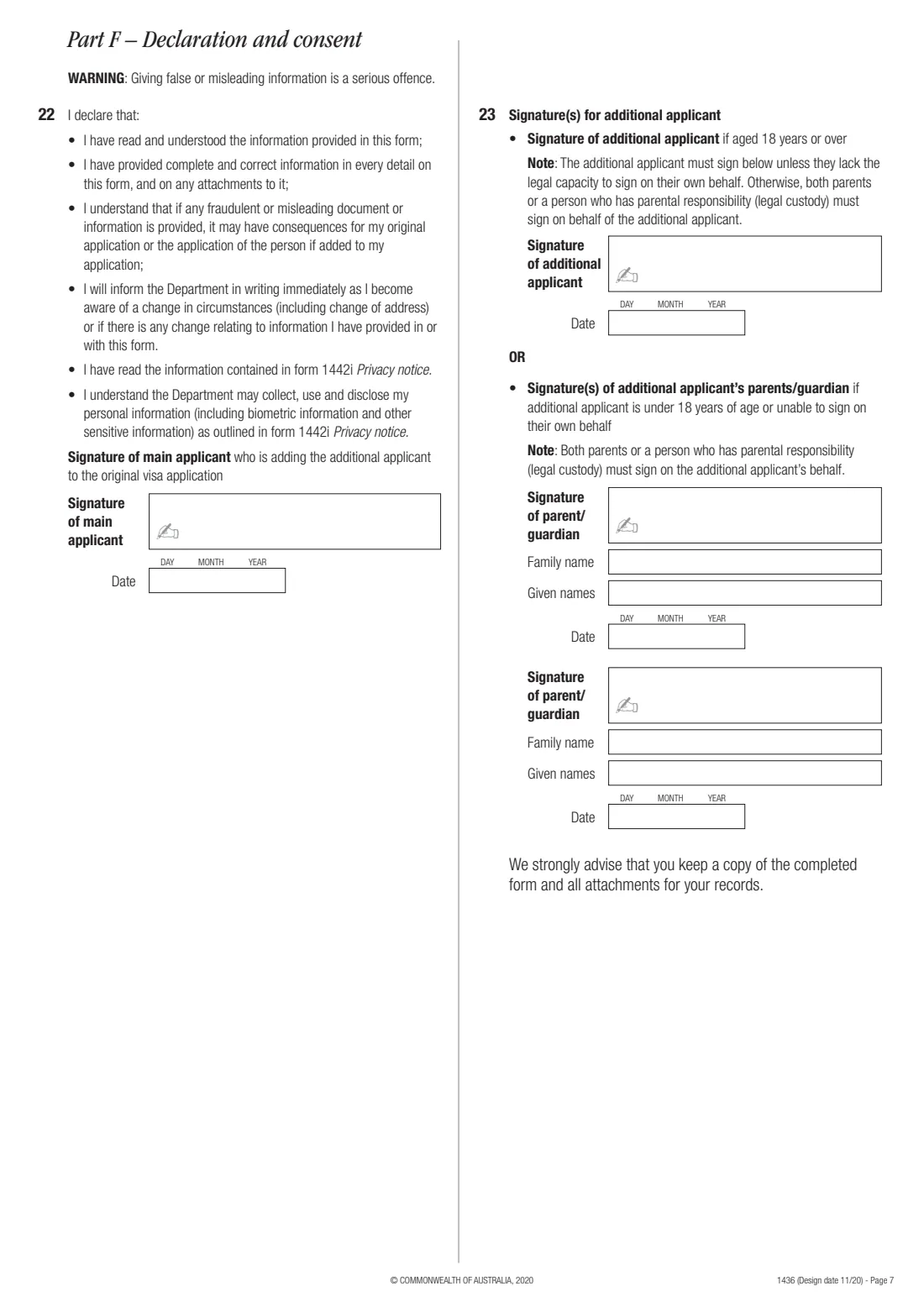
- Part F: Declaration of the main applicantMain applicant
- Part F: Signature(s) for the additional applicantAdditional applicant (18 or over)
How to fill out Add an applicant after lodgement (form 1436), step by step
1 Part A: the original application
Give the main applicant's details as they appear in the original application, contact numbers, the visa subclass and any TRN or file number, and how and where the original application was lodged.
2 Part B: the additional applicant
Choose dependent child or partner, say where they are now, and give their details exactly as in their passport. FileIt checks the passport's expiry and reminds you the Department recommends at least 6 months of validity.
3 Part C: health
For a temporary visa, answer the questions about time spent outside their country of passport and about hospitals, health work, child care and tuberculosis. For a permanent visa, these are skipped and the original application's checklist says which health documents to include.
4 Part D: character
Answer all 19 questions. Give details of every Yes answer, including the date of any charge, the outcome and any penalty, and attach court documents.
5 Part E: payment
Enter the charges shown on the Department's reference table for your visa subclass: either the 18-or-over or the under-18 Additional Applicant Charge, plus any Subsequent Temporary Application Charge. FileIt adds them up. Then say how you paid.
6 Part F: declarations and signatures
The main applicant signs the declaration. The additional applicant signs if they are 18 or over and able to; otherwise both parents, or a person with parental responsibility, sign and give their names.
Common mistakes to avoid
- Using the form after the original application has been decided.
- Trying to add someone who isn't a dependent child or partner.
- Filling in both the 18-or-over and the under-18 charge.
- Leaving out details of a Yes answer in Part D.
- Having an adult additional applicant's parents sign instead of the applicant.
After you fill it out
Print and sign the form, attach the documents and receipts, and send it to the address in the original application or its acknowledgement letter, or to the relevant Australian processing centre.
The Department will contact you if it needs more information.
Keep a copy of the completed form and attachments in your FileIt vault.
Fill out Add an applicant after lodgement (form 1436) online with FileIt
- Pick the person. Choose someone from People and FileIt fills in their name, date of birth, address and other details it already knows.
- Answer plain-language questions. One part of the form at a time, with the official help text beside each question — 142 fields in all. Your answers save as you go.
- Check the live preview. Watch your answers land on the real Department of Home Affairs form, and let FileIt do any worksheet arithmetic.
- Generate the official PDF. FileIt prints your answers into the agency’s own PDF and files it in that person’s folder in your vault. Sign it, or send it for e-signature.
FileIt fills the form — it never files or submits anything for you. Deliver the finished form to whoever asked for it, the way the form’s instructions say.
Start Add an applicant after lodgement (form 1436) now — it’s freeAdd an applicant after lodgement (form 1436): frequently asked questions
Can I add my new baby to my visa application?
Often yes, if the visa allows additional applicants to be added after lodgement and no decision has been made. Check the visa's page on homeaffairs.gov.au, then use form 1436.
How much does it cost?
The Additional Applicant Charge depends on the visa subclass and the person's age when you lodge. The form sends you to the Department's fee tables at homeaffairs.gov.au/trav/visa/fees.
Who signs for a child?
Both parents, or a person who has parental responsibility (legal custody), sign on the child's behalf.
Does FileIt send the form to Home Affairs?
No. FileIt fills in the PDF; you sign it and send it yourself.
Official sources
- Blank form (PDF), published by Department of Home Affairs: https://immi.homeaffairs.gov.au/form-listing/forms/1436.pdf
- Official instructions and guidance: https://immi.homeaffairs.gov.au/form-listing/forms/1436.pdf
- Edition shown on this page: Form 1436 (Design date 11/20) (checked 2026-10-25).
FileIt is not affiliated with or endorsed by Department of Home Affairs or any government. This page explains the form in general terms and is not legal, tax or immigration advice. Always read the official instructions, and check that you are using the edition the recipient accepts. Page last reviewed 2026-10-25.