What is a yoga and Pilates waiver?
Yoga and Pilates feel gentle, but they load the spine and joints, and reformers have springs and moving carriages. Most studio injuries happen when a student pushes past their limits or a teacher doesn't know about an old injury. A good waiver asks the right questions first and makes it clear the student is in charge of their own practice.
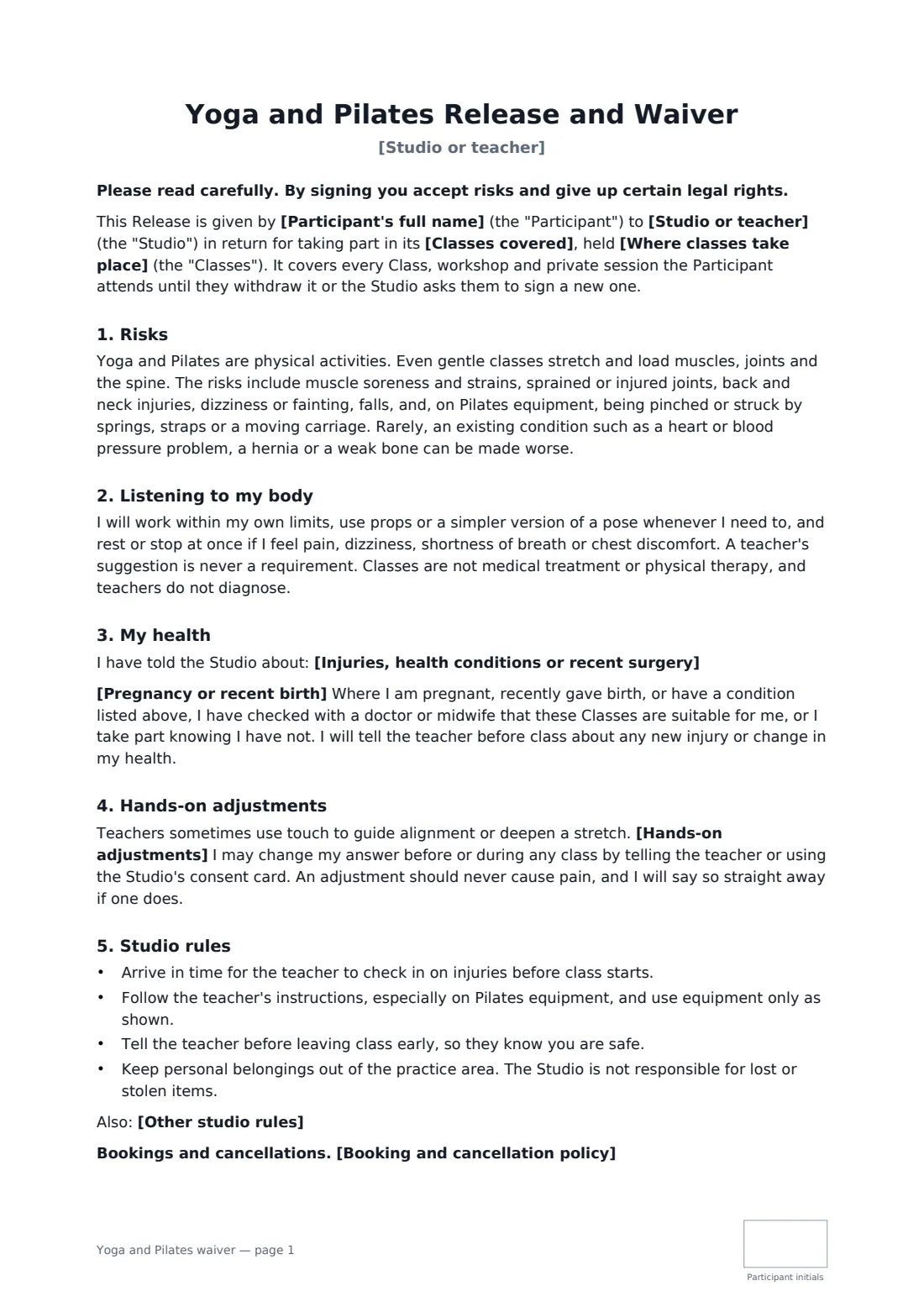
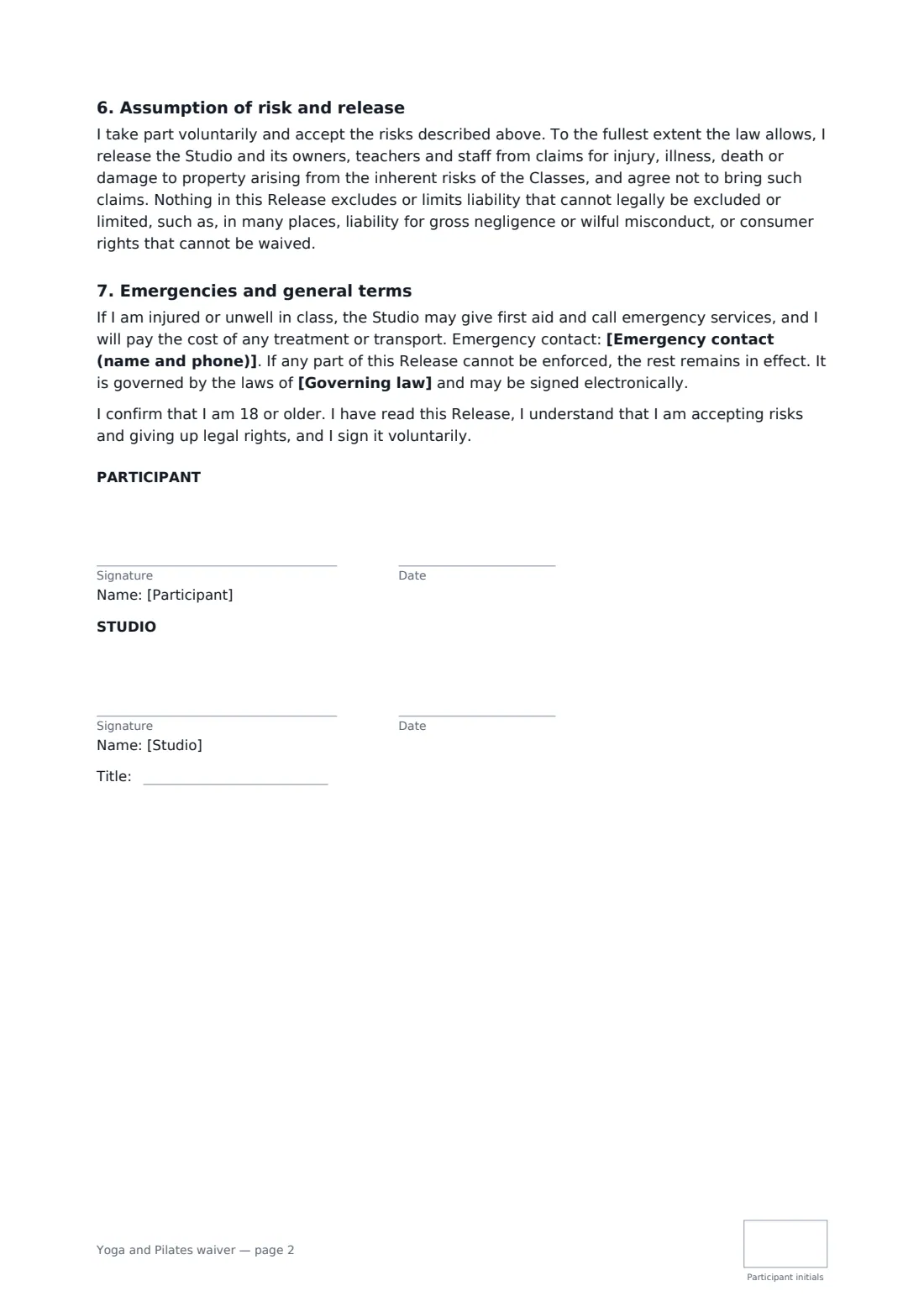
This template covers yoga, Pilates or both, in the studio, online or outdoors. It sets out the risks in plain words, with extra wording for heated classes and online practice when you choose them. Students list injuries, conditions and recent surgery, and say whether they are pregnant or recently gave birth. They choose to accept hands-on adjustments or have spoken cues only, and can change their mind in class. You add your booking and cancellation policy and any studio rules. The release goes as far as the law allows, and the student initials every page.
- Best for
- Yoga studios, Pilates studios, independent teachers and gyms
- Signed by
- The student and the studio
- Adjustments
- The student opts in or out, and can change their answer in class
- Length
- 2 pages, initialled by the student
When to use a yoga and Pilates waiver
- New students signing up for a class pack
- Reformer Pilates studios with equipment risks
- Hot yoga and heated Pilates classes
- Prenatal and postnatal classes
- Teachers running online classes or outdoor sessions in a park
What you fill in
12 blanks, then the name and email of each person who signs: participant, studio.
1 The studio
- Studio or teacher*
- Classes covered* yoga and Pilates classes · yoga classes · Pilates mat and reformer classes · Pilates mat classes
- Where classes take place* in the studio · in the studio and online · online only · outdoors or at other venues the studio uses
- Heated classes* No · Yes
2 The participant
- Participant's full name*
- Emergency contact (name and phone)*
3 Health
- Injuries, health conditions or recent surgery
- Pregnancy or recent birth* I am not pregnant and have not given birth in the last six months. · I am pregnant, and will tell the teacher how far along I am before each class. · I have given birth in the last six months.
- Hands-on adjustments* I agree to hands-on adjustments, and may say no to any one at any time. · I do not want hands-on adjustments. Teachers will use spoken cues only.
4 Studio rules
- Booking and cancellation policy
- Other studio rules
- Governing law*
5 Who signs
- Participant signature and date, initials on every page · The student taking classes, who must be 18 or older. For a younger student, use a parental consent form instead.
- Studio signature and date, job title, initials on every page · The studio owner, manager or the teacher running the classes.
What the yoga and Pilates waiver covers
- Risks
- Listening to my body
- My health
- Hands-on adjustments
- Studio rules
- Assumption of risk and release
- Emergencies and general terms
Using the yoga and Pilates waiver, step by step
1 Set up your classes
Your studio name fills in. Choose yoga, Pilates or both, where classes happen, and whether any are heated.
2 Add your policies
Paste your booking and cancellation policy and any studio rules, and set the governing law.
3 Students fill in their health
Each student lists injuries and conditions, answers the pregnancy question, chooses adjustments or not, and initials and signs.
4 Countersign and file
You countersign and every waiver is stored in your FileIt vault, so teachers can check before class.
Tips before you send it
- Ask teachers to read new students' health notes before the first class.
- Use a consent card or chip on the mat so students can change their adjustment preference quietly.
- Remind pregnant students to tell the teacher how far along they are at each class.
- Check whether your insurer requires particular wording, and how your local law treats waivers.
Sign it online in minutes
- Fill in the blanks. Names, dates and amounts go straight into the agreement — the preview shows exactly where.
- Name who signs. Tick “This is me” for your own part. FileIt builds the PDF with every signature, date and initials box on the right line, and you can check or move anything before sending.
- Send it. Each signer gets a secure link and signs from any device — no account needed. The signed PDF, with an audit trail and a Certificate of Completion, is filed in your vault and emailed to everyone.
Yoga and Pilates waiver: frequently asked questions
Can a student refuse hands-on adjustments?
Yes. They choose spoken cues only, and the form says they can change their answer before or during any class.
Does it cover online classes?
Yes. Choose online or studio and online, and the form adds that the student is responsible for a safe practice space.
What about hot yoga?
Choose Yes for heated classes. The form adds the risks of overheating and dehydration and asks the student to drink water and rest when needed.
How long does the waiver last?
It covers every class, workshop and private session until the student withdraws it or you ask them to sign a new one.