
What is a waiver of contract rights?
Sometimes a business partner misses a target or needs a condition relaxed, and you are happy to let it go — this time. Doing that informally is risky: a pattern of not enforcing a right can be argued as giving it up. A written waiver makes clear exactly what you are giving up, for how long, on what conditions, and that everything else stays in force.
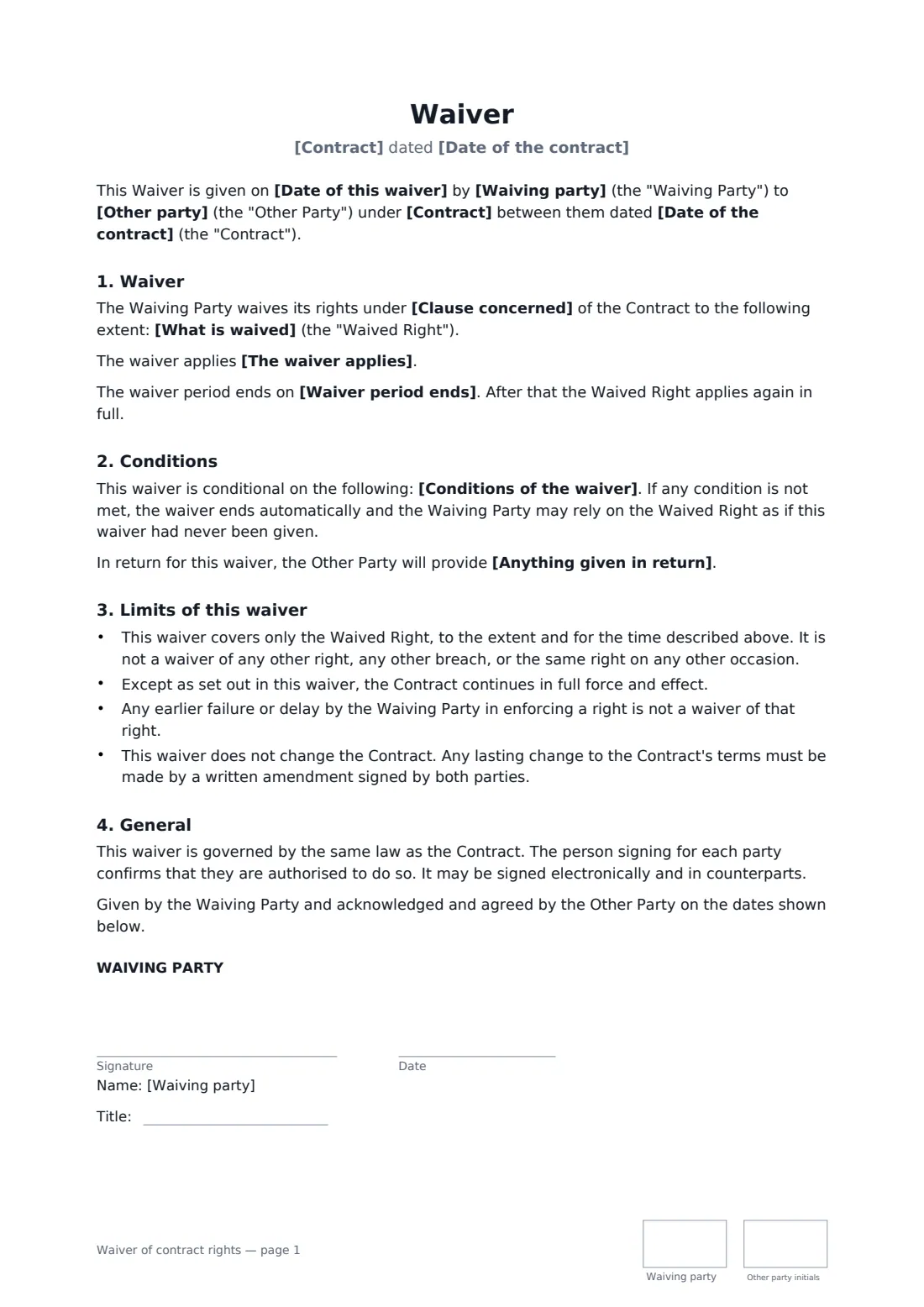
This template names the contract and clause, describes the waived right precisely, and lets you choose a one-time, time-limited or permanent waiver. You can attach conditions (if they are not met, the waiver falls away) and note anything given in return. Standard wording says it is not a waiver of any other right or breach and is not an amendment to the contract. The other party countersigns.
- Best for
- Relaxing a target, deadline, condition or covenant in a commercial contract
- Signed by
- The waiving party; the other party acknowledges and agrees
- Scope
- One occasion, a set period, or permanent
- Length
- 1–2 pages, initialled on every page
When to use a waiver of contract rights
- Waiving a distributor's minimum purchase target for one quarter
- Allowing a late delivery without claiming liquidated damages
- Relaxing an exclusivity clause for a single deal
- Waiving a condition so a deal can complete on time
- Letting a tenant business skip a reporting requirement once
What you fill in
11 blanks, then the name and email of each person who signs: waiving party, other party.
1 The parties
- Date of this waiver*
- Waiving party*
- Other party*
2 The contract
- Contract*
- Date of the contract*
3 The waiver
- Clause concerned*
- What is waived*
- The waiver applies* on this occasion only · for the period stated below · permanently, from the date of this waiver
- Waiver period ends
- Conditions of the waiver
- Anything given in return
4 Who signs
- Waiving party signature and date, job title, initials on every page · The party giving up the right.
- Other party signature and date, job title, initials on every page
What the waiver of contract rights covers
- Waiver
- Conditions
- No conditions
- Limits of this waiver
- General
Using the waiver of contract rights, step by step
1 Identify the contract and clause
Enter the contract, its date and the clause concerned.
2 Describe what is waived
Be precise: the specific requirement, the period or occasion, and any right that would follow from it, such as termination.
3 Set scope and conditions
Choose one occasion, a period with an end date, or permanent. Add conditions and anything given in return.
4 Send for countersignature
The other party countersigns to acknowledge. The signed waiver is filed in your vault alongside the contract.
Tips before you send it
- Keep the waiver as narrow as possible; it covers only what it describes.
- If you are permanently changing a term, a contract amendment is clearer.
- Check whether the contract requires waivers to be in writing and signed by a particular person.
- In some places a waiver given for nothing in return can be withdrawn on notice.
Sign it online in minutes
- Fill in the blanks. Names, dates and amounts go straight into the agreement — the preview shows exactly where.
- Name who signs. Tick “This is me” for your own part. FileIt builds the PDF with every signature, date and initials box on the right line, and you can check or move anything before sending.
- Send it. Each signer gets a secure link and signs from any device — no account needed. The signed PDF, with an audit trail and a Certificate of Completion, is filed in your vault and emailed to everyone.
Waiver of contract rights: frequently asked questions
What is the difference between a waiver and an amendment?
A waiver gives up a right in particular circumstances without changing the contract. An amendment permanently changes the contract's terms.
Does a waiver cover future breaches?
Only if you choose a period or permanent waiver. A one-time waiver covers that occasion only.
Why does the other party sign?
Their signature shows they received the waiver and accept its conditions and limits, which helps if there is a later disagreement.
Can I withdraw a waiver?
A conditional waiver ends automatically if a condition is not met. Otherwise it depends on the contract and local law.