What is a expense report form?
Expense claims go wrong in small ways: a missing receipt, a meal over the limit, a cash advance nobody deducted, an approver who can't tell what the trip was for. A clear expense report gives finance everything it needs in one place and leaves a signed record of who claimed what and who approved it.
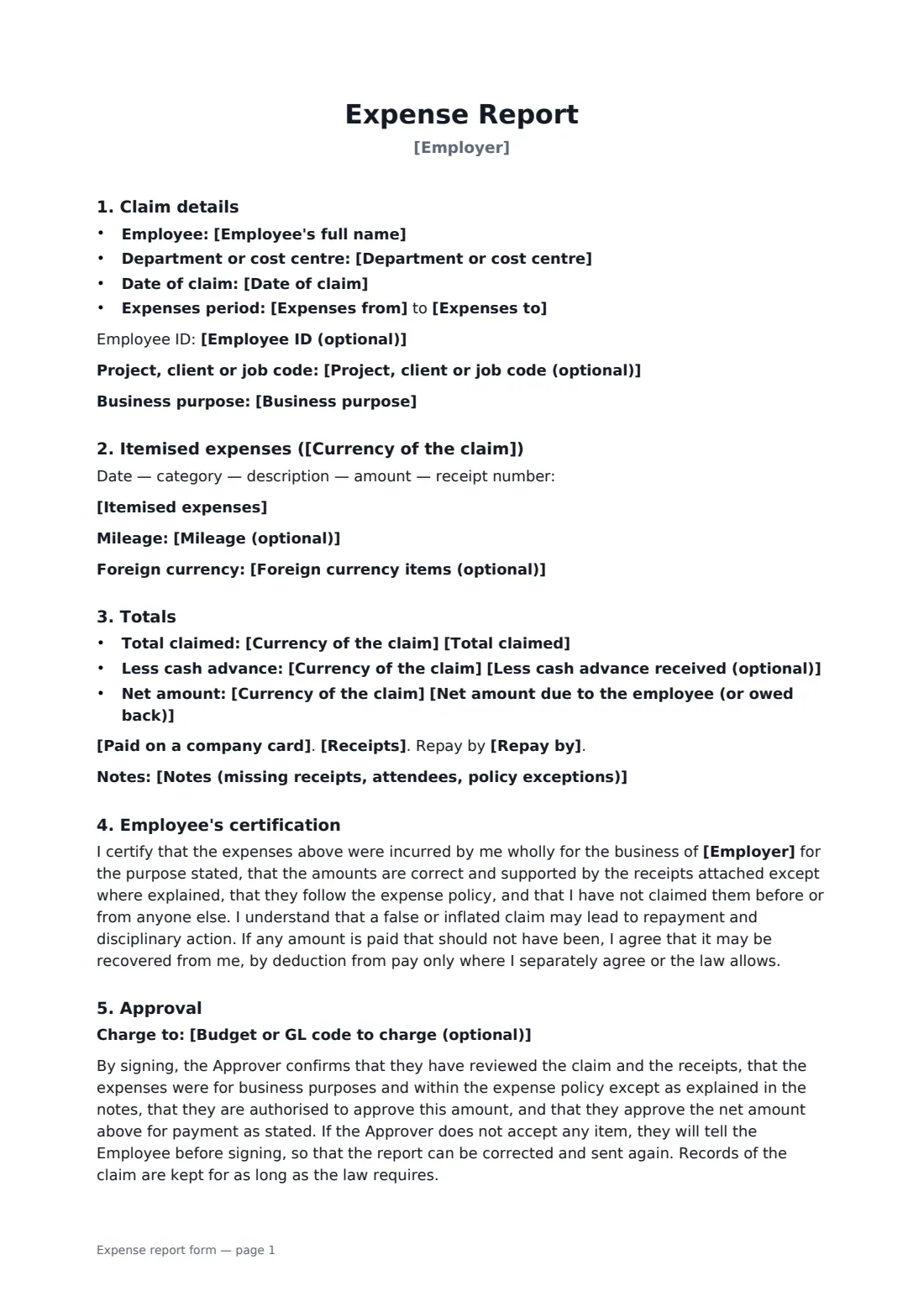
The employee enters the period, the business purpose and any project or client code, then lists each item with its date, category, description, amount and receipt number, plus mileage and foreign currency conversions. Totals show the amount claimed, any cash advance and the net amount due. The employee says whether any items were on a company card, confirms receipts are attached or explains which are missing, chooses how to be repaid, adds any budget code and certifies the claim. The approver reviews it and signs to approve the net amount for payment; if they don't accept an item, the report is corrected and sent again.
- Best for
- Business travel, client visits, conferences, out-of-pocket purchases
- Signed by
- The employee (certification) and the manager or budget holder (approval)
- Includes
- Itemised expenses, mileage, currency, advances, receipts, approval
- Length
- 2 pages
When to use a expense report form
- Claiming travel, hotel and meals after a client visit
- Reconciling a cash advance after a conference
- Monthly mileage and parking claims
- Claiming for supplies bought with a personal card
- Small businesses without expense software
What you fill in
21 blanks, then the name and email of each person who signs: employee, approver.
1 The claim
- Employer*
- Employee's full name*
- Employee ID (optional)
- Department or cost centre
- Date of claim*
- Expenses from*
- Expenses to*
- Business purpose*
- Project, client or job code (optional)
2 Items
- Currency of the claim*
- Itemised expenses*
- Mileage (optional)
- Foreign currency items (optional)
3 Totals
- Total claimed*
- Less cash advance received (optional)
- Net amount due to the employee (or owed back)*
- Paid on a company card* None of these items were paid on a company card · Some items were paid on a company card and are listed for reconciliation only, not for repayment
- Receipts* Receipts are attached for every item · Receipts are attached for every item except those listed in the note below
- Notes (missing receipts, attendees, policy exceptions)
- Repay by* the next payroll · bank transfer to the account on file · another method agreed with finance
- Budget or GL code to charge (optional)
4 Who signs
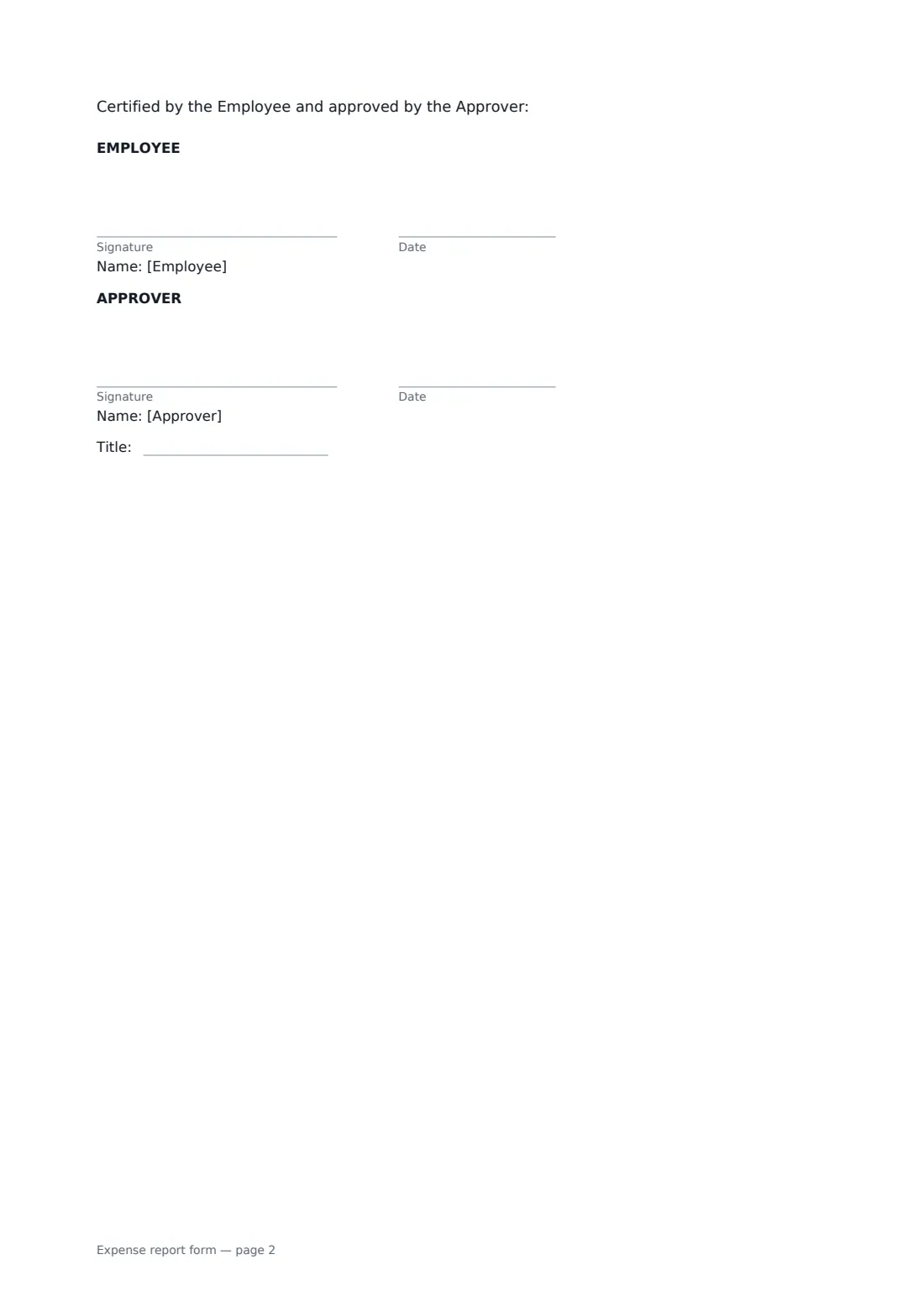
- Employee signature and date · The person who spent the money and is claiming it back.
- Approver signature and date, job title · The manager or budget holder who approves the claim. Not the employee themselves.
What the expense report form covers
- Claim details
- Totals
- Employee's certification
- Approval
Using the expense report form, step by step
1 Describe the claim
Enter the employer, the employee, department, the period covered, the business purpose and any project code.
2 List each item
One line per item: date, category, description, amount and receipt number. Add mileage and any foreign currency conversions.
3 Total it up
Enter the total, any cash advance and the net amount due. Say whether any items went on a company card and whether all receipts are attached.
4 Send for approval
Sign to certify the claim and send it to your approver, who reviews it and signs to approve it. Keep the receipts in FileIt with the signed report.
Tips before you send it
- Number each receipt and write the number on the item line. It makes the approver's job quick.
- For client meals, note who attended. Many expense policies and tax rules ask for it.
- Submit claims promptly. Many expense policies set a deadline for claims.
- List company card spending for reconciliation only, so it isn't repaid twice.
Sign it online in minutes
- Fill in the blanks. Names, dates and amounts go straight into the agreement — the preview shows exactly where.
- Name who signs. Tick “This is me” for your own part. FileIt builds the PDF with every signature, date box on the right line, and you can check or move anything before sending.
- Send it. Each signer gets a secure link and signs from any device — no account needed. The signed PDF, with an audit trail and a Certificate of Completion, is filed in your vault and emailed to everyone.
Expense report form: frequently asked questions
What if I lost a receipt?
Choose the option saying receipts are attached except those listed, and explain in the notes what was bought, where and why. Your approver decides whether to accept it under your policy.
Can a manager approve only part of a claim?
Not on the same report. If the approver doesn't accept an item, they tell the employee before signing, and the employee corrects the report and sends it again, so the signed version shows exactly what was approved.
What is the employee certifying?
That the expenses were for business, are correct and supported by receipts except where explained, follow the expense policy and haven't been claimed before.
Can overpayments be recovered from pay?
The form says overpaid amounts may be recovered, by deduction from pay only where the employee separately agrees or the law allows.