What is a contractor to employee conversion letter?
Some of the best hires are people who already work with you. A freelancer has been on your projects for a year, knows the team and the tools, and you want them full time. Moving them from invoices to payroll is good news, but it has more moving parts than a normal offer: an existing contract to end, a final invoice, the question of whether their contractor time counts, and who owns the work they have already produced.
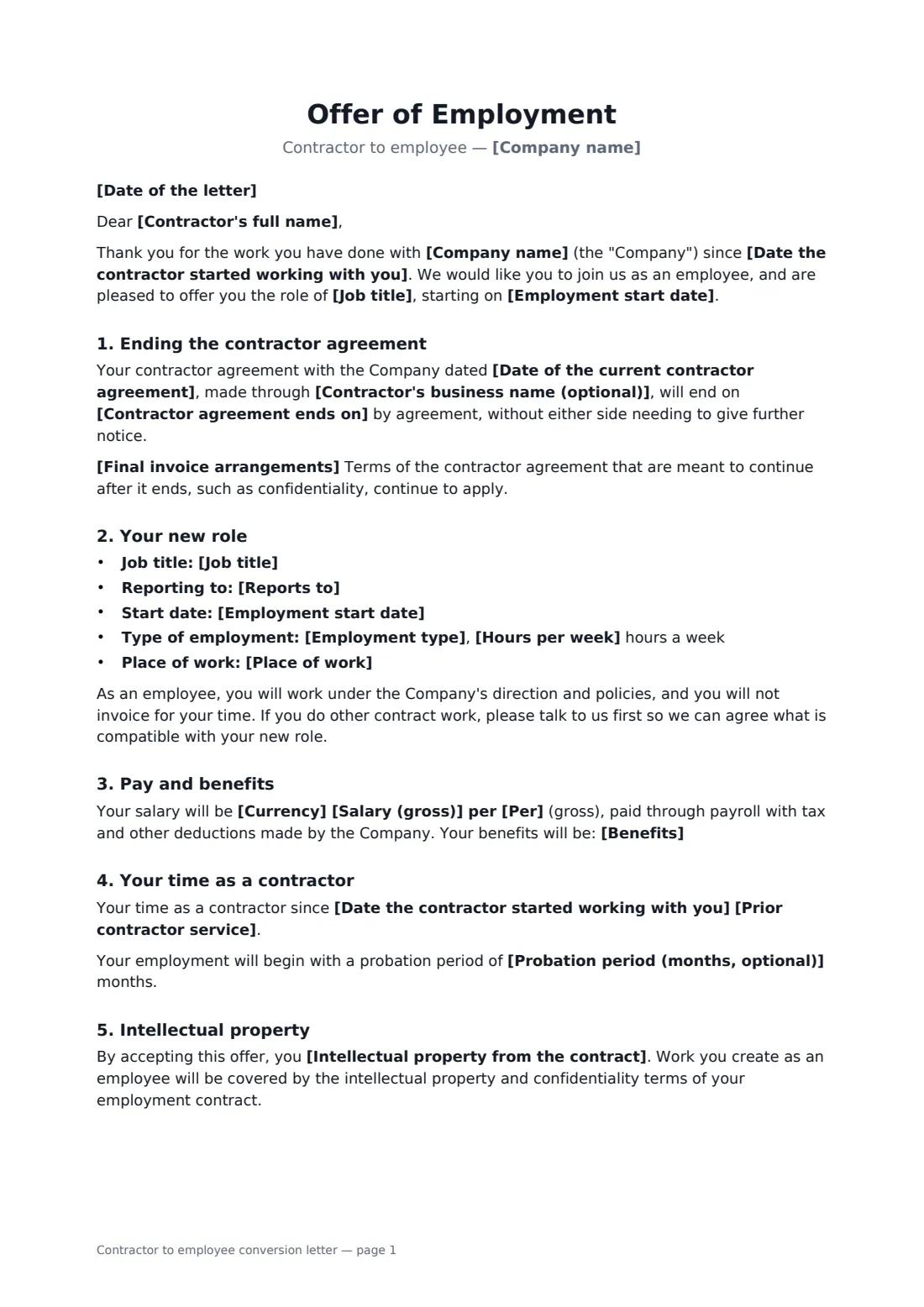
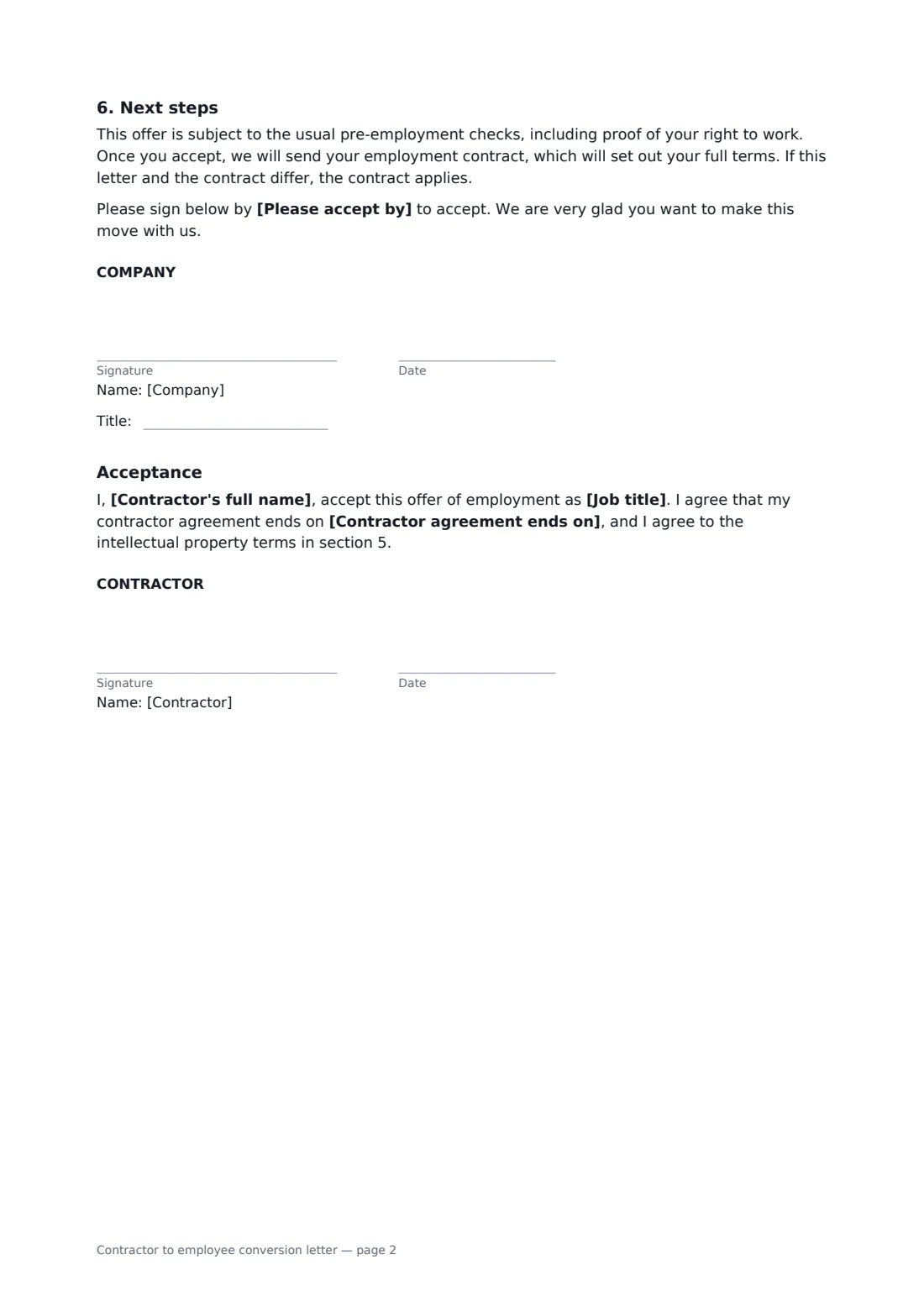
This letter handles each of those. It ends the contractor agreement on a set date by agreement, including where the contractor works through their own company, and explains the final invoice. It then sets out the new role, hours, place of work, salary and benefits, and states how their time as a contractor counts towards holiday, benefits or probation. A choice of IP wording either confirms the company already owns their contract work or assigns anything not yet assigned. The contractor signs to accept the role, the end of the contract and the IP terms.
- Best for
- Hiring a freelancer or contractor who already works for you
- Signed by
- The company, and the contractor to accept
- Covers
- End of contract, final invoice, new role, pay, benefits, prior service, IP
- Length
- About 2 pages
When to use a contractor to employee conversion letter
- Making a long-term freelance developer or designer a permanent employee
- Moving a temp-to-perm worker onto your own payroll
- Bringing in a contractor who works through their own limited company
- Converting a consultant whose project has become an ongoing role
- Fixing a working relationship that now looks more like employment than contracting
What you fill in
22 blanks, then the name and email of each person who signs: company, contractor.
1 The letter
- Date of the letter*
- Company name*
- Contractor's full name*
- Contractor's business name (optional)
2 Ending the contract
- Date of the current contractor agreement*
- Date the contractor started working with you*
- Contractor agreement ends on*
- Final invoice arrangements*
3 The new role
- Job title*
- Reports to*
- Employment start date*
- Employment type* full-time, permanent · part-time, permanent · full-time, fixed-term
- Hours per week*
- Place of work*
4 Pay and benefits
- Currency*
- Salary (gross)*
- Per* year · month · hour
- Benefits*
- Prior contractor service* will count towards length of service for holiday entitlement, benefit eligibility and any probation period · will count towards waiving the probation period only · will not count towards length of service, except where the law requires it
- Probation period (months, optional)
5 Other terms
- Intellectual property from the contract* confirm that all intellectual property you created for the Company as a contractor belongs to the Company, as the contractor agreement provides · assign to the Company all intellectual property you created for the Company as a contractor, to the extent it has not already been assigned
- Please accept by
6 Who signs
- Company signature and date, job title · Someone with authority to make offers of employment.
- Contractor signature and date · The contractor being offered employment. If they contract through their own company, they can also sign for it.
What the contractor to employee conversion letter covers
- Ending the contractor agreement
- Your new role
- Pay and benefits
- Your time as a contractor
- Intellectual property
- Next steps
- Acceptance
Using the contractor to employee conversion letter, step by step
1 Close the contract
Enter the date of the contractor agreement, when the contractor first started with you and when the agreement ends. Add their business name if they contract through a company, and edit the final invoice wording if needed.
2 Describe the job
Add the job title, manager, start date, employment type, weekly hours and place of work.
3 Pay, benefits and prior service
Enter the salary and list the benefits. Choose how their contractor time counts and whether there is a probation period.
4 Intellectual property and acceptance
Choose whether to confirm the company already owns their contract work or to assign it now. Set an accept-by date and send. The signed letter is stored in your FileIt vault, ready for the employment contract that follows.
Tips before you send it
- Read the existing contractor agreement first: check its notice terms and whether it already assigned intellectual property to you.
- If the contractor has worked like an employee for a long time, they may already have some employee rights. Take advice on how prior service should count.
- Agree a clean cut-off: the contract ends one day, employment starts the next, so nothing is invoiced twice or missed.
- Send the full employment contract promptly after acceptance, and make sure it matches this letter.
Sign it online in minutes
- Fill in the blanks. Names, dates and amounts go straight into the agreement — the preview shows exactly where.
- Name who signs. Tick “This is me” for your own part. FileIt builds the PDF with every signature, date box on the right line, and you can check or move anything before sending.
- Send it. Each signer gets a secure link and signs from any device — no account needed. The signed PDF, with an audit trail and a Certificate of Completion, is filed in your vault and emailed to everyone.
Contractor to employee conversion letter: frequently asked questions
Do I need to terminate the contractor agreement separately?
This letter ends it by agreement on the date you set, once the contractor signs. If the contract requires notice in a particular form, check that too.
Should contractor time count as length of service?
It is your choice in many places, but not everywhere, and some laws look at the real working relationship rather than the label. The template offers three options, including counting it in full. This is not legal advice.
Who owns work the contractor created before they became an employee?
That depends on the contractor agreement. If it assigned IP to you, the letter confirms it. If it didn't, choose the assignment option so the contractor assigns that work to the company when they accept.
Is an e-signature fine for an offer like this?
Offer letters are commonly signed electronically in the US, UK, EU and Canada. FileIt records each signature in the audit trail, with the time and IP address, and adds a Certificate of Completion to the signed PDF.