What is Formulario 5001?
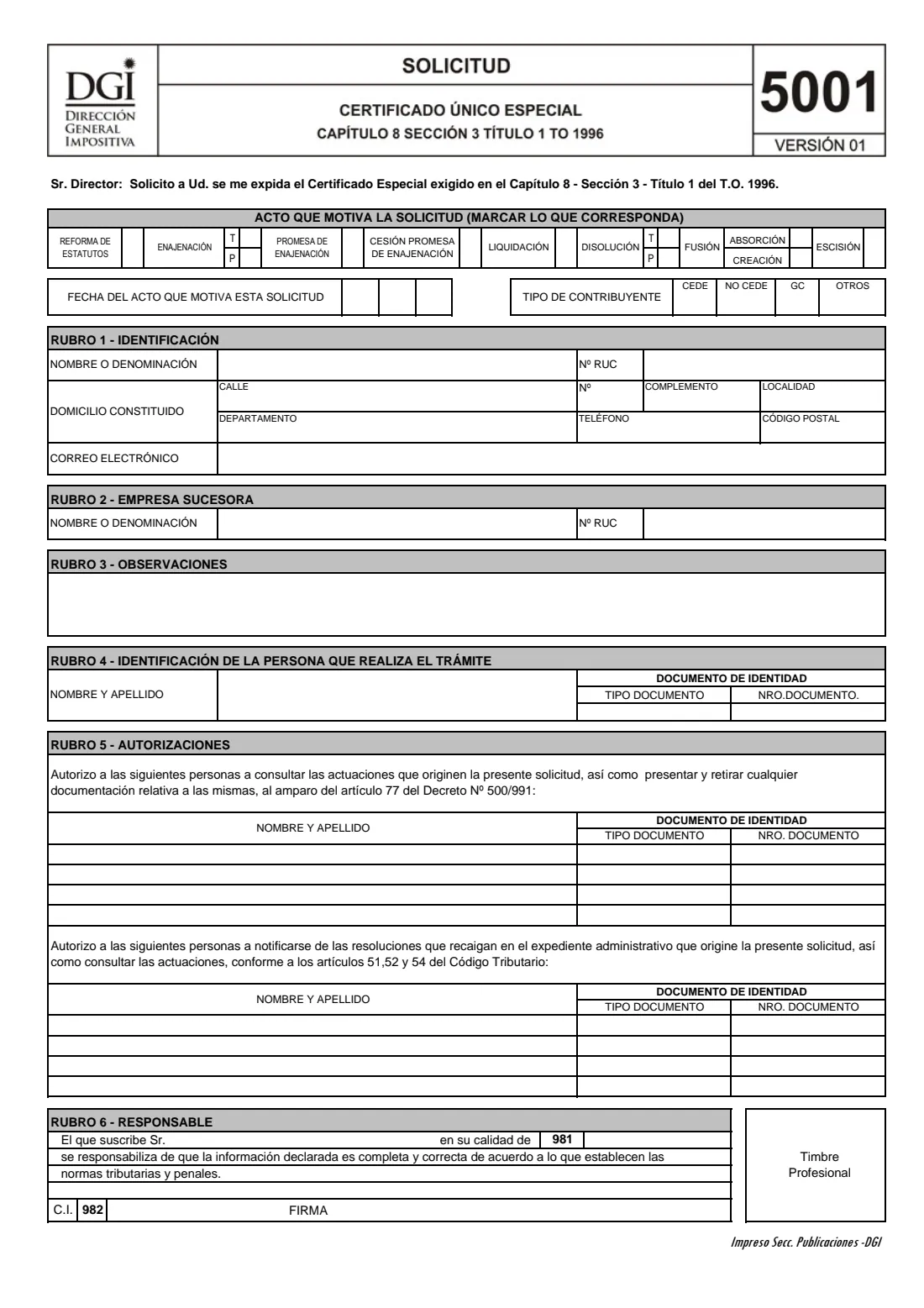
The Formulario 5001 asks Uruguay's Dirección General Impositiva (DGI) to issue the Certificado Único Especial, the special certificate required by Chapter 8, Section 3, Title 1 of the Texto Ordenado 1996 before certain acts by a business.
Version 01 is one page plus a page of instructions: the act that motivates the application (amendment of statutes, sale or promise of sale of the business, transfer of a promise of sale, liquidation, dissolution, merger by absorption or creation, split) and its date, the type of taxpayer, the applicant and its RUC, any successor company, remarks, who carries out the procedure, who is authorised to follow it or be notified, and the person responsible who signs.
FileIt asks each question in English with the form's Spanish terms, prints your answers onto DGI's own PDF and saves it in your vault, ready to sign and present.
- Who fills it
- A company or other taxpayer in Uruguay, through its holder, a representative or an authorised person
- Presented to
- DGI (Dirección General Impositiva)
- Signed
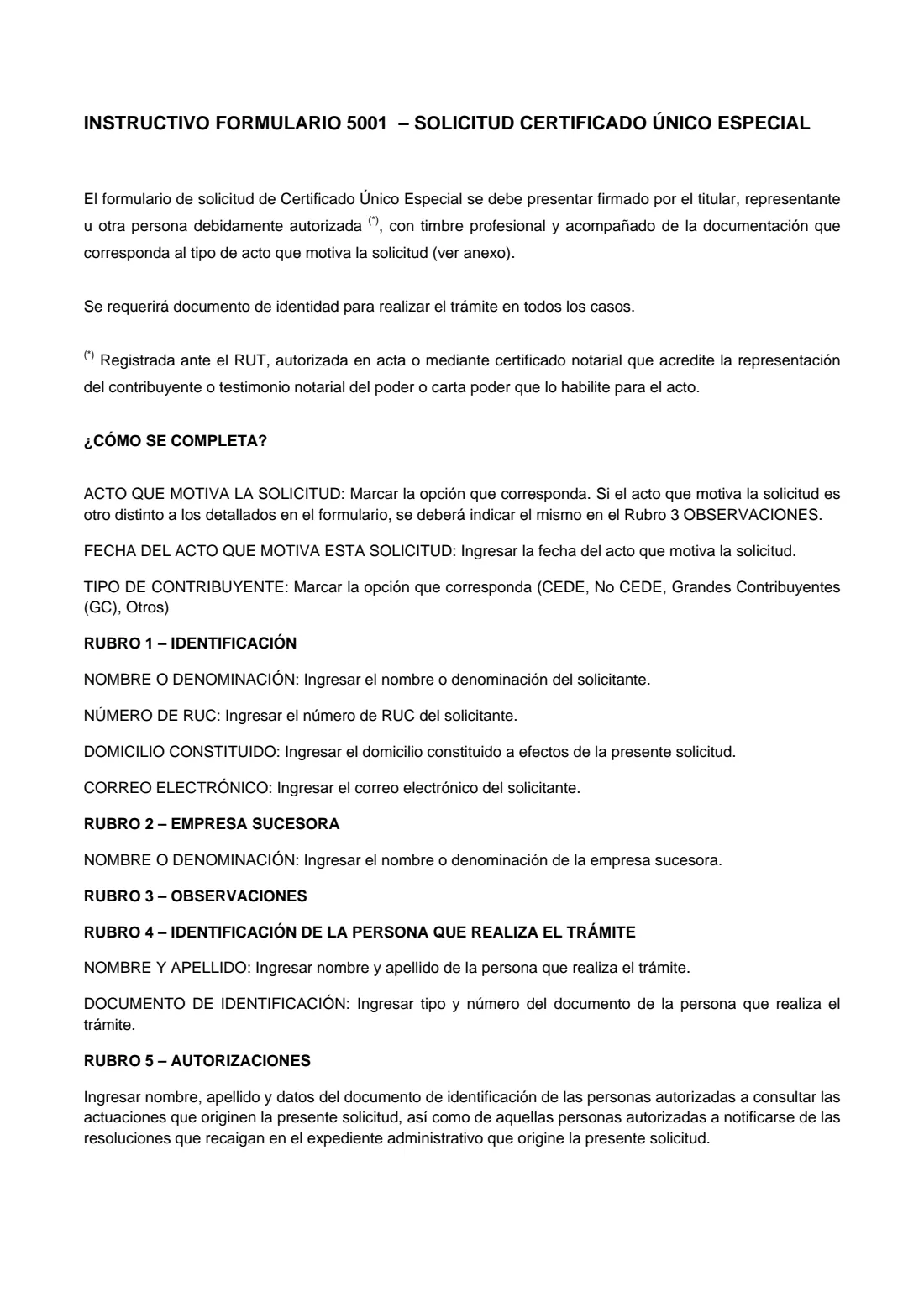
- By the holder, a representative or a duly authorised person, with a professional stamp (timbre profesional)
- Language
- Spanish form; FileIt's questions are in English with the Spanish terms
- Edition
- Versión 01 (file dated August 2025)
- Pages
- 2 (the form and its instructions)
Who needs to fill out Formulario 5001?
- Companies selling all or part of their business, or promising to sell it, or transferring such a promise.
- Companies being dissolved or liquidated, in whole or in part.
- Companies merging (by absorption or by creating a new company) or splitting.
- Companies amending their statutes where the special certificate is required.
When to use Formulario 5001
- When one of the acts listed on the form is to take place and the Certificado Único Especial is required for it.
- For an act not listed on the form, tick none of the boxes and describe the act in Rubro 3 (Observaciones), as the instructions say.
What you need before you start
- The company's name and its 12-digit RUC number, the address constituted for the application, a phone number and an email.
- The act and its date, and DGI's classification of the company (CEDE, No CEDE, Grandes Contribuyentes or Otros).
- The successor company's name and RUC, where there is one.
- The name and identity document of the person who carries out the procedure, and of anyone you authorise.
- The documents that correspond to the act (DGI publishes an annex listing them), a professional stamp, and an identity document.
What’s on Formulario 5001
The 2025 edition has 2 pages. FileIt asks for it in 8 parts:
- Act and type of taxpayerApplicant (company or representative)
- Rubro 1 — Identification of the applicantApplicant (company or representative)
- Rubro 2 — Successor companyApplicant (company or representative)
- Rubro 3 — RemarksApplicant (company or representative)
- Rubro 4 — Person carrying out the procedureApplicant (company or representative)
- Rubro 5 — People authorised to follow the applicationApplicant (company or representative)
- Rubro 5 — People authorised to be notifiedApplicant (company or representative)
- Rubro 6 — Person responsible (signatory)Applicant (company or representative)
How to fill out Formulario 5001, step by step
1 Act, date and type of taxpayer
Tick the act that motivates the application (for sales and dissolutions, total or partial), enter its date, and tick the type of taxpayer.
2 Rubros 1 and 2 — Applicant and successor
The applicant's name or company name, RUC, address for this application (street, number, unit, town, department, phone, postcode) and email; then the successor company's name and RUC if there is one.
3 Rubros 3 and 4 — Remarks and who carries out the procedure
Any remarks, including the description of an act that isn't on the form, and the name and identity document of the person presenting it.
4 Rubro 5 — Authorisations
Up to four people authorised to consult the proceedings and present or collect documents (article 77, Decree 500/991), and up to four authorised to be notified of resolutions (articles 51, 52 and 54 of the Código Tributario).
5 Rubro 6 — Person responsible
The signatory's name, capacity (holder, partner, director or attorney) and identity card, declaring the information complete and correct. The signature goes beside FIRMA and the professional stamp in the 'Timbre Profesional' box.
Common mistakes to avoid
- Choosing an act on the form when yours is different, instead of describing it in Rubro 3.
- A RUC that is not 12 digits, or a cédula number without its check digit.
- Leaving out the successor company in a sale or merger.
- Presenting the form without the professional stamp or the documents the act requires.
- A representative signing without being registered in the RUT or holding minutes, a notarial certificate or a power of attorney that authorises them.
After you fill it out
Print the form from your FileIt vault and have it signed by the holder, representative or authorised person.
Add the professional stamp and the supporting documents for the act, and present it to DGI with an identity document. FileIt does not send anything to DGI.
Keep the PDF and DGI's certificate in your vault.
Fill out Formulario 5001 online with FileIt
- Pick the person. Choose someone from People and FileIt fills in their name, date of birth, address and other details it already knows.
- Answer plain-language questions. One part of the form at a time, with the official help text beside each question — 48 fields in all. Your answers save as you go.
- Check the live preview. Watch your answers land on the real Dirección General Impositiva (DGI) form, and let FileIt do any worksheet arithmetic.
- Generate the official PDF. FileIt prints your answers into the agency’s own PDF and files it in that person’s folder in your vault.
FileIt fills the form — it never files or submits anything for you. Deliver the finished form to whoever asked for it, the way the form’s instructions say.
Start Formulario 5001 now — it’s freeFormulario 5001: frequently asked questions
What is the Certificado Único Especial?
A special DGI certificate required under Chapter 8, Section 3, Title 1 of the Texto Ordenado 1996 for certain acts by a business, such as a sale of the business, a merger, a dissolution, a liquidation or a split. Formulario 5001 is the application for it.
Who can sign Formulario 5001?
The holder, a representative or another duly authorised person: registered in the RUT, authorised in minutes, or through a notarial certificate or a power of attorney that covers the act.
Can I sign it electronically?
The instructions say the form is presented signed, with a professional stamp, and that an identity document is required in every case. FileIt prepares the PDF for you to print, sign and present.
What if my act isn't on the form?
Describe it in Rubro 3 (Observaciones), as DGI's instructions say.
Which version is this?
Versión 01, the file DGI published in August 2025.
Official sources
- Blank form (PDF), published by Dirección General Impositiva (DGI): https://www.gub.uy/direccion-general-impositiva/sites/direccion-general-impositiva/files/2025-08/Formulario%2B5001%2BV01.pdf
- Official instructions and guidance: https://www.gub.uy/direccion-general-impositiva/
- Edition shown on this page: Versión 01 (file dated August 2025) (checked 2026-10-25).
FileIt is not affiliated with or endorsed by Dirección General Impositiva (DGI) or any government. This page explains the form in general terms and is not legal, tax or immigration advice. Always read the official instructions, and check that you are using the edition the recipient accepts. Page last reviewed 2026-10-25.