What is Formulario 0353?
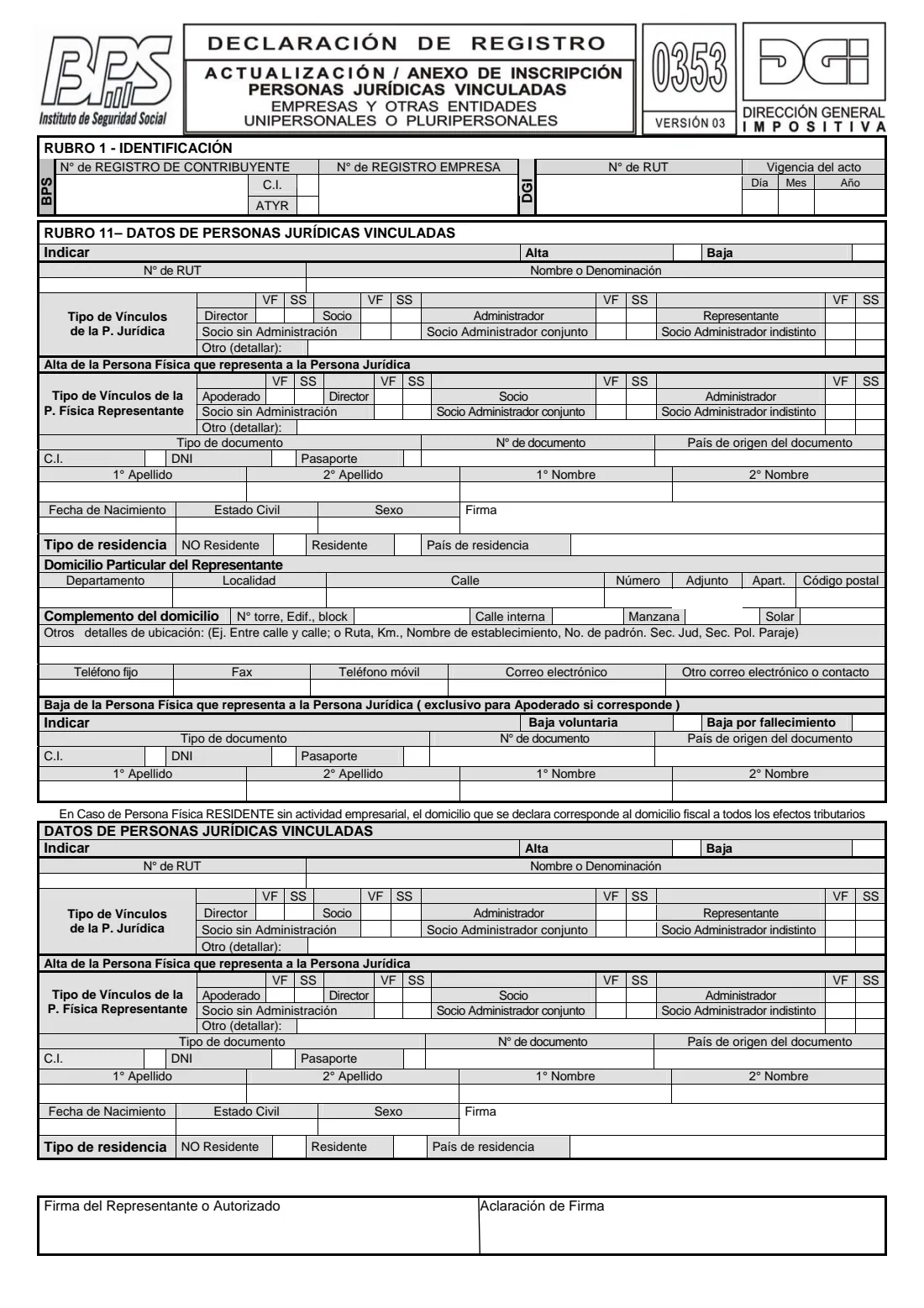
The Formulario 0353 is the DGI-BPS annex and update form for the legal entities (personas jurídicas) linked to a business, for example a company that is a partner, director, administrator or representative of another. It goes with Form 0351 when a business registers, or on its own when those links change.
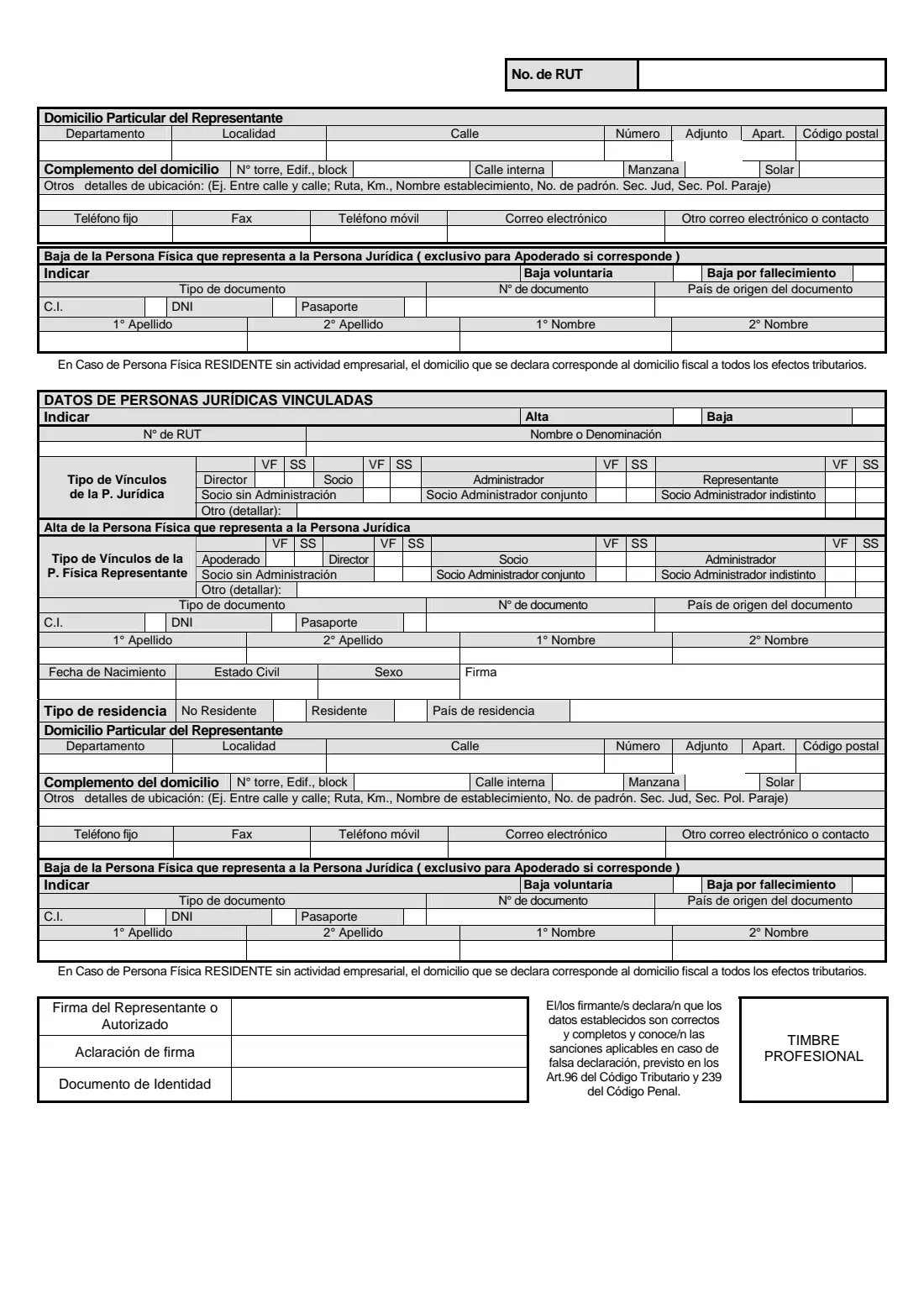
Version 03 has room for three entities. For each: whether it is added (alta) or removed (baja), its RUT and name, the type of link, and, on an alta, the individual who represents it with their identification and home address. An attorney (apoderado) who stops representing it is removed in the same block.
FileIt asks each question in English with the form's Spanish terms, prints your answers onto the official PDF and saves it in your vault, ready to sign and present.
- Who fills it
- A business in Uruguay, for the companies linked to it
- Agencies
- DGI and BPS, on one form
- Entities per form
- 3
- Signed
- By each representative in their block and by the business's representative, with a professional stamp
- Edition
- Versión 03 (file dated September 2023)
- Pages
- 2
Who needs to fill out Formulario 0353?
- Businesses registering with Form 0351 that have companies among their partners, directors or representatives.
- Businesses adding or removing a linked company.
- Businesses whose linked company changes the individual (such as an attorney) who represents it.
When to use Formulario 0353
- When a legal entity becomes linked to the business (alta) or stops being linked (baja).
- On an alta, to register the individual who represents that entity.
- To remove an attorney (apoderado) who represented a linked entity, voluntarily or on death.
What you need before you start
- Your business's RUT and BPS numbers, and the date the change takes effect.
- Each linked entity's RUT, name and type of link (director, partner, administrator, representative, partner with or without administration, or other).
- For its representative: the type of link, identity document and issuing country, names, date of birth, marital status, sex, residence and home address with at least a landline or mobile number.
What’s on Formulario 0353
The 2023 edition has 2 pages. FileIt asks for it in 11 parts:
- Rubro 1 — Identification of your companyCompany (via its representative)
- Rubro 11 — Linked legal entity 1Company (via its representative)
- Entity 1 — the individual who represents it (alta)Company (via its representative)
- Entity 1 — representative leaving (baja, attorney only)Company (via its representative)
- Rubro 11 — Linked legal entity 2Company (via its representative)
- Entity 2 — the individual who represents it (alta)Company (via its representative)
- Entity 2 — representative leaving (baja, attorney only)Company (via its representative)
- Rubro 11 — Linked legal entity 3Company (via its representative)
- Entity 3 — the individual who represents it (alta)Company (via its representative)
- Entity 3 — representative leaving (baja, attorney only)Company (via its representative)
- SignatureCompany (via its representative)
How to fill out Formulario 0353, step by step
1 Rubro 1 — Identification
Your business's BPS contributor and company registration numbers, DGI RUT, and the date from which the change applies.
2 Rubro 11 — Each linked legal entity
Alta or baja, the entity's RUT and name, and how it is linked. The link is marked in the form's VF and SS columns.
3 The individual who represents it
On an alta: their type of link (attorney, director, partner, administrator and so on), document, names, date of birth, marital status, sex, residence and home address. They sign in the 'Firma' box of the block.
4 Removing an attorney
Only for an attorney (apoderado): voluntary or on death, with their document and names.
5 Signature
The business's representative or an authorised person signs at the end with a professional stamp.
Common mistakes to avoid
- Giving a representative's details for an entity that is being removed (they go only with an alta).
- Using the removal part for anyone other than an attorney.
- A RUT that is not 12 digits.
- Leaving out a phone number for the representative.
After you fill it out
Print the form from your FileIt vault, have each representative and your business's representative sign it, and add the professional stamp.
Present it with Form 0351 or on its own as an update. FileIt does not send anything to DGI or BPS.
Keep the PDF in your vault.
Fill out Formulario 0353 online with FileIt
- Pick the person. Choose someone from People and FileIt fills in their name, date of birth, address and other details it already knows.
- Answer plain-language questions. One part of the form at a time, with the official help text beside each question — 157 fields in all. Your answers save as you go.
- Check the live preview. Watch your answers land on the real Dirección General Impositiva (DGI) and Banco de Previsión Social (BPS) form, and let FileIt do any worksheet arithmetic.
- Generate the official PDF. FileIt prints your answers into the agency’s own PDF and files it in that person’s folder in your vault.
FileIt fills the form — it never files or submits anything for you. Deliver the finished form to whoever asked for it, the way the form’s instructions say.
Start Formulario 0353 now — it’s freeFormulario 0353: frequently asked questions
What is Form 0353 for?
Registering or updating the companies (legal entities) linked to a Uruguayan business, and the individuals who represent them.
When do I give the representative's details?
When the entity is added (alta). DGI's instructions say the representative's removal applies only to an attorney (apoderado).
How many entities fit on one form?
Three. Use another form for more.
Which version is this?
Versión 03, the file DGI links from its Formulario 0353 page (September 2023).
Official sources
- Blank form (PDF), published by Dirección General Impositiva (DGI) and Banco de Previsión Social (BPS): https://www.gub.uy/direccion-general-impositiva/sites/direccion-general-impositiva/files/2023-09/Form%2B0353.pdf
- Official instructions and guidance: https://www.gub.uy/direccion-general-impositiva/comunicacion/publicaciones/instructivo-formulario-0353
- Edition shown on this page: Versión 03 (file dated September 2023) (checked 2026-10-25).
FileIt is not affiliated with or endorsed by Dirección General Impositiva (DGI) and Banco de Previsión Social (BPS) or any government. This page explains the form in general terms and is not legal, tax or immigration advice. Always read the official instructions, and check that you are using the edition the recipient accepts. Page last reviewed 2026-10-25.