
What is Form VS 112?
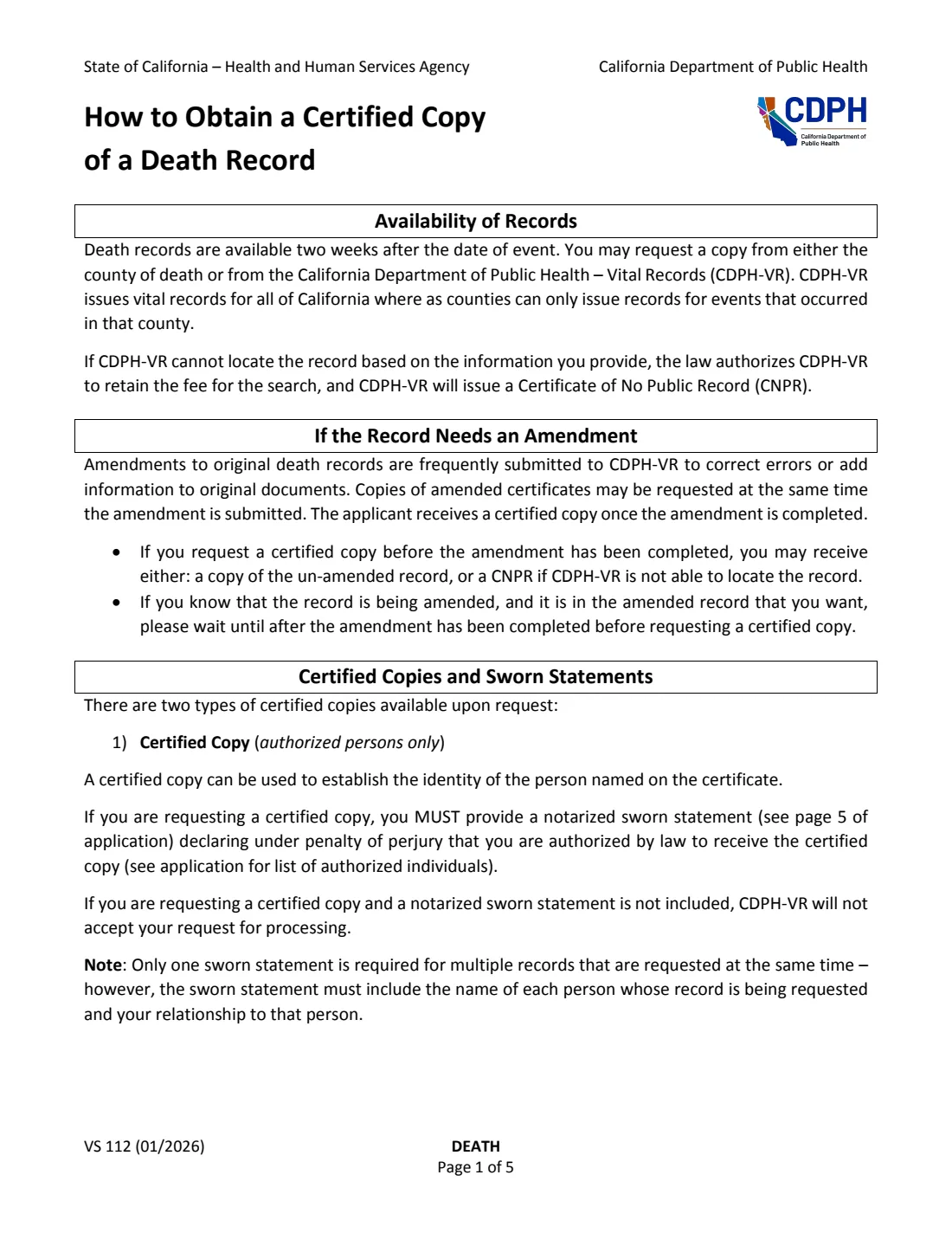
After someone dies, their family or estate usually needs certified copies of the death certificate: for banks, insurers, pension plans, property records and the estate. For a death that happened anywhere in California, you can order them by mail from the California Department of Public Health, Vital Records (CDPH-VR) using Form VS 112. Death records are available two weeks after the date of death. You can also ask the recorder in the county of death, which often issues copies sooner.
There are two kinds of copy. An authorized certified copy can be used to establish the identity of the person named on it, and only the people listed in Part 1 can get one: close family members, a legal guardian, a court-appointed or statutory representative such as an executor, an attorney for the estate, law enforcement or a government agency, a funeral establishment acting for the family, or the surviving next of kin. It needs the notarized sworn statement on page 5. Anyone else can get a certified informational copy, which is marked "Informational, Not a Valid Document to Establish Identity." The fee printed on the January 2026 edition is $26.00 per copy.
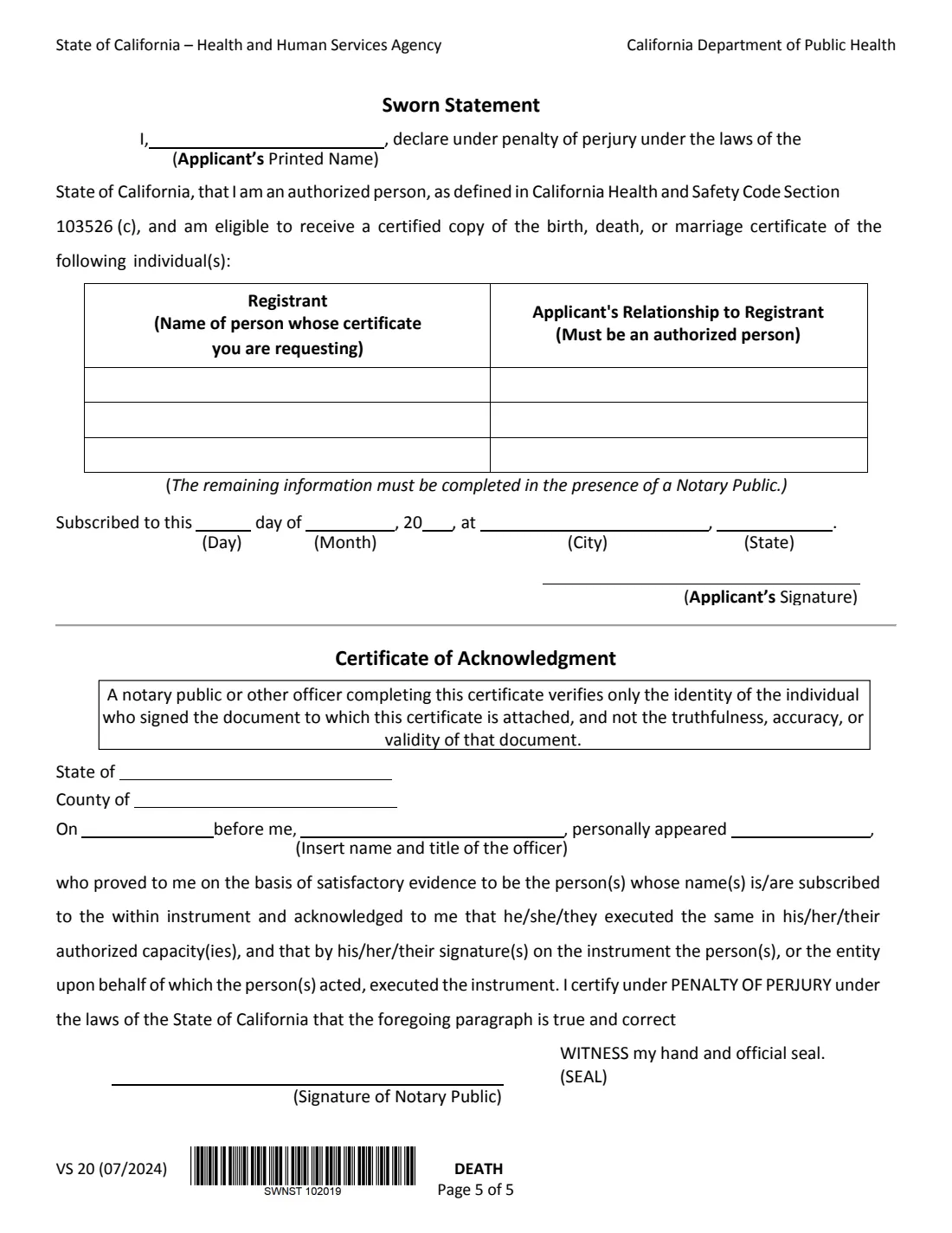
FileIt walks you through the application and prints your answers into the official CDPH PDF, including the sworn statement's printed name and registrant rows. It saves the result in your vault. The signature and the rest of the sworn statement are completed in front of a notary. You mail the form with your check or money order yourself, since FileIt never submits anything.
- Who fills it
- The person requesting the copy (the applicant).
- Sent to
- CDPH Vital Records - MS 5103, P.O. Box 997410, Sacramento, CA 95899-7410 (the address printed on the form).
- Fee
- $26.00 per copy on this edition, by check or money order payable to CDPH - Vital Records. No cash.
- Signatures
- For an authorized copy, the applicant signs the sworn statement before a notary, who completes the acknowledgment.
- Edition
- VS 112 (01/2026), sworn statement VS 20 (07/2024)
- Records covered
- Deaths that occurred in California, available two weeks after the date of death.
Who needs to fill out Form VS 112?
- A spouse, domestic partner, child, parent, sibling, grandparent or grandchild handling a loved one's affairs.
- Executors, administrators and others appointed by a court or empowered by statute to act for the person or their estate.
- Attorneys representing the person who died or their estate.
- Funeral establishment staff ordering copies on behalf of the family.
- Law enforcement and government agencies conducting official business.
- Genealogists and anyone else who needs an informational copy for research or family history.
When to use Form VS 112
- When you need certified copies to close accounts, claim life insurance or a pension, transfer property, or settle an estate.
- When the death happened in California and at least two weeks have passed since the date of death.
- When ordering by mail from the state. For faster service, the form points you to the county recorder's office where the death occurred.
- If the record is being amended, the form suggests waiting until the amendment is complete if it's the amended record you want.
What you need before you start
- The full name of the person who died, as shown on the death record.
- The California county where the death occurred and the date of death, exact or approximate.
- If known: their Social Security number, date of birth, their mother's or parent's name, and their spouse's or domestic partner's name.
- Your name, mailing address, phone number, email and reason for the request.
- The number of copies and a check or money order for $26.00 each.
- For an authorized copy: your relationship to the person, documents such as a court order or letters testamentary if you're acting for the estate, and access to a notary public.
What’s on Form VS 112
The 2026 edition has 8 pages. FileIt asks for it in 7 parts, and it is signed by Applicant:
- Certificate type and your relationshipApplicant
- Part 2: Death record informationApplicant
- Part 3: Applicant informationApplicant
- Agency useApplicant
- Copies and checklistApplicant
- Sworn statement (authorized copy only)Applicant
- Sworn statement: more registrantsApplicant
How to fill out Form VS 112, step by step
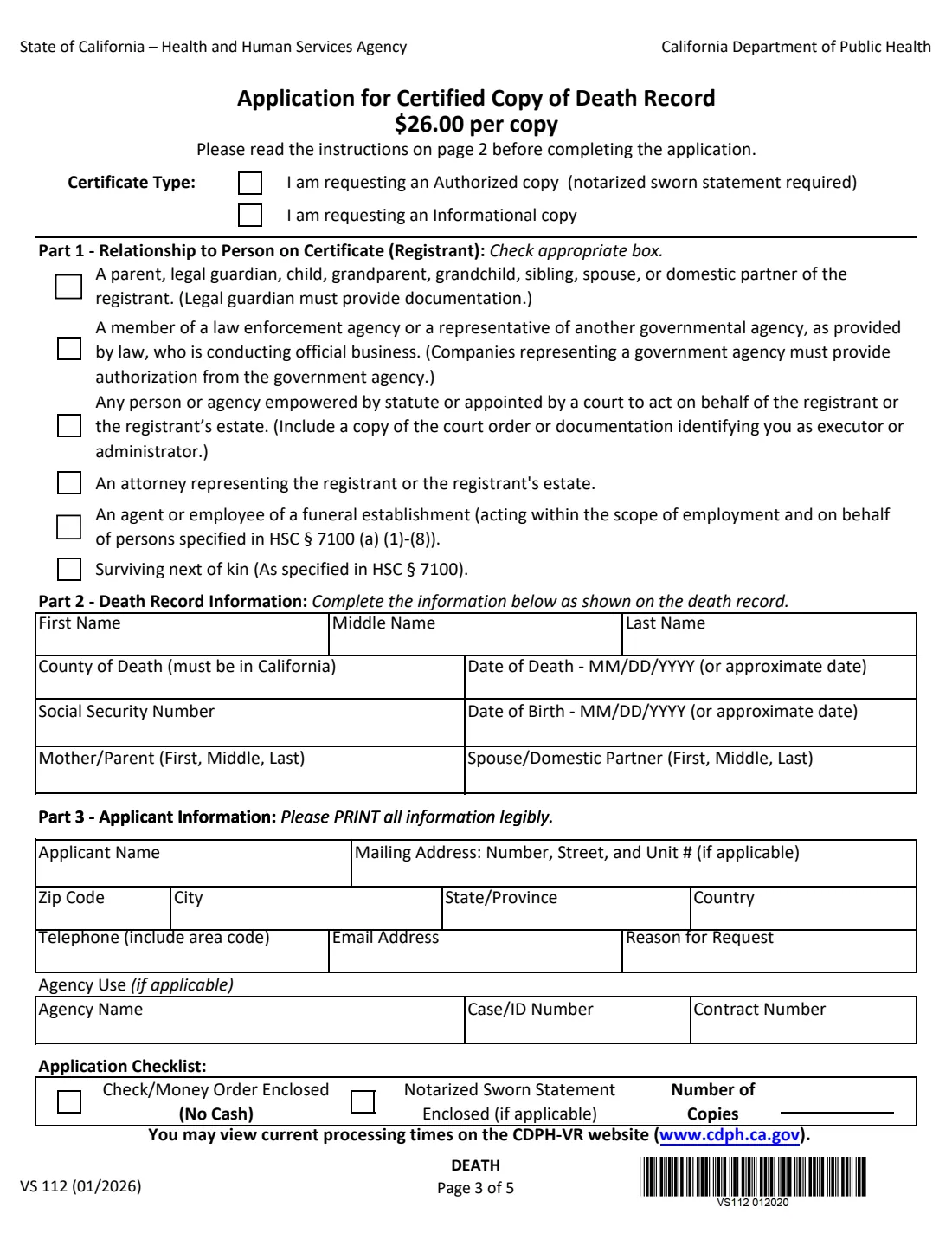
1 Certificate type
Choose an authorized copy, which needs a notarized sworn statement and is limited to the people in Part 1, or an informational copy, which anyone can request without a sworn statement. Depending on the year of death, some informational copies have signatures and Social Security numbers redacted.
2 Part 1 — Your relationship
For an authorized copy, tick the one box that describes you: close family (parent, legal guardian, child, grandparent, grandchild, sibling, spouse or domestic partner), law enforcement or a government agency, a person or agency empowered by statute or appointed by a court, an attorney for the person or estate, a funeral establishment employee acting for the family, or surviving next of kin. Some choices need documentation, such as guardianship papers or a court order.
3 Part 2 — Death record information
Enter the person's first, middle and last name as shown on the death record, the California county of death and the date of death (or an approximate date). Add the Social Security number, date of birth, mother's or parent's name and spouse's or domestic partner's name if you know them. More detail helps CDPH-VR find the right record.
4 Part 3 — Applicant information
Give your name and the mailing address where the certificate should be sent, plus a phone number, email and the reason for the request. Agencies fill in the Agency Use boxes with the agency name, case number and contract number.
5 Checklist and copies
Enter the number of copies and tick the checklist: check or money order enclosed, and a notarized sworn statement enclosed if you're requesting an authorized copy. FileIt works out the fee at $26.00 per copy.
6 Sworn statement (page 5)
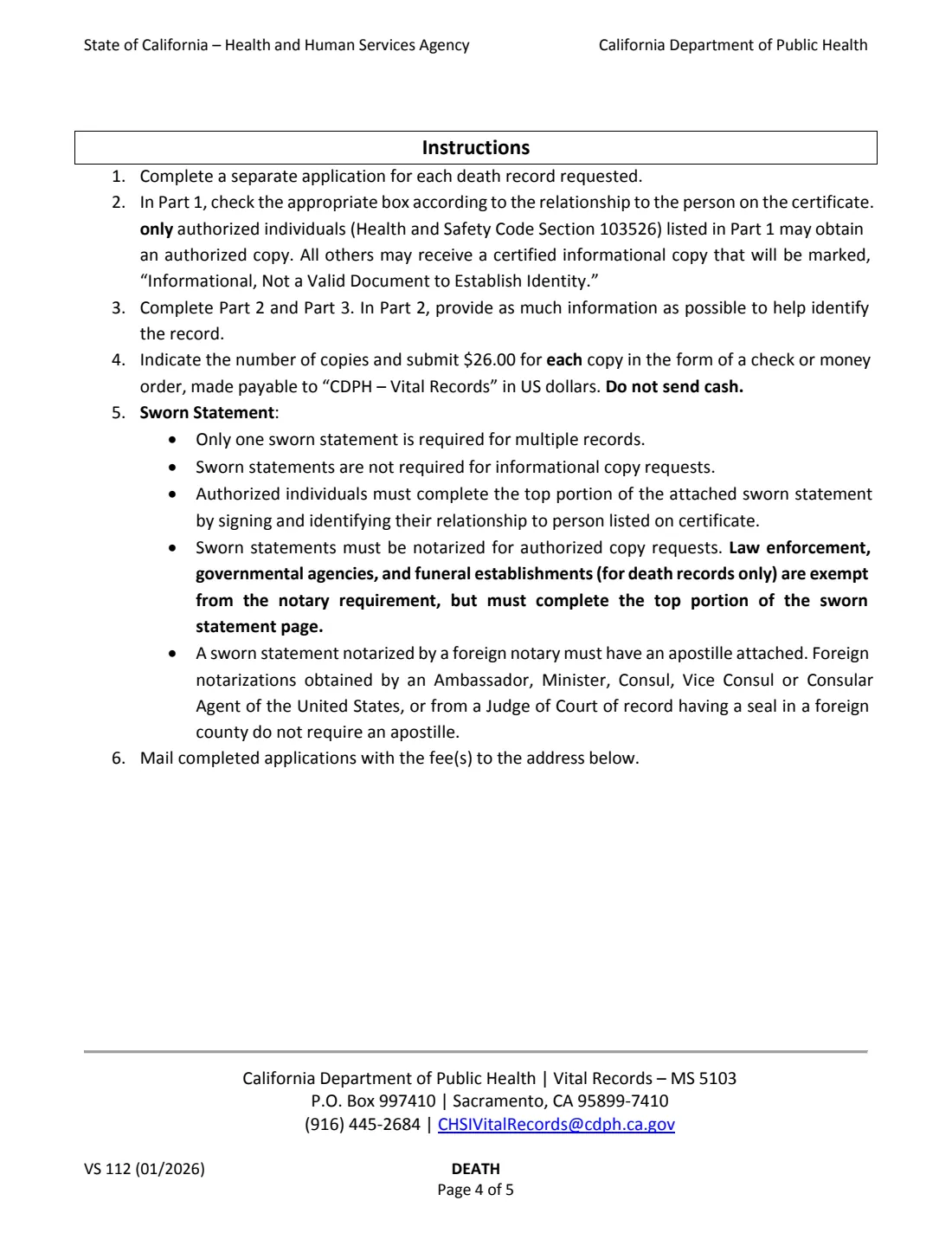
For an authorized copy, the sworn statement lists your printed name, the person whose certificate you're requesting and your relationship to them. One statement can cover several records requested at the same time. The date, place and your signature must be completed in front of a notary public, who then fills in the certificate of acknowledgment. Law enforcement, government agencies and funeral establishments are exempt from the notary requirement but still complete the top part.
Common mistakes to avoid
- Asking for an authorized copy without enclosing a notarized sworn statement. The form says CDPH-VR will not accept the request for processing.
- Signing the sworn statement before you're in front of the notary.
- Sending cash, or a check made payable to anyone other than CDPH - Vital Records.
- Putting two deaths on one application. Each death record needs its own application.
- Applying before the record is available, less than two weeks after the date of death.
- Using this form for a death outside California.
- Forgetting the court order or executor documentation when applying as the estate's representative.
After you fill it out
For an authorized copy, take the printed form to a notary, sign the sworn statement in front of them and have them complete the acknowledgment. A foreign notarization generally needs an apostille, per the instructions.
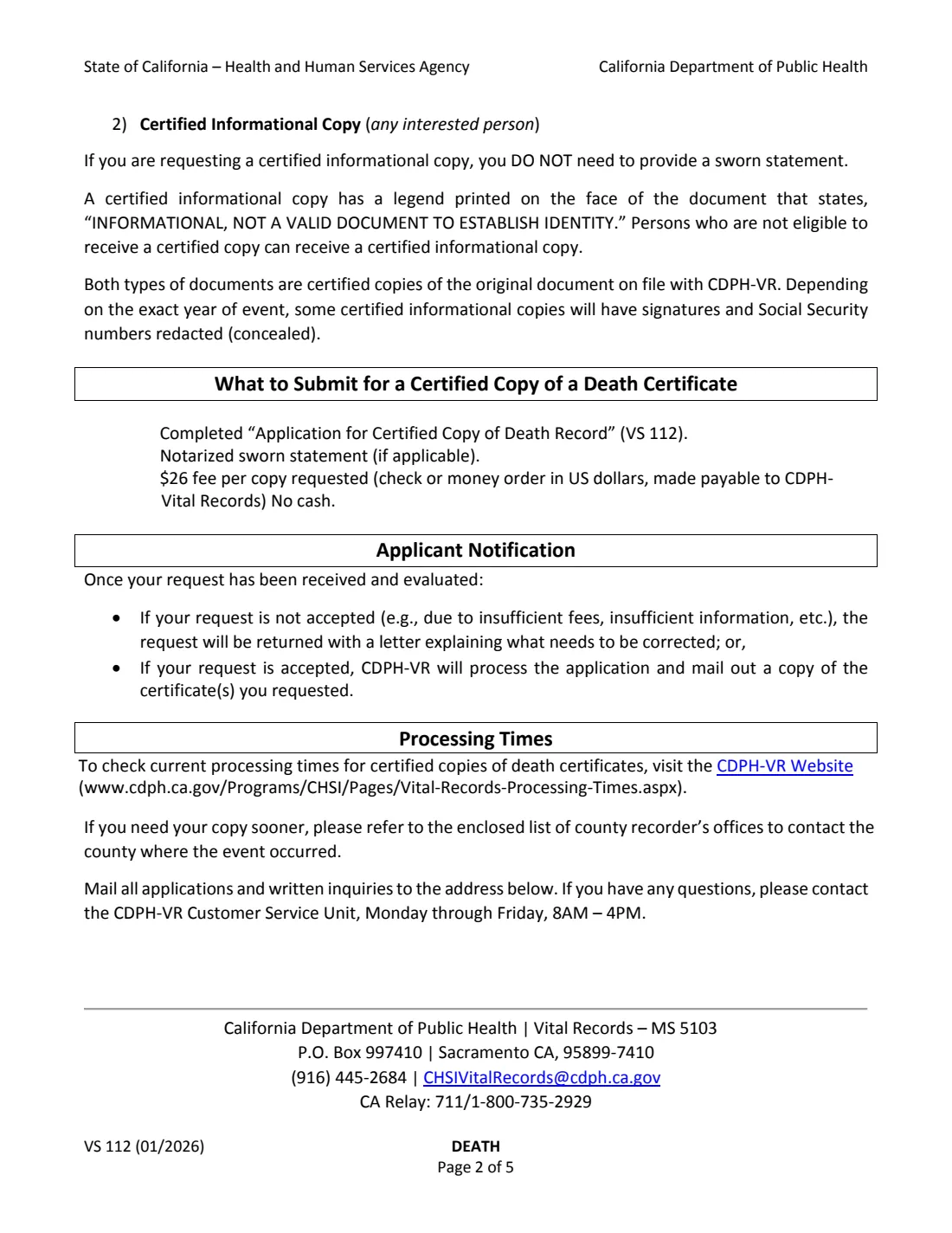
Mail the application, the notarized sworn statement if needed, and a check or money order for $26.00 per copy to CDPH Vital Records - MS 5103, P.O. Box 997410, Sacramento, CA 95899-7410. FileIt keeps a copy of the filled form in your vault.
If the request can't be accepted, for example because of a missing fee or information, it's returned with a letter explaining what to fix. If CDPH-VR can't find the record, it keeps the fee and sends a Certificate of No Public Record. Processing times are posted on the CDPH-VR website.
Fill out Form VS 112 online with FileIt
- Pick the person. Choose someone from People and FileIt fills in their name, date of birth, address and other details it already knows.
- Answer plain-language questions. One part of the form at a time, with the official help text beside each question — 38 fields in all. Your answers save as you go.
- Check the live preview. Watch your answers land on the real California Department of Public Health, Vital Records (CDPH-VR) form, and let FileIt do any worksheet arithmetic.
- Generate the official PDF. FileIt prints your answers into the agency’s own PDF and files it in that person’s folder in your vault. Sign it, or send it for e-signature.
FileIt fills the form — it never files or submits anything for you. Deliver the finished form to whoever asked for it, the way the form’s instructions say.
Start Form VS 112 now — it’s freeForm VS 112: frequently asked questions
Who can get an authorized copy of a California death certificate?
The people listed in Part 1 of Form VS 112: close family members and legal guardians, people empowered by statute or appointed by a court to act for the person or estate, attorneys for the person or estate, funeral establishment staff acting for the family, law enforcement and government agencies, and the surviving next of kin.
What's the difference between an authorized and an informational copy?
Both are certified copies of the record. An authorized copy can be used to establish identity; an informational copy is marked "Informational, Not a Valid Document to Establish Identity" and may have some details redacted. Anyone can get an informational copy without a sworn statement.
How much does a death certificate cost from CDPH?
The January 2026 edition of the form lists $26.00 per copy, paid by check or money order in US dollars made payable to CDPH - Vital Records.
Does the sworn statement have to be notarized?
Yes, for an authorized copy, except that law enforcement, government agencies and funeral establishments (for death records) are exempt from the notary requirement. They still complete the top part of the statement.
Can I get the copy faster?
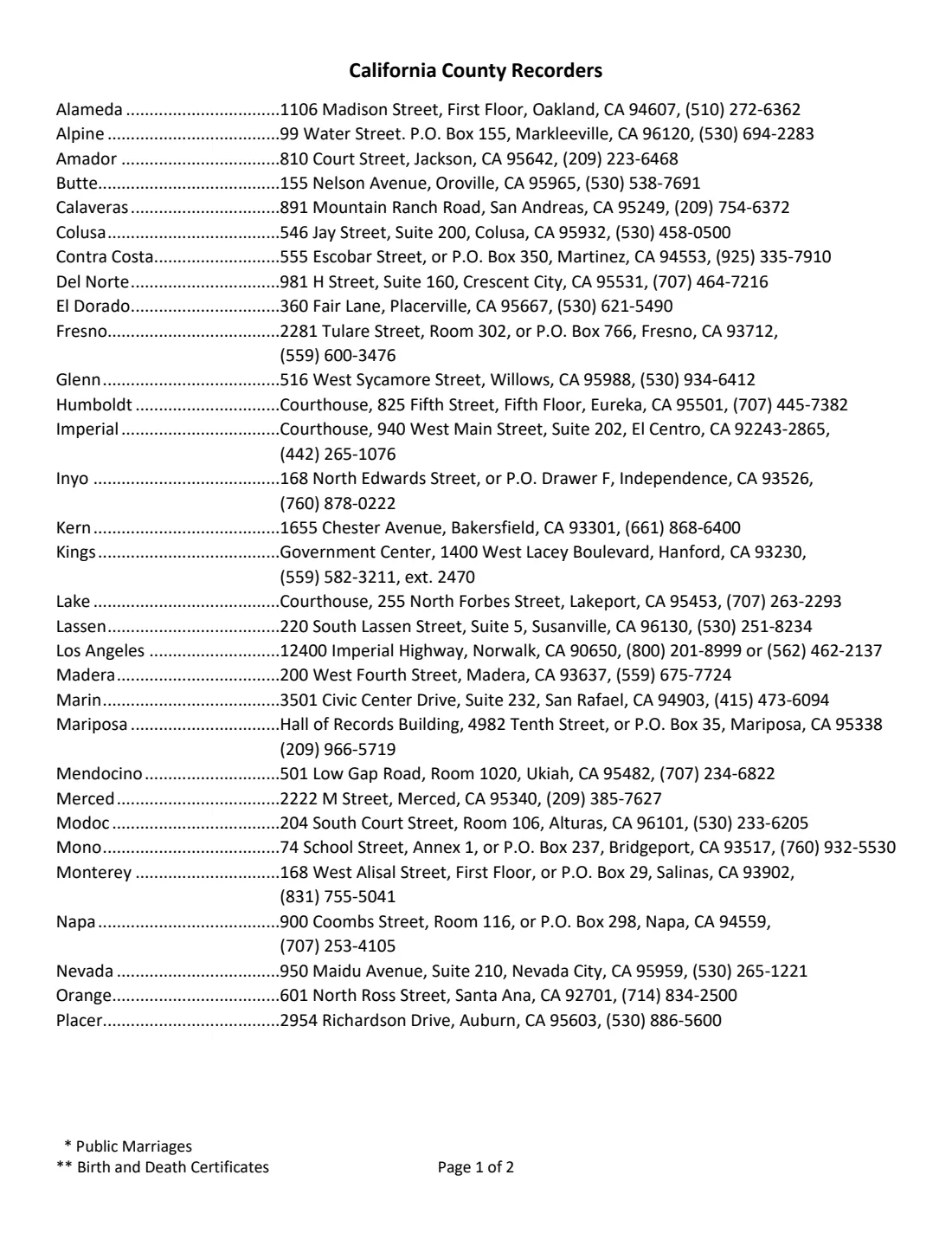
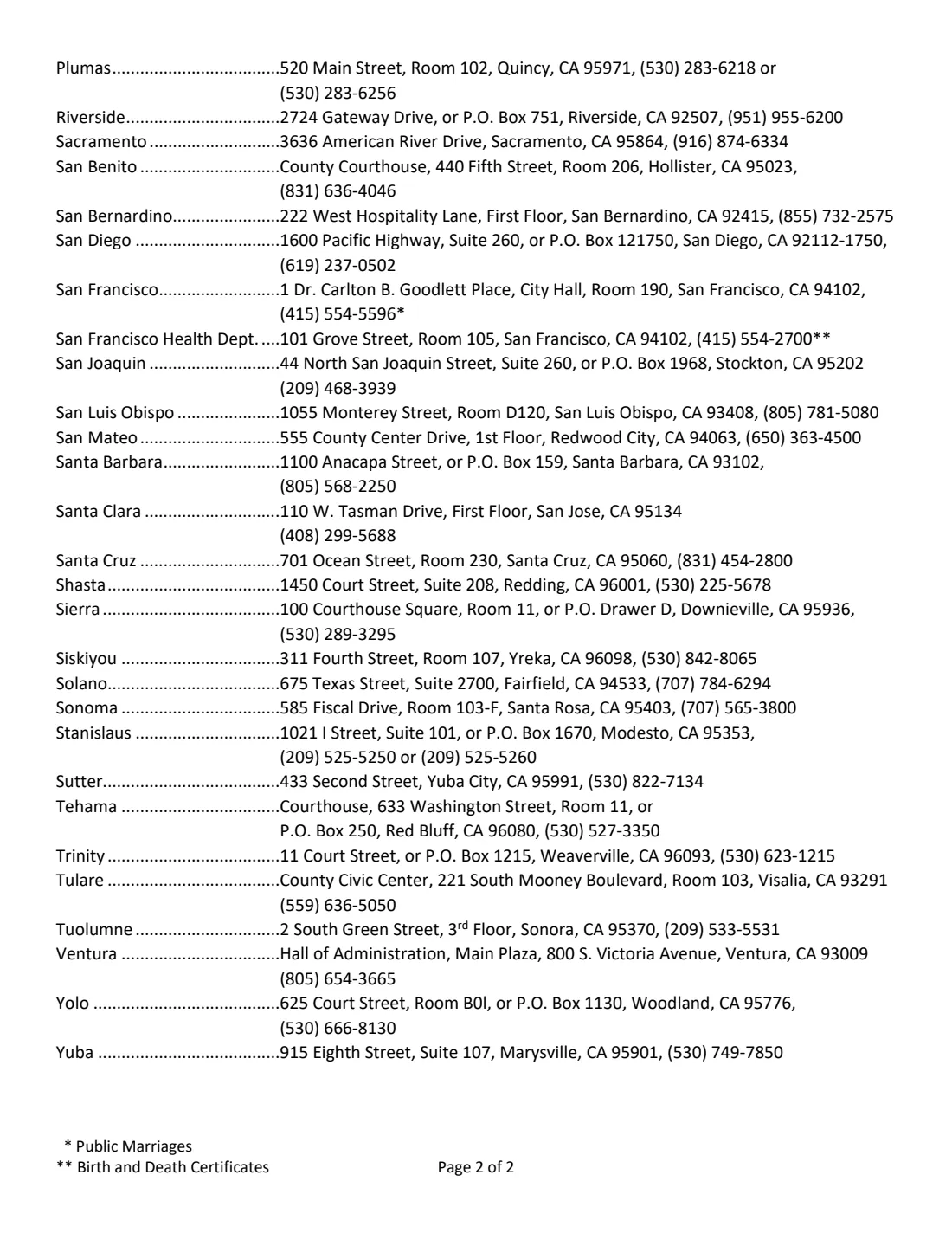
The form suggests contacting the county recorder's office in the county where the death occurred if you need the copy sooner.
Can I fill out Form VS 112 online?
Yes. FileIt guides you through the application and prints it into CDPH's official PDF, saved in your vault. You then print it, have the sworn statement notarized if needed, and mail it with the fee.
Official sources
- Blank form (PDF), published by California Department of Public Health, Vital Records (CDPH-VR): https://www.cdph.ca.gov/CDPH%20Document%20Library/ControlledForms/vs112.pdf
- Official instructions and guidance: https://www.cdph.ca.gov/Programs/CHSI/Pages/Obtaining-Certified-Copies-of-Death-Records.aspx
- Edition shown on this page: VS 112 (01/2026), with sworn statement VS 20 (07/2024) (checked 2026-10-19).
FileIt is not affiliated with or endorsed by California Department of Public Health, Vital Records (CDPH-VR) or any government. This page explains the form in general terms and is not legal, tax or immigration advice. Always read the official instructions, and check that you are using the edition the recipient accepts. Page last reviewed 2026-10-19.