What is Form DS-64?
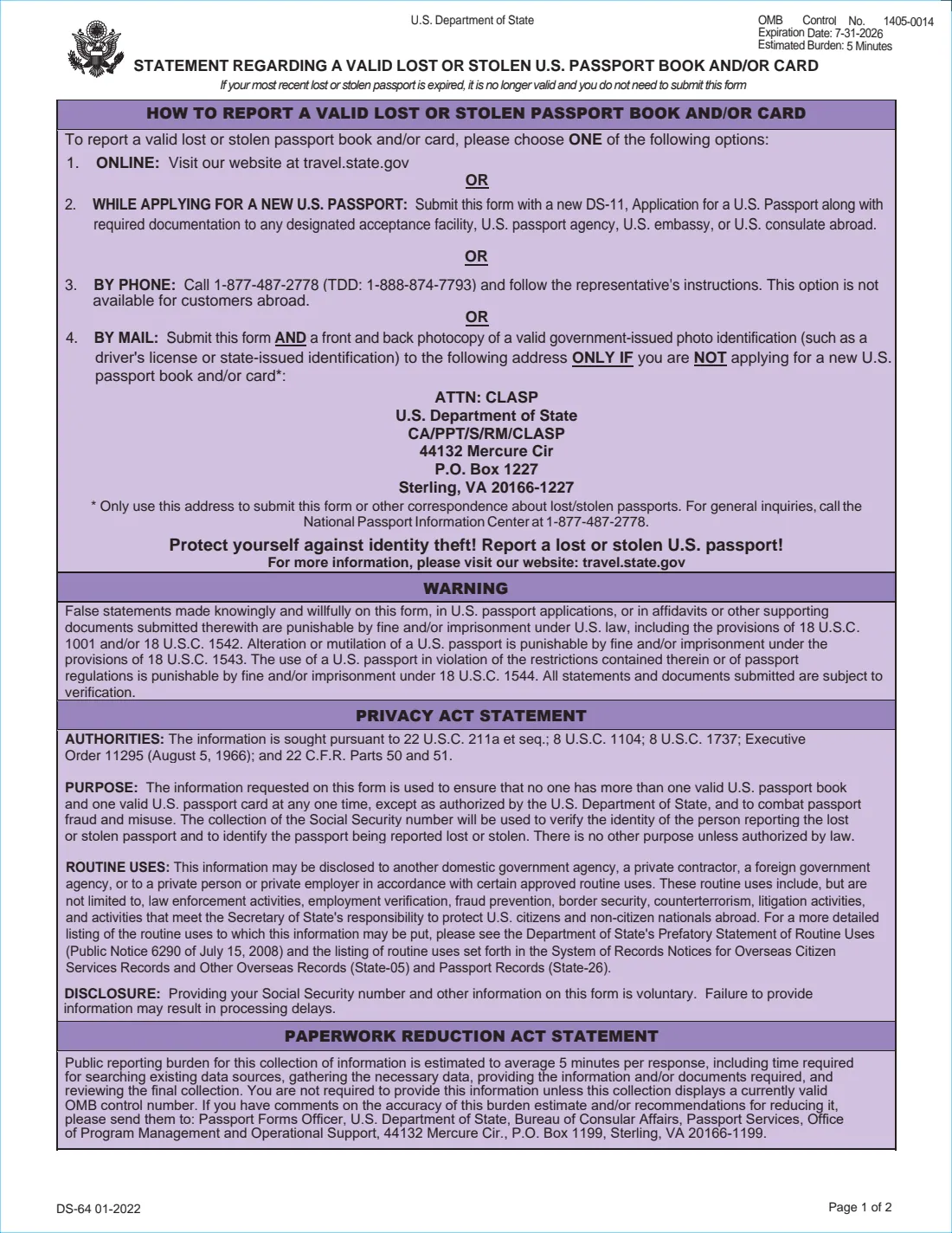
Form DS-64 is how you tell the U.S. Department of State that a valid passport book, passport card, or both have been lost or stolen. Once the report is processed, the passport is cancelled electronically in the Consular Lost and Stolen Passport System and can't be used for travel, even by you if it turns up again.
The form gives four ways to report: online at travel.state.gov, by phone, with a new Form DS-11 passport application, or by mail to the CLASP unit in Sterling, Virginia when you aren't applying for a new passport. If the passport you lost had already expired, it is no longer valid and the form says you don't need to file a statement.
FileIt takes you through the statement step by step and prints your answers on the State Department's own DS-64, with X marks in the right boxes and your account of the loss wrapped inside its space. Names with letters such as ł or ș print correctly. The holder's name, date of birth and email are pre-filled from your family vault, and the finished statement is saved to their folder.
- Who fills it
- The passport holder. For a child under 16, both parents or guardians sign unless one has sole authority.
- Covers
- A valid U.S. passport book and/or card that was lost or stolen.
- Submit
- With a new DS-11, or by mail to CLASP with a photocopy of the front and back of your photo ID.
- Result
- The reported passport is cancelled and can't be used for travel.
- Edition
- DS-64 01-2022 (OMB 1405-0014; printed expiry 7-31-2026)
Who needs to fill out Form DS-64?
- Anyone whose valid U.S. passport book or card has been lost or stolen, at home or abroad.
- Travelers applying for a replacement passport in person on Form DS-11.
- Parents reporting the lost or stolen passport of a child under 16.
- People who just want the missing passport cancelled now and will apply for a new one later.
- Anyone who has had passports lost or stolen before, since the form asks about earlier losses.
When to use Form DS-64
- As soon as you realize a valid passport is gone, to protect yourself against identity theft.
- Together with Form DS-11 when you apply for a replacement.
- On its own by mail, when you aren't applying for a new passport yet.
- Not for a passport that never arrived in the mail. That is reported on Form DS-86.
What you need before you start
- The holder's name, any name the passport was issued in if it has changed, date and place of birth, and Social Security number.
- Your current address, phone numbers and email.
- A detailed account of how, where and when the passport was lost or stolen.
- A copy of the police report, if you filed one and it's available.
- The passport book and card numbers and issue dates, if you know them.
- A photocopy of the front and back of your valid government-issued photo ID when mailing.
What’s on Form DS-64
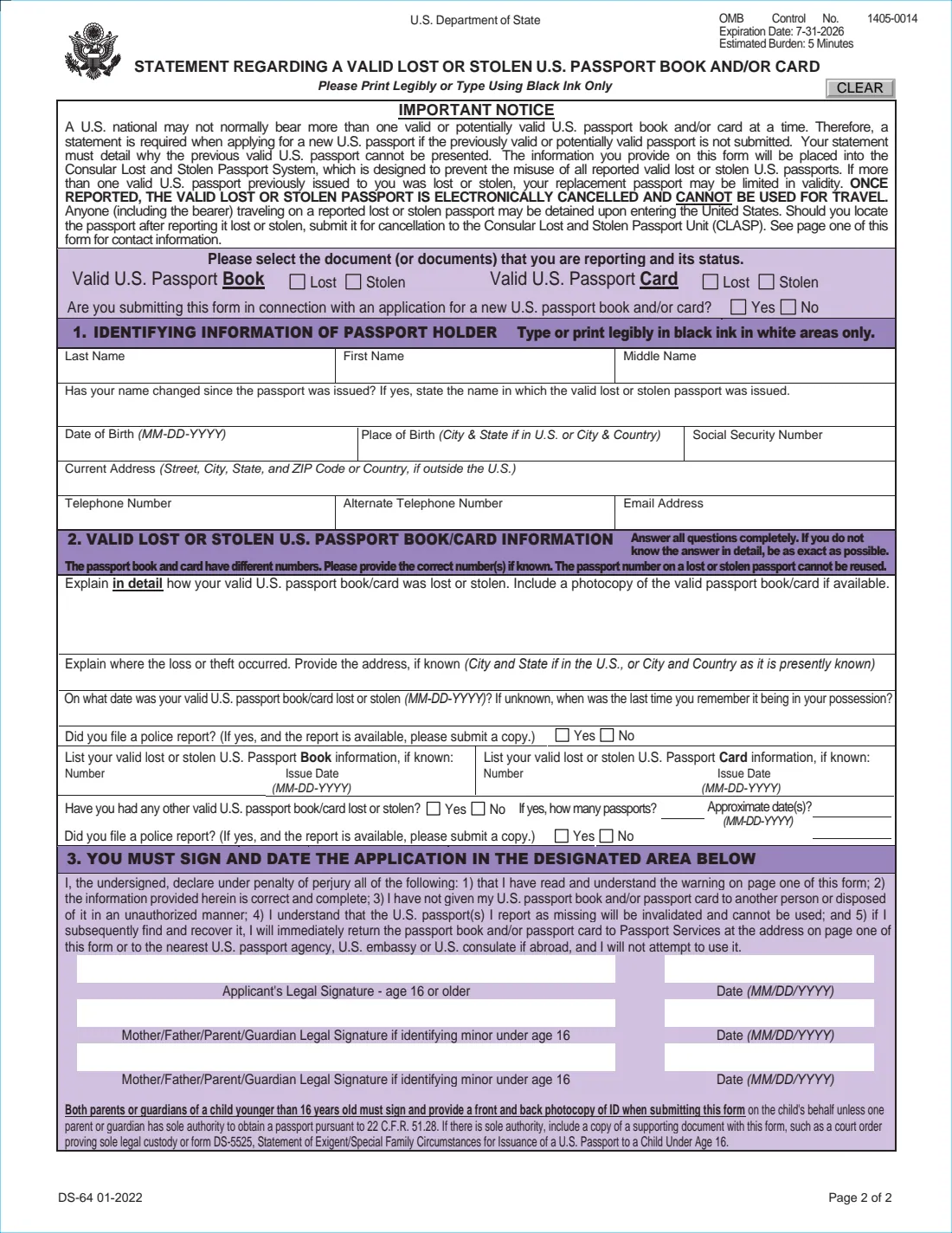
The 2022 edition has 2 pages. FileIt asks for it in 4 parts:
- What you're reportingPassport holder
- Part 1: The passport holderPassport holder
- Part 2: How the passport was lost or stolenPassport holder
- Other lost or stolen passportsPassport holder
How to fill out Form DS-64, step by step
1 Pick what's missing
Mark the book, the card or both as lost or stolen, and say whether you're filing this with a new passport application.
2 Part 1: Holder's details
Enter the passport holder's name, any former name on the passport, date and place of birth, Social Security number, address and contact details.
3 Part 2: What happened
Explain in detail how the passport went missing, where it happened, and the date, or when you last remember having it. Say whether you filed a police report.
4 Passport numbers
Give the book and card numbers and issue dates if you know them. They're different numbers, so enter each one separately.
5 Earlier losses
Say whether any other valid passport of yours has been lost or stolen, and if so how many, roughly when, and whether you reported it to the police.
Common mistakes to avoid
- Filing a DS-64 for an expired passport, which the form says isn't needed.
- Planning to use the passport if it's found. Once reported, it's cancelled for good.
- Mailing the statement to CLASP when you're also applying for a new passport. In that case it goes with your DS-11.
- Leaving out the photocopy of both sides of your photo ID when mailing.
- Giving a vague account. The form asks you to answer completely and be as exact as possible.
- Only one parent signing for a child under 16 without proof of sole authority.
After you fill it out
Print the statement and sign and date it in ink: the holder if 16 or older, or both parents or guardians for a younger child.
Take it with your DS-11 to an acceptance facility, passport agency, embassy or consulate, or mail it with your ID copy to the CLASP address on page one.
If you find the passport afterwards, return it to Passport Services or the nearest passport agency, embassy or consulate. Add the replacement to your FileIt vault so it's tracked.
Keep a copy of the statement with your police report, in case you need to show you reported the loss.
Fill out Form DS-64 online with FileIt
- Pick the person. Choose someone from People and FileIt fills in their name, date of birth, address and other details it already knows.
- Answer plain-language questions. One part of the form at a time, with the official help text beside each question — 27 fields in all. Your answers save as you go.
- Check the live preview. Watch your answers land on the real U.S. Department of State form, and let FileIt do any worksheet arithmetic.
- Generate the official PDF. FileIt prints your answers into the agency’s own PDF and files it in that person’s folder in your vault.
FileIt fills the form — it never files or submits anything for you. Deliver the finished form to whoever asked for it, the way the form’s instructions say.
Start Form DS-64 now — it’s freeForm DS-64: frequently asked questions
Do I need a DS-64 if my lost passport was expired?
No. The form says an expired passport is no longer valid and you don't need to submit this statement for it.
Can I report a lost passport online instead?
Yes. The form lists online reporting at travel.state.gov and a phone option alongside the paper statement.
Where do I mail the DS-64?
If you aren't applying for a new passport, mail it with a copy of your photo ID to ATTN: CLASP, U.S. Department of State, CA/PPT/S/RM/CLASP, 44132 Mercure Cir, P.O. Box 1227, Sterling, VA 20166-1227.
What if I find my passport after reporting it?
You can't use it. The form asks you to return it to Passport Services at the address on page one, or to the nearest passport agency, or the U.S. embassy or consulate if you're abroad.
Is this the same as the DS-86?
No. The DS-64 is for a valid passport you had and then lost or had stolen. The DS-86 is for a passport that never reached you in the mail.
Does FileIt send the report to the State Department?
No. FileIt fills the official PDF and stores a copy in your vault. You sign it and submit it yourself.
Do I need a police report?
The form asks whether you filed one and, if so, to send a copy if it's available. It isn't required to submit the statement.
What if I don't know my passport number?
Give it if you know it. The book and card have different numbers, and the form asks for each one only if known.
Can I use the reported passport if I find it later?
No. A passport reported lost or stolen is cancelled electronically and can't be used for travel. Anyone traveling on it may be detained.
Official sources
- Blank form (PDF), published by U.S. Department of State: https://eforms.state.gov/Forms/ds64.pdf
- Official instructions and guidance: https://travel.state.gov/content/travel/en/passports/have-passport/lost-stolen.html
- Edition shown on this page: DS-64 01-2022 (OMB 1405-0014; the expiry printed on the form is 7-31-2026) (checked 2026-10-19).
FileIt is not affiliated with or endorsed by U.S. Department of State or any government. This page explains the form in general terms and is not legal, tax or immigration advice. Always read the official instructions, and check that you are using the edition the recipient accepts. Page last reviewed 2026-10-19.