What is ZUS ERP-7 certificate of employment and pay?
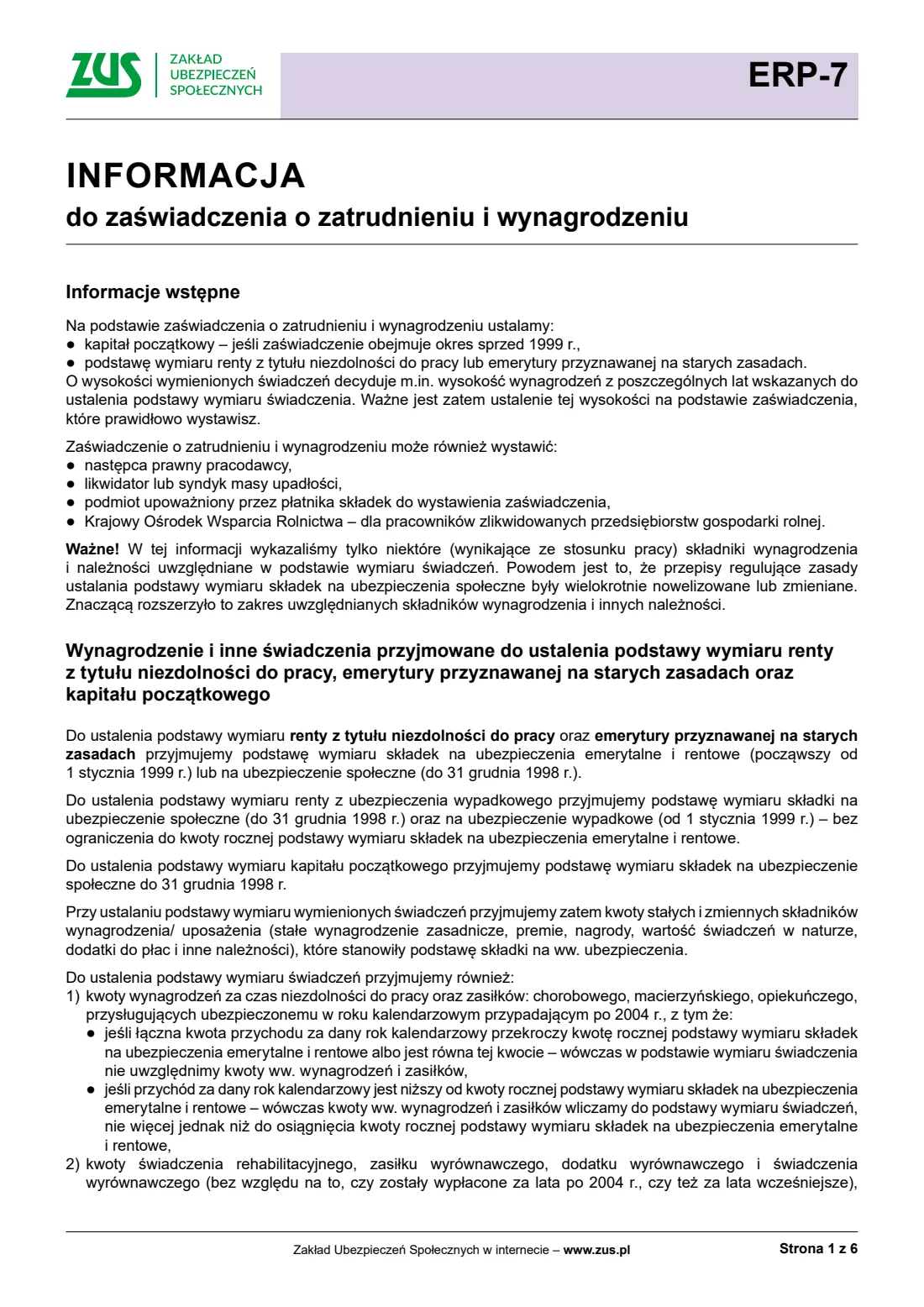
ERP-7 (formerly Rp-7) is the certificate of employment and pay an employer issues for an employee, or a former employee, who claims a pension from ZUS. ZUS's information printed with the form says it uses the certificate to set the initial capital when the certificate covers years before 1999, and the basis of a disability pension or of an old-age pension granted on the old rules.
The certificate can also be issued by the employer's legal successor, a liquidator or bankruptcy trustee, a body the contribution payer authorised, or the National Agricultural Support Centre (KOWR) for staff of liquidated state farms. It covers the payer and the employee, the employment and leave periods, the benefits paid, the pay and other amounts for each calendar year, and the months in which the annual contribution cap was exceeded.
FileIt asks the questions in English with the Polish labels, prints your answers in capital letters with Polish letters intact, and fills ZUS's own PDF. You sign and stamp it, and give it to the employee or to ZUS.
- Who fills it
- The employer (contribution payer), its successor, a liquidator or trustee, or an authorised body
- Used for
- Initial capital, a disability pension, or an old-age pension on the old rules
- Pay table
- 20 calendar-year rows; amounts go to the year they were due for
- Signature
- The payer's signature and stamp with name, position and phone number on page 4
- Edition
- ERP-7, updated 13 July 2026
- Pages
- 4, plus ZUS's 6-page information
Who needs to fill out ZUS ERP-7 certificate of employment and pay?
- Employers asked by a current or former employee for a certificate for their pension claim.
- Legal successors of a former employer, liquidators and bankruptcy trustees.
- Bodies authorised by a contribution payer to issue the certificate, such as payroll or archive firms.
When to use ZUS ERP-7 certificate of employment and pay
- When an employee claims an old-age or disability pension and ZUS needs their pay history.
- When ZUS sets an employee's initial capital for years before 1999.
- When an earlier certificate needs to be corrected or completed.
What you need before you start
- Your NIP and REGON (or a PESEL number or identity document), name and address, and your pre-1999 payer account number (NKP) if you had one.
- The employee's PESEL number, name and date of birth.
- The employment period, any part-time work before 15 November 1991, and the periods of unpaid and parental leave.
- The periods of sick pay, sickness, care and maternity allowances and rehabilitation benefit paid.
- The pay and other amounts for each calendar year from the payroll records, and the months the annual contribution cap was exceeded.
What’s on ZUS ERP-7 certificate of employment and pay
The 2026 edition has 10 pages. FileIt asks for it in 7 parts:
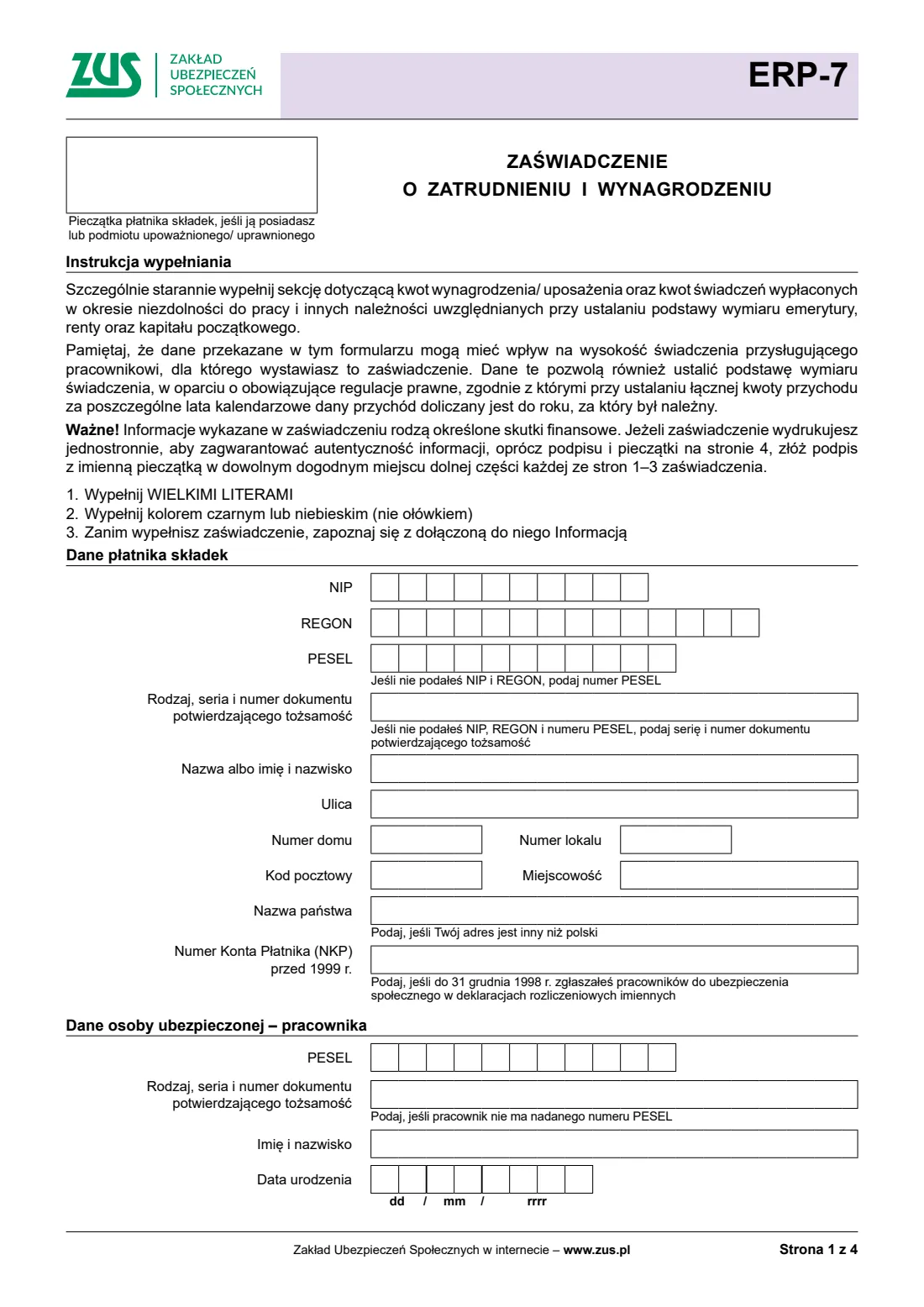
- The contribution payer (Dane płatnika składek)Employer (payer)
- The insured person — employee (Dane osoby ubezpieczonej – pracownika)Employer (payer)
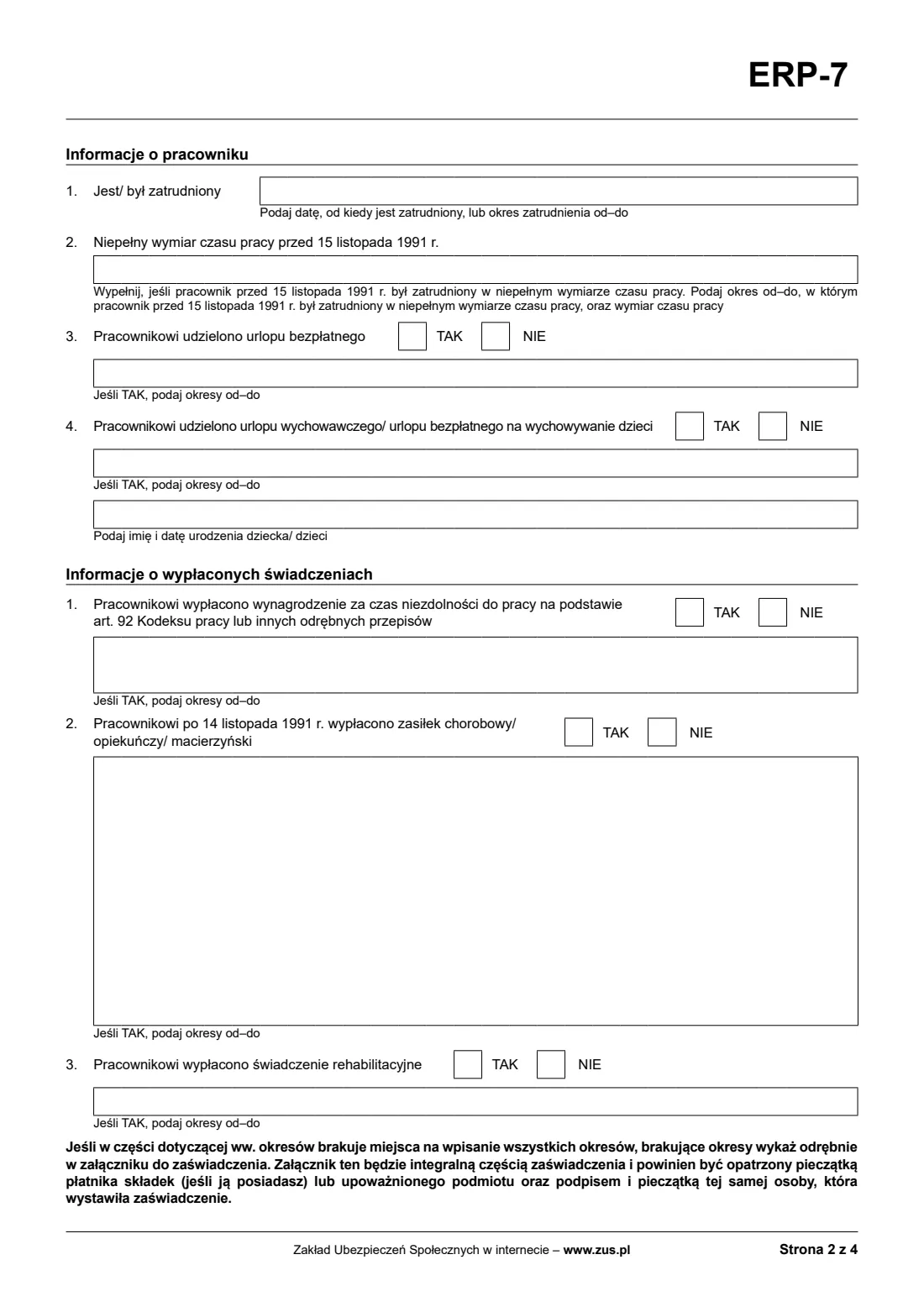
- About the employee (Informacje o pracowniku)Employer (payer)
- Benefits paid (Informacje o wypłaconych świadczeniach)Employer (payer)
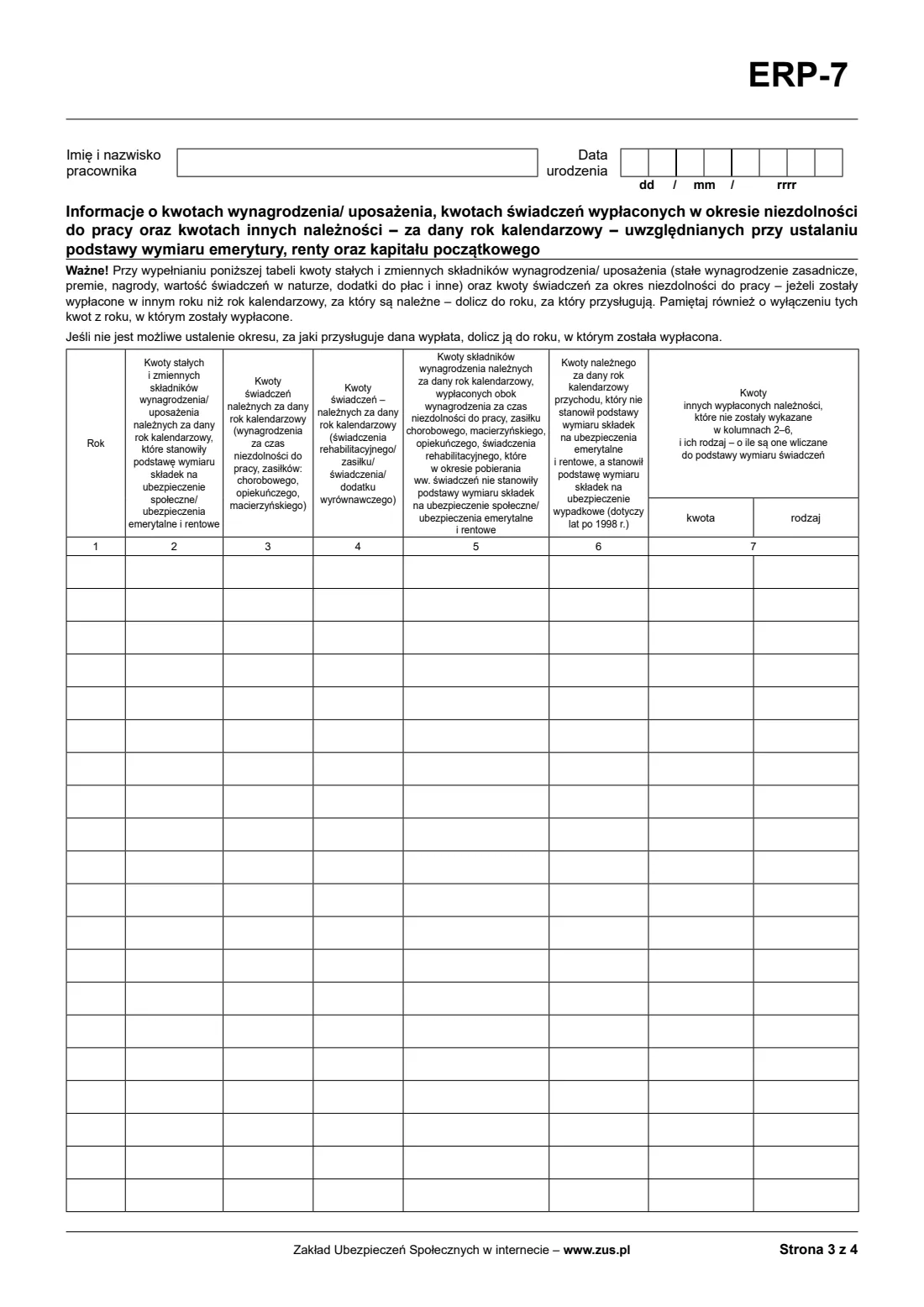
- Pay and other amounts by calendar year (page 3)Employer (payer)
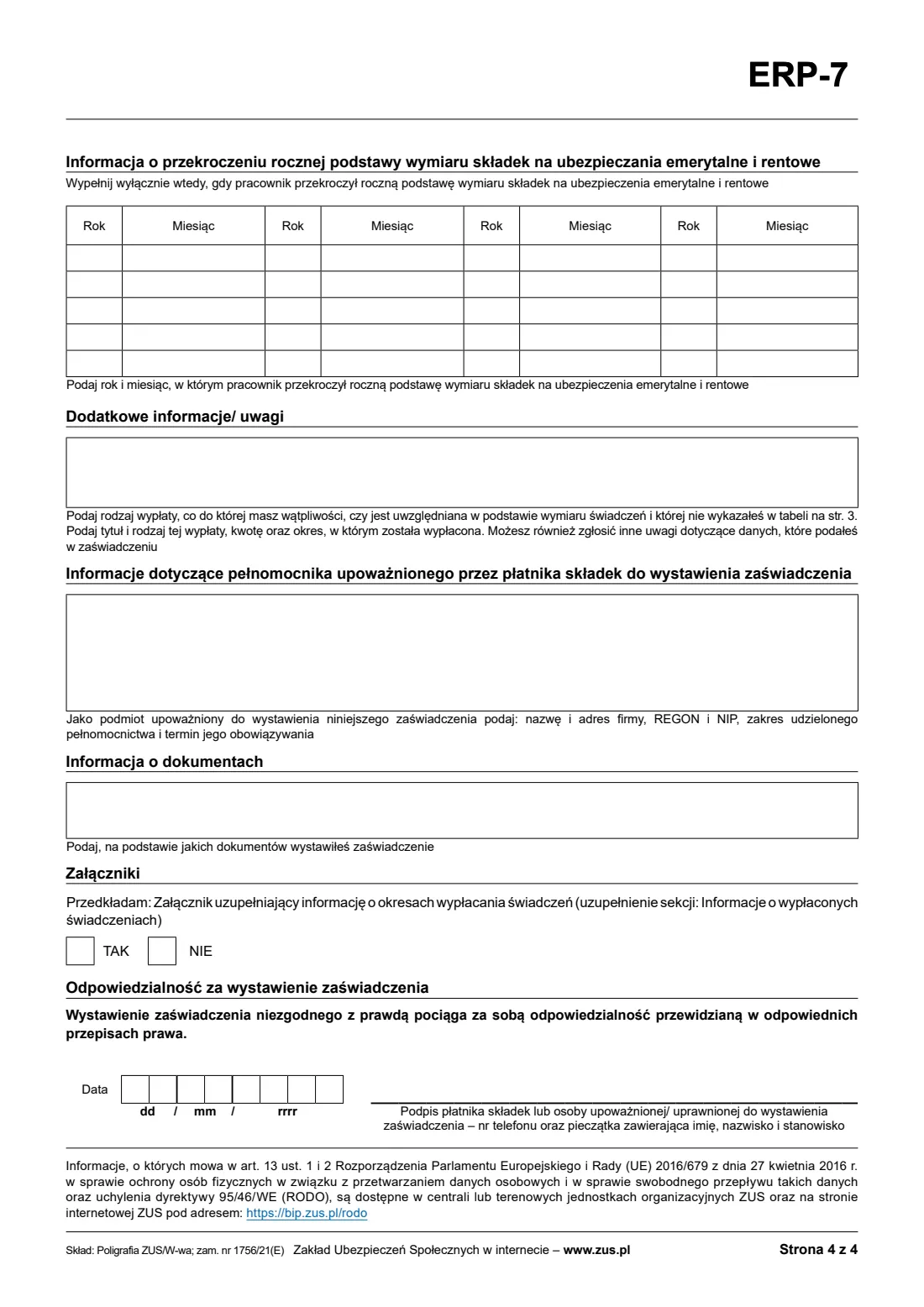
- Annual contribution cap exceeded (page 4)Employer (payer)
- Remarks, representative, documents and dateEmployer (payer)
How to fill out ZUS ERP-7 certificate of employment and pay, step by step
1 Payer and employee
Enter your NIP and REGON, or a PESEL number or identity document, your name or business name, address and NKP. Then the employee's PESEL number (or identity document), name and date of birth; the name and date of birth are repeated on page 3.
2 About the employee
Give the date from which the employee is employed, or the period of employment. Add part-time work before 15 November 1991 with its fraction (such as 1/2 or 3/4), and say whether unpaid leave and parental leave were granted, with their periods and, for parental leave, the child's name and date of birth.
3 Benefits paid
Say whether sick pay under art. 92 of the Labour Code, sickness, care or maternity allowance after 14 November 1991, and rehabilitation benefit were paid, with the periods from–to. Periods that don't fit go in an annex.
4 Pay by calendar year
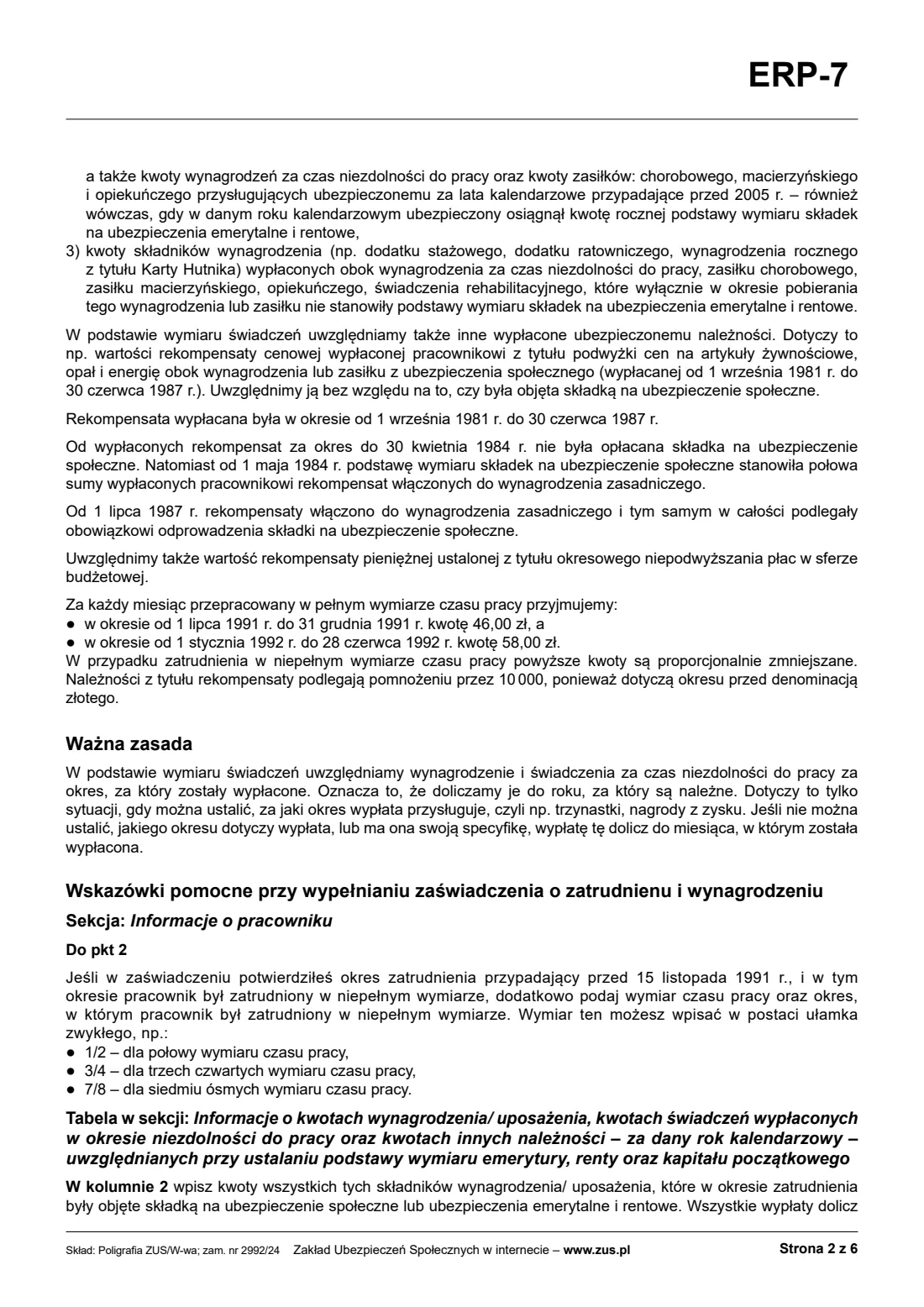
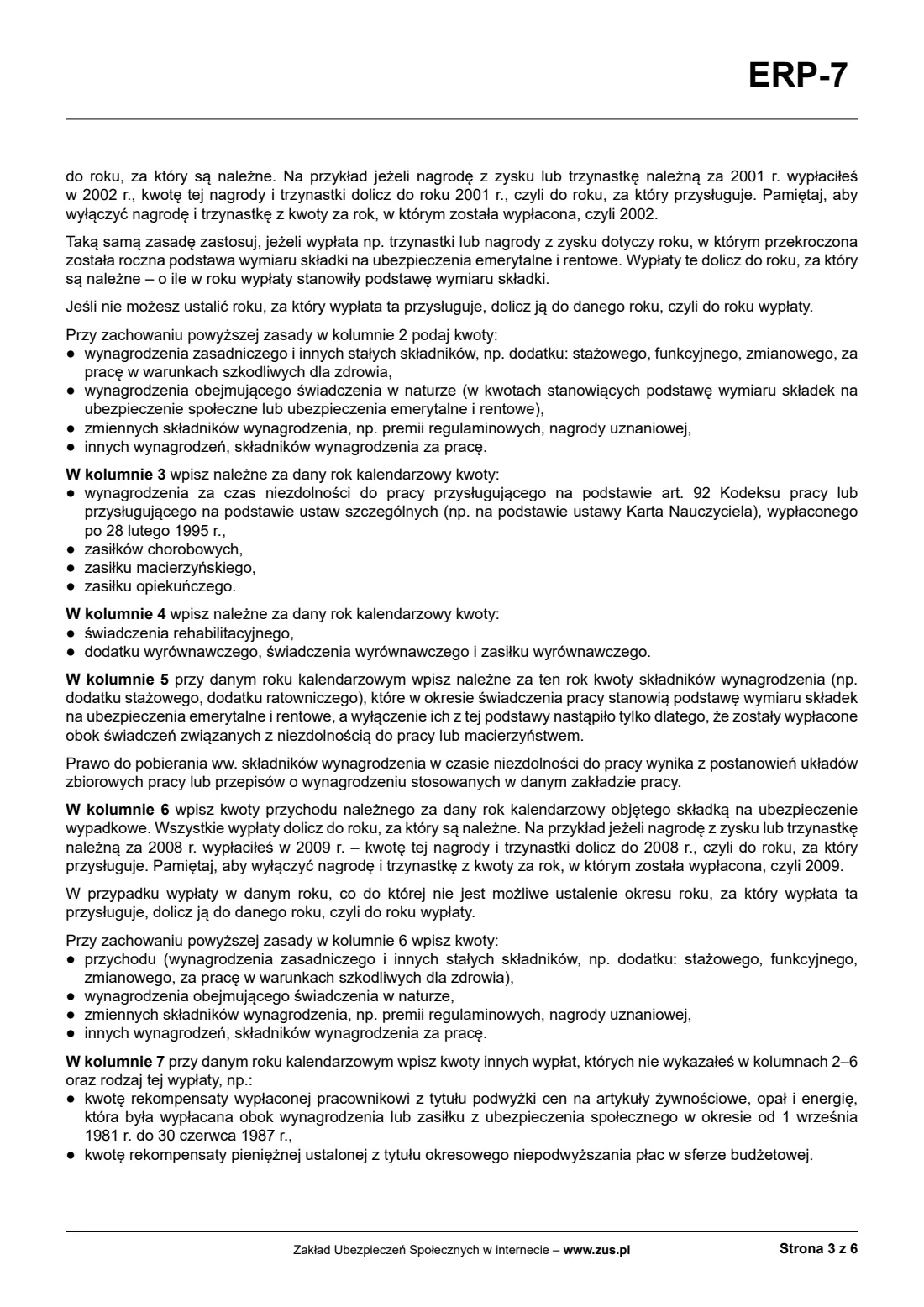
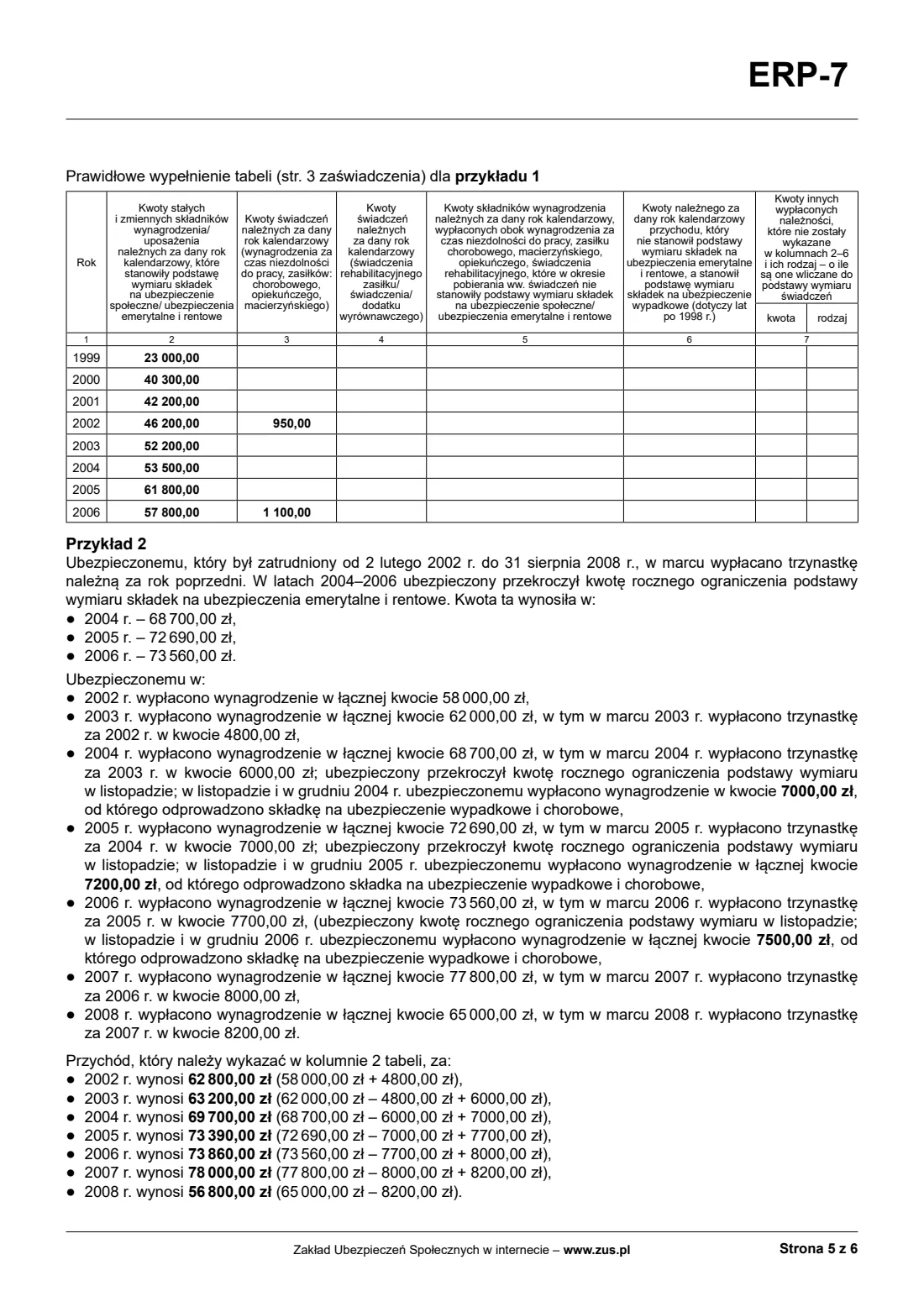
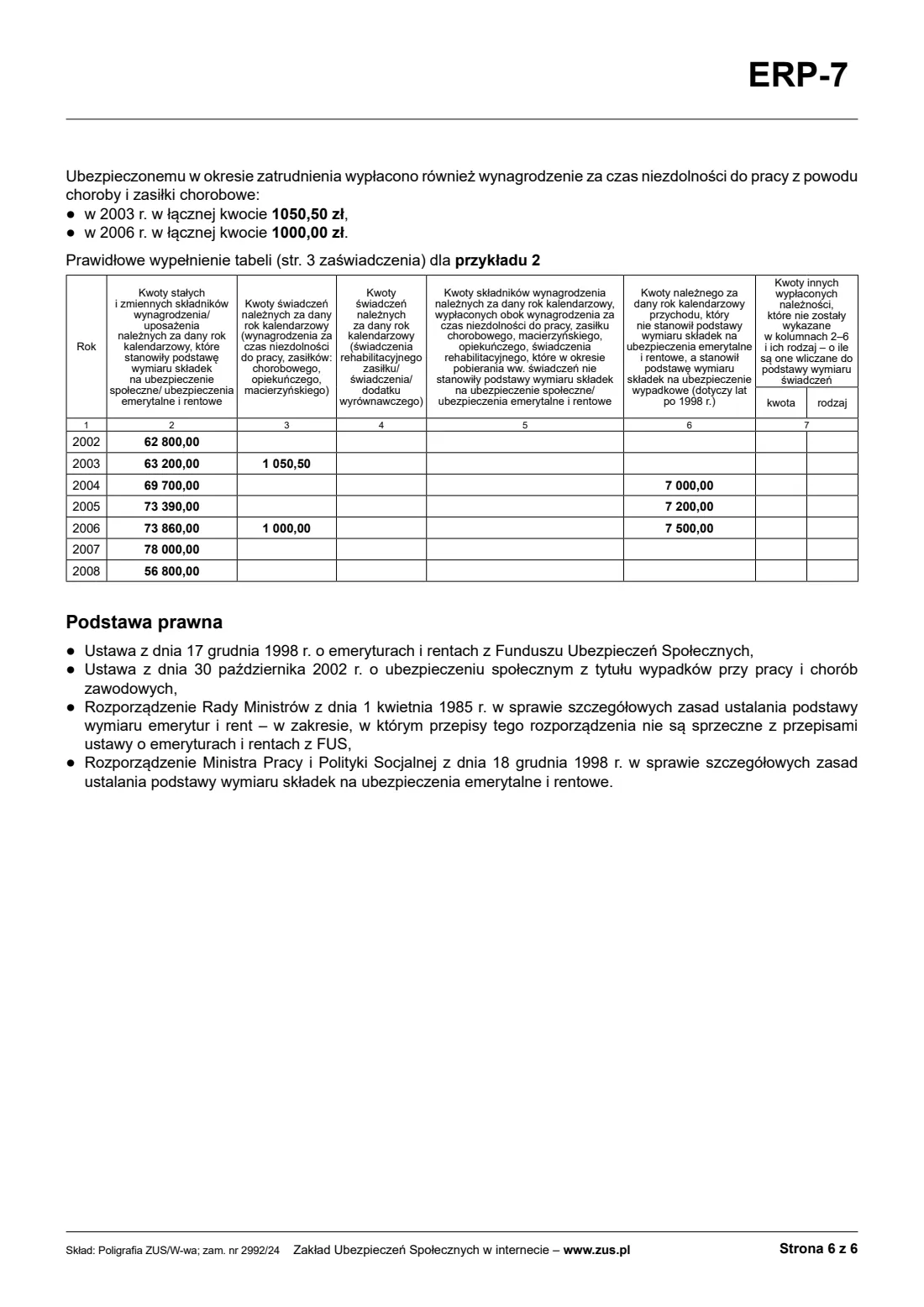
One row per year: in column 2 the pay components that were the contribution base, in column 3 sick pay and allowances due for the year, in column 4 rehabilitation and compensatory benefits, in column 5 components paid alongside them that weren't the contribution base then, in column 6 income that was the accident insurance base but not the pension base (after 1998), and in column 7 other payments with their kind. Add each payment to the year it was due for.
5 Contribution cap, remarks and documents
If the employee's pay exceeded the annual basis for pension and disability contributions, give the year and month. Add remarks, the authorised body's details if one issues the certificate, the documents it is based on, whether an annex is attached, and the date.
Common mistakes to avoid
- Adding a 13th salary or profit bonus to the year it was paid instead of the year it was due for (and leaving it in both).
- Giving the same year in two rows of the pay table.
- Leaving out sick pay and allowance periods, or periods of unpaid leave.
- Not listing the documents the certificate is based on.
- Printing single-sided without signing and stamping the foot of pages 1 to 3, as the form asks.
After you fill it out
Print the certificate from your FileIt vault. Sign page 4 with a stamp showing your name and position, and add a phone number. If you print single-sided, also sign with a named stamp at the foot of pages 1 to 3.
Give it to the employee for their claim, or send it to ZUS. FileIt does not send it.
Keep a copy with the employee's records in your vault.
Fill out ZUS ERP-7 certificate of employment and pay online with FileIt
- Pick the person. Choose someone from People and FileIt fills in their name, date of birth, address and other details it already knows.
- Answer plain-language questions. One part of the form at a time, with the official help text beside each question — 234 fields in all. Your answers save as you go.
- Check the live preview. Watch your answers land on the real Zakład Ubezpieczeń Społecznych (ZUS) form, and let FileIt do any worksheet arithmetic.
- Generate the official PDF. FileIt prints your answers into the agency’s own PDF and files it in that person’s folder in your vault.
FileIt fills the form — it never files or submits anything for you. Deliver the finished form to whoever asked for it, the way the form’s instructions say.
Start ZUS ERP-7 certificate of employment and pay now — it’s freeZUS ERP-7 certificate of employment and pay: frequently asked questions
Is ERP-7 the same as Rp-7?
Yes. ERP-7 is the current ZUS form of the certificate of employment and pay formerly known as Rp-7.
Who can issue it when the employer no longer exists?
ZUS's information lists the employer's legal successor, a liquidator or bankruptcy trustee, a body the payer authorised, and KOWR for liquidated state farms.
Which year does a bonus go to?
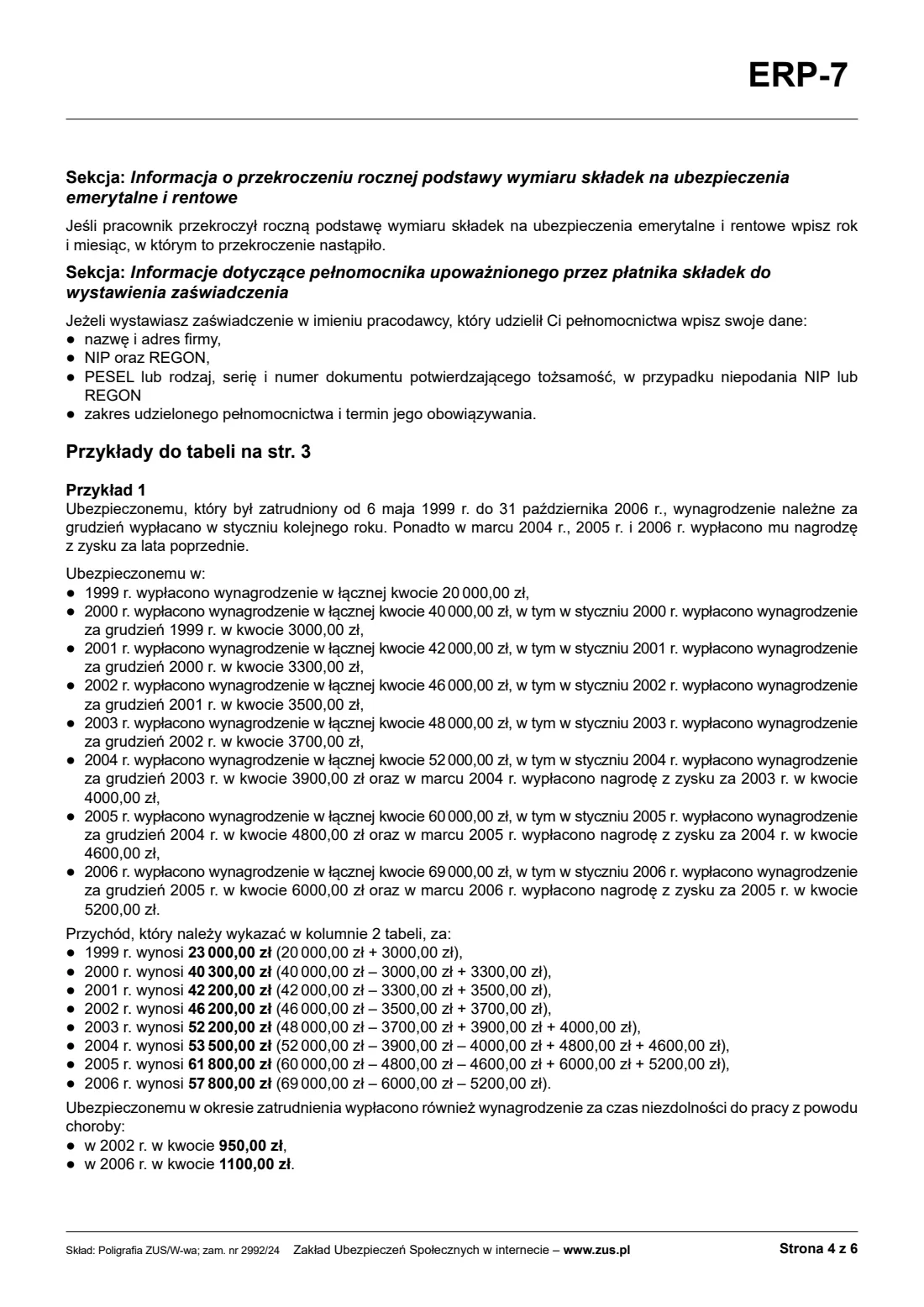
To the year it was due for. ZUS's example: a profit bonus or 13th salary for 2001 paid in 2002 goes to 2001 and is left out of 2002. If you can't tell, use the year it was paid.
What if the periods don't fit?
List the rest in an annex. It is part of the certificate and carries the same stamp and signature.
Can I sign it electronically in FileIt?
No. The certificate is signed and stamped by hand; ZUS's own electronic channels are separate.
Official sources
- Blank form (PDF), published by Zakład Ubezpieczeń Społecznych (ZUS): https://www.zus.pl/documents/10182/0/ERP-7+wypelnij_i_wydrukuj.pdf/62bc239c-91ed-165b-7d02-eefd12dafca3?t=1783936359443
- Official instructions and guidance: https://www.zus.pl/wzory-formularzy/emerytury-renty/przyznanie-emerytury/-/asset_publisher/X1GqLyTE2rrD/content/zaswiadczenie-rp-7
- Edition shown on this page: ERP-7, updated 13 July 2026 (printing order 1756/21(E)) (checked 2026-10-25).
FileIt is not affiliated with or endorsed by Zakład Ubezpieczeń Społecznych (ZUS) or any government. This page explains the form in general terms and is not legal, tax or immigration advice. Always read the official instructions, and check that you are using the edition the recipient accepts. Page last reviewed 2026-10-25.