What is HMRC VAT68 transfer of a VAT number?
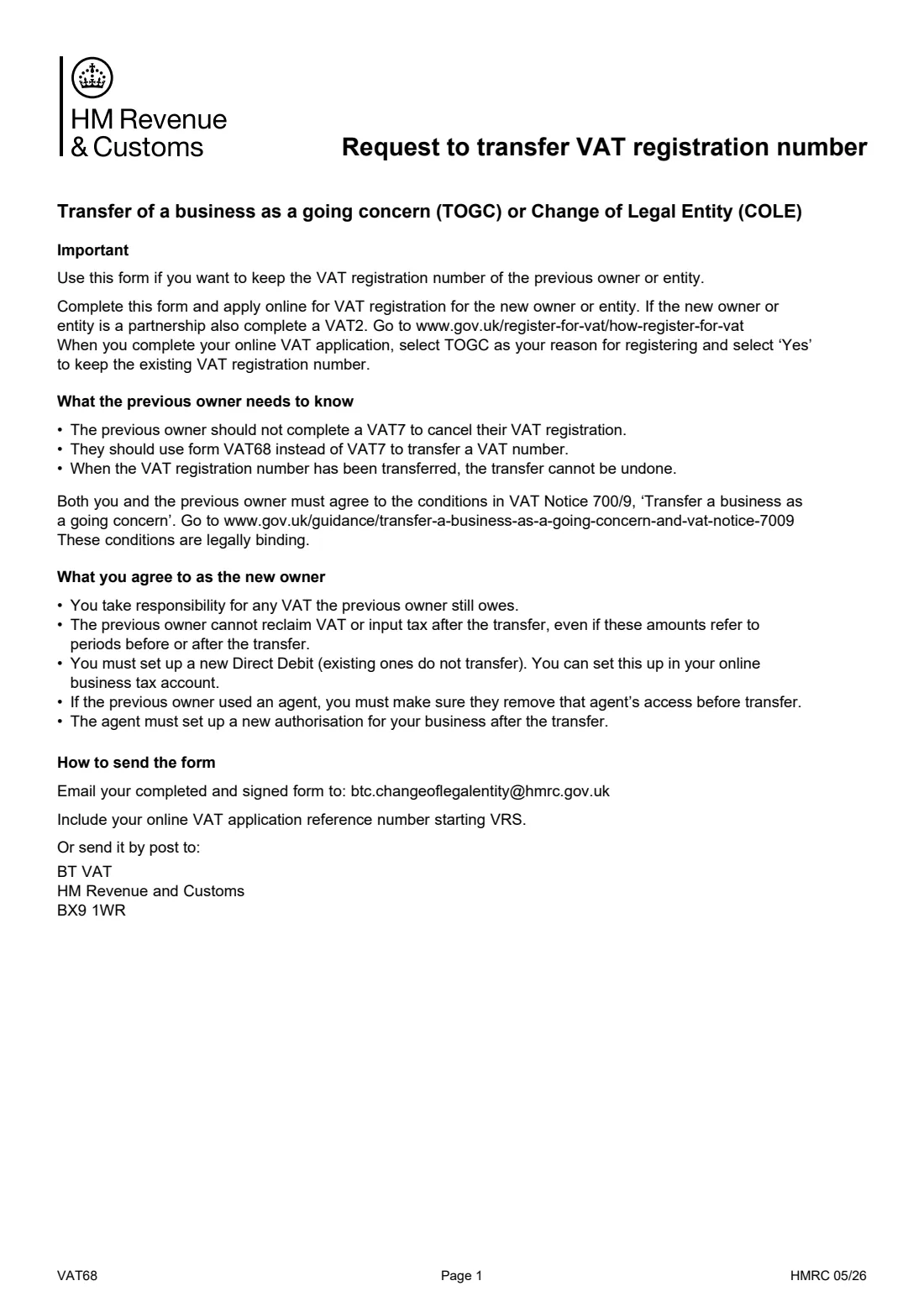
When you take over a business as a going concern (TOGC), or change its legal structure (for example a sole trader becoming a limited company), the new owner can ask HMRC to keep the existing VAT registration number instead of getting a new one. Form VAT68 is that request. Part 1 is completed and signed by the new owner, Part 2 by the previous owner.
It goes with the new owner's online VAT registration application, where you choose TOGC as the reason and 'Yes' to keeping the existing number. Both of you also agree to the conditions in VAT Notice 700/9. Once the number has been transferred, the transfer can't be undone.
FileIt prints both parts on HMRC's own PDF and keeps the finished form in your vault. Each owner signs their part, and the form goes to HMRC by email or post. FileIt never sends anything to HMRC.
- Who fills it
- The new owner (Part 1) and the previous owner (Part 2)
- Sent to
- HMRC, by email ([email protected]) or by post to BT VAT, HM Revenue and Customs, BX9 1WR
- Goes with
- The new owner's online VAT registration application (and a VAT2 for a partnership)
- Signatures
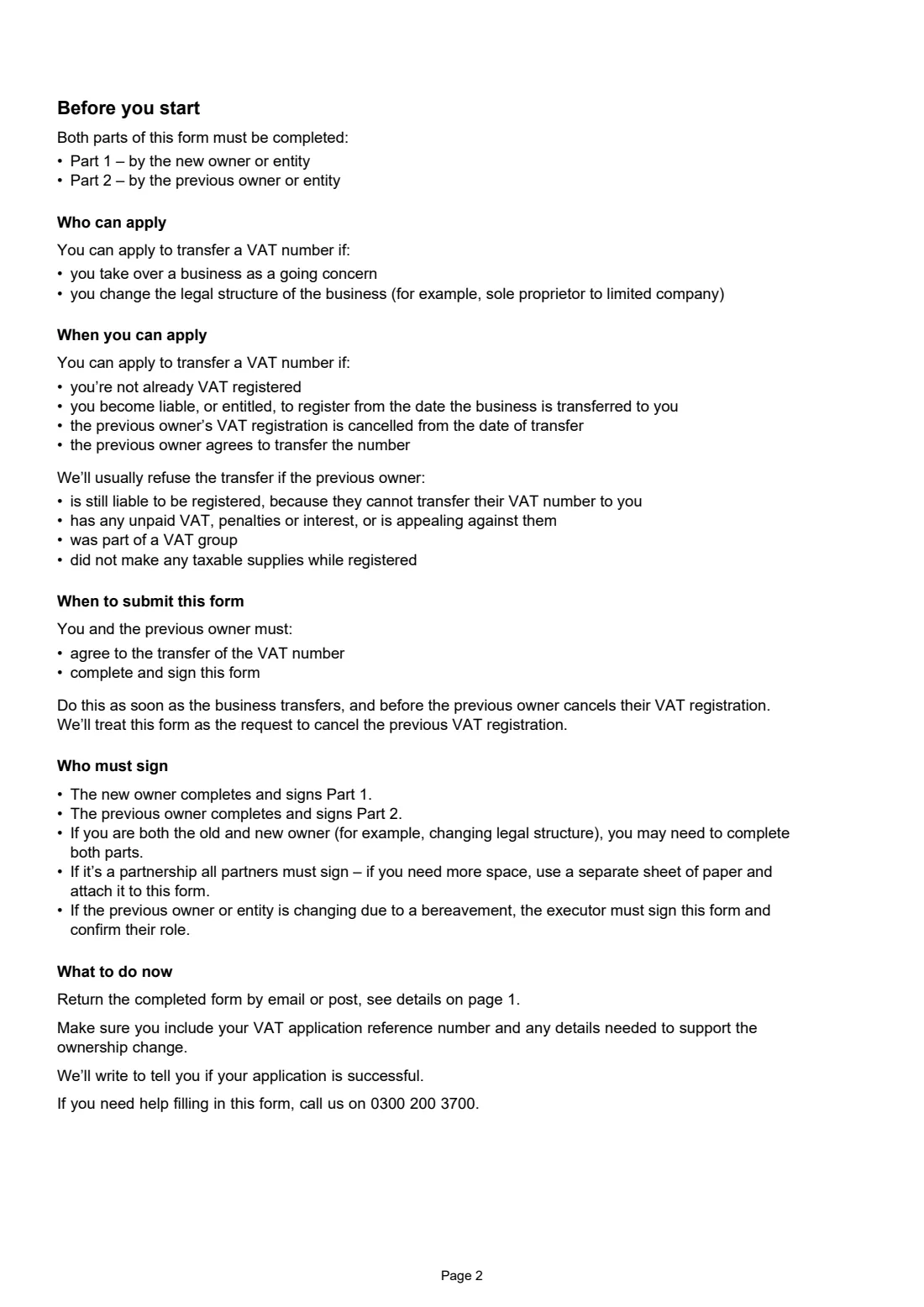
- Both owners; all partners of a partnership; an executor after a bereavement
- Edition
- HMRC 05/26
- Pages
- 4 (guidance, the two-part form, checklist)
Who needs to fill out HMRC VAT68 transfer of a VAT number?
- Someone buying a VAT-registered business as a going concern who wants to keep its VAT number.
- A sole trader or partnership incorporating as a limited company, keeping the same VAT number.
- The previous owner, who completes and signs Part 2 instead of cancelling their registration with a VAT7.
- Executors, where the business changes hands because of a bereavement.
When to use HMRC VAT68 transfer of a VAT number
- As soon as the business transfers, and before the previous owner cancels their VAT registration. HMRC treats the form as the request to cancel the previous registration.
- Only if the new owner isn't already VAT registered, and becomes liable or entitled to register from the date of transfer.
What you need before you start
- Both owners' full or trading names and legal status.
- The date the business was taken over or the legal status changed.
- The VAT registration number being transferred.
- The value of any stock and assets the previous owner keeps.
- An address where HMRC can contact the previous owner after the transfer.
- The reference number (starting VRS) of the new owner's online VAT application.
What’s on HMRC VAT68 transfer of a VAT number
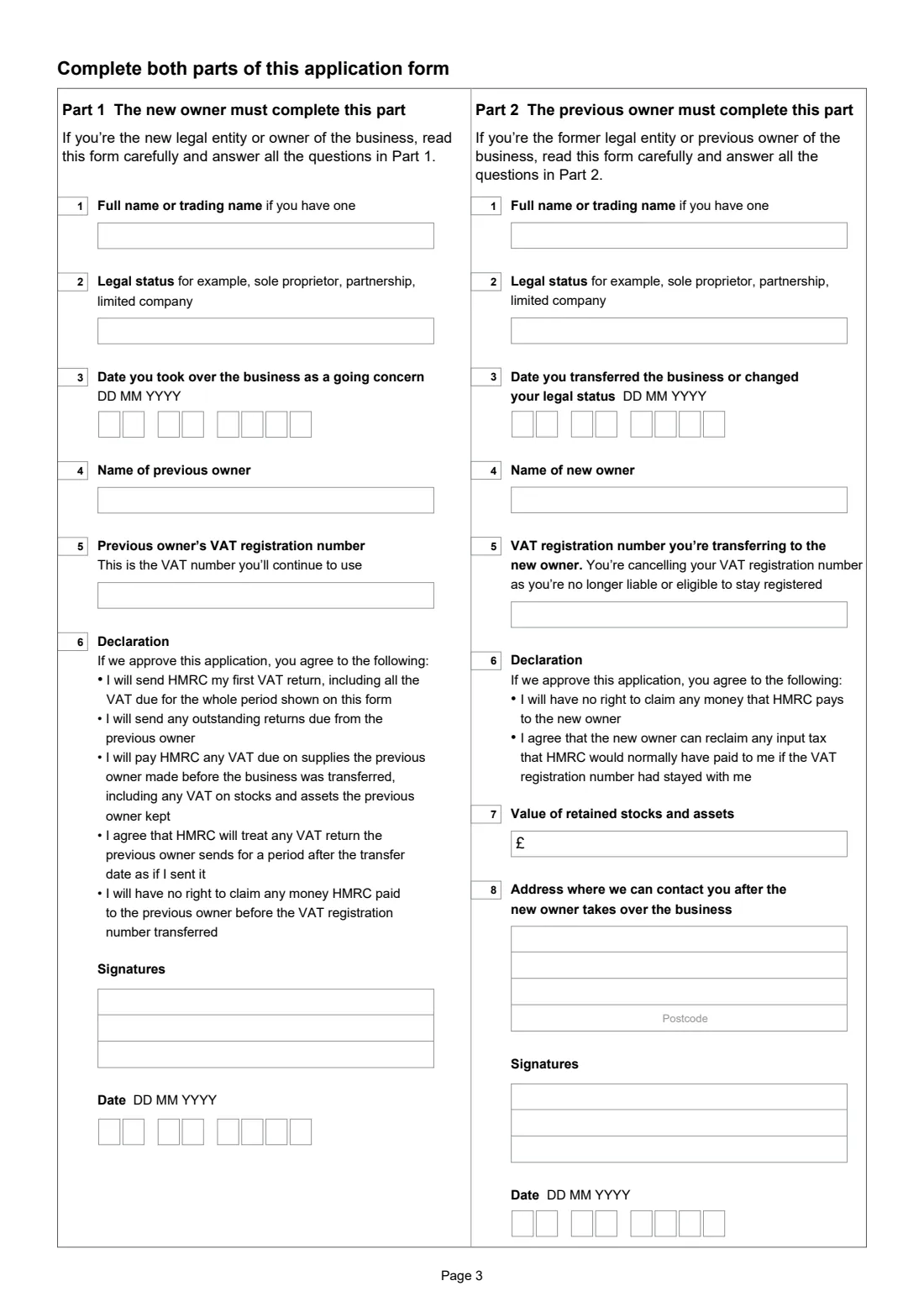
The 2026 edition has 4 pages. FileIt asks for it in 2 parts, and it is signed by New owner and Previous owner:
- Part 1 — the new ownerNew owner
- Part 2 — the previous ownerPrevious owner
How to fill out HMRC VAT68 transfer of a VAT number, step by step
1 Part 1: the new owner
Your name or trading name, legal status, the date you took over the business, the previous owner's name and the VAT number you'll continue to use. By signing you accept responsibility for VAT the previous owner still owes and agree to send the first return for the whole period.
2 Part 2: the previous owner
Their name and legal status, the transfer date, the new owner's name, the VAT number being transferred, the value of stock and assets they keep, and a contact address. By signing they give up any right to money HMRC pays on the registration.
3 Signatures and dates
Each part has its own signatures box and date. All partners of a partnership sign, using a separate sheet if needed.
4 Send it
Email the signed form with your VRS reference as the subject, or post it to the address on the form.
Common mistakes to avoid
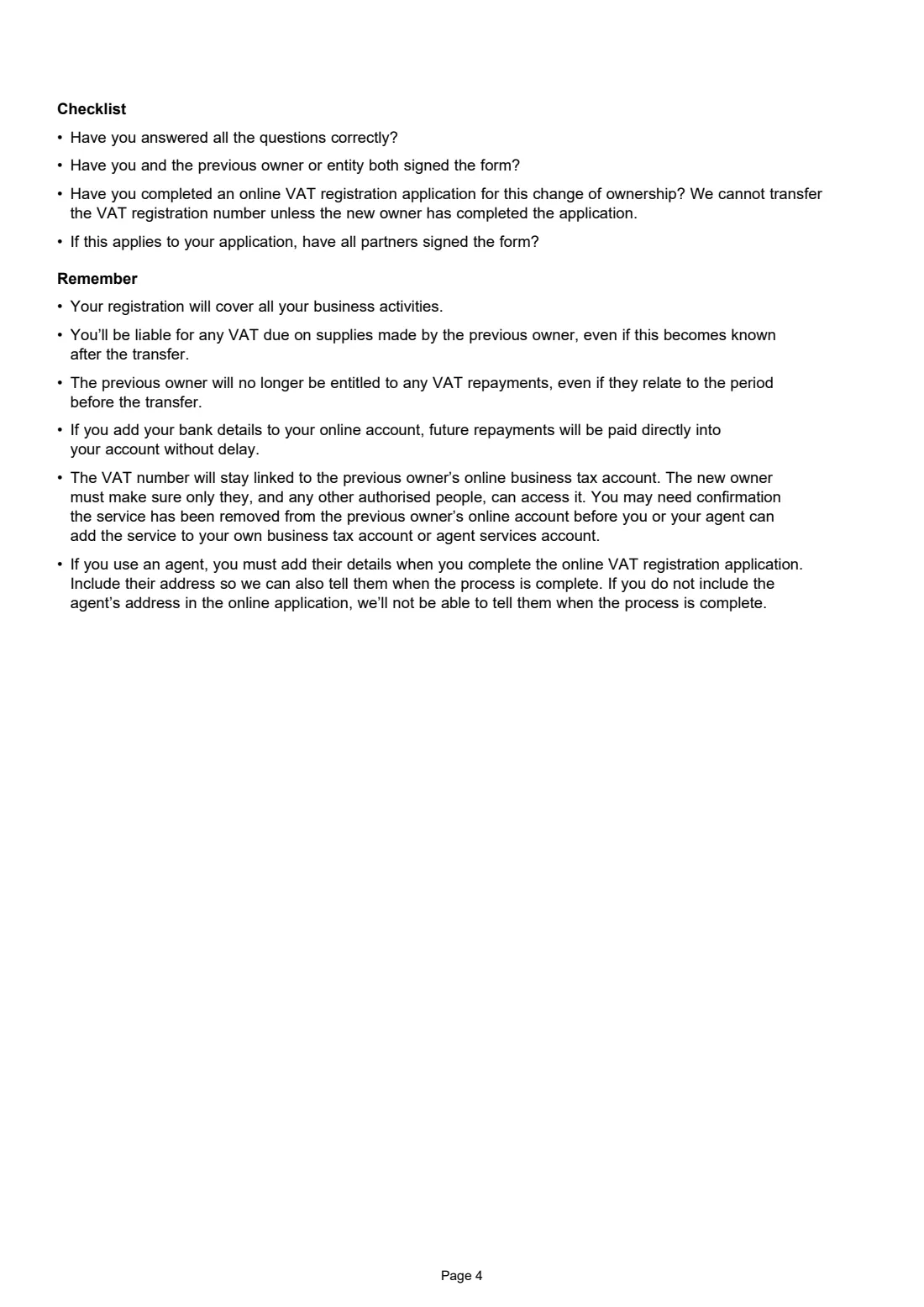
- Sending a VAT7 to cancel the previous registration instead of using VAT68.
- Different VAT numbers in Part 1 and Part 2.
- Not completing the online VAT registration application for the new owner, without which HMRC can't transfer the number.
- Missing partners' signatures for a partnership.
- Forgetting that existing Direct Debits and agent authorisations don't transfer.
After you fill it out
HMRC writes to tell you whether the application is successful.
Set up a new Direct Debit and, if you use an agent, a new authorisation (form 64-8).
The previous owner removes their agent's access, and the new owner makes sure only authorised people can reach the VAT account.
Fill out HMRC VAT68 transfer of a VAT number online with FileIt
- Pick the person. Choose someone from People and FileIt fills in their name, date of birth, address and other details it already knows.
- Answer plain-language questions. One part of the form at a time, with the official help text beside each question — 17 fields in all. Your answers save as you go.
- Check the live preview. Watch your answers land on the real HM Revenue & Customs (HMRC) form, and let FileIt do any worksheet arithmetic.
- Generate the official PDF. FileIt prints your answers into the agency’s own PDF and files it in that person’s folder in your vault. Sign it, or send it for e-signature.
FileIt fills the form — it never files or submits anything for you. Deliver the finished form to whoever asked for it, the way the form’s instructions say.
Start HMRC VAT68 transfer of a VAT number now — it’s freeHMRC VAT68 transfer of a VAT number: frequently asked questions
Do I still need to register for VAT online?
Yes. The VAT68 goes with the new owner's online VAT registration application. Choose TOGC as the reason and 'Yes' to keeping the existing number.
Can the transfer be reversed?
No. HMRC says that once the VAT number has been transferred, the transfer cannot be undone.
Can we email it?
Yes. HMRC accepts the completed and signed form by email to [email protected], with your VRS reference as the subject, or by post.
What if I am both the old and the new owner?
For a change of legal structure, such as incorporating, you may need to complete both parts yourself.
Does FileIt send the form to HMRC?
No. FileIt prepares HMRC's own PDF for you to sign and send.
Official sources
- Blank form (PDF), published by HM Revenue & Customs (HMRC): https://assets.publishing.service.gov.uk/media/6a55f456c3d64d94cacab91b/VAT68.pdf
- Official instructions and guidance: https://www.gov.uk/government/publications/vat-request-for-transfer-of-a-registration-number-vat68
- Edition shown on this page: VAT68 HMRC 05/26 (checked 2026-10-25).
FileIt is not affiliated with or endorsed by HM Revenue & Customs (HMRC) or any government. This page explains the form in general terms and is not legal, tax or immigration advice. Always read the official instructions, and check that you are using the edition the recipient accepts. Page last reviewed 2026-10-25.