What is GST189 general GST/HST rebate?
Sometimes you end up paying GST or HST that you weren't supposed to. A store charged tax twice, you were charged the wrong HST rate, or a remission order says the tax should come back to you. GST189 is the general application for those cases. Each case has a reason code on the form, 17 in all, and Guide RC4033 explains what each one covers and which documents to send. You choose one reason per form and fill out a separate form for each reason.
Most claims follow the same path. You identify yourself or your business in Part A, tick the reason code in Part B, list up to ten receipts or invoices in Part C, and enter the amount in Part D. A third party can receive the cheque through Part E, a registered supplier or insurer fills out Part F for codes 10 and 26, and you certify the claim in Part G. Reason code 23, Ontario First Nations point-of-sale relief, works differently: there is no receipt list, and you report the amount and the return period in a section of its own.
FileIt shows only the parts your reason code needs and adds up the GST/HST column for you. Names and descriptions with accents print correctly, and amounts line up with the cents marks. You get the CRA's own PDF, filled in and saved to your FileIt vault, to sign and mail with your receipts. FileIt doesn't file it with the CRA.
- Who fills it
- Individuals, businesses and organizations claiming one of the form's 17 rebate reasons
- One form per
- Reason code: a separate application for each reason
- Receipts
- Up to ten on the form. Use GST288 for more
- Online option
- Individuals can file codes 1A, 1C, 7, 9, 12, 13, 16 and 20 in My Account
- Edition
- GST189 E (23)
- Guide
- RC4033, General Application for GST/HST Rebates
Who needs to fill out GST189 general GST/HST rebate?
- Anyone who paid GST/HST in error and can't get it back from the supplier (reason code 1C).
- People who imported goods into a province where a lower HST rate or only the GST applies (reason code 12).
- Buyers who should have received a provincial point-of-sale rebate on qualifying items, such as books or children's goods (reason code 16).
- First Nations individuals, bands, tribal councils and band-empowered entities who paid tax in error on reserve purchases (reason code 1A).
- Others named on the form, from non-resident exporters and legal aid plans to remission orders and poppies and wreaths.
When to use GST189 general GST/HST rebate
- After you have the receipts or invoices showing the GST/HST you're claiming.
- Within the time limit for your reason code, which Guide RC4033 sets out.
- Not for a change of address. The form says it can't be used for that.
What you need before you start
- Your name or your business's name, and your SIN or business number if you have one.
- Your mailing address, plus a business or physical address if it's different.
- The reason code that fits your claim, from the list in Part B and Guide RC4033.
- Each receipt or invoice: date, invoice or import entry number, supplier, a short description (a vehicle's full VIN) and the GST/HST.
- The documents Guide RC4033 asks for with your reason code.
- Form GST507 if the cheque should go to a third party.
What’s on GST189 general GST/HST rebate
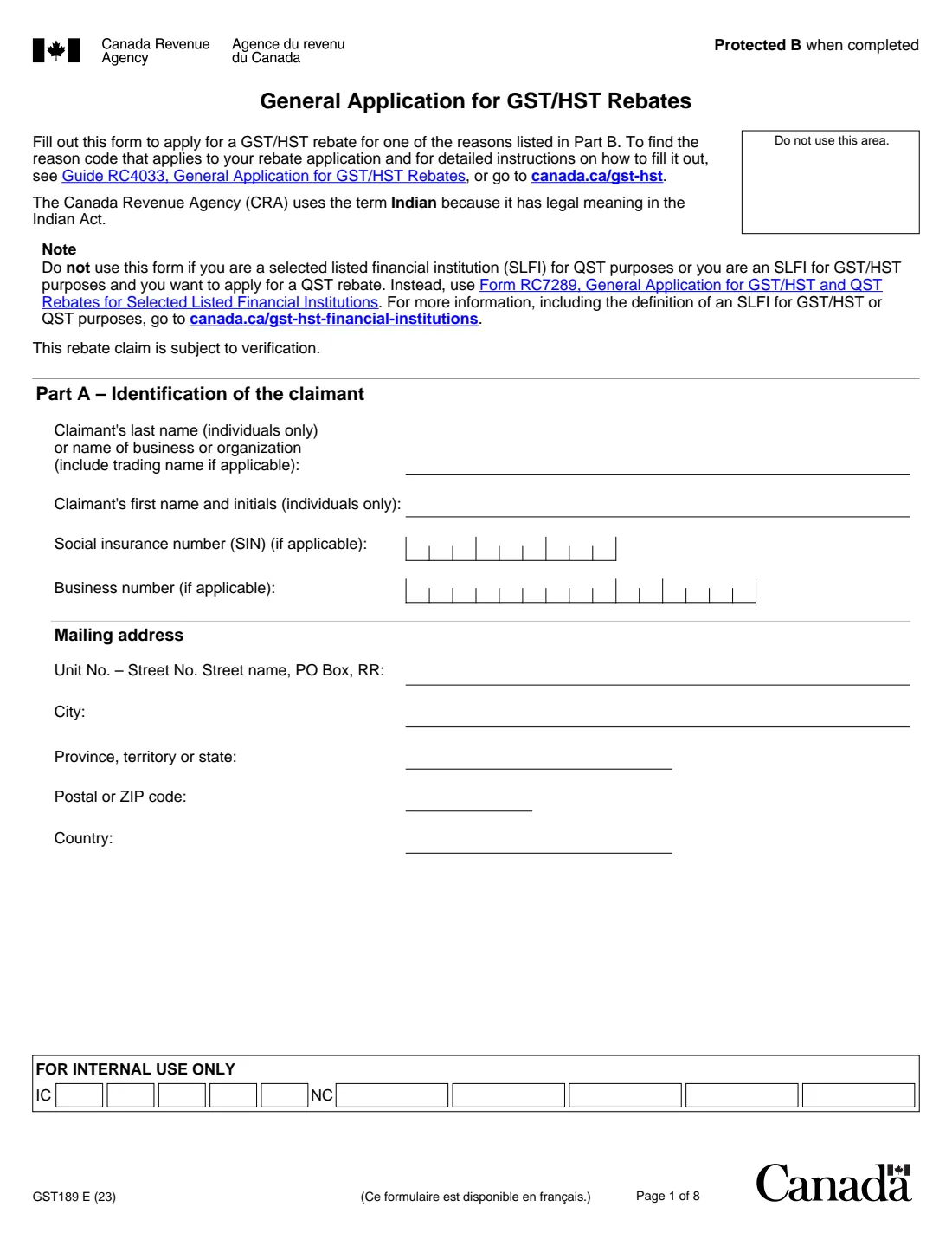
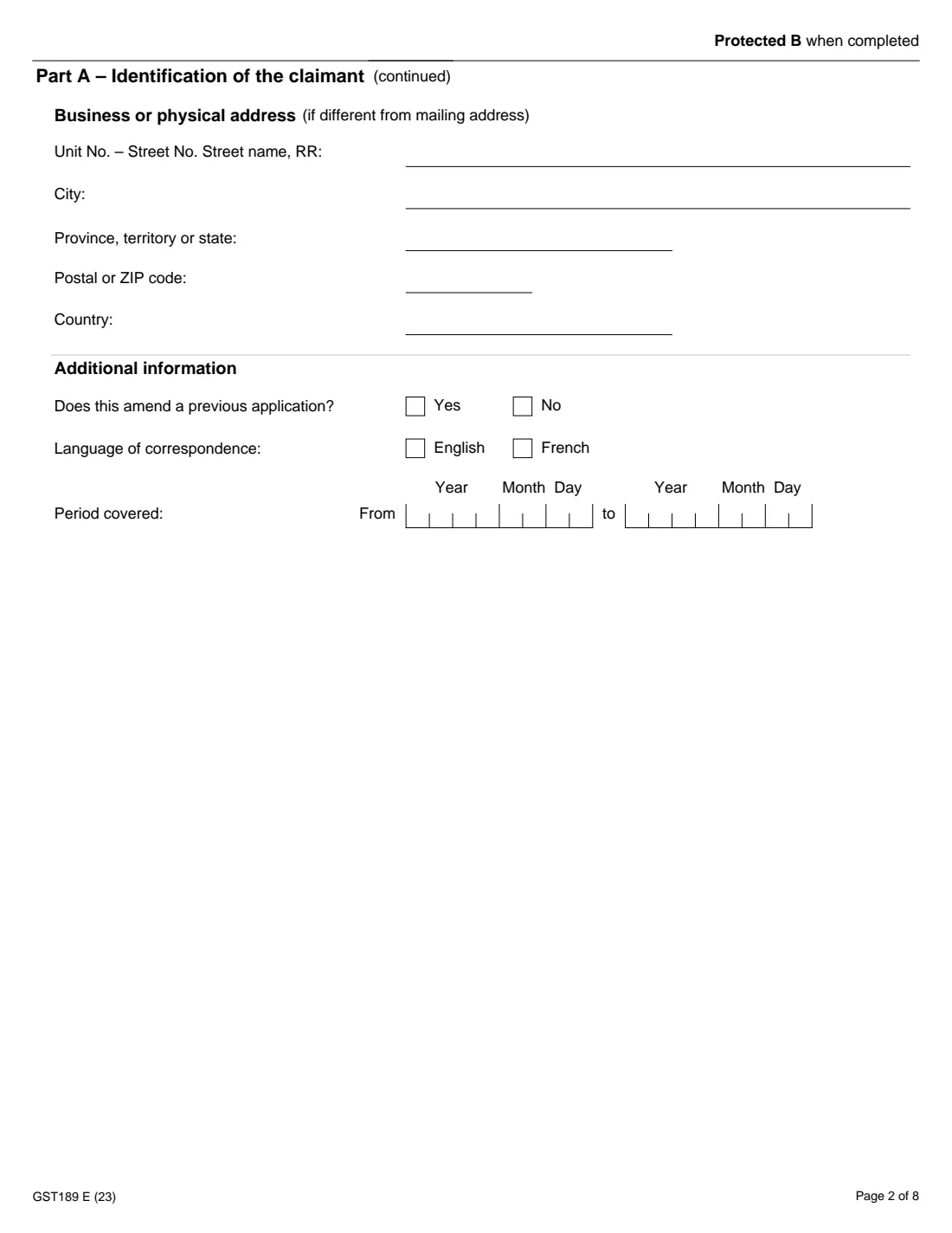
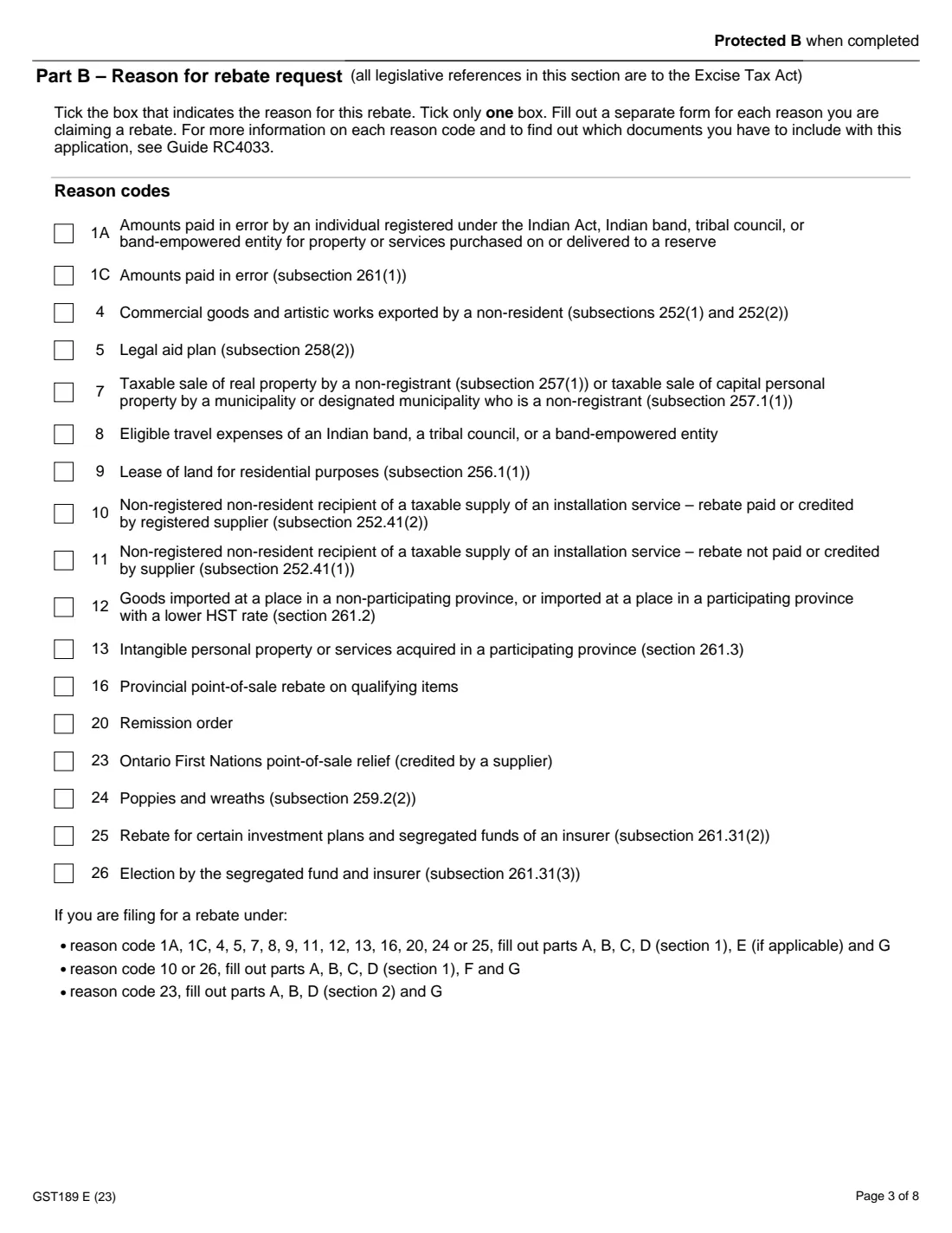
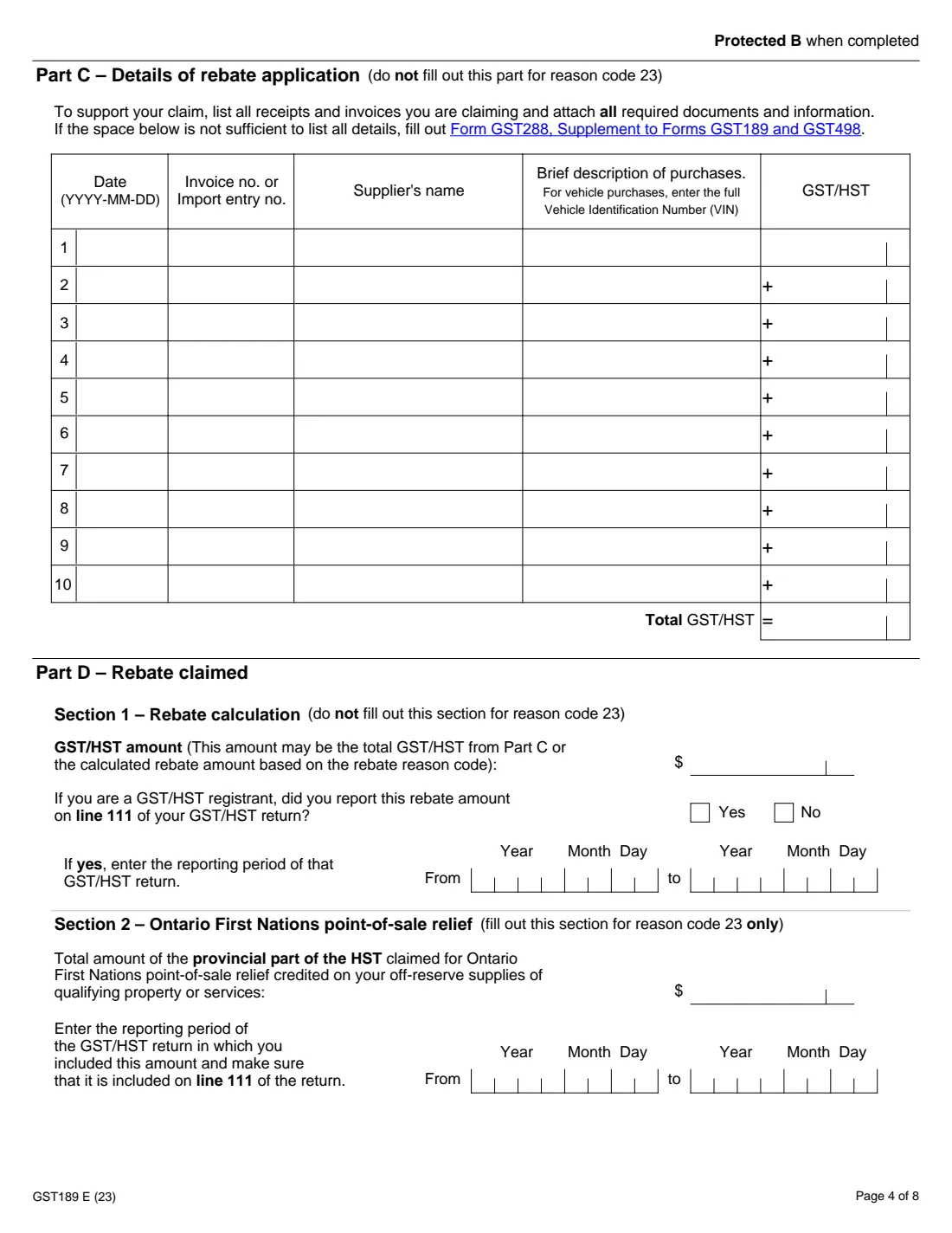
The 2023 edition has 8 pages. FileIt asks for it in 10 parts:
- Part A: Identification of the claimantClaimant
- Part A: Business or physical addressClaimant
- Part A: Additional informationClaimant
- Part B: Reason for the rebate requestClaimant
- Part C: Details of the rebate application (receipts 1 to 5)Claimant
- Part C: Receipts 6 to 10Claimant
- Part D: Rebate claimedClaimant
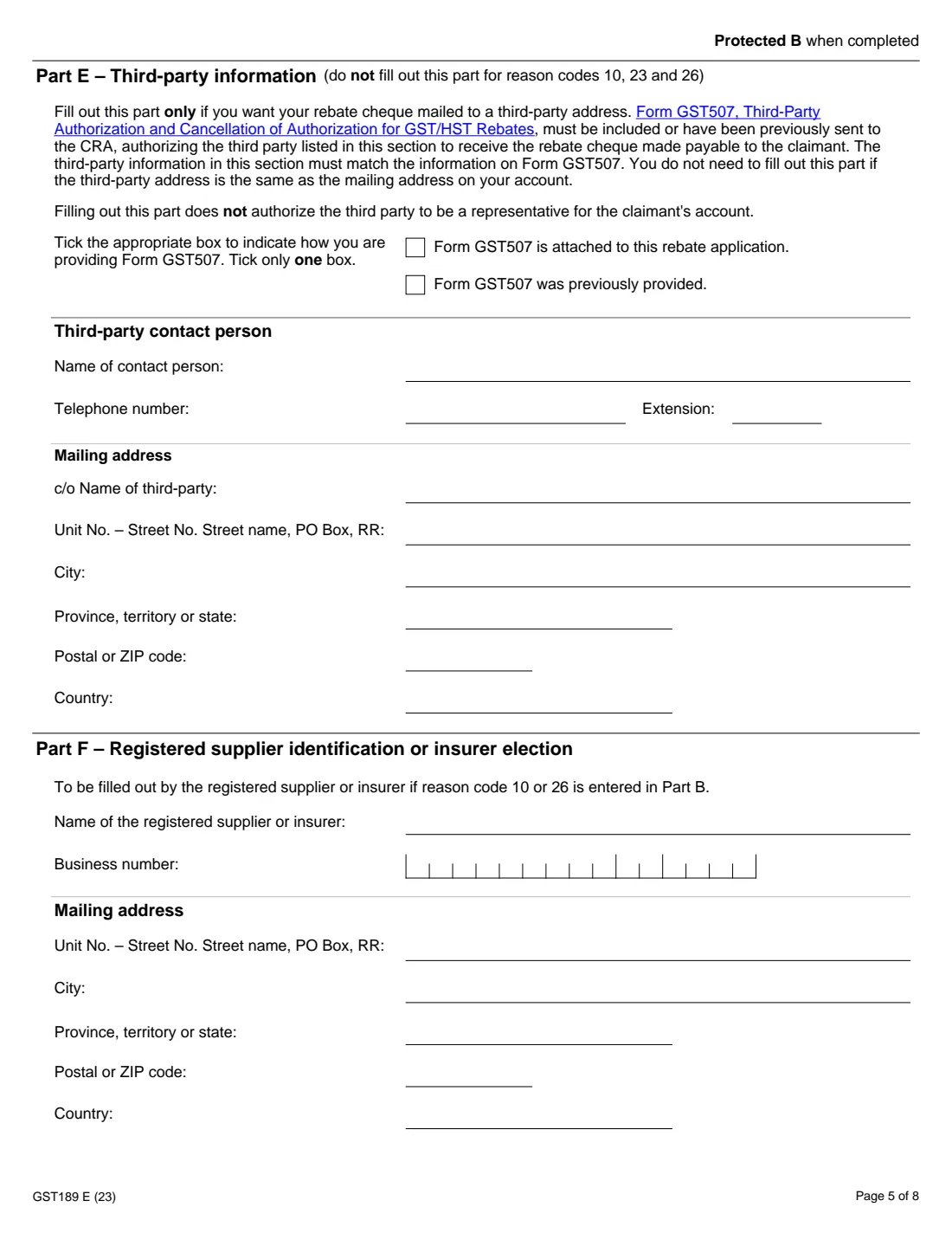
- Part E: Third-party informationClaimant
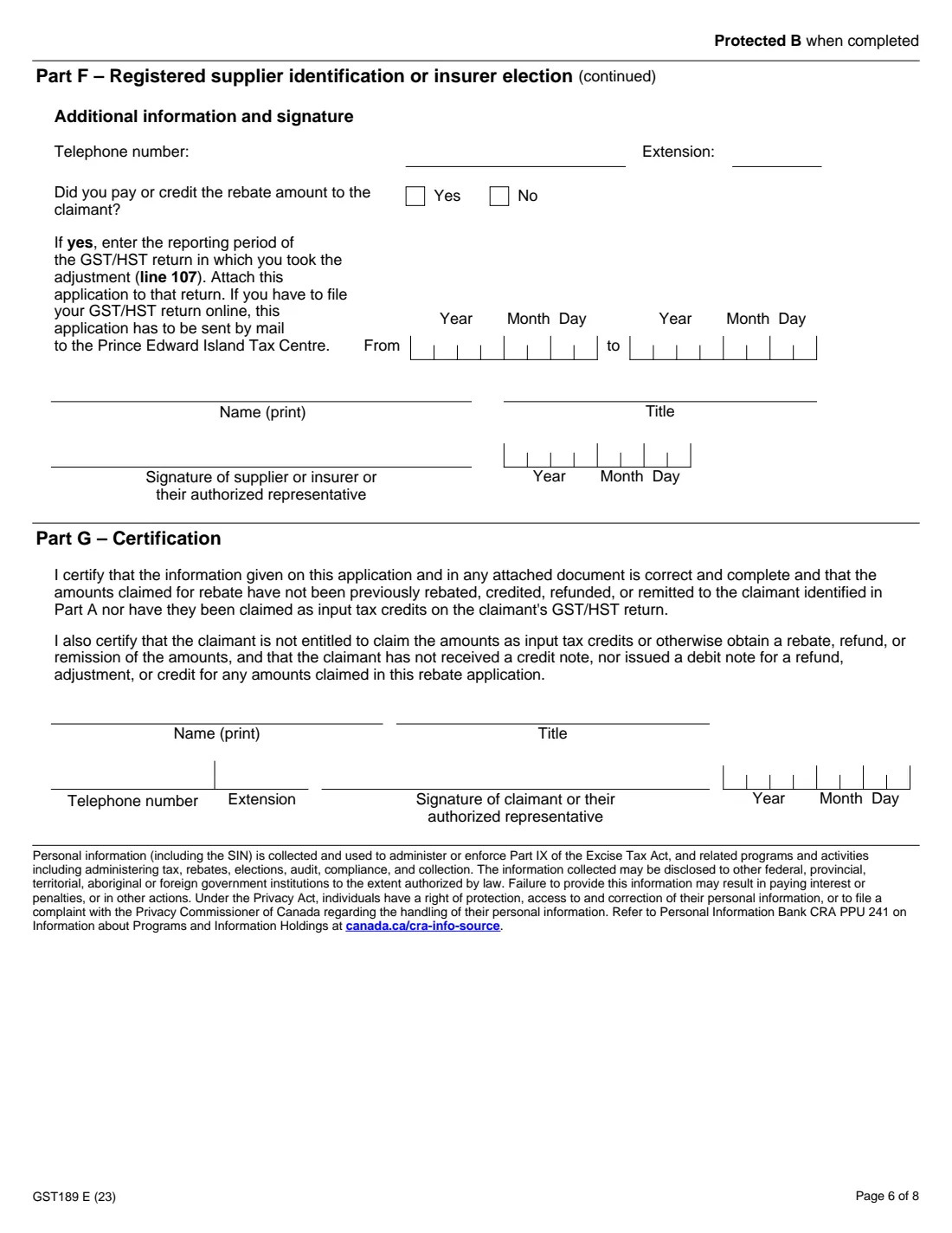
- Part G: CertificationClaimant
- Part F: Registered supplier or insurerRegistered supplier or insurer
How to fill out GST189 general GST/HST rebate, step by step
1 Part A: Identification of the claimant
Give your name, or your business's name and trading name, with your SIN or business number if you have them, and your mailing address. Add a physical address if it's different. Say whether this amends an earlier application, choose a language and enter the period the claim covers.
2 Part B: Reason for the rebate request
Tick one reason code. The codes range from amounts paid in error (1A and 1C) to the segregated fund and insurer election (26). The note at the bottom of the page lists which parts to fill out for your code.
3 Part C: Details of the rebate application
List each receipt or invoice with its date, invoice or import entry number, supplier, a short description and the GST/HST. FileIt adds up the total. Reason code 23 skips this part.
4 Part D: Rebate claimed
Section 1 is the amount you're claiming, either Part C's total or a rebate worked out for your reason code. GST/HST registrants also say whether they reported it on line 111 of their return, and for which period. Section 2 is only for reason code 23.
5 Parts E and F: Third party and supplier
Part E sends the cheque to a third party's address, with Form GST507. Part F is for the registered supplier or insurer under reason codes 10 and 26. They give their details, say whether they paid or credited the rebate, and sign.
6 Part G: Certification
The claimant or an authorized representative certifies that the amounts haven't already been rebated, refunded or claimed as input tax credits, then signs and dates the form.
Common mistakes to avoid
- Ticking more than one reason code. Each reason needs its own form.
- Claiming tax you already got back from the supplier, or claimed as an input tax credit.
- Sending the form without the documents Guide RC4033 asks for with your reason code.
- Using GST189 to update your address. The CRA won't change it from this form.
- Filling out Part E when the cheque can go to the mailing address already on your account. It isn't needed then.
After you fill it out
Print the PDF and sign Part G (and have Part F signed if it applies).
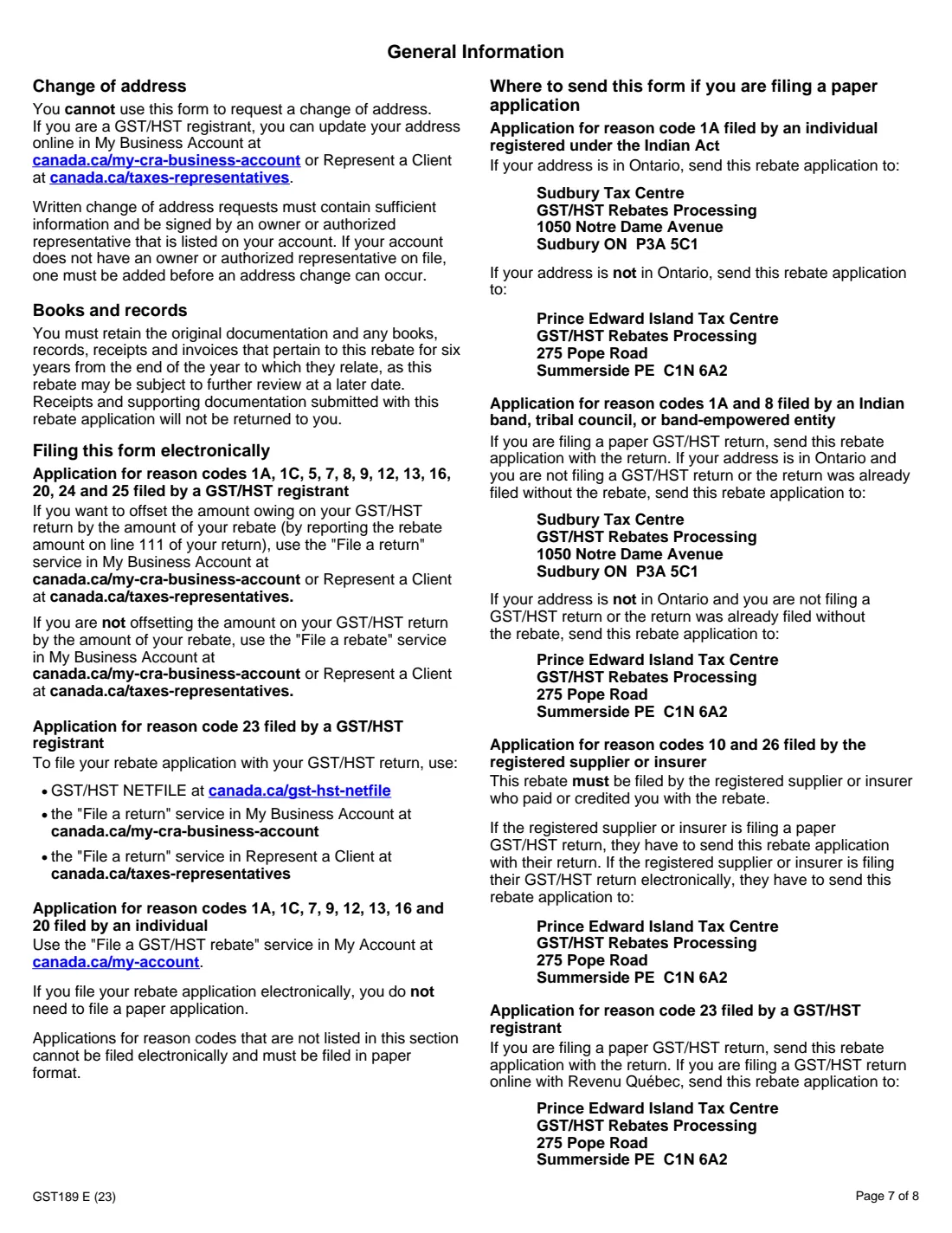
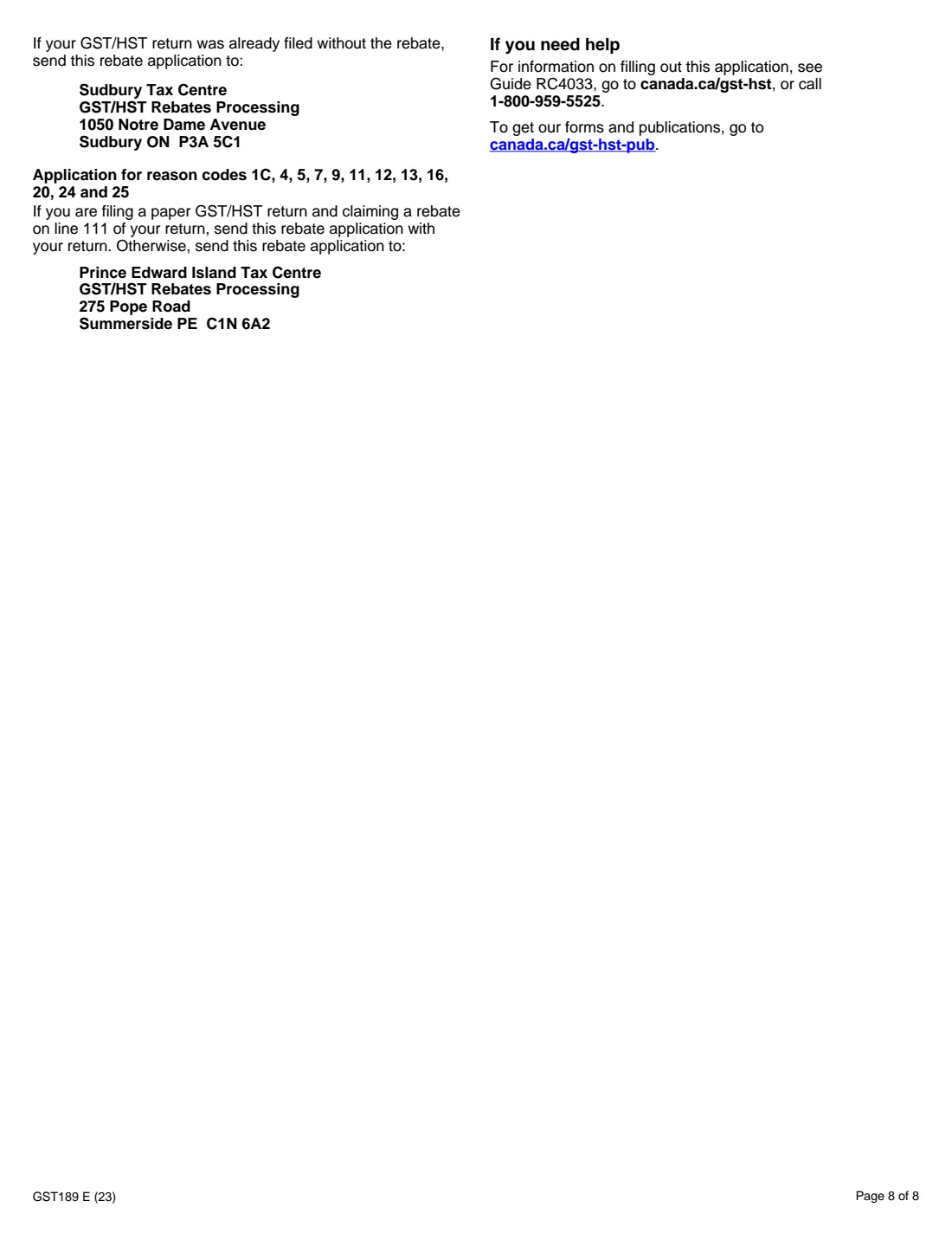
Mail it with your documents to the tax centre the form names for your reason code, usually the Prince Edward Island Tax Centre or the Sudbury Tax Centre. A GST/HST registrant claiming on line 111 can send it with the return.
Keep the original receipts in your FileIt vault. The CRA asks you to keep records for six years and doesn't return documents you send.
Fill out GST189 general GST/HST rebate online with FileIt
- Pick the person. Choose someone from People and FileIt fills in their name, date of birth, address and other details it already knows.
- Answer plain-language questions. One part of the form at a time, with the official help text beside each question — 119 fields in all. Your answers save as you go.
- Check the live preview. Watch your answers land on the real Canada Revenue Agency (CRA) form, and let FileIt do any worksheet arithmetic.
- Generate the official PDF. FileIt prints your answers into the agency’s own PDF and files it in that person’s folder in your vault.
FileIt fills the form — it never files or submits anything for you. Deliver the finished form to whoever asked for it, the way the form’s instructions say.
Start GST189 general GST/HST rebate now — it’s freeGST189 general GST/HST rebate: frequently asked questions
What is form GST189 used for?
It's the CRA's general application for GST/HST rebates for the reasons listed in Part B, such as tax paid in error, goods imported at a place with a lower HST rate, provincial point-of-sale rebates and remission orders.
Can I claim more than one reason on one GST189?
No. The form says to tick only one reason code and fill out a separate form for each reason you're claiming.
What if I have more than ten receipts?
List the rest on Form GST288, Supplement to Forms GST189 and GST498, and send it with your application.
Can I file GST189 online?
According to the form, individuals can use My Account's 'File a GST/HST rebate' service for reason codes 1A, 1C, 7, 9, 12, 13, 16 and 20, and registrants can file some codes through My Business Account. Other codes have to be filed on paper.
How long should I keep my receipts?
The form says to keep the original documentation, books, records, receipts and invoices for six years from the end of the year they relate to.
Does FileIt submit GST189 to the CRA?
No. FileIt fills in the official PDF and adds up Part C for you. You sign it and send it to the CRA yourself.
Official sources
- Blank form (PDF), published by Canada Revenue Agency (CRA): https://www.canada.ca/content/dam/cra-arc/formspubs/pbg/gst189/gst189-fill-23e.pdf
- Official instructions and guidance: https://www.canada.ca/en/revenue-agency/services/forms-publications/publications/rc4033.html
- Edition shown on this page: GST189 E (23) (checked 2026-10-19).
FileIt is not affiliated with or endorsed by Canada Revenue Agency (CRA) or any government. This page explains the form in general terms and is not legal, tax or immigration advice. Always read the official instructions, and check that you are using the edition the recipient accepts. Page last reviewed 2026-10-19.