
What is a wedding cost sharing agreement?
Family contributions make many weddings possible, and they also cause many of the arguments. Is it a fixed amount or a share of a budget that keeps growing? Does the person paying for the venue get a say in the venue? Is it a gift or a loan? What happens to the money if the wedding is postponed or called off?
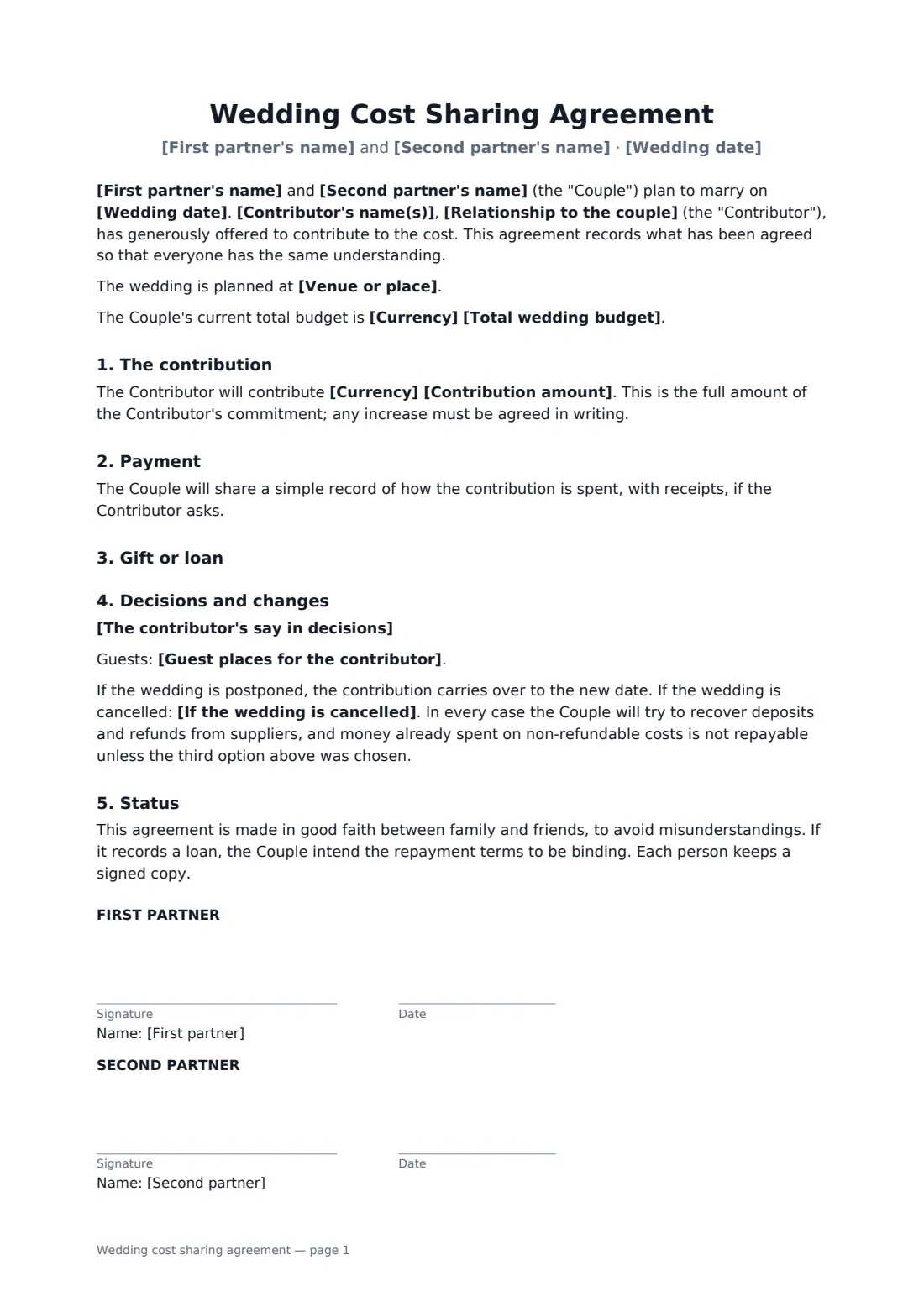
This agreement is signed by both partners and the contributor. It fixes the contribution amount, whether it pays for anything the couple choose or only listed items, and how it's paid — to the couple in one go or instalments, or directly to suppliers. It records whether it's a gift or a loan (with repayment terms), the contributor's say in decisions and any guest places, and what happens if the wedding is postponed or cancelled.
- Best for
- Parents, grandparents or relatives contributing to a wedding
- Signed by
- Both partners and the contributor
- Payment
- Lump sum, instalments, or directly to suppliers
- Gift or loan
- Either, with repayment terms for a loan
- Length
- 2 pages
When to use a wedding cost sharing agreement
- Parents giving a fixed amount toward the wedding
- A grandparent paying for the venue and catering
- Two families each contributing — one agreement each
- A relative lending money for the wedding
- Agreeing guest places for the contributing family
What you fill in
18 blanks, then the name and email of each person who signs: first partner, second partner, contributor.
1 The wedding
- First partner's name*
- Second partner's name*
- Wedding date*
- Venue or place
- Total wedding budget
2 The contribution
- Contributor's name(s)*
- Relationship to the couple*
- Currency*
- Contribution amount*
- What the contribution pays for* General wedding costs, as the couple decide · Only the items listed below
- Items it pays for
- How and when it is paid* To the couple, in one payment by the date below · To the couple, in instalments as set out below · Directly to suppliers as their invoices fall due
- Payment date or instalment plan
- Gift or loan* A gift — not to be repaid · A loan — to be repaid as set out below
- Loan repayment terms
3 Decisions
- The contributor's say in decisions*
- Guest places for the contributor
- If the wedding is cancelled* Unspent money and refunds go back to the contributor · The couple keep the contribution · The contributor is repaid in full by the couple
4 Who signs
- First partner signature and date
- Second partner signature and date
- Contributor signature and date · The parent, relative or friend contributing money. If two people contribute jointly, name both in the contributor field and have one sign, or send one agreement each.
What the wedding cost sharing agreement covers
- The contribution
- Payment
- Gift or loan
- Decisions and changes
- Status
Using the wedding cost sharing agreement, step by step
1 The wedding
Enter both partners' names, the wedding date, and optionally the venue and total budget.
2 The contribution
Enter the contributor, their relationship, the amount and what it pays for. Choose how and when it's paid, and whether it's a gift or a loan.
3 Decisions and changes
Edit the default wording about who decides, add any guest places, and choose what happens if the wedding is cancelled.
4 Three signatures
Send it to your partner and the contributor. Everyone signs online and gets the signed PDF; it's also filed in your FileIt vault.
Tips before you send it
- Agree a fixed amount rather than a percentage — budgets grow.
- Talk about decision-making openly; it's the most common source of friction.
- Large gifts can have tax consequences for the giver in some countries — check before making one.
- If both families contribute, use one agreement per contributor so the terms stay clear.
Sign it online in minutes
- Fill in the blanks. Names, dates and amounts go straight into the agreement — the preview shows exactly where.
- Name who signs. Tick “This is me” for your own part. FileIt builds the PDF with every signature, date box on the right line, and you can check or move anything before sending.
- Send it. Each signer gets a secure link and signs from any device — no account needed. The signed PDF, with an audit trail and a Certificate of Completion, is filed in your vault and emailed to everyone.
Wedding cost sharing agreement: frequently asked questions
Is a wedding contribution a gift or a loan?
Whatever you agree. Choose gift or loan; for a loan, add repayment terms. A gift doesn't have to be repaid except as the cancellation option says.
Does the contributor get to make decisions?
By default the couple decide and the contributor is consulted on what they're paying for. You can edit this wording to suit your family.
What happens if the wedding is called off?
You choose: unspent money and refunds go back to the contributor, the couple keep it, or the couple repay in full. Postponements carry the contribution over.
Is it legally binding?
It's written as a good-faith family agreement, with loan repayment terms intended to be binding. Enforceability depends on local law.
Can we all sign electronically?
Yes. Each person signs on their own device; no FileIt account is needed. The signed PDF includes an audit trail and a Certificate of Completion.