What is a tree service agreement?
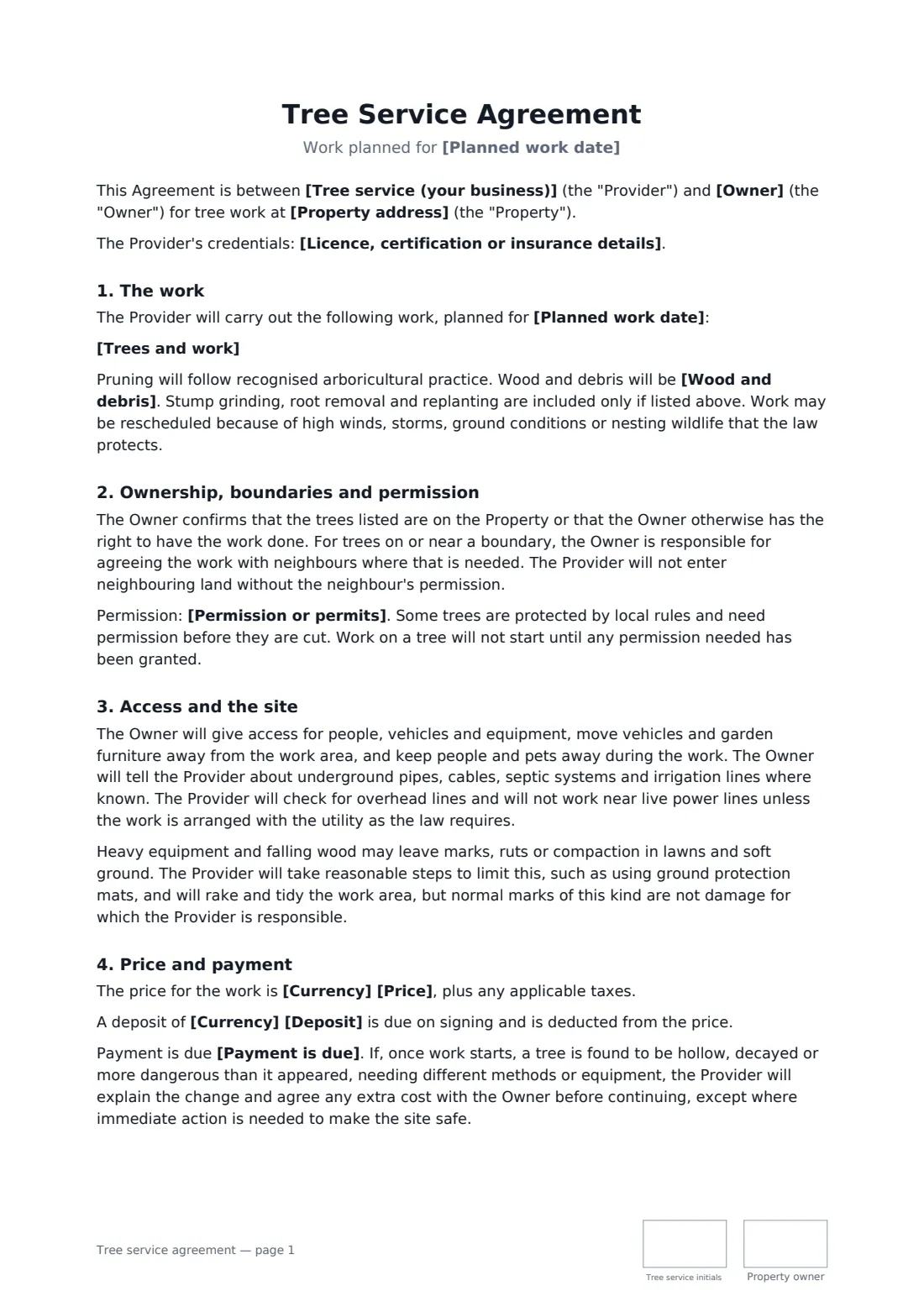
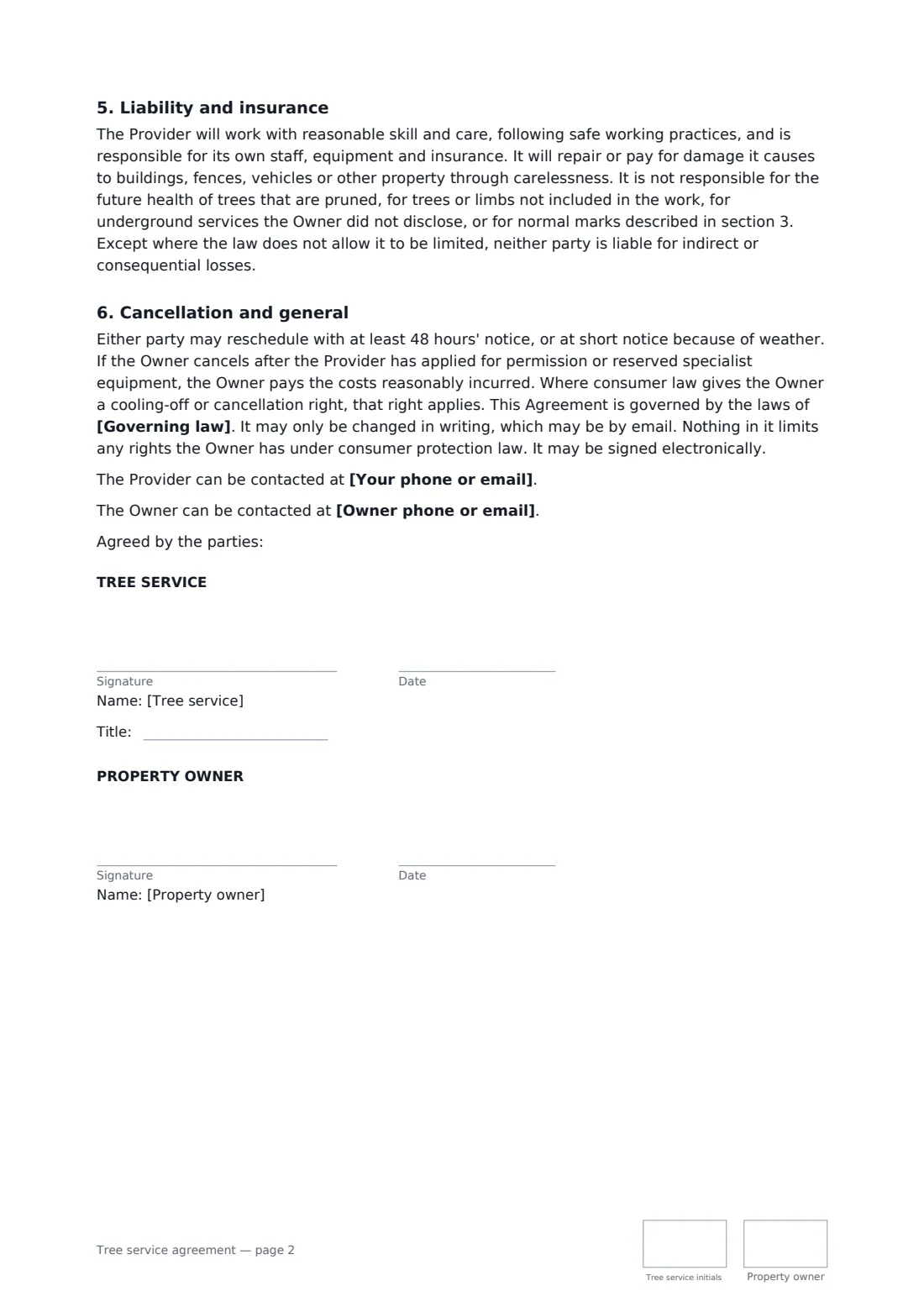
An arborist or tree service and a property owner agree tree removal, pruning or stump grinding — which trees, permits, access, wood and debris, damage to lawns and the price. Start from this template in FileIt eSignature: fill in the blanks, add the people who sign, and send it. Everyone signs online and the signed PDF is filed in your vault.
What you fill in
15 blanks, then the name and email of each person who signs: tree service, property owner.
1 The parties
- Tree service (your business)*
- Your phone or email*
- Licence, certification or insurance details
- Owner*
- Owner phone or email
2 The work
- Property address*
- Trees and work*
- Planned work date*
- Permission or permits* The Provider will check and apply for any permission needed · The Owner has obtained the permission needed · The parties have checked that no permission is needed
- Wood and debris* removed from the property · chipped and the chips left on site · logs cut to length and stacked on site, brush removed · left on site for the Owner
3 Price and payment
- Currency*
- Price*
- Deposit
- Payment is due* on completion · within 7 days of the invoice · within 14 days of the invoice
- Governing law*
4 Who signs
- Tree service signature and date, job title, initials on every page · The arborist or tree service company.
- Property owner signature and date, initials on every page · The owner of the land where the trees stand, or someone authorised by them.
What the tree service agreement covers
- The work
- Ownership, boundaries and permission
- Access and the site
- Price and payment
- Liability and insurance
- Cancellation and general
Sign it online in minutes
- Fill in the blanks. Names, dates and amounts go straight into the agreement — the preview shows exactly where.
- Name who signs. Tick “This is me” for your own part. FileIt builds the PDF with every signature, date and initials box on the right line, and you can check or move anything before sending.
- Send it. Each signer gets a secure link and signs from any device — no account needed. The signed PDF, with an audit trail and a Certificate of Completion, is filed in your vault and emailed to everyone.