What is VA Form 21P-0969?
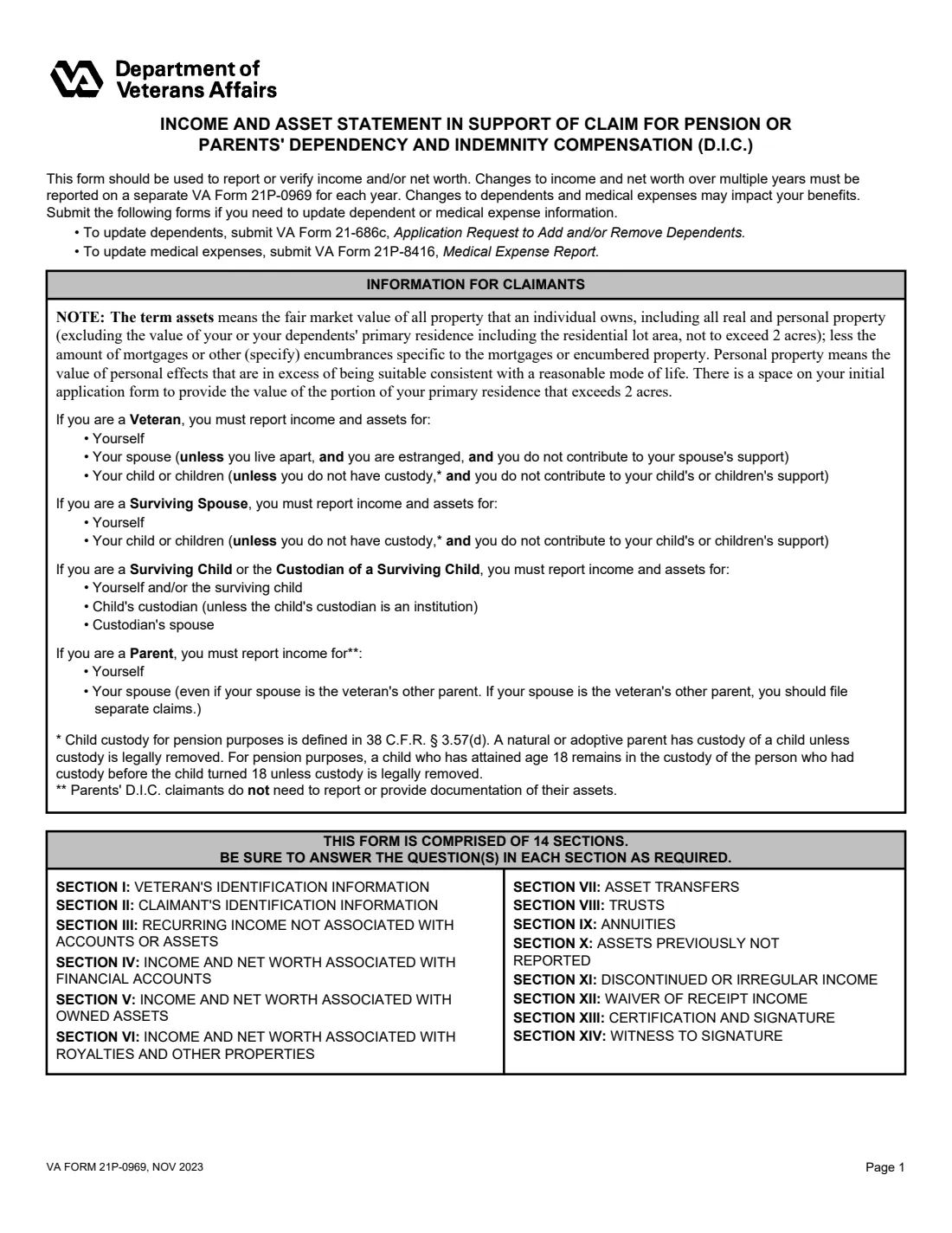
VA Form 21P-0969 reports the income and net worth of a pension or parents' Dependency and Indemnity Compensation (DIC) claimant and their dependents for a specific period. VA uses it to decide eligibility or adjust benefits. The form says to submit a separate one for each additional date range.
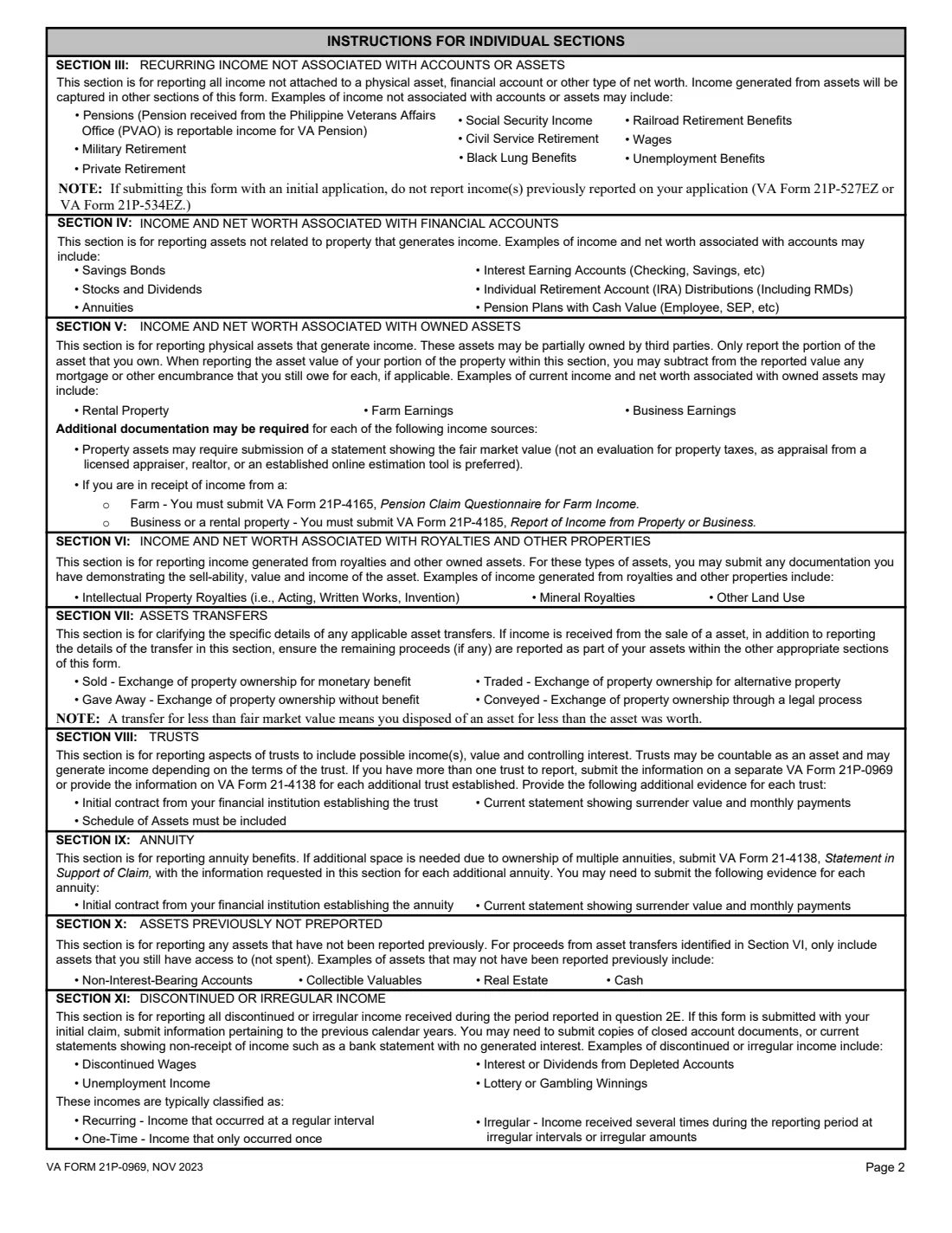
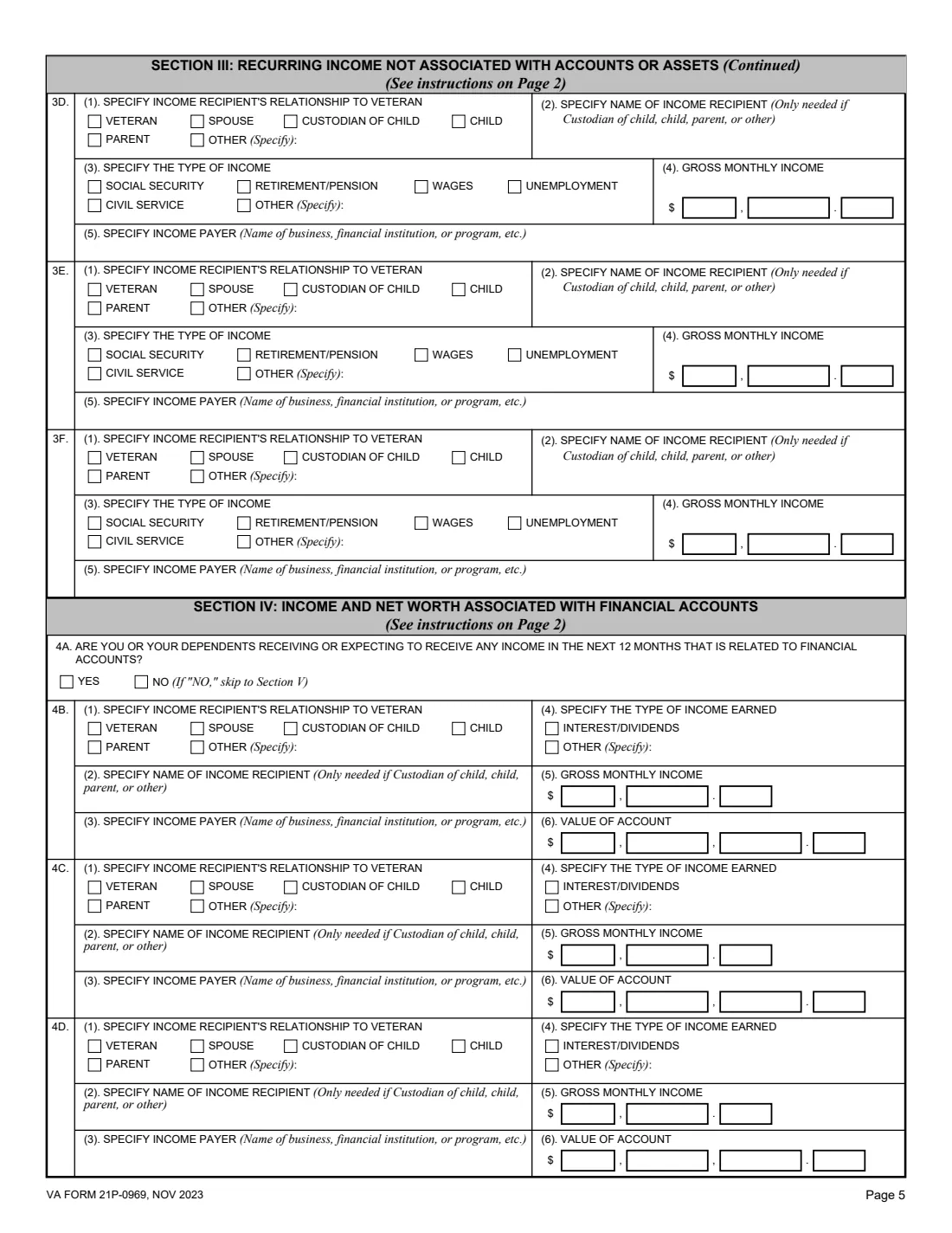
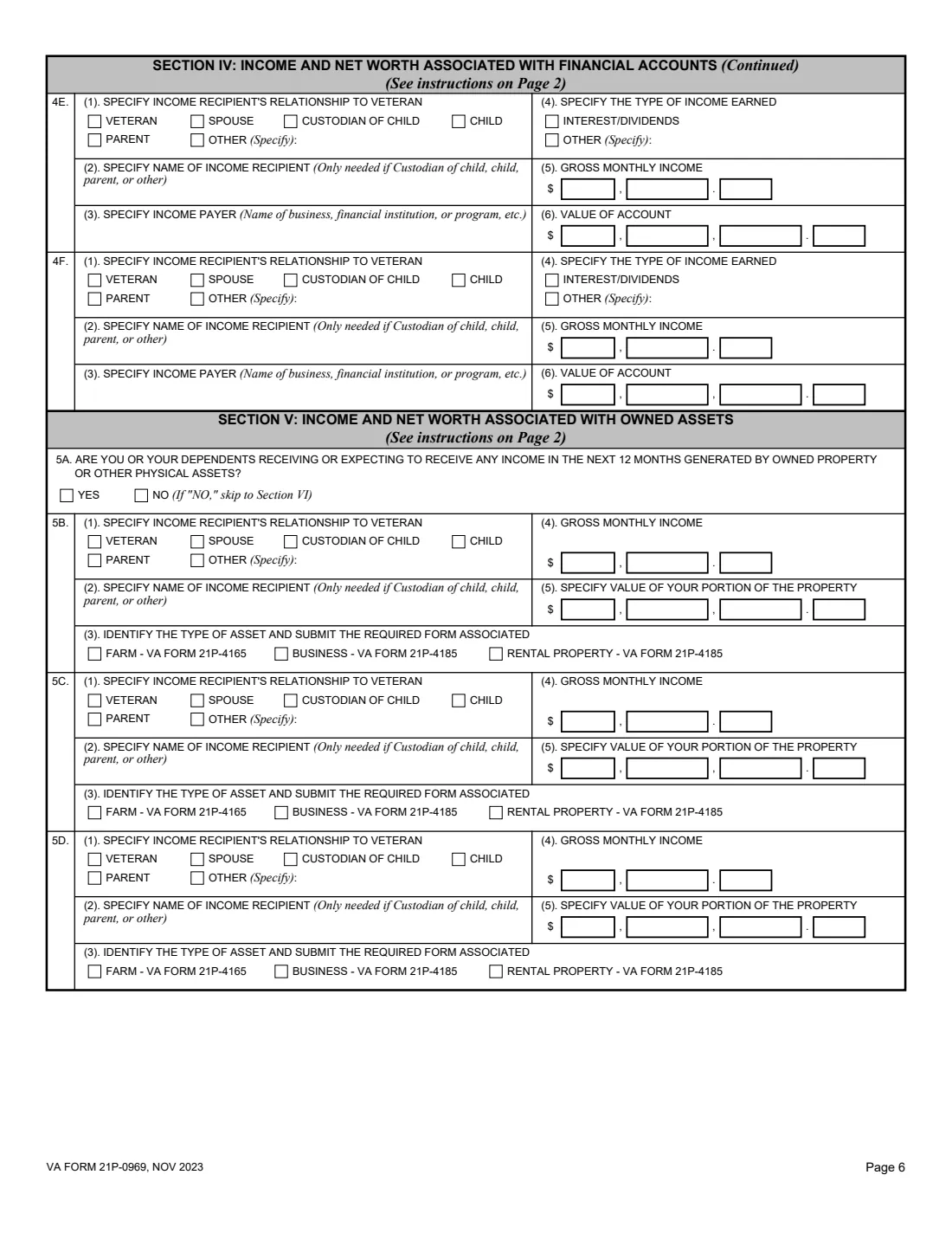
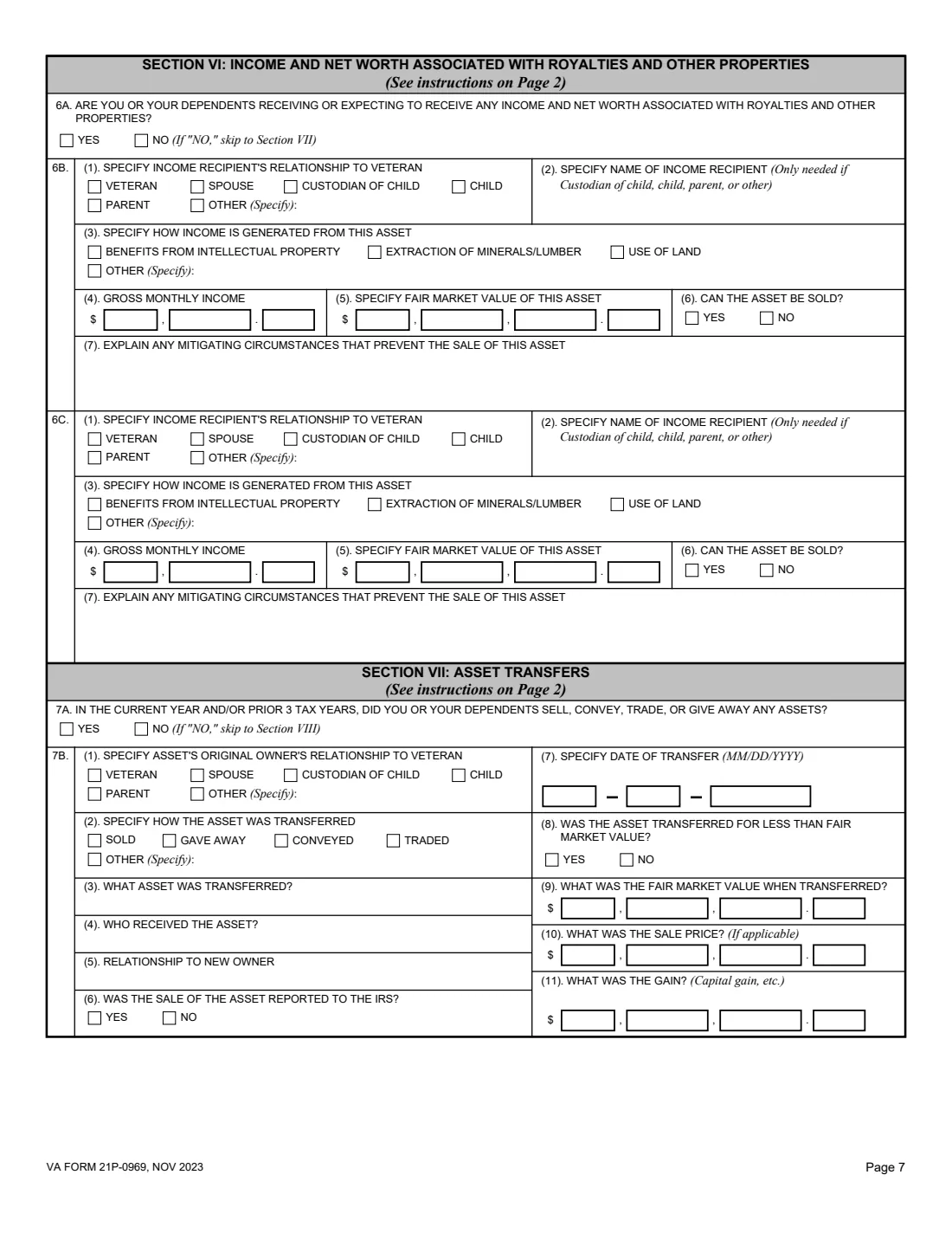
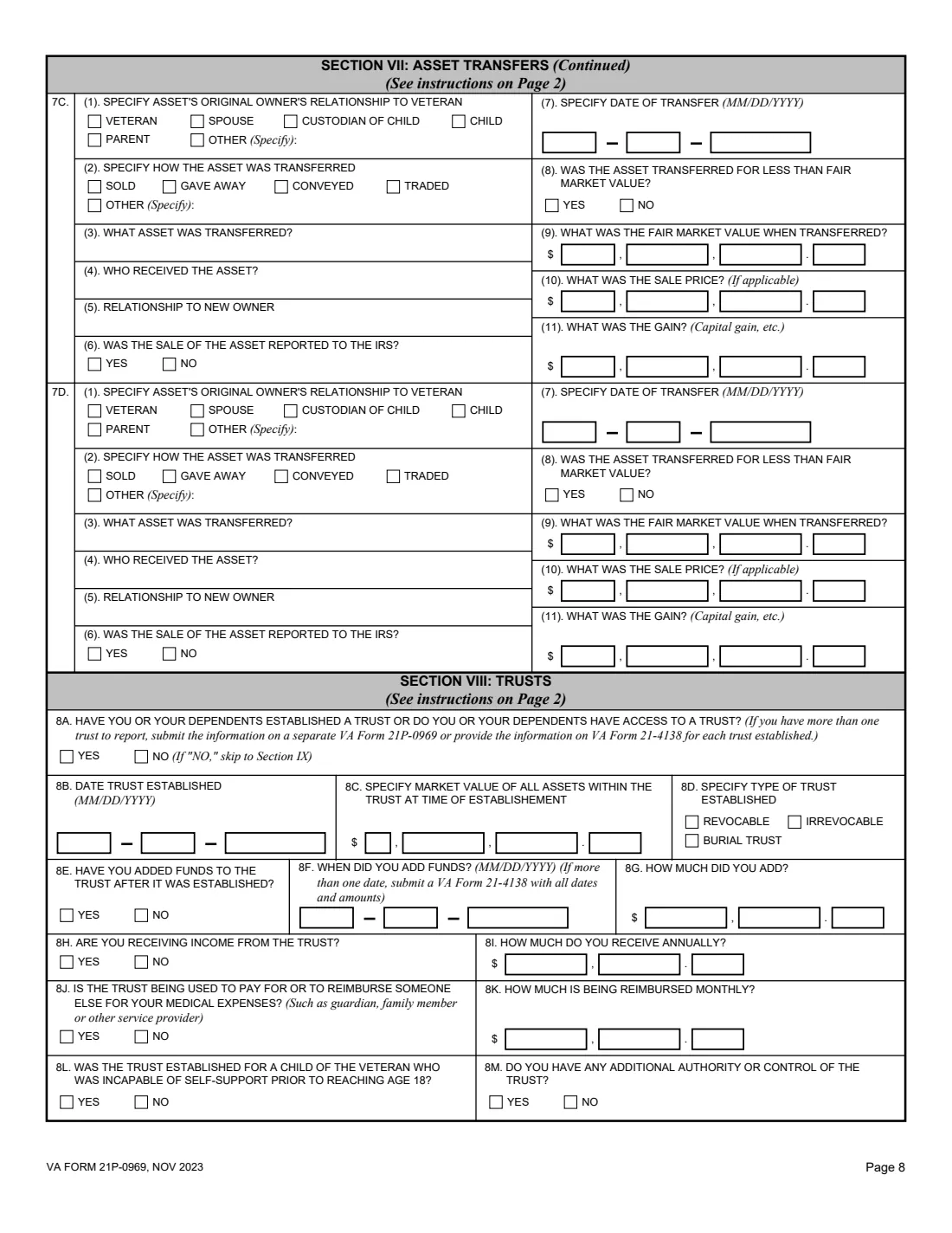
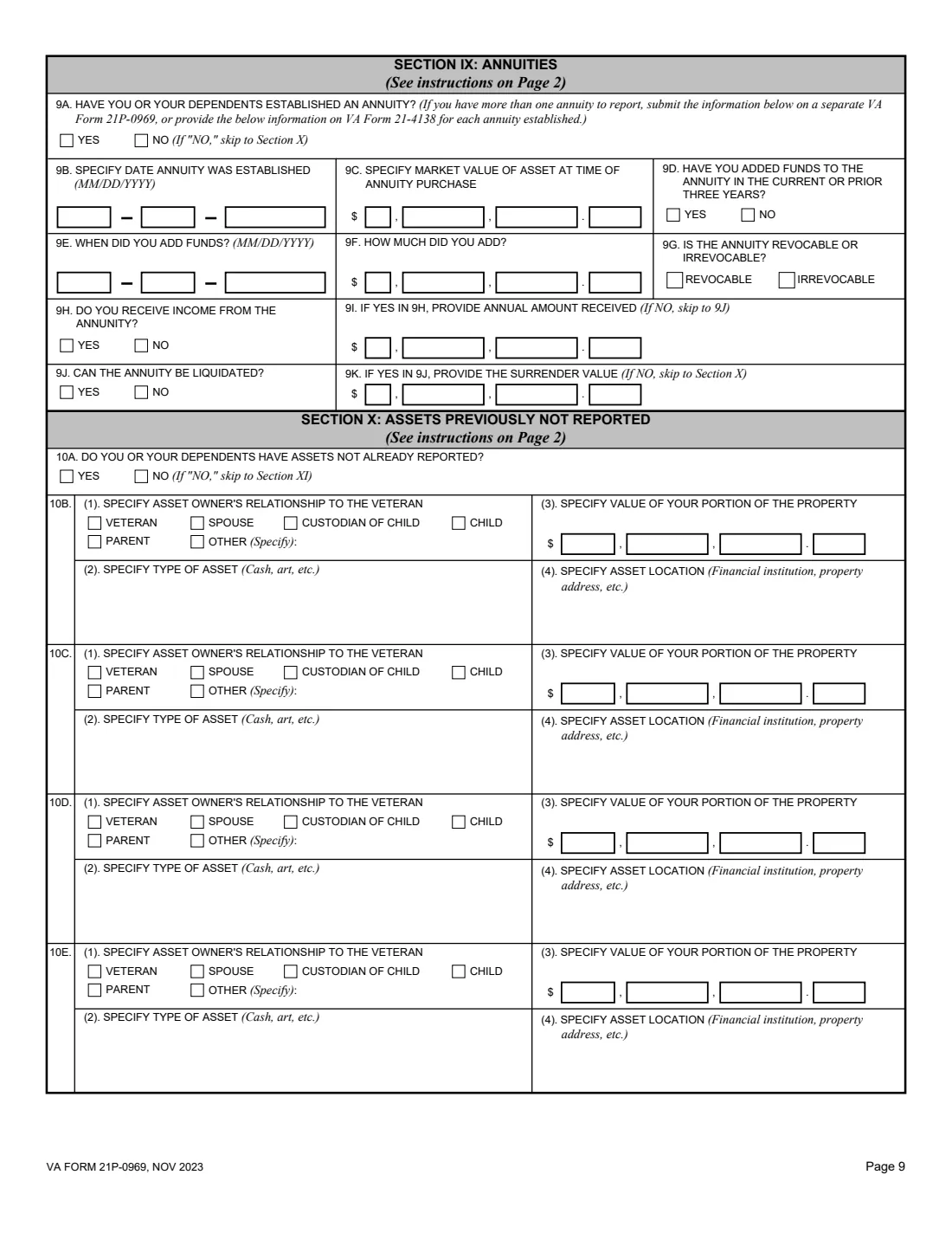
Each section starts with a yes-or-no question: recurring income such as Social Security, pensions or wages; financial accounts; owned property such as a farm, business or rental; royalties and other properties; assets sold, given away or traded in the current or prior three tax years; trusts; annuities; other assets; income that stopped; and income waived. Answer No and you skip to the next section.
FileIt fills VA's own PDF (NOV 2023 edition), printing every amount digit by digit with cents in the form's boxes, and files the result in your vault folder. FileIt never submits anything to VA.
- Who fills it
- The pension or parents' DIC claimant: a veteran, surviving spouse, surviving child, parent, or custodian of a child beneficiary.
- Given to
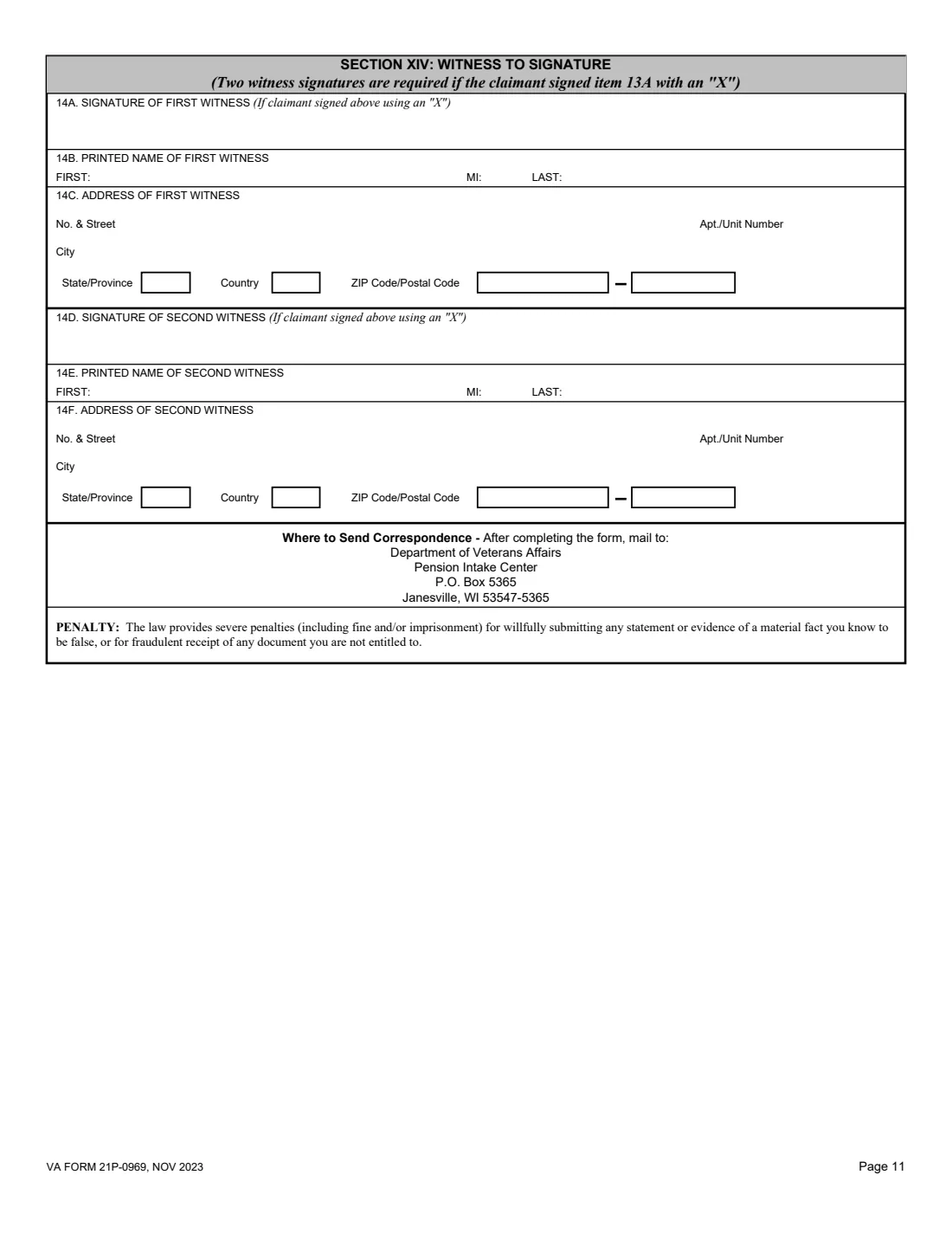
- Mailed to the Department of Veterans Affairs, Pension Intake Center, P.O. Box 5365, Janesville, WI 53547-5365.
- Look-back
- Section VII covers asset transfers in the current year and the prior 3 tax years.
- Signatures
- The claimant signs item 13A; two witnesses sign if the claimant signs with an "X".
- Edition
- VA Form 21P-0969, NOV 2023 (supersedes DEC 2021), OMB 2900-0829 (expires 11/30/2026)
- Pages
- 11: three pages of instructions and eight form pages.
Who needs to fill out VA Form 21P-0969?
- Veterans applying for or receiving VA pension.
- Surviving spouses and children claiming survivors pension.
- Parents of a veteran claiming parents' DIC.
- Custodians of a child beneficiary reporting the child's income and assets.
- Beneficiaries asked by VA to report income for a specific date range.
When to use VA Form 21P-0969
- With an initial pension or parents' DIC claim, reporting current information.
- When VA's correspondence asks for income and net worth for a stated date range.
- When your income or assets change, reporting from the date the change took effect.
What you need before you start
- The veteran's and claimant's names and Social Security numbers, and the reporting period.
- Each income source in the next 12 months: who receives it, the type, the payer and the gross monthly amount.
- Financial account balances and their monthly interest or dividends.
- Values of owned property, royalties, trusts and annuities, and details of assets transferred in the last three tax years.
- Any income that stopped during the period and any income you waived.
What’s on VA Form 21P-0969
The 2023 edition has 11 pages. FileIt asks for it in 14 parts, and it is signed by Claimant:
- Section I: Veteran's identification informationClaimant
- Section II: Claimant's identification informationClaimant
- Section III: Recurring income not associated with accounts or assetsClaimant
- Section IV: Income and net worth associated with financial accountsClaimant
- Section V: Income and net worth associated with owned assetsClaimant
- Section VI: Income and net worth associated with royalties and other propertiesClaimant
- Section VII: Asset transfersClaimant
- Section VIII: TrustsClaimant
- Section IX: AnnuitiesClaimant
- Section X: Assets previously not reportedClaimant
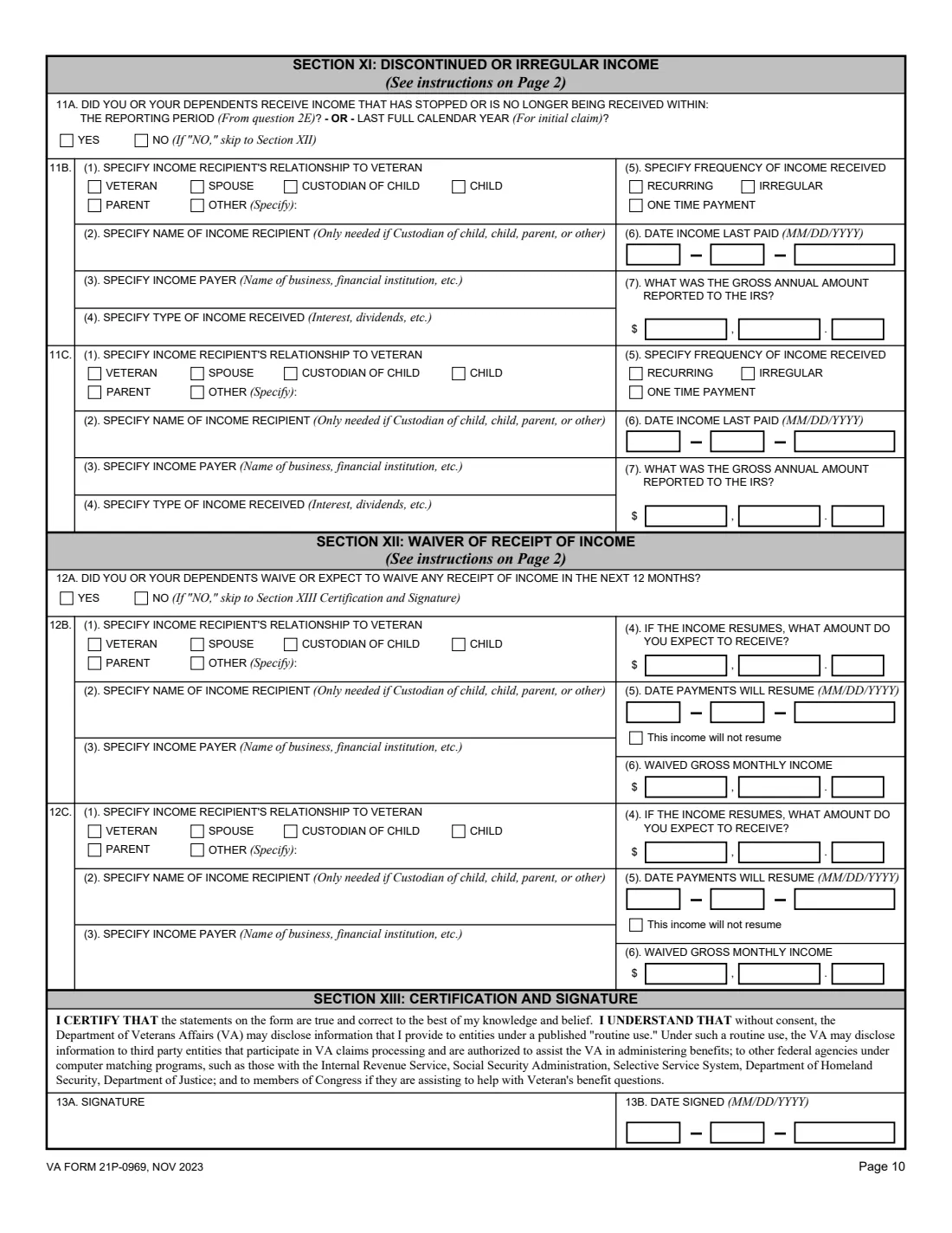
- Section XI: Discontinued or irregular incomeClaimant
- Section XII: Waiver of receipt of incomeClaimant
- Section XIII: Certification and signatureClaimant
- Section XIV: Witnesses to signatureClaimant
How to fill out VA Form 21P-0969, step by step
1 Sections I and II: Who is reporting, and for when
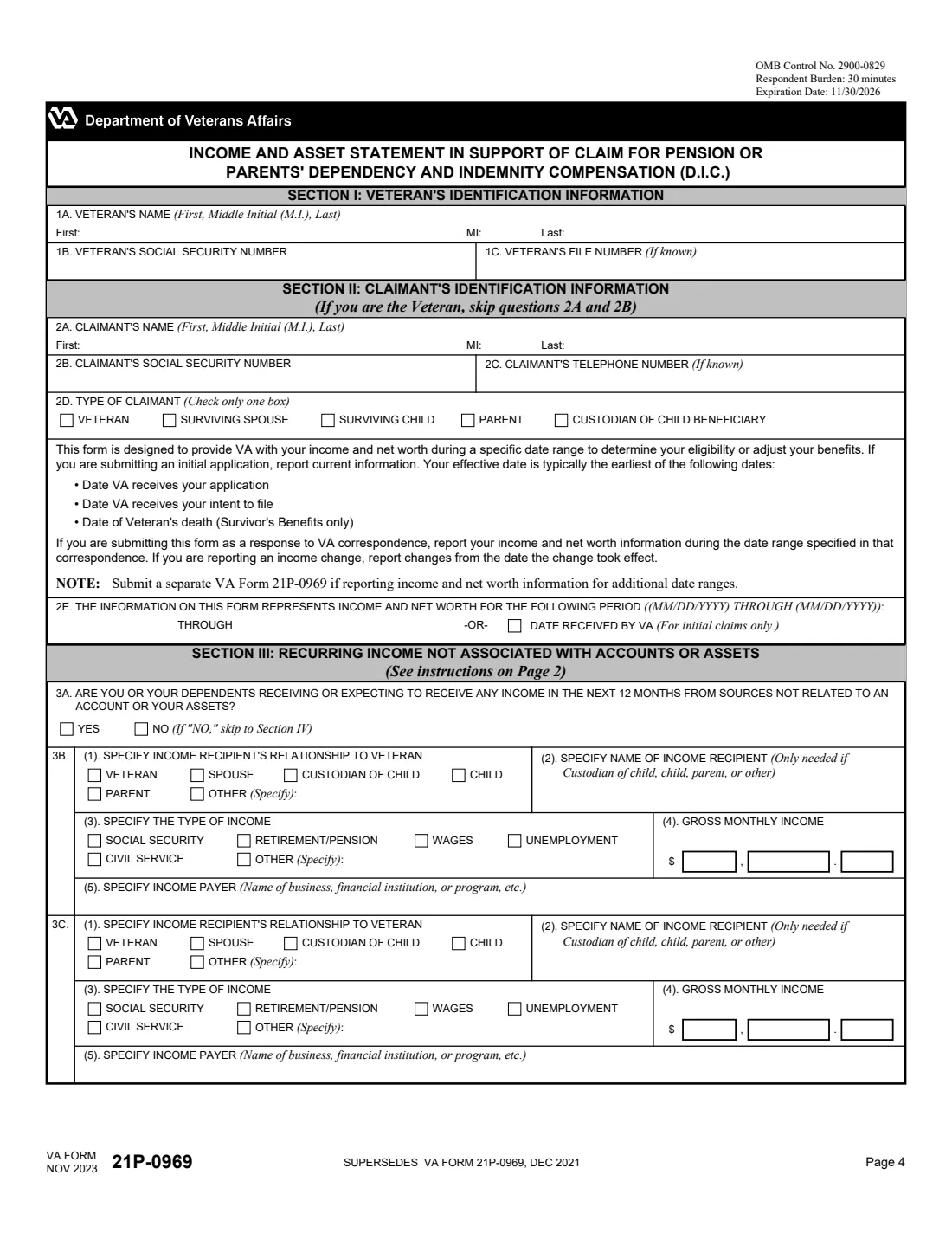
Item 1 identifies the veteran. Item 2 is the claimant (skip 2A and 2B if you are the veteran), the type of claimant, and the reporting period, either a date range or the date received by VA for an initial claim.
2 Sections III to VI: Income and the assets behind it
Section III is recurring income not tied to accounts or assets (up to five sources). Section IV is financial accounts, Section V owned property, and Section VI royalties and other properties, each with gross monthly income and value.
3 Sections VII to X: Transfers, trusts, annuities, other assets
Section VII lists assets sold, given away, conveyed or traded in the look-back period. Sections VIII and IX cover one trust and one annuity each (report more on another 21P-0969 or a VA Form 21-4138). Section X is for assets not reported elsewhere.
4 Sections XI to XIV: Changes, waivers and signatures
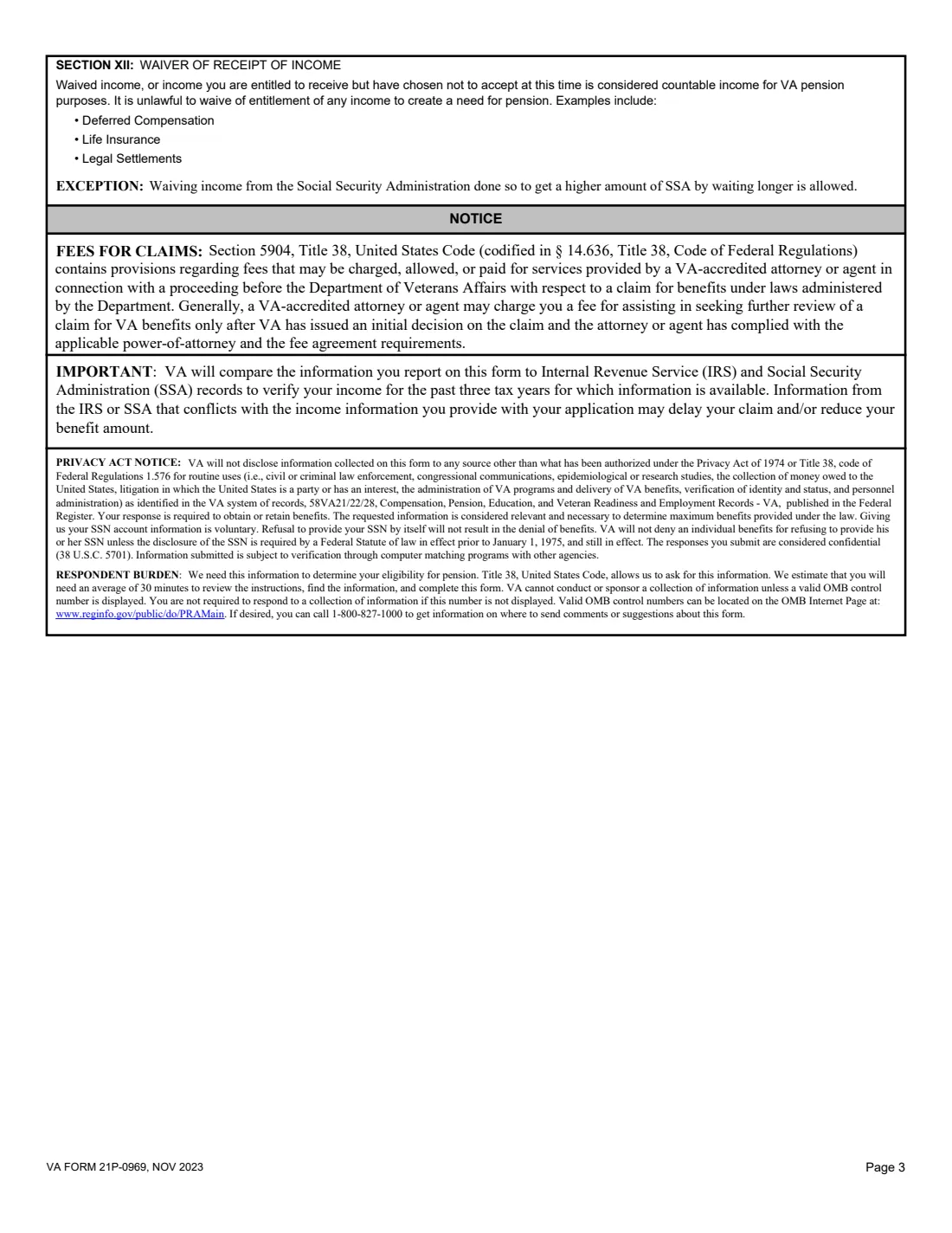
Section XI reports income that stopped, Section XII income waived in the next 12 months. Sign and date Section XIII; witnesses complete Section XIV only if you sign with an "X".
Common mistakes to avoid
- Reporting income for the wrong period: use the range in VA's letter, or current information for an initial claim.
- Leaving a section's Yes or No question blank.
- Forgetting an asset given to family in the last three tax years.
- Reporting only one trust or annuity when there are more.
- Mixing up monthly and annual amounts: most income boxes ask for gross monthly income.
After you fill it out
Sign item 13A and mail the form to the Pension Intake Center, P.O. Box 5365, Janesville, WI 53547-5365.
Submit a separate VA Form 21P-0969 for each additional date range, and VA Forms 21P-4165 or 21P-4185 for a farm, business or rental property.
Keep the filed PDF and the statements behind your figures in your FileIt vault.
Fill out VA Form 21P-0969 online with FileIt
- Pick the person. Choose someone from People and FileIt fills in their name, date of birth, address and other details it already knows.
- Answer plain-language questions. One part of the form at a time, with the official help text beside each question — 319 fields in all. Your answers save as you go.
- Check the live preview. Watch your answers land on the real U.S. Department of Veterans Affairs, Veterans Benefits Administration (VBA) form, and let FileIt do any worksheet arithmetic.
- Generate the official PDF. FileIt prints your answers into the agency’s own PDF and files it in that person’s folder in your vault. Sign it, or send it for e-signature.
FileIt fills the form — it never files or submits anything for you. Deliver the finished form to whoever asked for it, the way the form’s instructions say.
Start VA Form 21P-0969 now — it’s freeVA Form 21P-0969: frequently asked questions
What is VA Form 21P-0969 for?
It reports your income and net worth so VA can decide your eligibility for pension or parents' DIC, or adjust your benefits.
Which period do I report?
For an initial application, report current information. If you are answering VA correspondence, use the date range it gives. For an income change, report from the date the change took effect.
Do I need to report assets I gave away?
Section VII asks about assets sold, conveyed, traded or given away in the current year and the prior 3 tax years.
What if I have more than one trust or annuity?
The form says to report the others on a separate VA Form 21P-0969 or on VA Form 21-4138.
Where do I send it?
Mail it to the Department of Veterans Affairs, Pension Intake Center, P.O. Box 5365, Janesville, WI 53547-5365.
Does FileIt work out my net worth?
No. FileIt prints the amounts you enter in the form's boxes; VA decides what counts. It never submits the form.
Official sources
- Blank form (PDF), published by U.S. Department of Veterans Affairs, Veterans Benefits Administration (VBA): https://www.vba.va.gov/pubs/forms/VBA-21P-0969-ARE.pdf
- Official instructions and guidance: https://www.va.gov/find-forms/about-form-21p-0969/
- Edition shown on this page: VA Form 21P-0969, NOV 2023 (OMB No. 2900-0829, expires 11/30/2026) (checked 2026-10-19).
FileIt is not affiliated with or endorsed by U.S. Department of Veterans Affairs, Veterans Benefits Administration (VBA) or any government. This page explains the form in general terms and is not legal, tax or immigration advice. Always read the official instructions, and check that you are using the edition the recipient accepts. Page last reviewed 2026-10-19.