What is Form REV-677?
Form REV-677, Power of Attorney / Declaration of Representative for Pennsylvania Taxpayers, gives an individual limited authority to perform any act you can perform, and lets Department of Revenue staff speak with them about your confidential tax matters. The authority is limited to the tax types, tax periods and purpose you give: a general inquiry, filing a return, an audit, filing an appeal or another purpose. It doesn't include receiving refund checks (unless you grant that in Section V) or signing a return.
The instructions say to send REV-677 only when a department representative asks for it, and that practitioners shouldn't submit unsolicited forms en masse or as a matter of routine. The form must be signed by the taxpayer and the representative and dated within 30 days of its intended use. The current edition is REV-677 (LE+) 07-25, with the instructions on page 3.
FileIt guides you through each section and prints your answers into the Department's own PDF. It pre-fills the taxpayer's name from the People records in your vault, explains each designation code, ticks the "more than one representative" box when you add one, keeps the finished PDF in your vault and can send it for e-signature. You then return it to the department yourself: FileIt never files anything for you.
- Who fills it
- The taxpayer (individual or entity), with the representative's details and designation.
- Given to
- The Department of Revenue employee who asked for it, in the manner they requested.
- Signatures
- The taxpayer and the representative, dated within 30 days of use. Unless the representative is an attorney, CPA, enrolled agent or Low Income Taxpayer Clinic, a notary or two witnesses too.
- Representatives
- One in Section II, and up to five more in Section VI.
- Edition
- REV-677 (LE+) 07-25
- Agency
- Pennsylvania Department of Revenue
Who needs to fill out Form REV-677?
- Pennsylvania taxpayers whose accountant, attorney or relative needs to speak with the Department of Revenue for them.
- Businesses letting an officer, employee or outside professional handle an audit, return or appeal.
- Taxpayers asked by a department representative to authorize a discussion with a third party.
- Anyone revoking a prior authorization so the department stops speaking to a former representative.
When to use Form REV-677
- When a Department of Revenue representative requests a REV-677 to discuss your confidential tax matters with someone else.
- For a general inquiry, filing a return, an audit, filing an appeal or another specific purpose.
- Within 30 days of when it will be used, since it must be dated within that window.
- To add, drop or substitute representatives, or to revoke a prior authorization (with copies of the prior authorizations).
What you need before you start
- The taxpayer's full name (or an entity's full legal name), identifying number such as an SSN or FEIN, phone number and complete mailing address.
- The representative's full name, identifying number (such as a PTIN), phone number and complete address. An organization, firm or partnership can't be the representative.
- The representative's designation code (1 to 8) and, for an attorney or CPA, the jurisdiction where they practice.
- The tax types, tax periods and purpose of the authorization.
- A notary or two witnesses, unless the representative is an attorney, CPA, enrolled agent or Low Income Taxpayer Clinic.
What’s on Form REV-677
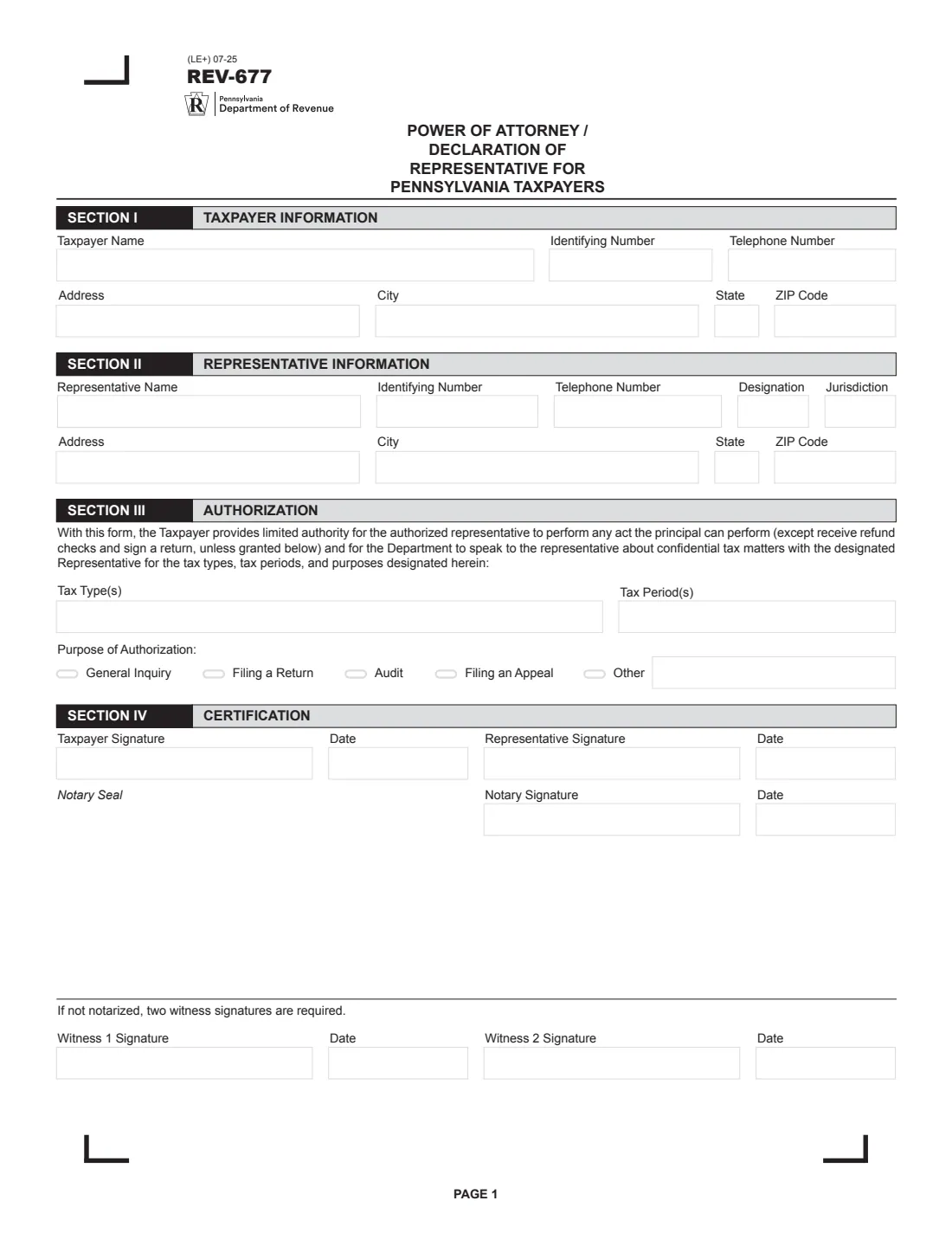
The 2025 edition has 3 pages. FileIt asks for it in 9 parts, and it is signed by Taxpayer and Representative and Additional representative 1 and Additional representative 2 and Additional representative 3 and Additional representative 4 and Additional representative 5:
- Section I: Taxpayer informationTaxpayer
- Section II: Representative informationRepresentative
- Section III: AuthorizationTaxpayer
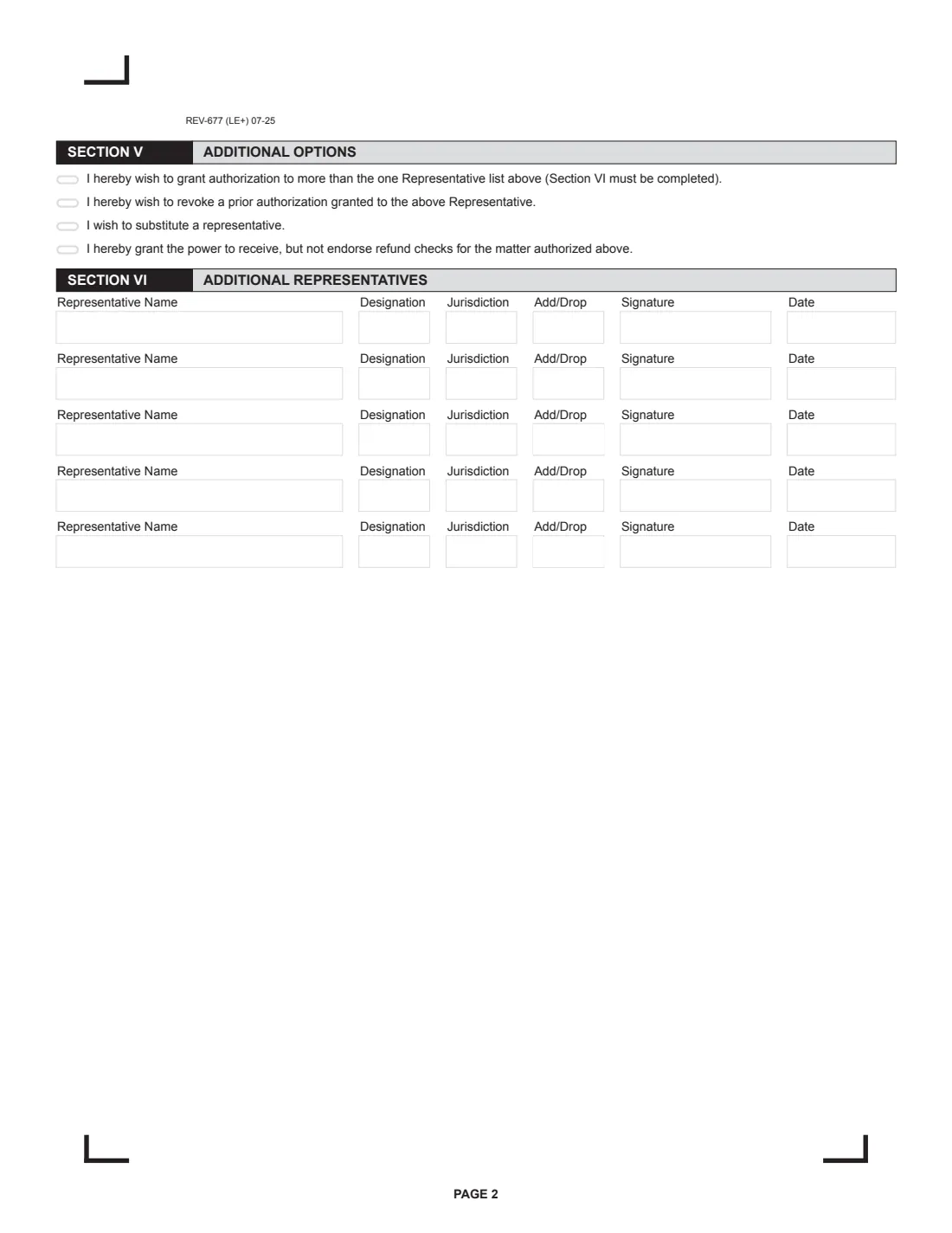
- Section V: Additional optionsTaxpayer
- Section VI: Additional representative 1Additional representative 1
- Section VI: Additional representative 2Additional representative 2
- Section VI: Additional representative 3Additional representative 3
- Section VI: Additional representative 4Additional representative 4
- Section VI: Additional representative 5Additional representative 5
How to fill out Form REV-677, step by step
1 Section I: Taxpayer information
An individual gives their first, middle and last name, identifying number (such as the Social Security number), phone number and complete mailing address. An entity gives its full legal name, identifying number (such as the FEIN), phone and address.
2 Section II: Representative information
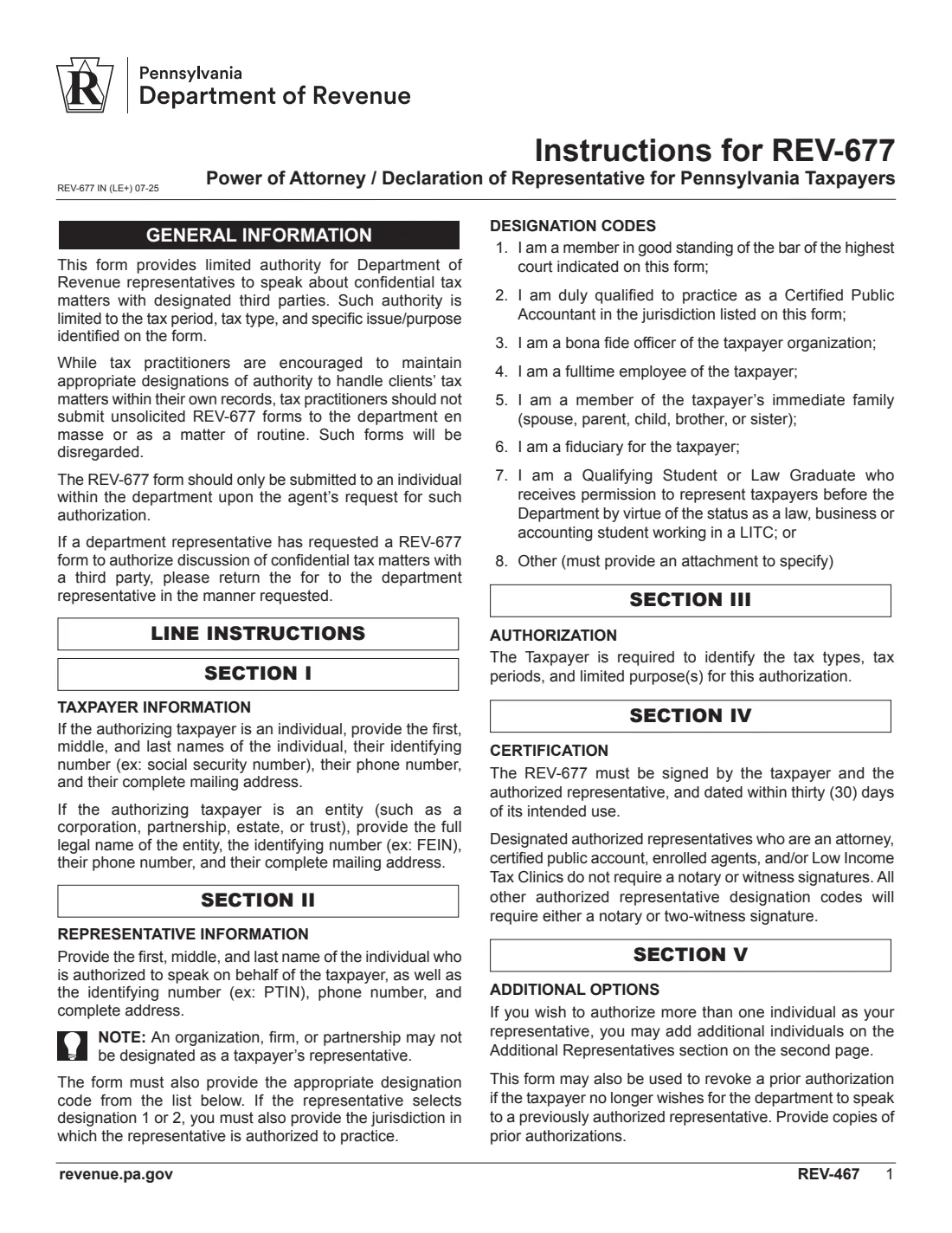
Give the individual representative's name, identifying number (such as a PTIN), phone, address and designation code: 1 attorney, 2 CPA, 3 officer, 4 full-time employee, 5 immediate family member, 6 fiduciary, 7 qualifying student or law graduate in a Low Income Taxpayer Clinic, or 8 other (attach a page that specifies). For codes 1 and 2, add the jurisdiction.
3 Section III: Authorization
List the tax types and tax periods, and pick the purpose: general inquiry, filing a return, audit, filing an appeal or other (described).
4 Section IV: Certification
The taxpayer and the representative sign and date the form within 30 days of its intended use. For designation codes other than attorneys, CPAs, enrolled agents and Low Income Taxpayer Clinics, the signature is notarized or witnessed by two people.
5 Section V: Additional options
Tick to authorize more than one representative (then complete Section VI), revoke a prior authorization granted to the representative, substitute a representative, or grant the power to receive, but not endorse, refund checks.
6 Section VI: Additional representatives
Up to five more individuals, each with their designation, jurisdiction, whether you are adding or dropping them, and their own signature and date.
Common mistakes to avoid
- Naming a firm or partnership as the representative. Name an individual.
- Sending the form unprompted. The department disregards unsolicited REV-677s sent en masse or as routine.
- Signing more than 30 days before the form is used.
- Leaving out the jurisdiction for an attorney or CPA (designation 1 or 2).
- Skipping the notary or witnesses for a family member, officer, employee, fiduciary or other representative.
- Revoking a prior authorization without providing copies of it.
After you fill it out
The taxpayer and representative sign and date Section IV, and any additional representatives sign Section VI. You can sign the printed PDF by hand or use FileIt's optional e-signature for the taxpayer and representatives; a notary or witnesses must sign in person.
Return the form to the department representative who asked for it, in the manner they requested. FileIt doesn't send it.
FileIt keeps the completed PDF in your vault. Because it must be dated within 30 days of use, fill in a fresh one when it's needed again.
Fill out Form REV-677 online with FileIt
- Pick the person. Choose someone from People and FileIt fills in their name, date of birth, address and other details it already knows.
- Answer plain-language questions. One part of the form at a time, with the official help text beside each question — 44 fields in all. Your answers save as you go.
- Check the live preview. Watch your answers land on the real Pennsylvania Department of Revenue form, and let FileIt do any worksheet arithmetic.
- Generate the official PDF. FileIt prints your answers into the agency’s own PDF and files it in that person’s folder in your vault. Sign it, or send it for e-signature.
FileIt fills the form — it never files or submits anything for you. Deliver the finished form to whoever asked for it, the way the form’s instructions say.
Start Form REV-677 now — it’s freeForm REV-677: frequently asked questions
Can I fill out Form REV-677 online?
Yes. FileIt guides you through each section and prints your answers into the official Pennsylvania Department of Revenue PDF, ready to sign.
Where do I send REV-677?
To the Department of Revenue employee who asked for it, in the way they requested. The instructions say to submit it only on the department's request.
Does REV-677 need to be notarized?
Not when the representative is an attorney, CPA, enrolled agent or Low Income Taxpayer Clinic. For every other designation, the form needs a notary or two witnesses' signatures.
How long is REV-677 good for?
The form must be signed by the taxpayer and representative and dated within 30 days of its intended use.
Can a firm be my representative?
No. An organization, firm or partnership can't be designated; name the individual who will speak for you.
Can my representative receive my refund check?
Only if you grant that power in Section V, and even then they can receive but not endorse it.
Official sources
- Blank form (PDF), published by Pennsylvania Department of Revenue: https://www.pa.gov/content/dam/copapwp-pagov/en/revenue/documents/formsandpublications/otherforms/documents/rev-677.pdf
- Official instructions and guidance: https://www.pa.gov/content/dam/copapwp-pagov/en/revenue/documents/formsandpublications/otherforms/documents/rev-677.pdf
- Edition shown on this page: REV-677 (LE+) 07-25 (checked 2026-09-28).
FileIt is not affiliated with or endorsed by Pennsylvania Department of Revenue or any government. This page explains the form in general terms and is not legal, tax or immigration advice. Always read the official instructions, and check that you are using the edition the recipient accepts. Page last reviewed 2026-09-28.