What is Form DS-4194?
Form DS-4194 is how individuals, companies and government agencies ask the U.S. Department of State's Office of Authentications for an authentication or apostille certificate under the Department's seal, for documents used for legal and administrative purposes abroad.
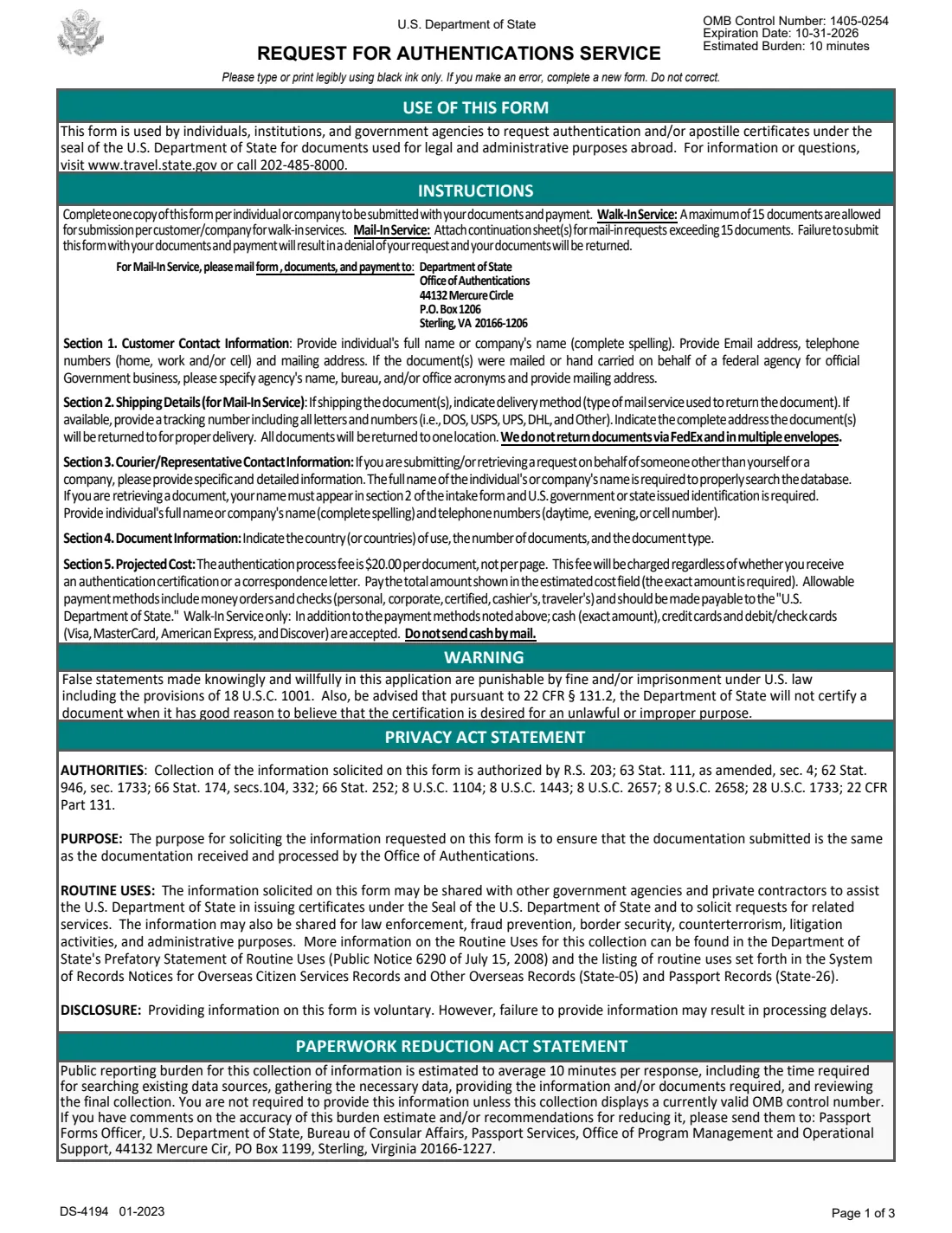
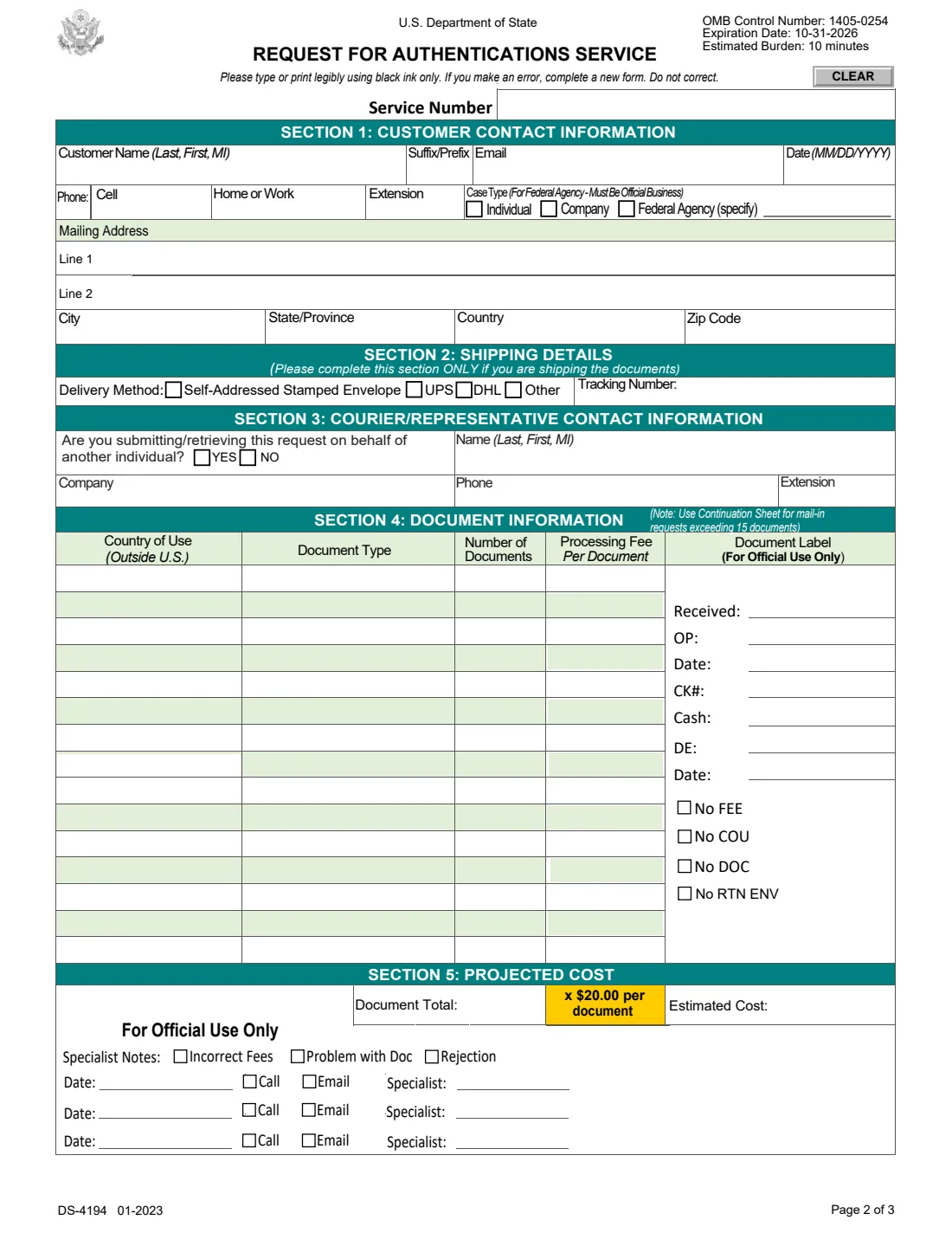
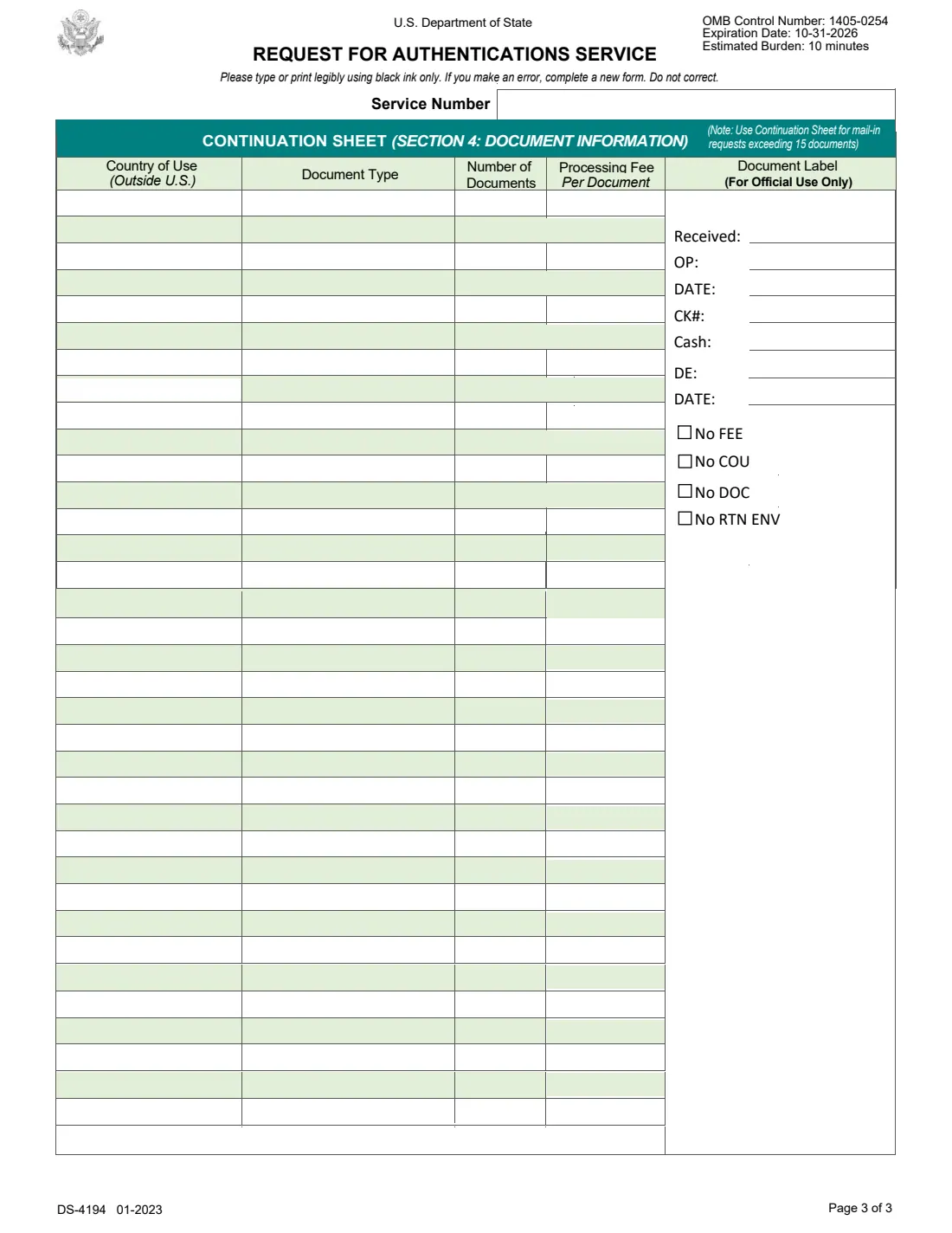
The 01-2023 edition has one page of instructions, a one-page request in five sections (your contact details, shipping, a courier or representative, the documents by country of use and type, and the projected cost) and a continuation sheet for longer requests.
FileIt asks each question in plain English, works out the cost from the fee printed on the form, prints your answers onto the State Department's own PDF and saves it in your vault, ready to print and send with your documents.
- Who fills it
- Anyone asking the Office of Authentications to authenticate documents: individuals, companies, federal agencies
- Fee on the form
- $20.00 per document, not per page
- Payment
- Money order or check payable to "U.S. Department of State"; never cash by mail
- Mail to
- Department of State, Office of Authentications, 44132 Mercure Circle, P.O. Box 1206, Sterling, VA 20166-1206 (as printed)
- Edition
- DS-4194 01-2023 (OMB 1405-0254, expiration date 10-31-2026)
- Signature
- None: the form has no signature line
Who needs to fill out Form DS-4194?
- People who need an apostille or authentication on a document issued by a U.S. federal agency, such as an FBI background check, for use in another country.
- Companies authenticating documents such as export certificates for use abroad.
- Federal agencies sending documents on official government business.
- Couriers or representatives who submit or collect requests for someone else.
When to use Form DS-4194
- When a foreign authority asks for a U.S. document to be authenticated or apostilled by the U.S. Department of State.
- Every time you send or bring documents to the Office of Authentications: one form per individual or company.
- For walk-in service, which takes at most 15 documents per customer or company.
What you need before you start
- The original documents to be authenticated.
- For each document: the country where it will be used and the type of document.
- Your full name or company name, email, phone and mailing address.
- For mailed requests returned by courier: the delivery method and the tracking number of the return label, if available.
- A money order or check for the exact total ($20.00 per document).
What’s on Form DS-4194
The 2023 edition has 3 pages. FileIt asks for it in 5 parts:
- Section 1 — Customer contact informationCustomer
- Section 2 — Shipping detailsCustomer
- Section 3 — Courier / representative contact informationCustomer
- Section 4 — Document informationCustomer
- Section 5 — Projected costCustomer
How to fill out Form DS-4194, step by step
1 Section 1 — Customer contact information
Your full name (last, first, middle initial) or company name, email, the date, phone numbers, the case type (individual, company or federal agency on official business) and the mailing address the documents return to.
2 Section 2 — Shipping details
Only if you ship the documents: how they come back (self-addressed stamped envelope, UPS, DHL or other) and the tracking number. All documents go back to one address, and not by FedEx or in several envelopes.
3 Section 3 — Courier or representative
Say whether you submit or collect the request for someone else, and give that representative's name, company and phone. A person collecting documents must be named and show U.S. government or state-issued ID.
4 Section 4 — Document information
One line per country of use and document type, with the number of documents. Page 2 has 15 lines; for more, mailed requests attach the continuation sheet.
5 Section 5 — Projected cost
FileIt adds up the documents and multiplies by the $20.00 fee printed on the form. The fee is charged whether you receive an authentication certificate or a correspondence letter.
Common mistakes to avoid
- Sending a check for the wrong amount: the exact total is required.
- Sending cash by mail.
- Asking for documents back by FedEx or in several envelopes.
- Correcting a mistake on the form instead of filling in a new one.
- Forgetting the form itself: a request without it is denied and the documents are returned.
After you fill it out
Print the form from your FileIt vault.
Mail it with your documents and payment to the address on the form, or bring it for walk-in service. FileIt does not send anything to the State Department.
Keep the PDF and your payment details in your vault until the documents come back.
Fill out Form DS-4194 online with FileIt
- Pick the person. Choose someone from People and FileIt fills in their name, date of birth, address and other details it already knows.
- Answer plain-language questions. One part of the form at a time, with the official help text beside each question — 85 fields in all. Your answers save as you go.
- Check the live preview. Watch your answers land on the real U.S. Department of State — Office of Authentications form, and let FileIt do any worksheet arithmetic.
- Generate the official PDF. FileIt prints your answers into the agency’s own PDF and files it in that person’s folder in your vault.
FileIt fills the form — it never files or submits anything for you. Deliver the finished form to whoever asked for it, the way the form’s instructions say.
Start Form DS-4194 now — it’s freeForm DS-4194: frequently asked questions
How much does the State Department charge to authenticate a document?
The DS-4194 (01-2023) lists $20.00 per document, not per page, charged whether you receive an authentication certificate or a correspondence letter.
Do I need to sign Form DS-4194?
No. The form has no signature line. Fill it in, print it, and send it with your documents and payment.
How many documents can I submit?
Walk-in service takes at most 15 documents per customer or company. Mailed requests with more than 15 documents attach a continuation sheet.
Which edition is this?
DS-4194 01-2023, under OMB control number 1405-0254 with an expiration date of 10-31-2026. Check the State Department's site for a renewed edition.
Does FileIt submit the request?
No. FileIt fills in the official PDF and saves it in your vault. You send or bring it with your documents.
Official sources
- Blank form (PDF), published by U.S. Department of State — Office of Authentications: https://eforms.state.gov/Forms/ds4194.pdf
- Official instructions and guidance: https://travel.state.gov/content/travel/en/records-and-authentications/authenticate-your-document/office-of-authentications.html
- Edition shown on this page: DS-4194 01-2023 (OMB 1405-0254, expires 10-31-2026) (checked 2026-10-25).
FileIt is not affiliated with or endorsed by U.S. Department of State — Office of Authentications or any government. This page explains the form in general terms and is not legal, tax or immigration advice. Always read the official instructions, and check that you are using the edition the recipient accepts. Page last reviewed 2026-10-25.