What is IR472 Child support exemption review?
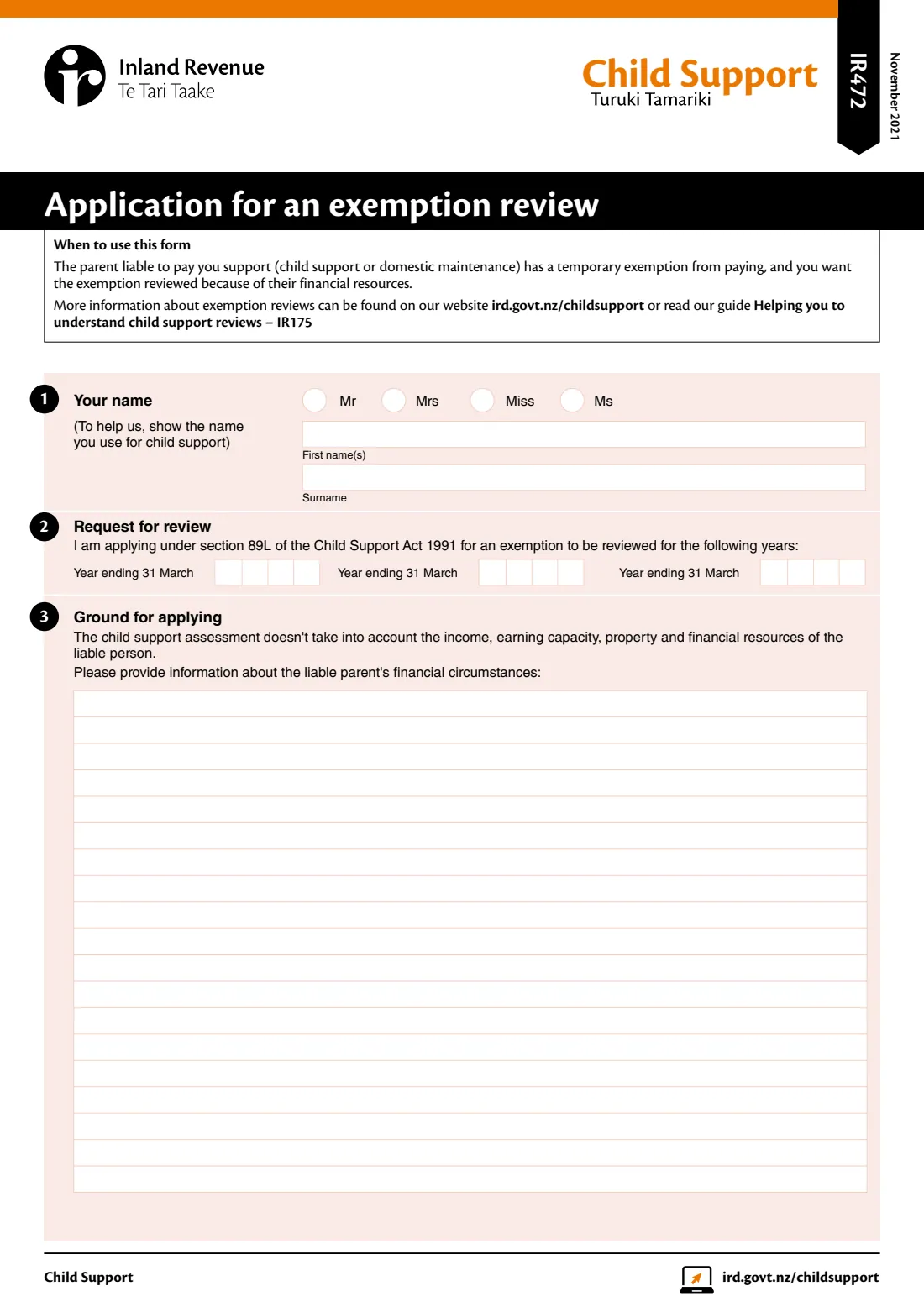
Some liable parents in New Zealand get a temporary exemption from paying child support, for example while they're in prison or in hospital for a long stay. If you're the receiving carer and you believe that parent still has income, earning capacity, property or other financial resources the assessment doesn't take into account, you can ask Inland Revenue to review the exemption.
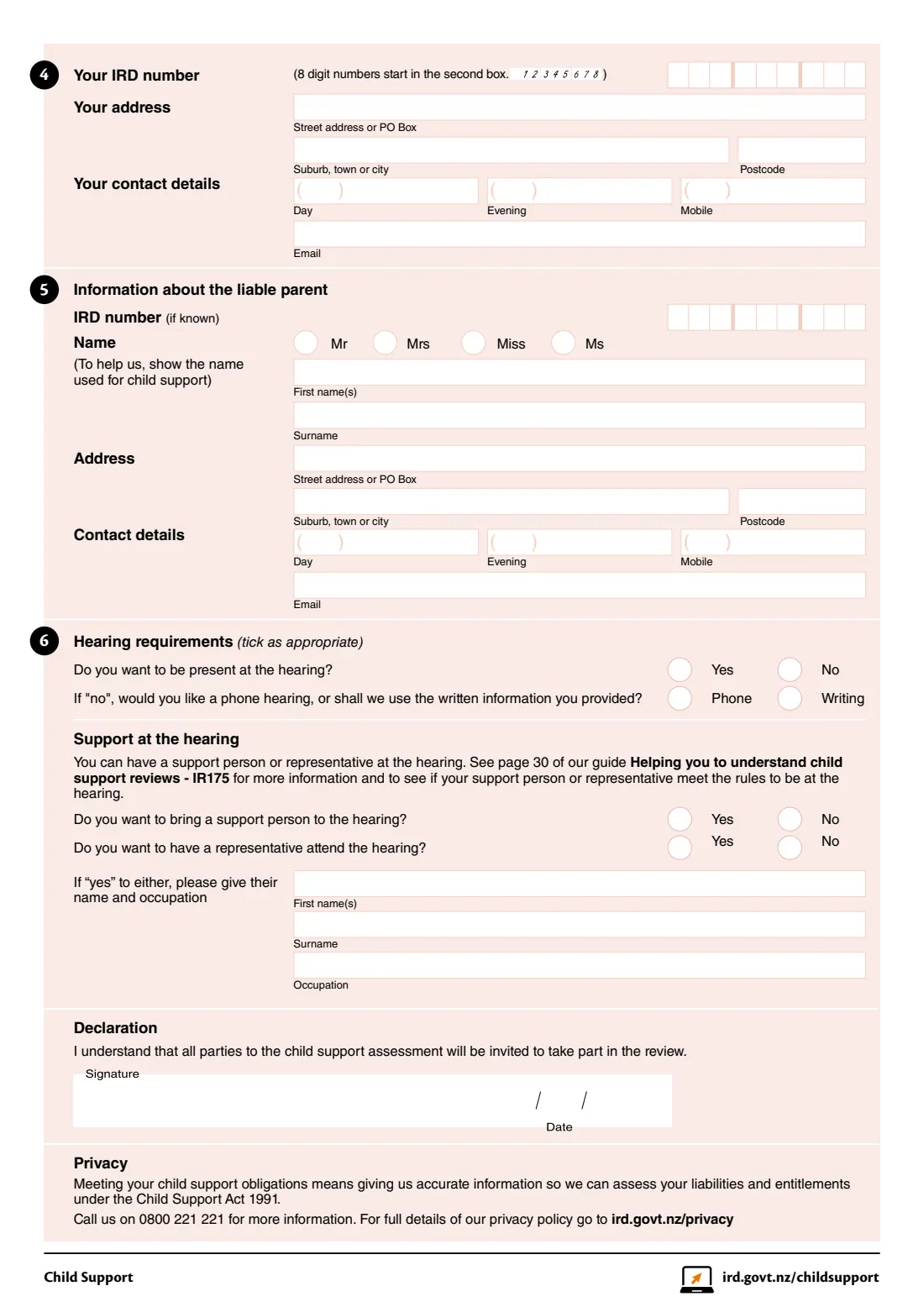
The IR472 is the application for that review, made under section 89L of the Child Support Act 1991. You list the child support years you want reviewed, describe what you know about the liable parent's finances, give your details and theirs, and say how you'd like the hearing to run: in person, by phone or on the written information. All parties to the assessment are invited to take part in the review.
FileIt fills Inland Revenue's own IR472 PDF from a guided form. IRD numbers start in the right box, the review years go into their boxes, names with macrons print correctly, and your description of the liable parent's finances wraps neatly into the large box. The finished form is saved in your FileIt vault, ready to sign.
- Who fills it
- The receiving carer (the person the support is paid to)
- Sent to
- Inland Revenue Child Support
- Legal basis
- Section 89L of the Child Support Act 1991
- Years
- Up to three child support years (each ending 31 March) on one form
- Signatures
- Yours, with the date
- Edition
- IR472 November 2021
Who needs to fill out IR472 Child support exemption review?
- Receiving carers whose liable parent has a temporary exemption from paying child support or domestic maintenance.
- Carers who know the liable parent has income, investments, property, a business or a trust behind them despite the exemption.
- Grandparents and other carers who receive child support for a child in their care.
When to use IR472 Child support exemption review
- After Inland Revenue has granted the liable parent a temporary exemption, for example for time in prison or a long hospital stay.
- When you have information about the liable parent's financial resources that the assessment doesn't reflect.
- For each child support year you want reviewed, up to three on the one form.
What you need before you start
- Your name as used for child support, your IRD number, address and contact details.
- The years ending 31 March you want the exemption reviewed for.
- What you know about the liable parent's income, earning capacity, property and financial resources.
- The liable parent's name, address and contact details, and their IRD number if you know it.
- Whether you want to attend the hearing, and the name and occupation of any support person or representative.
What’s on IR472 Child support exemption review
The 2021 edition has 2 pages. FileIt asks for it in 6 parts, and it is signed by Receiving carer:
- 1-2 You and the years to reviewReceiving carer
- 3 Ground for applyingReceiving carer
- 4 Your IRD number and contact detailsReceiving carer
- 5 Information about the liable parentReceiving carer
- 6 Hearing requirementsReceiving carer
- DeclarationReceiving carer
How to fill out IR472 Child support exemption review, step by step
1 Your name and the years
Give your title and name as Inland Revenue knows you for child support, then the years ending 31 March you want reviewed, for example 2026.
2 Ground for applying
Explain what you know about the liable parent's financial circumstances: income, earning capacity, property and other resources the assessment doesn't take into account. Be specific where you can.
3 Your details and theirs
Add your IRD number, address, phone numbers and email, then the liable parent's details. Their IRD number is only needed if you know it.
4 Hearing
Say whether you want to be at the hearing. If not, choose a phone hearing or a decision on the written information. You can bring a support person or representative and give their name and occupation.
5 Sign
FileIt prints the date beside the signature line. Sign the form and send it to Inland Revenue Child Support.
Common mistakes to avoid
- Using this form when the liable parent has no exemption. Other review forms cover other situations.
- Describing your own finances instead of the liable parent's.
- Leaving the review years blank, or giving the year a period starts instead of the year ending 31 March.
- Bringing a support person or representative without checking that they meet the rules explained in the IR175 guide.
- Forgetting that the liable parent will be invited to take part in the review, so stick to facts.
After you fill it out
Sign the form and send it to Inland Revenue Child Support. Call 0800 221 221 if you have questions.
Inland Revenue invites all parties to the assessment to take part in the review.
Read the IR175 guide, Helping you to understand child support reviews, to prepare for the hearing.
FileIt keeps the completed PDF in your vault with your other child support papers.
Fill out IR472 Child support exemption review online with FileIt
- Pick the person. Choose someone from People and FileIt fills in their name, date of birth, address and other details it already knows.
- Answer plain-language questions. One part of the form at a time, with the official help text beside each question — 40 fields in all. Your answers save as you go.
- Check the live preview. Watch your answers land on the real Inland Revenue (Te Tari Taake) form, and let FileIt do any worksheet arithmetic.
- Generate the official PDF. FileIt prints your answers into the agency’s own PDF and files it in that person’s folder in your vault. Sign it, or send it for e-signature.
FileIt fills the form — it never files or submits anything for you. Deliver the finished form to whoever asked for it, the way the form’s instructions say.
Start IR472 Child support exemption review now — it’s freeIR472 Child support exemption review: frequently asked questions
What is the IR472 form?
The IR472 is Inland Revenue's application for an exemption review. A receiving carer uses it to ask for a liable parent's temporary exemption from paying child support to be reviewed because of their financial resources.
Who can apply for an exemption review?
The person who would receive the support, when the parent liable to pay it has a temporary exemption and the carer wants it reviewed because of that parent's financial resources.
Will the liable parent know about the review?
Yes. The form's declaration says all parties to the child support assessment will be invited to take part in the review.
Do I have to attend the hearing?
No. You can choose to be present, to have a phone hearing, or to have the review decided on the written information you provided.
Can someone come with me to the hearing?
You can bring a support person or have a representative attend. Page 30 of the IR175 guide explains who meets the rules.
Can I fill in the IR472 online?
Yes. FileIt guides you through each section and prints your answers into Inland Revenue's official IR472 PDF, ready to sign and send.
Official sources
- Blank form (PDF), published by Inland Revenue (Te Tari Taake): https://www.ird.govt.nz/-/media/project/ir/home/documents/forms-and-guides/ir400---ir499/ir472/ir472-2021.pdf
- Official instructions and guidance: https://www.ird.govt.nz/child-support/disagreeing/exemptions/review
- Edition shown on this page: IR472 November 2021 (checked 2026-10-19).
FileIt is not affiliated with or endorsed by Inland Revenue (Te Tari Taake) or any government. This page explains the form in general terms and is not legal, tax or immigration advice. Always read the official instructions, and check that you are using the edition the recipient accepts. Page last reviewed 2026-10-19.