What is a ride-along waiver?
Ride-alongs are a great way to show applicants, students, journalists or community members what the job is really like — in a patrol car, an ambulance, a delivery van, a tow truck or on a sales route. They also put a non-employee in a moving vehicle at work, where they may see private information. A ride-along waiver makes it clear the guest is an observer, sets the rules, explains the risks and keeps what they see confidential.
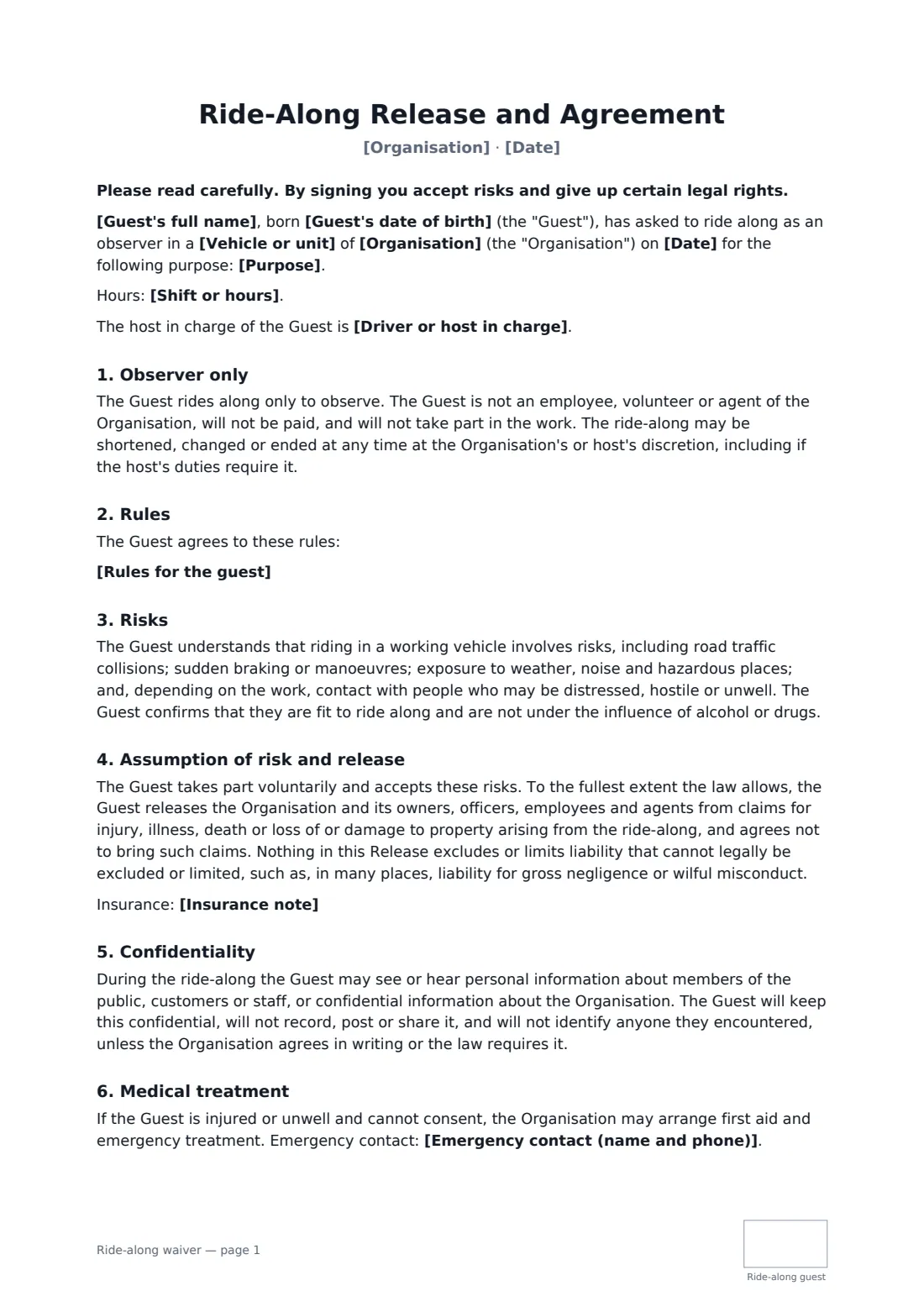
This agreement records the guest, the vehicle, the purpose, date, hours and host. It confirms the guest is only an observer and the ride can be cut short at any time, lists your rules (seat belt, instructions, no touching equipment, no recording — editable), describes the risks fairly, includes a release to the extent the law allows, a confidentiality promise, emergency treatment and an emergency contact. The guest initials every page.
- Best for
- Police and fire services, ambulance providers, delivery, towing and field sales teams
- Signed by
- The guest (adult) and the organisation
- Covers
- Observer status, rules, risks, release, confidentiality, emergencies
- Length
- 2 pages, initialled on every page
When to use a ride-along waiver
- A community police ride-along programme
- A driver applicant shadowing a delivery route
- A journalist or student observing a shift
- A new sales hire riding with a field rep
- A recruitment day for fire or ambulance services
What you fill in
12 blanks, then the name and email of each person who signs: ride-along guest, organisation.
1 The ride-along
- Organisation*
- Vehicle or unit*
- Purpose*
- Date*
- Shift or hours
- Driver or host in charge
2 The guest
- Guest's full name*
- Guest's date of birth*
- Emergency contact (name and phone)*
3 Rules
- Rules for the guest*
- Insurance note
- Governing law*
4 Who signs
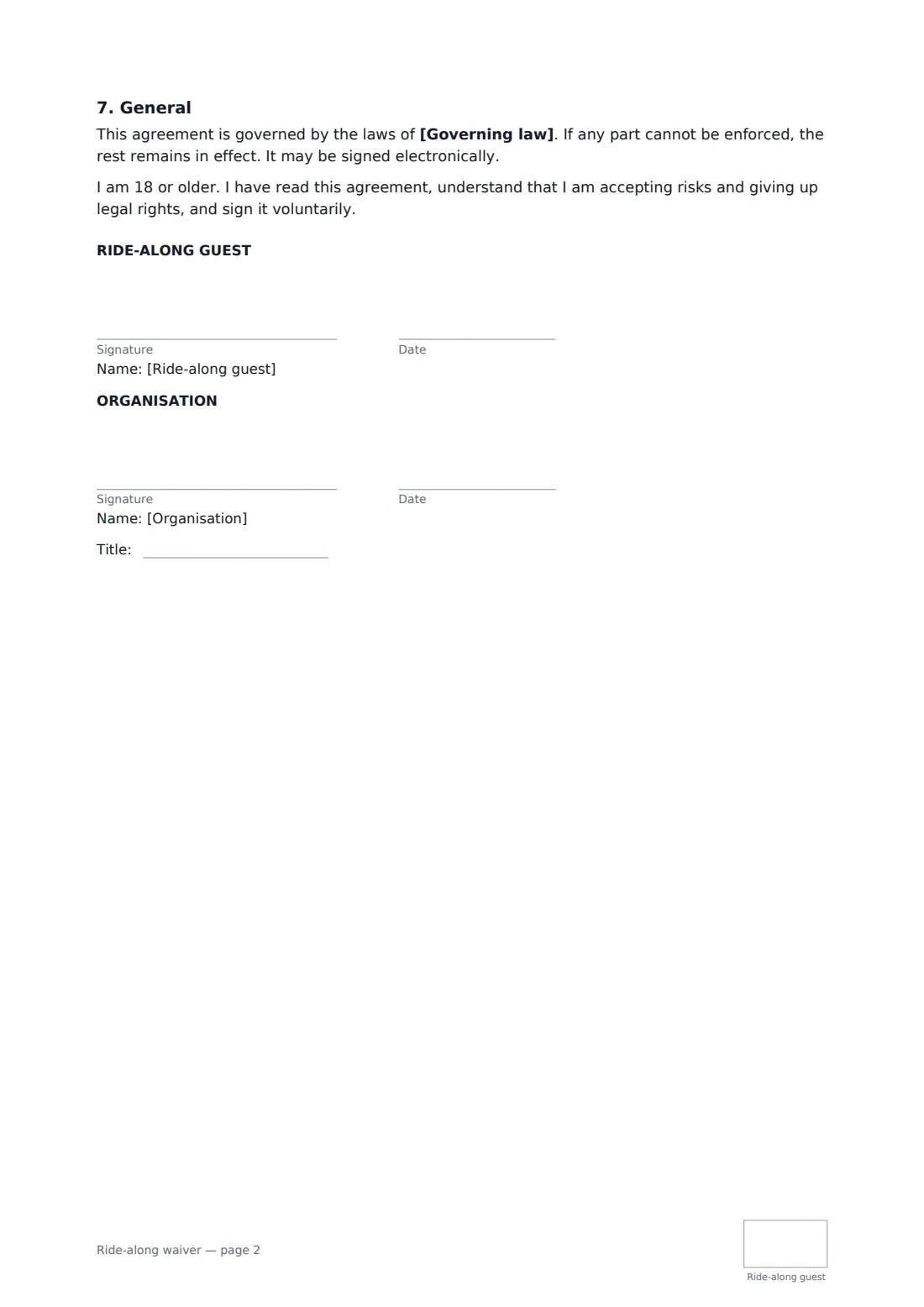
- Ride-along guest signature and date, initials on every page · The adult observer riding along.
- Organisation signature and date, job title, initials on every page
What the ride-along waiver covers
- Observer only
- Rules
- Risks
- Assumption of risk and release
- Confidentiality
- Medical treatment
- General
Using the ride-along waiver, step by step
1 Describe the ride-along
Your organisation's name fills in from your account. Enter the vehicle or unit, the purpose, date, hours and the host in charge.
2 Add the guest
Enter the guest's name, date of birth and an emergency contact. The guest confirms they're 18 or older.
3 Set the rules
Edit the default rules to match your service. Add an insurance note if you've confirmed passengers are covered, and the governing law.
4 Send before the shift
The guest signs and initials each page online, you countersign, and the signed agreement is filed in your FileIt vault.
Tips before you send it
- Check with your insurer that non-employee passengers are covered before running ride-alongs.
- Brief the guest in person on the rules at the start of the shift as well.
- Many public services have their own ride-along policy and background checks — follow those alongside this form.
- For minors, use your own parental consent process; this form is for adults.
Sign it online in minutes
- Fill in the blanks. Names, dates and amounts go straight into the agreement — the preview shows exactly where.
- Name who signs. Tick “This is me” for your own part. FileIt builds the PDF with every signature, date and initials box on the right line, and you can check or move anything before sending.
- Send it. Each signer gets a secure link and signs from any device — no account needed. The signed PDF, with an audit trail and a Certificate of Completion, is filed in your vault and emailed to everyone.
Ride-along waiver: frequently asked questions
Does the guest give up all claims?
The guest releases claims to the extent the law allows. The agreement says it doesn't exclude liability that can't legally be excluded, such as in many places gross negligence or wilful misconduct.
Why is there a confidentiality clause?
Guests often see personal information — addresses, incidents, customers. The guest agrees not to record, post or share it, or identify anyone they encountered.
Can the ride-along be cut short?
Yes. The organisation or host may shorten, change or end it at any time, for example when the job requires it.
Can I change the rules?
Yes. The rules are a fill-in field with sensible defaults you can edit.
Can the guest sign electronically?
Yes. Guests don't need a FileIt account. The signed PDF carries an audit trail and a Certificate of Completion.