What is a drone flight permission?
Drone pilots filming weddings, inspecting roofs, surveying land or shooting property videos often need to take off from, land on or fly over private property. Even where the aviation rules allow the flight, the landowner's permission to use their land is a separate question — and some operators are asked to show it. A short written permission avoids misunderstandings on the day.
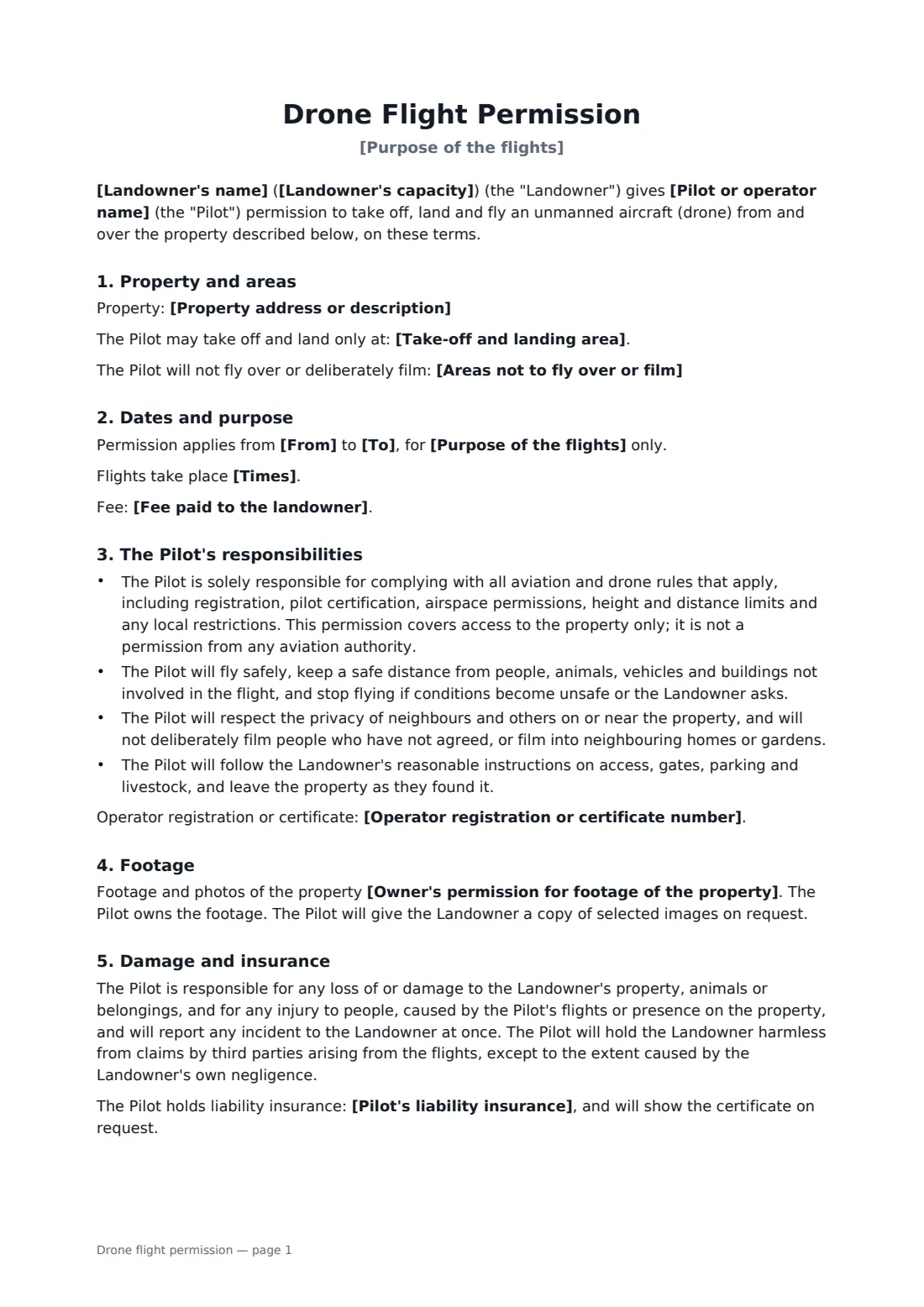
This form names the landowner and the capacity they sign in, describes the property, the take-off and landing area and any no-go areas, and sets the dates, times, purpose and any fee. It makes the pilot responsible for aviation rules, safe flying, neighbours' privacy and following the landowner's instructions. The landowner chooses how footage of the property may be used. It covers damage, a hold-harmless for third-party claims, insurance details and the landowner's right to withdraw at any time.
- Best for
- Drone photographers, videographers, roof inspectors, surveyors
- Signed by
- The landowner and the pilot
- Covers
- Take-off area, no-go areas, dates, footage use, privacy, damage, insurance
- Length
- 2 pages
When to use a drone flight permission
- Aerial wedding photos from a venue's grounds
- A roof or solar panel inspection
- Filming a farm or estate for a property listing
- A land survey or construction progress shots
- A hobbyist flying from a friend's field
What you fill in
15 blanks, then the name and email of each person who signs: landowner, drone pilot or operator.
1 The property
- Landowner's name*
- Landowner's capacity* Owner · Authorised manager or agent · Tenant or occupier with authority to grant access
- Property address or description*
- Take-off and landing area*
- Areas not to fly over or film
2 The pilot
- Pilot or operator name*
- Operator registration or certificate number
- Pilot's phone on the day*
3 The flights
- Purpose of the flights*
- From*
- To
- Times
- Fee paid to the landowner
- Owner's permission for footage of the property* May be used for the purpose above, including publication · May be used for the purpose above, but not published · May be published only if the property cannot be identified
4 Insurance
- Pilot's liability insurance
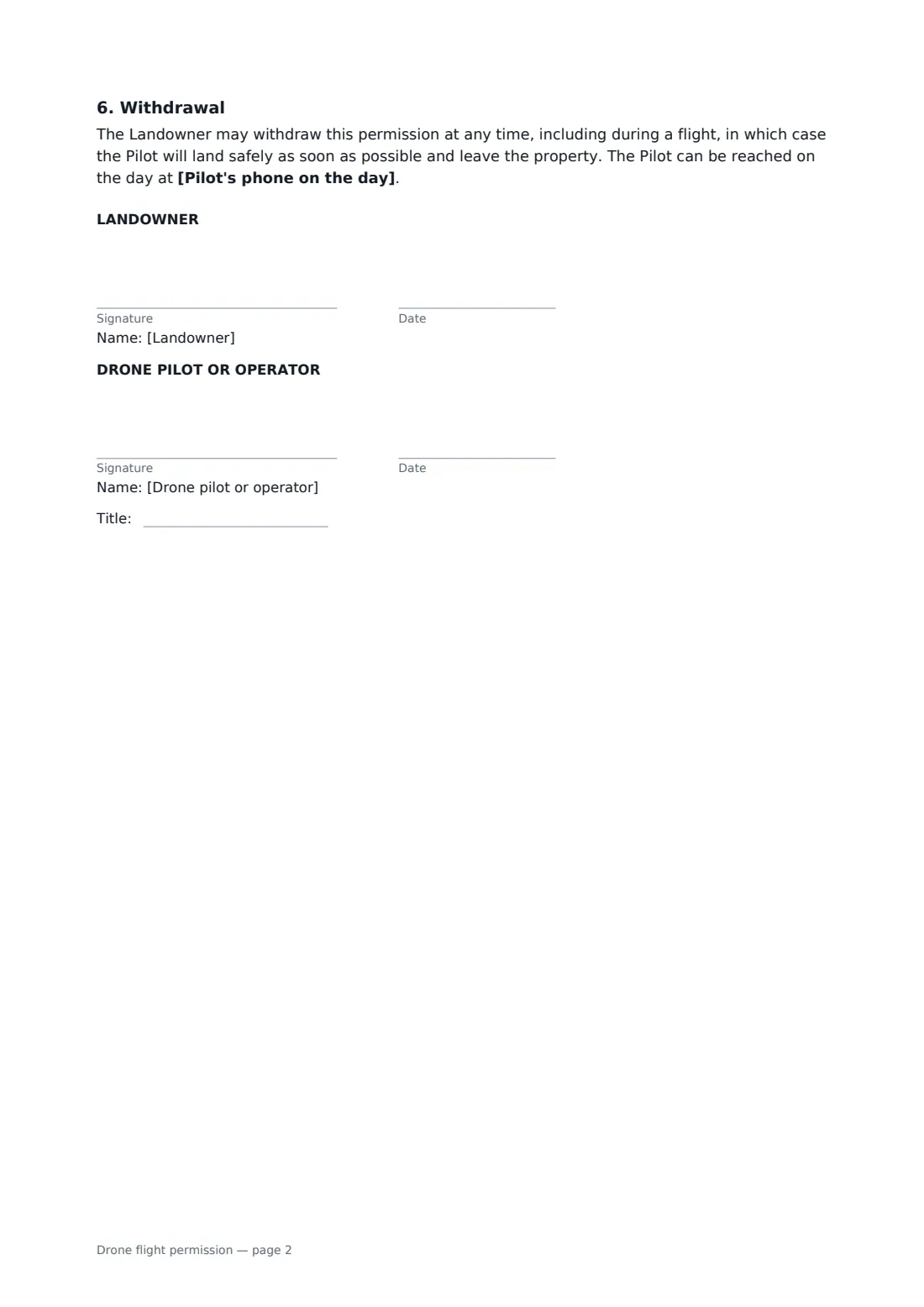
5 Who signs
- Landowner signature and date · The owner of the property, or someone with authority to grant access (for example a manager or tenant, if their lease allows it).
- Drone pilot or operator signature and date, job title
What the drone flight permission covers
- Property and areas
- Dates and purpose
- The Pilot's responsibilities
- Footage
- Damage and insurance
- Withdrawal
Using the drone flight permission, step by step
1 Describe the property
Enter the landowner's name and capacity, the property, the take-off and landing area, and any areas they don't want flown over or filmed.
2 Add your details
Your name fills in from your account. Add any registration or certificate number and the phone you'll carry on the day.
3 Set dates, purpose and footage use
Enter the purpose, dates, times and any fee, and the landowner's choice on how footage of the property may be used. Add your insurance details.
4 Send to the landowner
The landowner signs on their phone, you countersign, and the permission is filed in your FileIt vault — handy to show if anyone asks on the day.
Tips before you send it
- Landowner permission doesn't replace aviation authority rules or airspace permissions — check those separately.
- Make sure the person signing actually has authority to grant access, especially for tenants and managed properties.
- Walk the take-off area with the landowner before the first flight.
- Tell neighbours who may be affected, especially where you'll fly near their boundaries.
Sign it online in minutes
- Fill in the blanks. Names, dates and amounts go straight into the agreement — the preview shows exactly where.
- Name who signs. Tick “This is me” for your own part. FileIt builds the PDF with every signature, date box on the right line, and you can check or move anything before sending.
- Send it. Each signer gets a secure link and signs from any device — no account needed. The signed PDF, with an audit trail and a Certificate of Completion, is filed in your vault and emailed to everyone.
Drone flight permission: frequently asked questions
Do I need a landowner's permission to fly a drone?
It depends on where you are and what you're doing. Taking off from or landing on private land generally needs the owner's permission; rules on flying over property vary. This form records the landowner's permission — check the aviation rules too.
Does this permission cover aviation rules?
No. The form says expressly that it covers access to the property only, and that the pilot is responsible for registration, certification and airspace rules.
Who owns the footage?
The pilot. The landowner chooses whether footage of the property may be published, used but not published, or published only if the property can't be identified.
Can the landowner change their mind?
Yes. They can withdraw permission at any time, and the pilot must land safely and leave.
Can we sign electronically?
Yes. Landowners don't need a FileIt account. The signed PDF includes an audit trail and a Certificate of Completion.