What is Aanmelding werkgever (register as an employer for payroll taxes)?
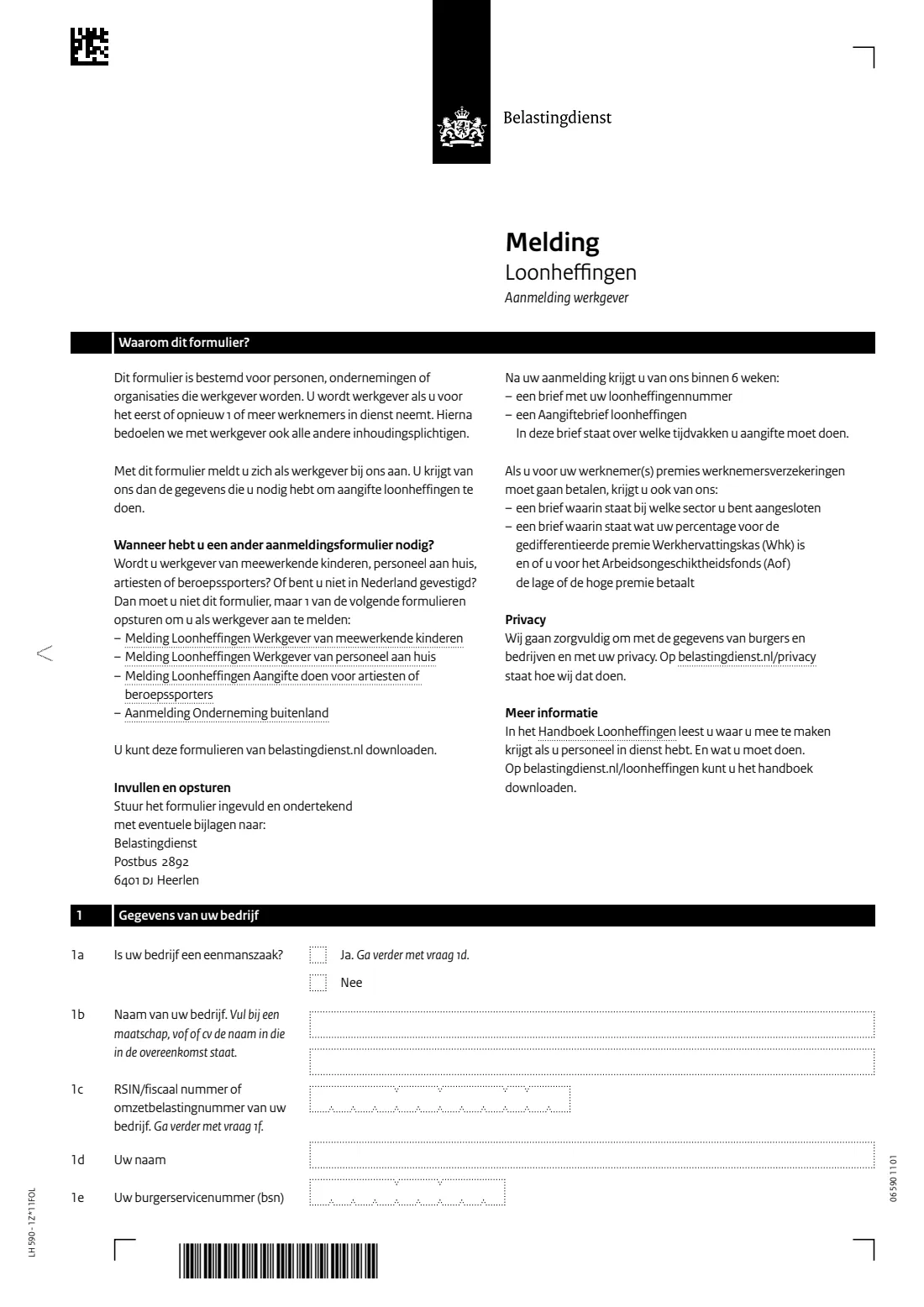
The Melding Loonheffingen Aanmelding werkgever (form LH 590) is how a person, business or organisation registers with the Dutch Tax and Customs Administration (Belastingdienst) as an employer for payroll taxes (loonheffingen). You become an employer when you take on 1 or more employees for the first time, or again. The Belastingdienst's page asks you to register once you know when your first employee will start.
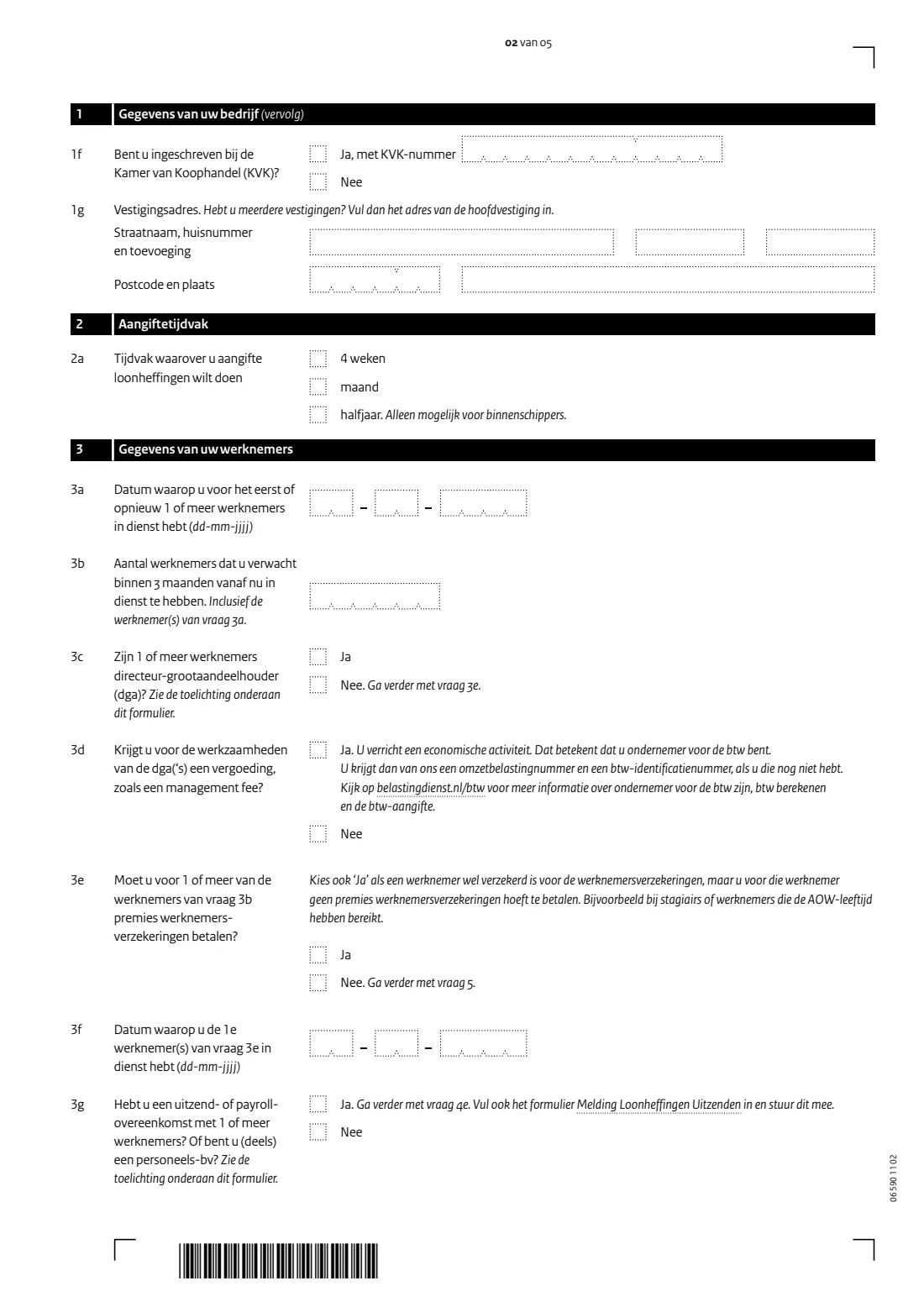
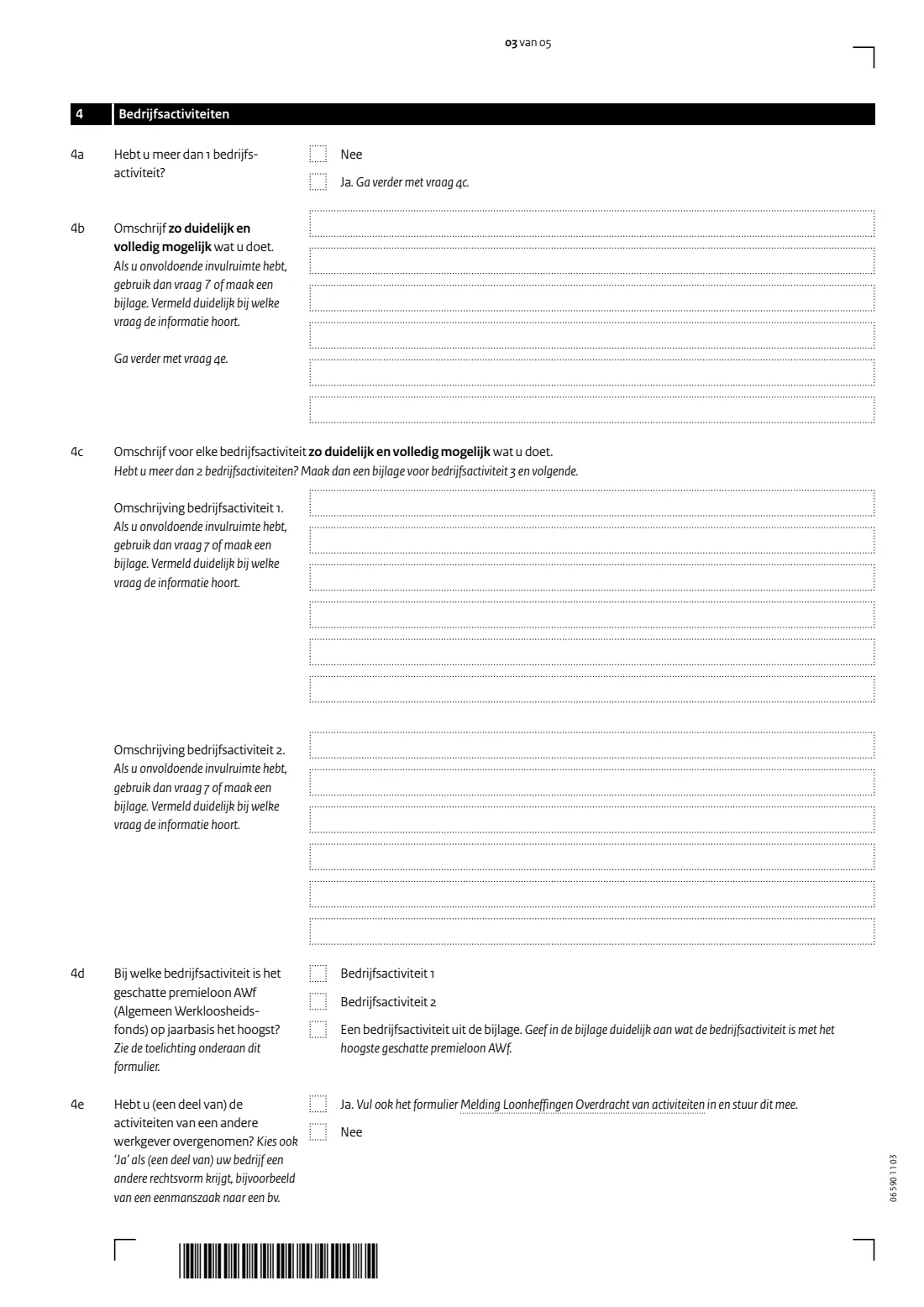
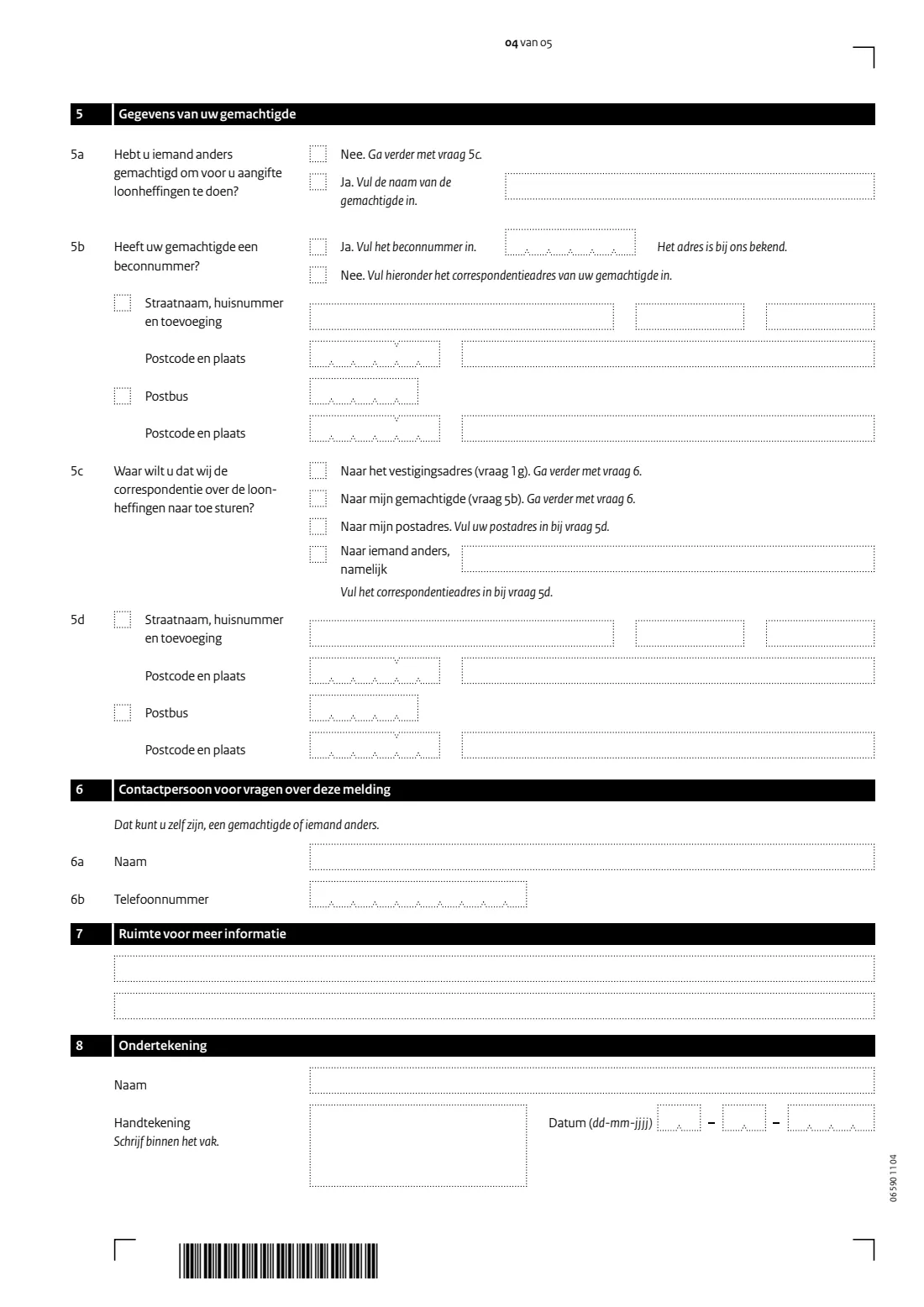
The form asks for your business details (or, for a sole proprietorship, your own name and BSN), your Chamber of Commerce (KVK) number and establishment address, the period you want to file payroll tax returns for, when your employees start and whether you pay employee insurance contributions, what your business does, whether a representative files for you, where letters should go, and a contact person. The form itself says you get your payroll tax number (loonheffingennummer) and a letter about your return periods within 6 weeks; the Belastingdienst's page says this usually takes about 1 week.
FileIt explains each question in English next to the Dutch wording, follows the form's own 'go to question' routing so you only see what applies to you, checks your BSN with the eleven test, and prints everything into the Belastingdienst's own PDF, including the parts the PDF normally hides until you tick a box. You sign it and post it yourself — FileIt never sends anything.
- Who fills it
- A person, business or organisation established in the Netherlands that takes on employees
- Sent to
- Belastingdienst, Postbus 2892, 6401 DJ Heerlen
- When
- Once you know when your first employee starts
- Signatures
- You sign within the box in question 8
- Edition
- LH 590 - 1Z*11FOL
Who needs to fill out Aanmelding werkgever (register as an employer for payroll taxes)?
- Sole proprietors (eenmanszaak) hiring their first employee.
- BVs, partnerships (maatschap, vof, cv), foundations and associations that start employing staff, including a director-major shareholder (dga) on the payroll.
- Businesses that employ staff again after a period without employees.
- Not for: employing your own children in the business, household staff (personeel aan huis), artists or professional athletes, or businesses not established in the Netherlands. Those have their own registration forms.
When to use Aanmelding werkgever (register as an employer for payroll taxes)
- When you know when your first employee will start working for you.
- When you take on employees again after having none.
- If you took over (part of) another employer's activities, also send the form Melding Loonheffingen Overdracht van activiteiten; if you have temporary-agency or payroll agreements, also send Melding Loonheffingen Uitzenden.
What you need before you start
- Your business name and RSIN or VAT number, or for a sole proprietorship your name and BSN.
- Your KVK number, if you are registered with the Chamber of Commerce.
- The address of your (head) establishment.
- The date your first employee starts, and how many employees you expect within 3 months.
- Whether any employee is a director-major shareholder, and whether you pay employee insurance contributions.
- A clear description of your business activities (and, with more than one, which has the highest estimated AWf premium wages).
- Your representative's name and BECON number or address, if someone files the returns for you.
- A contact person's name and 10-digit phone number.
What’s on Aanmelding werkgever (register as an employer for payroll taxes)
The 2026 edition has 5 pages. FileIt asks for it in 8 parts, and it is signed by Employer (werkgever):
- 1a-1e. Your business (Gegevens van uw bedrijf)Employer (werkgever)
- 1f-1g. Chamber of Commerce and addressEmployer (werkgever)
- 2. Tax return period (Aangiftetijdvak)Employer (werkgever)
- 3. Your employees (Gegevens van uw werknemers)Employer (werkgever)
- 4. Business activities (Bedrijfsactiviteiten)Employer (werkgever)
- 5. Your authorised representative and correspondence (Gemachtigde)Employer (werkgever)
- 6-7. Contact person and more informationEmployer (werkgever)
- 8. Signature (Ondertekening)Employer (werkgever)
How to fill out Aanmelding werkgever (register as an employer for payroll taxes), step by step
1 1 Your business
Say whether you are a sole proprietorship. If not, give the business name (for a partnership, the name in the agreement) and the RSIN, fiscal number or VAT number. If you are, give your own name and BSN. Then your KVK number and your establishment address; with several establishments, the head office.
2 2 Return period
Choose 4 weeks or a month for your payroll tax returns. A half year is only possible for inland shipping (binnenschippers).
3 3 Your employees
The date you (again) have employees, how many you expect within 3 months, whether any is a director-major shareholder (and whether you get a fee such as a management fee for their work), and whether you must pay employee insurance contributions. Answer Yes there too for employees who are insured but for whom you pay no contributions, such as interns or employees past state pension age. If you answer No, the form skips to question 5.
4 4 Business activities
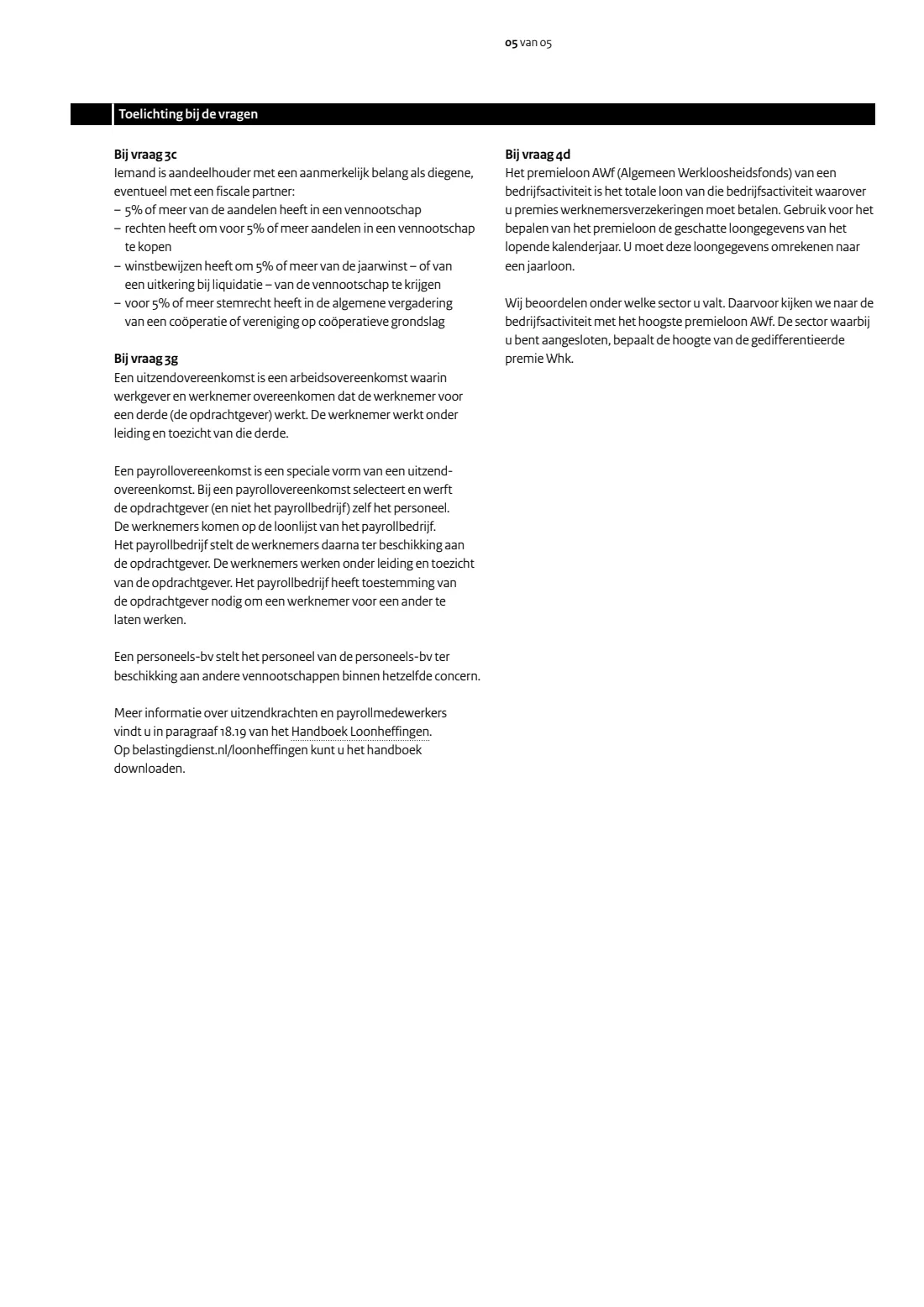
Describe as clearly and completely as possible what you do. With more than one activity, describe the first two and say which has the highest estimated AWf premium wages; the Belastingdienst uses it to decide your sector, which sets your differentiated Whk premium. Also say whether you took over activities from another employer.
5 5 Representative and correspondence
If someone else files your payroll tax returns, give their name and BECON number, or their address if they have none. Then choose where the Belastingdienst sends its payroll tax letters: your establishment, your representative, your postal address, or someone else.
6 6–8 Contact, more information and signature
Name a contact person for questions about this registration, use question 7 for anything that didn't fit, and sign within the box with your name and the date.
Common mistakes to avoid
- Using this form for household staff, children working in the business, artists or athletes, or a business abroad. Each has its own form.
- Giving the RSIN as well as your own BSN for a sole proprietorship. A sole proprietor skips 1b and 1c and gives name and BSN.
- Answering No at 3e for interns or employees past state pension age. The form says to choose Yes if they are insured, even without contributions.
- Describing business activities vaguely. The form asks for a clear and complete description because it decides your sector.
- Forgetting the extra forms when you took over activities (Overdracht van activiteiten) or use agency or payroll agreements (Uitzenden).
- Signing outside the signature box.
After you fill it out
Sign the form and post it with any attachments to Belastingdienst, Postbus 2892, 6401 DJ Heerlen. FileIt doesn't send it.
You then receive a letter with your payroll tax number and an Aangiftebrief loonheffingen saying which periods to file returns for. If you pay employee insurance contributions, letters about your sector and your Whk and Aof premiums follow.
Ask each new employee for their details for payroll tax, for example with the Model Opgaaf gegevens voor de loonheffingen. FileIt keeps the filled PDF in your vault.
Fill out Aanmelding werkgever (register as an employer for payroll taxes) online with FileIt
- Pick the person. Choose someone from People and FileIt fills in their name, date of birth, address and other details it already knows.
- Answer plain-language questions. One part of the form at a time, with the official help text beside each question — 77 fields in all. Your answers save as you go.
- Check the live preview. Watch your answers land on the real Belastingdienst (Dutch Tax and Customs Administration) form, and let FileIt do any worksheet arithmetic.
- Generate the official PDF. FileIt prints your answers into the agency’s own PDF and files it in that person’s folder in your vault. Sign it, or send it for e-signature.
FileIt fills the form — it never files or submits anything for you. Deliver the finished form to whoever asked for it, the way the form’s instructions say.
Start Aanmelding werkgever (register as an employer for payroll taxes) now — it’s freeAanmelding werkgever (register as an employer for payroll taxes): frequently asked questions
When do I register as an employer?
The Belastingdienst asks you to register once you know when your first employee will start working for you.
How long until I get my payroll tax number?
The form says within 6 weeks. The Belastingdienst's page says you usually get your payroll tax number and return letter within 1 week, unless it needs more information.
I employ a nanny at home. Is this the right form?
No. The form says employers of household staff (personeel aan huis) use Melding Loonheffingen Werkgever van personeel aan huis instead.
My business is based abroad. Can I use this form?
No. The form points businesses not established in the Netherlands to Aanmelding Onderneming buitenland.
What is a director-major shareholder (dga)?
According to the form's notes, someone who, possibly with a tax partner, holds 5% or more of the shares or voting rights, or rights to 5% or more of the shares or profits, of a company.
Is the form in English?
No, it's in Dutch. FileIt explains each question in English and prints your answers on the official Dutch PDF, free on every FileIt account.
Official sources
- Blank form (PDF), published by Belastingdienst (Dutch Tax and Customs Administration): https://download.belastingdienst.nl/belastingdienst/docs/melding_loonheffingen_aanmelding_werkgever_lh5901z11fol.pdf
- Official instructions and guidance: https://www.belastingdienst.nl/wps/wcm/connect/nl/personeel-en-loon/content/aanmelden-als-werkgever
- Edition shown on this page: LH 590 - 1Z*11FOL (checked 2026-09-28).
FileIt is not affiliated with or endorsed by Belastingdienst (Dutch Tax and Customs Administration) or any government. This page explains the form in general terms and is not legal, tax or immigration advice. Always read the official instructions, and check that you are using the edition the recipient accepts. Page last reviewed 2026-09-28.