What is Form TP-1016-V?
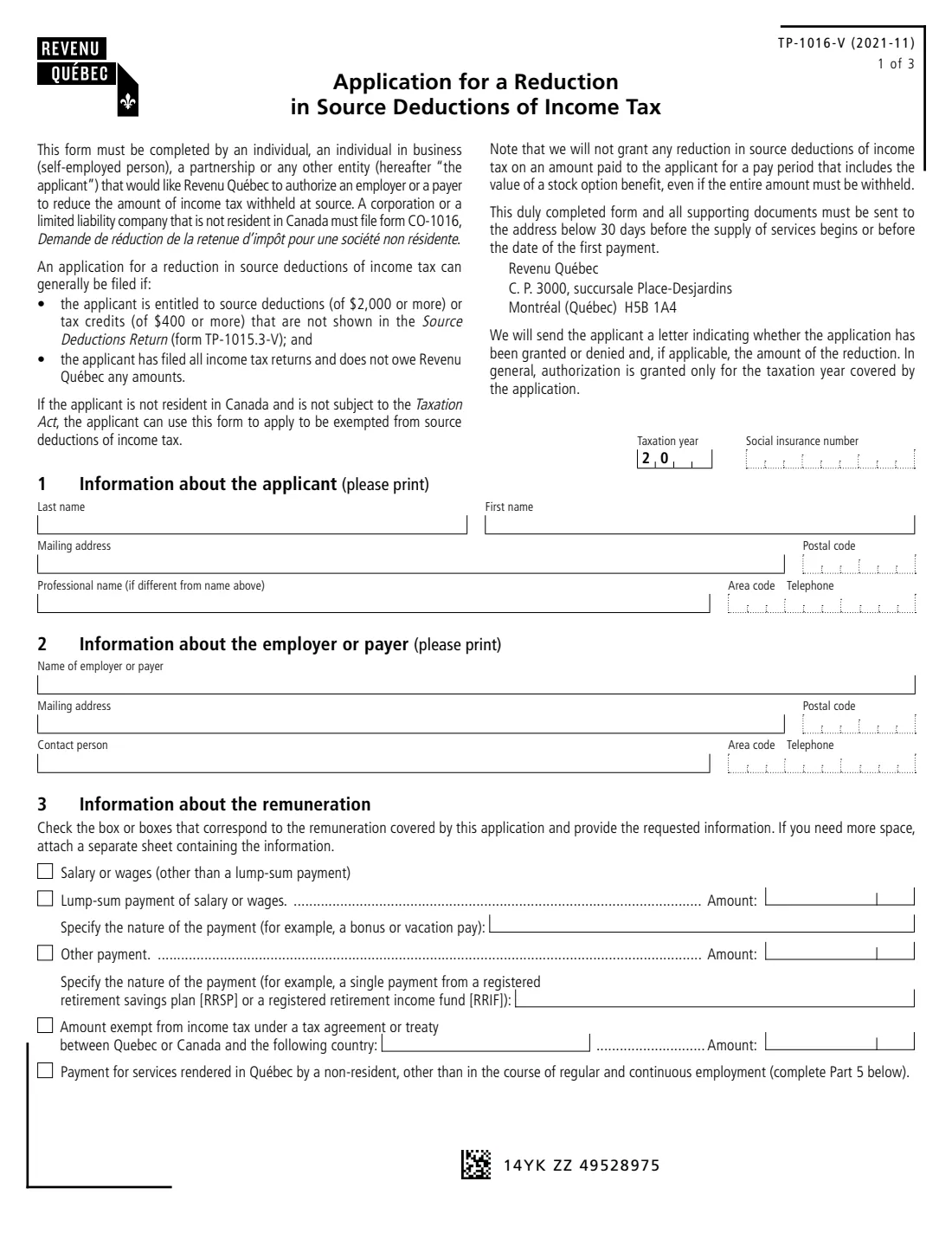
Form TP-1016-V is how you ask Revenu Québec to authorize your employer or payer to withhold less Québec income tax at source. It is the Québec counterpart of the federal Form T1213. You use it when you are entitled to deductions (of $2,000 or more) or tax credits (of $400 or more) that aren't shown on your Source Deductions Return, form TP-1015.3-V, such as RRSP contributions you pay yourself, employment expenses, or donations.
The form can be completed by an individual, a self-employed person, a partnership or another entity. Non-residents of Canada who provide services in Québec also use it, and if they are not subject to the Taxation Act they can apply to be exempted from source deductions altogether. A corporation or LLC not resident in Canada uses form CO-1016 instead. Revenu Québec says it generally grants a reduction only if the applicant has filed all income tax returns and owes it nothing, and it sends a letter saying whether the application was granted and for how much, usually for the taxation year covered.
FileIt asks each part in plain language and prints your answers onto Revenu Québec's own PDF (edition TP-1016-V (2021-11)), working out the Part 4 totals (lines 5, 10 and 15). The PDF is saved in the person's vault folder and can be signed with FileIt's optional e-signature. You send it to Revenu Québec yourself with your supporting documents, because FileIt never submits anything. Filling forms is free on every plan.
- Who fills it
- Individuals, self-employed people, partnerships and other entities paid in Québec
- Sent to
- Revenu Québec, C. P. 3000, succursale Place-Desjardins, Montréal (Québec) H5B 1A4
- When
- 30 days before the services begin or before the date of the first payment
- Thresholds
- Generally deductions of $2,000 or more, or tax credits of $400 or more
- Signatures
- The applicant or an authorized representative signs Part 6
- Edition
- TP-1016-V (2021-11)
Who needs to fill out Form TP-1016-V?
- Québec employees who make large RRSP contributions themselves (not through payroll) and want less tax withheld during the year.
- Employees with employment expenses supported by forms TP-64.3-V and TP-59-V.
- People with other deductions or credits, such as the labour-sponsored fund credit, the donations credit or the foreign tax credit, that TP-1015.3-V doesn't cover.
- Anyone receiving a lump-sum payment of salary, an RRSP or RRIF payment, or an amount exempt under a tax treaty, who wants less tax withheld on it.
- Non-residents of Canada providing services in Québec outside regular and continuous employment.
When to use Form TP-1016-V
- When the deductions or credits you expect this year aren't reflected in your TP-1015.3-V and would otherwise mean a large refund after you file.
- Before a bonus, vacation pay or other lump sum is paid, if you have deductions that offset it.
- Before withdrawing a single payment from an RRSP or RRIF that you expect to be offset.
- At least 30 days before a non-resident's services in Québec begin or the first payment is made, as the form requires.
What you need before you start
- The taxation year the application covers, and the applicant's social insurance number (for an individual who has one).
- The applicant's name, mailing address, postal code, telephone and professional name if different.
- The employer's or payer's name, address, contact person and telephone.
- The kinds and amounts of remuneration covered, and the nature of any lump-sum or other payment.
- Your deduction and credit amounts, with supporting documents: a copy of the RRSP payment contract, and forms TP-64.3-V and TP-59-V for employment expenses.
- An estimate of your income that has no tax withheld at source (interest, dividends, business or rental income).
- For non-residents: the service contract in Québec, proof of the country of residence (such as a passport copy), and the dates, places and amounts of current, past and future services in Québec.
What’s on Form TP-1016-V
The 2021 edition has 3 pages. FileIt asks for it in 6 parts, and it is signed by Applicant:
- 1. Information about the applicantApplicant
- 2. Information about the employer or payerApplicant
- 3. Information about the remunerationApplicant
- 4. Deductions and tax creditsApplicant
- 5. Services rendered in Québec by a non-residentApplicant
- 6. CertificationApplicant
How to fill out Form TP-1016-V, step by step
1 Taxation year and Part 1 – Applicant
Give the taxation year, the social insurance number, the applicant's name, mailing address and postal code, a professional name if the applicant works under a different one, and a telephone number.
2 Part 2 – Employer or payer
Name the employer or payer whose withholding you want reduced, with its mailing address, postal code, a contact person and their telephone number.
3 Part 3 – Remuneration
Tick each kind of remuneration covered: salary or wages; a lump-sum payment of salary or wages (with the amount and its nature, such as a bonus or vacation pay); another payment such as a single RRSP or RRIF payment; an amount exempt under a tax agreement or treaty (with the country and amount); or payment for services rendered in Québec by a non-resident. Attach a separate sheet if you need more space.
4 Part 4.1 – Deductions
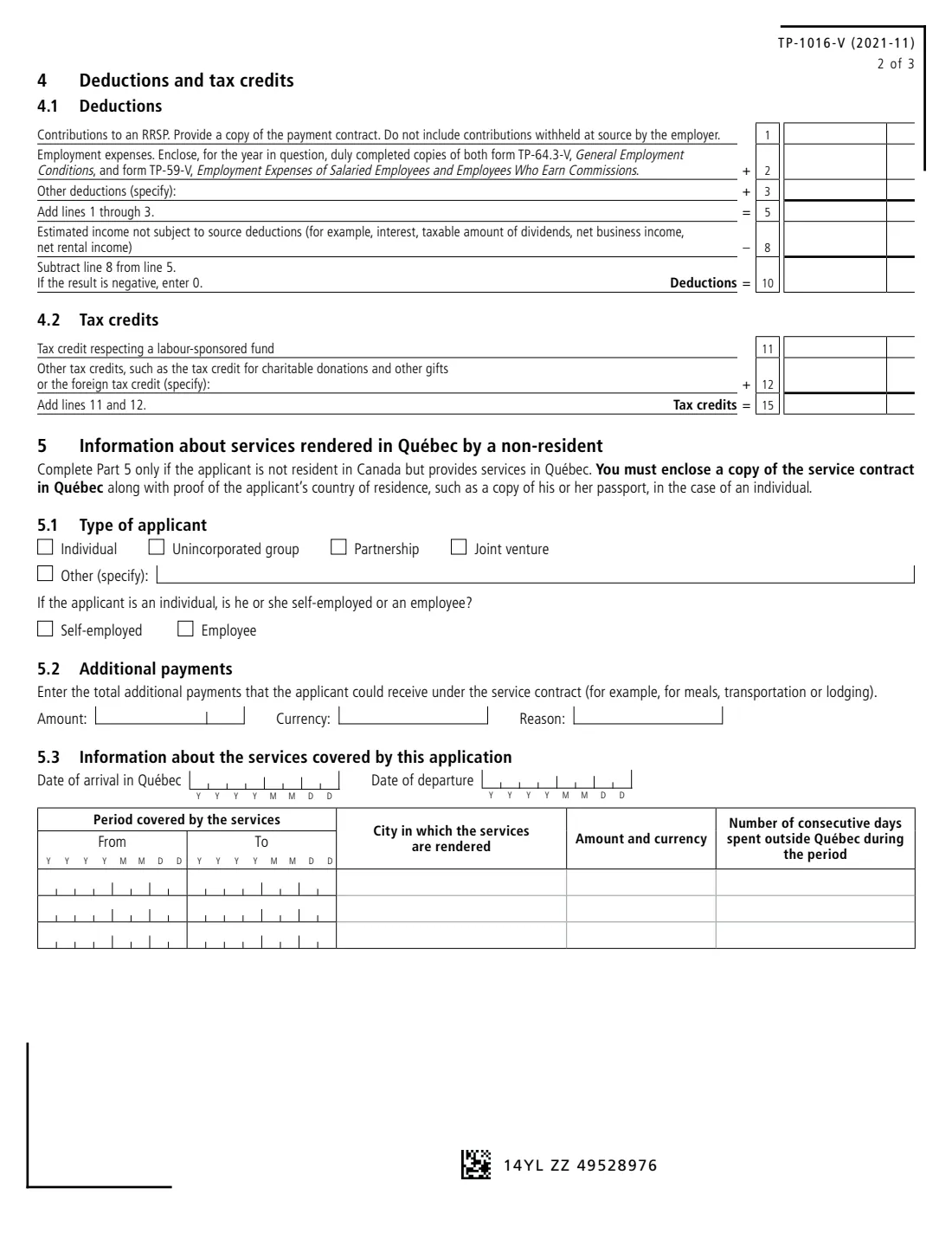
Enter RRSP contributions (line 1, not those your employer withholds), employment expenses (line 2) and other deductions (line 3, specify them). Line 5 adds them up. Subtract, on line 8, your estimated income that isn't subject to source deductions, such as interest, the taxable amount of dividends, net business or rental income. Line 10 is the result, or 0 if negative. FileIt calculates lines 5 and 10.
5 Part 4.2 – Tax credits
Enter the labour-sponsored fund tax credit (line 11) and other tax credits such as the donations credit or the foreign tax credit (line 12, specify them). FileIt adds them on line 15.
6 Part 5 – Non-residents providing services in Québec
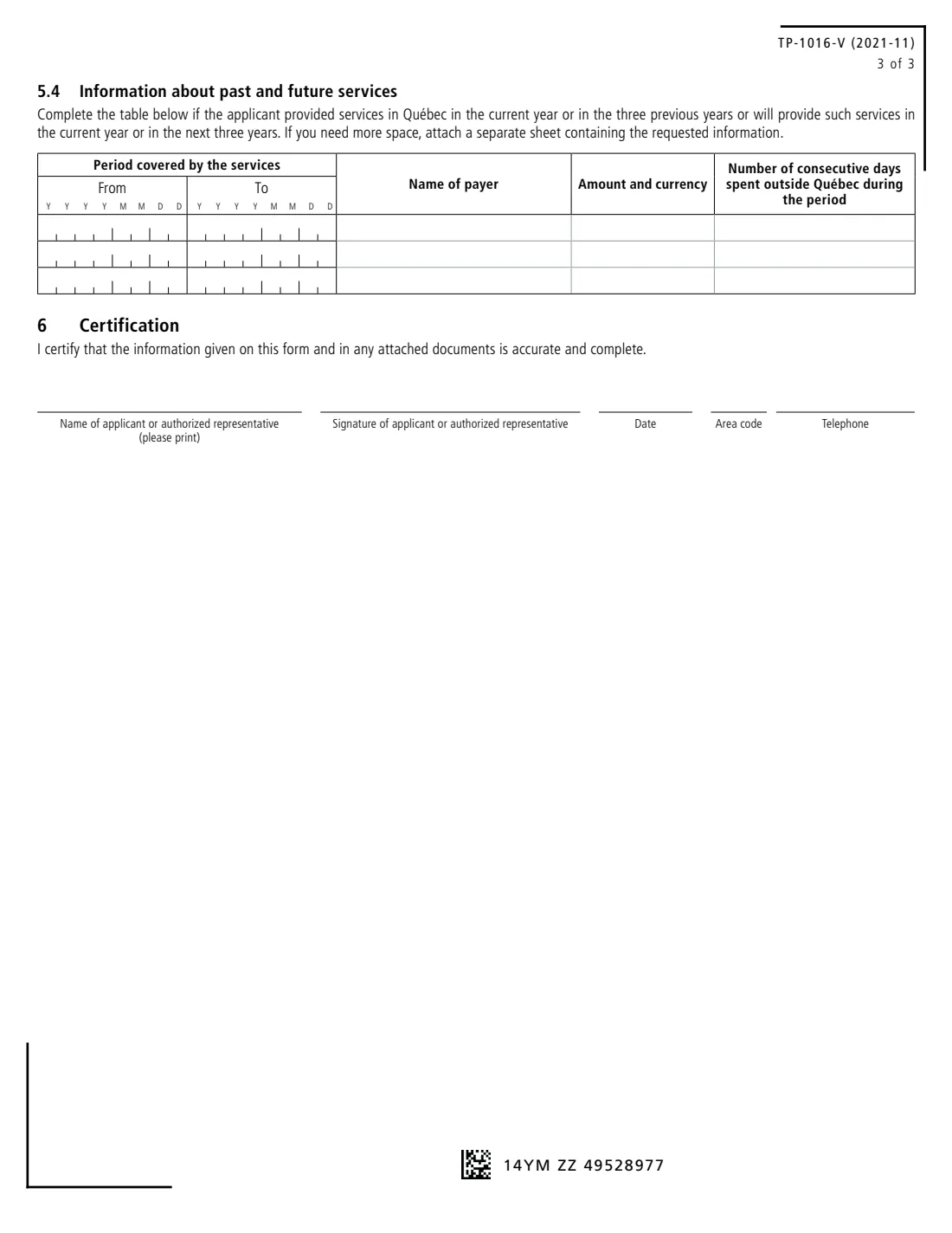
Only if the applicant isn't resident in Canada but provides services in Québec. Give the type of applicant (and, for an individual, whether self-employed or an employee), any additional payments under the contract such as meals, transportation or lodging, the dates of arrival and departure, and for each period of services the city, the amount and currency, and the number of consecutive days spent outside Québec. Part 5.4 lists services in Québec in the current year and the three years before or after.
7 Part 6 – Certification
The applicant or an authorized representative prints their name, signs, dates and gives a telephone number, certifying that the form and any attached documents are accurate and complete.
Common mistakes to avoid
- Including RRSP contributions your employer already withholds at source, which the form excludes.
- Claiming employment expenses without enclosing forms TP-64.3-V and TP-59-V.
- Forgetting to subtract income that has no tax withheld (line 8), which reduces the deduction you can use.
- Filing too late: the form asks for it 30 days before the services begin or the first payment.
- Applying while you still have unfiled returns or owe Revenu Québec money, which generally rules out a reduction.
- Giving the form to your employer: it goes to Revenu Québec, which sends the applicant a letter with its decision.
After you fill it out
Review the PDF, then sign Part 6, with FileIt's e-signature or a pen. Revenu Québec's page for this form says it can be signed electronically. Send it with all supporting documents to Revenu Québec, C. P. 3000, succursale Place-Desjardins, Montréal (Québec) H5B 1A4. FileIt does not submit it for you.
Revenu Québec sends the applicant a letter saying whether the application is granted or denied and, if granted, the amount of the reduction. Authorization is generally granted only for the taxation year covered, so apply again for a new year. A copy of the filled form stays in the person's FileIt vault folder.
Fill out Form TP-1016-V online with FileIt
- Pick the person. Choose someone from People and FileIt fills in their name, date of birth, address and other details it already knows.
- Answer plain-language questions. One part of the form at a time, with the official help text beside each question — 78 fields in all. Your answers save as you go.
- Check the live preview. Watch your answers land on the real Revenu Québec form, and let FileIt do any worksheet arithmetic.
- Generate the official PDF. FileIt prints your answers into the agency’s own PDF and files it in that person’s folder in your vault. Sign it, or send it for e-signature.
FileIt fills the form — it never files or submits anything for you. Deliver the finished form to whoever asked for it, the way the form’s instructions say.
Start Form TP-1016-V now — it’s freeForm TP-1016-V: frequently asked questions
What is the difference between TP-1016-V and T1213?
They do the same job for different taxes. Form T1213 asks the CRA to reduce federal tax withheld at source. TP-1016-V asks Revenu Québec to reduce Québec income tax withheld. Québec employees with deductions such as RRSP contributions may need both.
What is the difference between TP-1016-V and TP-1015.3-V?
TP-1015.3-V is the Source Deductions Return you give your employer, listing standard Québec credits. TP-1016-V goes to Revenu Québec for deductions and credits TP-1015.3-V doesn't show, such as RRSP contributions or employment expenses.
Is there a minimum amount?
The form says an application can generally be filed if you are entitled to deductions of $2,000 or more or tax credits of $400 or more that aren't shown on TP-1015.3-V.
Can stock option benefits be covered?
No. The form says Revenu Québec will not grant a reduction on an amount paid for a pay period that includes the value of a stock option benefit.
Can a foreign company use this form?
A corporation or limited liability company that is not resident in Canada must file form CO-1016 instead. Individuals, partnerships and other entities not resident in Canada use TP-1016-V, completing Part 5.
Can I fill out TP-1016-V online with FileIt?
Yes. FileIt guides you through each part, works out the Part 4 totals and prints your answers onto Revenu Québec's official PDF, saved in your vault. It is free on every plan. You mail or deliver it to Revenu Québec yourself.
Official sources
- Blank form (PDF), published by Revenu Québec: https://www.revenuquebec.ca/documents/en/formulaires/tp/TP-1016-V%282021-11%29.pdf
- Official instructions and guidance: https://www.revenuquebec.ca/en/online-services/forms-and-publications/current-details/tp-1016-v/
- Edition shown on this page: TP-1016-V (2021-11) (checked 2026-09-28).
FileIt is not affiliated with or endorsed by Revenu Québec or any government. This page explains the form in general terms and is not legal, tax or immigration advice. Always read the official instructions, and check that you are using the edition the recipient accepts. Page last reviewed 2026-09-28.