What is NR301?
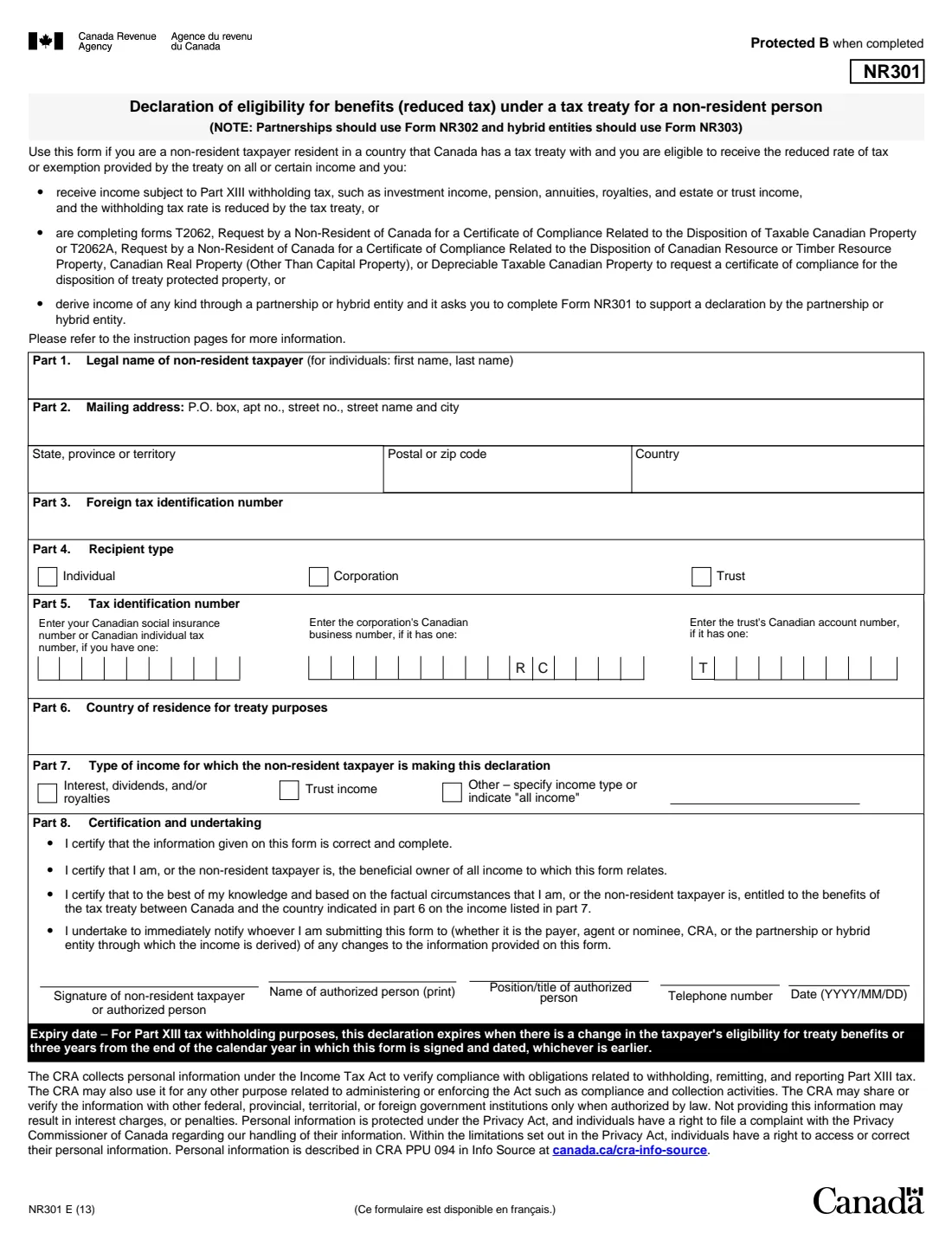
NR301 is the Canada Revenue Agency (CRA) form a non-resident of Canada uses to declare that they live in a country Canada has a tax treaty with and are entitled to the treaty's reduced rate of tax, or an exemption, on income from Canada. The current edition is NR301 E (13). Partnerships use Form NR302 and hybrid entities Form NR303 instead.
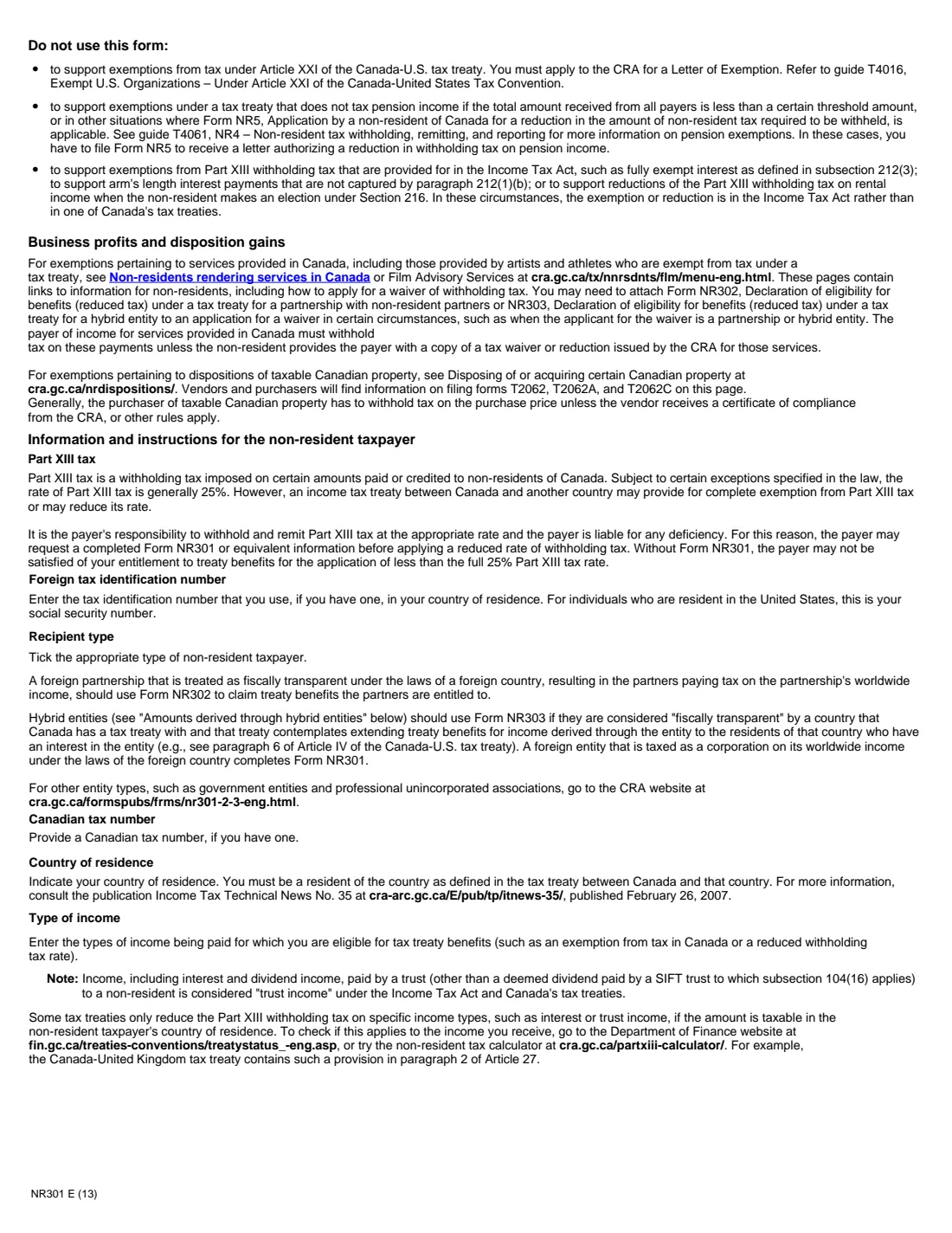
Canadian payers withhold Part XIII tax on amounts such as interest, dividends, royalties, pensions, annuities and estate or trust income paid to non-residents. The form explains that the rate is generally 25% unless a treaty reduces it, and that a payer may ask for a completed NR301 before applying a lower rate. The form is also used with Forms T2062 or T2062A for treaty-protected property, and when a partnership or hybrid entity asks for it.
FileIt fills in NR301 from a guided web form and prints your answers on the CRA's own PDF, including the comb boxes for Canadian tax numbers. The finished PDF is filed in your vault. FileIt never sends anything: you sign the form by hand and give it to whoever asked for it.
- Who fills it
- A non-resident individual, corporation or trust receiving income from Canada
- Given to
- The payer, agent or nominee who asked for it, or the partnership or hybrid entity; the CRA only with Form T2062 or T2062A
- Expires
- When treaty eligibility changes, or three years after the end of the calendar year it is signed, whichever is earlier
- Signatures
- Signed by hand by the taxpayer or an authorized person
- Edition
- NR301 E (13)
Who needs to fill out NR301?
- Non-residents of Canada who receive Canadian investment income, pensions, annuities, royalties, or estate or trust income and want the reduced treaty rate of withholding.
- Non-resident corporations taxed as corporations on their worldwide income in their own country, and non-resident trusts.
- Non-residents asking the CRA for a certificate of compliance for treaty-protected property with Form T2062 or T2062A.
- Partners or members asked by a partnership or hybrid entity to support its own declaration.
When to use NR301
- When a Canadian bank, broker, pension plan, estate or other payer asks for it before applying a treaty rate.
- Again when the declaration expires: three years after the end of the calendar year you signed it, or sooner if your eligibility changes.
- As soon as something changes, such as moving to a different country: the form makes you undertake to notify the payer and fill out a new form.
- Not for the situations the instructions exclude, such as Article XXI exemptions of the Canada-U.S. treaty, pension cases that need Form NR5, or exemptions that come from the Income Tax Act rather than a treaty.
What you need before you start
- Your full legal name and mailing address.
- Your foreign tax identification number, if you have one (for U.S. residents, the social security number).
- Your Canadian social insurance number or individual tax number, the corporation's business number or the trust's account number, if there is one.
- The country you are resident in for treaty purposes.
- The types of income the declaration covers: interest, dividends and/or royalties, trust income, or another type (or all income).
What’s on NR301
The 2013 edition has 4 pages. FileIt asks for it in 3 parts:
- Parts 1 to 3 – The non-resident taxpayerTaxpayer
- Parts 4 to 7 – Recipient, tax numbers, treaty country and incomeTaxpayer
- Part 8 – Certification and undertakingTaxpayer
How to fill out NR301, step by step
1 Parts 1 to 3 – Name, address and foreign tax number
The non-resident taxpayer's legal name (an individual gives first name, then last name), mailing address with state or province, postal or zip code and country, and the tax identification number used in the country of residence.
2 Part 4 – Recipient type
Tick Individual, Corporation or Trust.
3 Part 5 – Canadian tax number
Only if there is one: a social insurance number or individual tax number for an individual, the business number for a corporation, or the trust account number. The instructions note many non-residents don't have one.
4 Parts 6 and 7 – Treaty country and income
The country you are resident in for treaty purposes, and each type of income the declaration is for. Income paid by a trust counts as trust income, even when it is interest or dividends.
5 Part 8 – Certification and undertaking
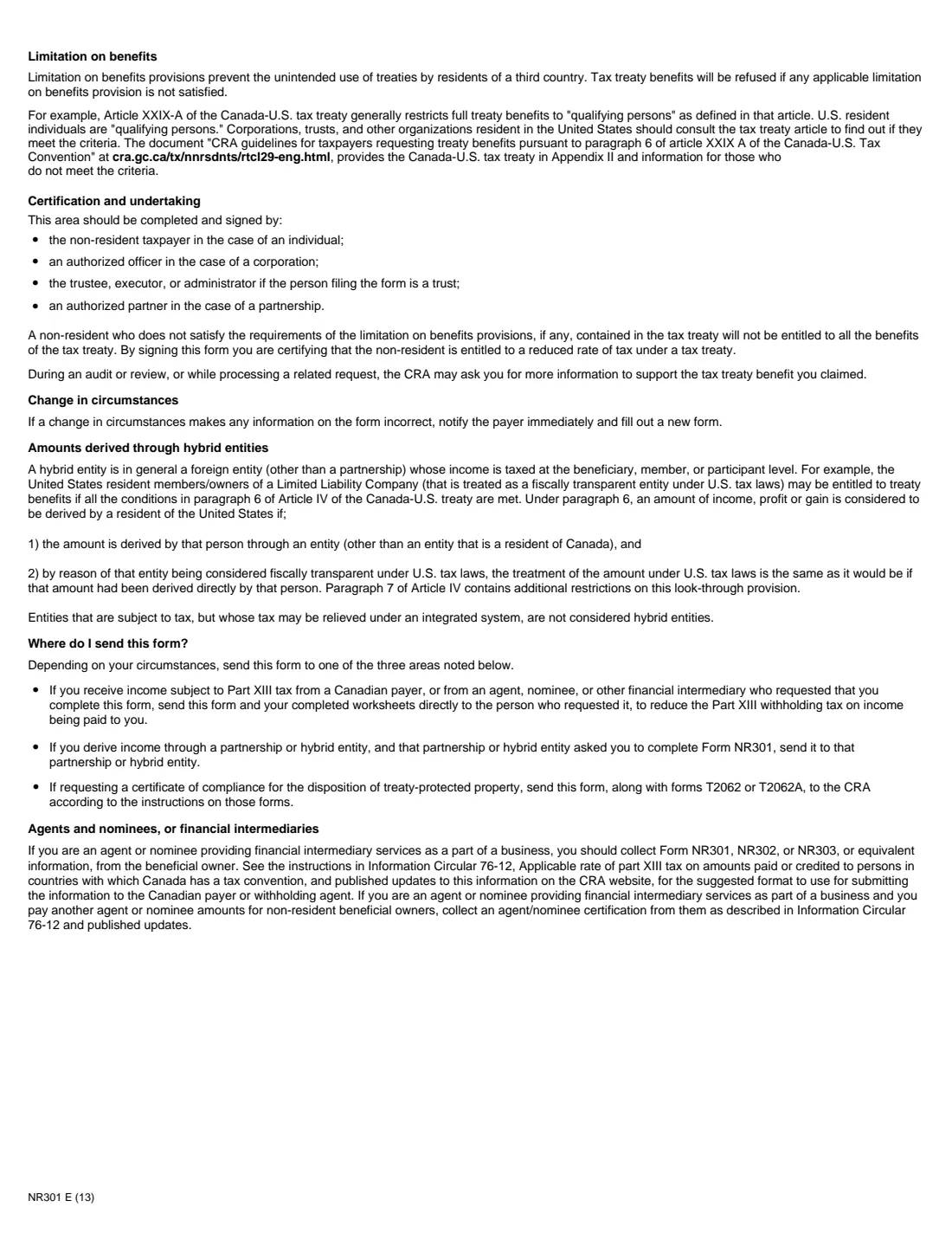
The taxpayer, an authorized officer of a corporation, or the trustee, executor or administrator of a trust signs and dates the form and prints their name, position, and telephone number.
Common mistakes to avoid
- Using NR301 for a partnership (Form NR302) or a hybrid entity (Form NR303).
- Sending the form to the CRA when it should go to the payer who asked for it.
- Naming a treaty country you are not resident in as the treaty defines it.
- Ticking only interest and dividends when the payment is from a trust, which counts as trust income.
- Forgetting to give the payer a new form when your address or country changes, or when the three-year period ends.
After you fill it out
Print the PDF, sign and date Part 8 by hand, and give it to the payer, agent or nominee, partnership or hybrid entity that asked for it. FileIt doesn't send it.
If you are requesting a certificate of compliance, send it to the CRA with Form T2062 or T2062A, following the instructions on those forms.
Note when it expires and tell the payer immediately if any of the information changes.
Fill out NR301 online with FileIt
- Pick the person. Choose someone from People and FileIt fills in their name, date of birth, address and other details it already knows.
- Answer plain-language questions. One part of the form at a time, with the official help text beside each question — 21 fields in all. Your answers save as you go.
- Check the live preview. Watch your answers land on the real Canada Revenue Agency (CRA) form, and let FileIt do any worksheet arithmetic.
- Generate the official PDF. FileIt prints your answers into the agency’s own PDF and files it in that person’s folder in your vault.
FileIt fills the form — it never files or submits anything for you. Deliver the finished form to whoever asked for it, the way the form’s instructions say.
Start NR301 now — it’s freeNR301: frequently asked questions
Who do I send NR301 to?
To the person who asked for it: usually the Canadian payer or the agent or nominee paying you, or the partnership or hybrid entity. It goes to the CRA only with a T2062 or T2062A request.
How long is NR301 valid?
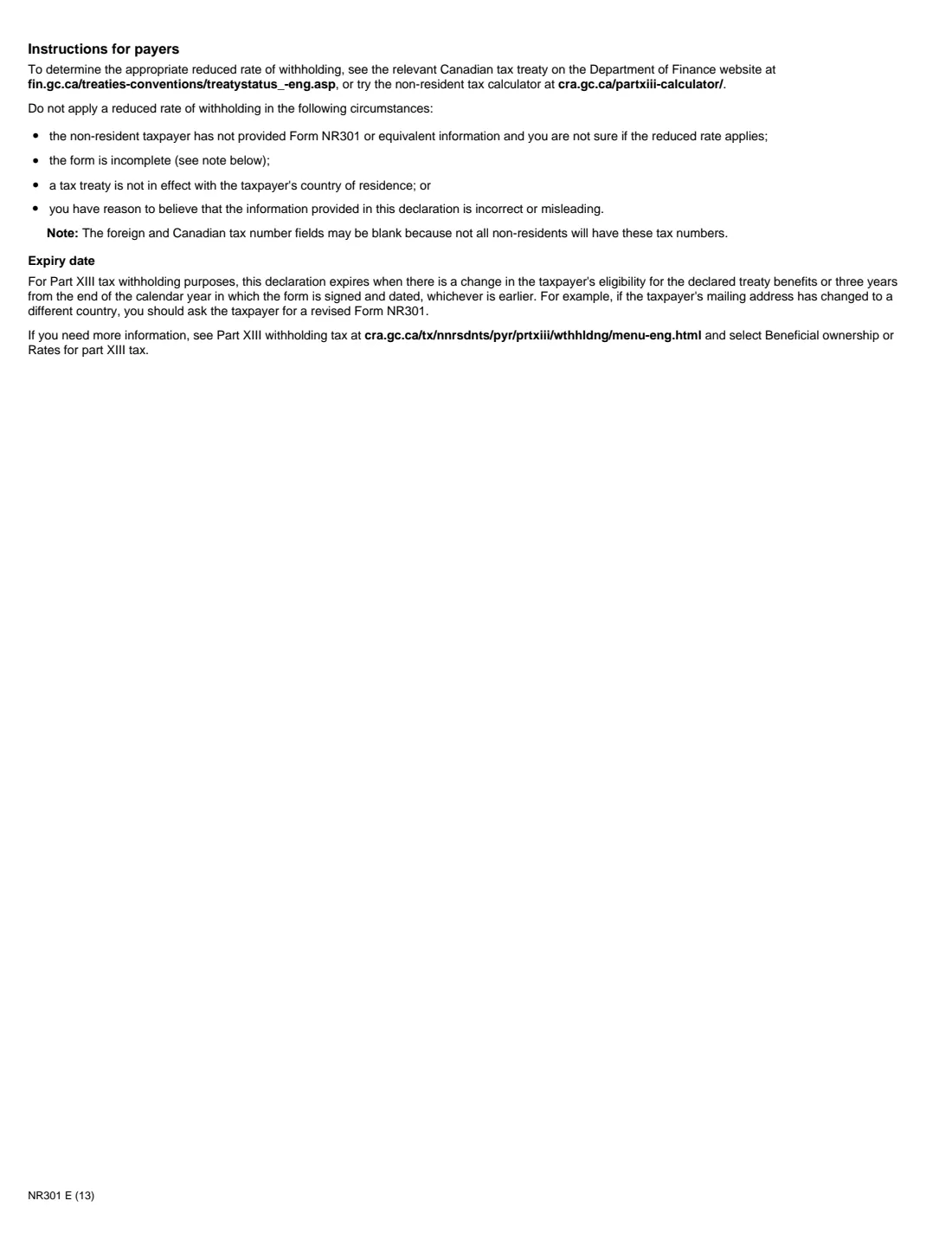
For Part XIII withholding, until your eligibility for treaty benefits changes or three years from the end of the calendar year in which you sign and date it, whichever is earlier.
I don't have a Canadian SIN. Can I still fill it in?
Yes. Part 5 asks for a Canadian tax number only if you have one, and the payer instructions note the field may be blank.
What is the withholding rate without NR301?
The form explains that Part XIII tax is generally 25%, and a payer may not apply a lower treaty rate without NR301 or equivalent information.
Can a partnership use NR301?
No. The form says partnerships should use NR302 and hybrid entities NR303.
Can I sign NR301 electronically?
NR301 is not on the CRA's list of forms that accept an electronic signature, so FileIt prints it for you to sign by hand.
Official sources
- Blank form (PDF), published by Canada Revenue Agency (CRA): https://www.canada.ca/content/dam/cra-arc/formspubs/pbg/nr301/nr301-fill-13e.pdf
- Official instructions and guidance: https://www.canada.ca/en/revenue-agency/services/forms-publications/forms/nr301.html
- Edition shown on this page: NR301 E (13) (checked 2026-10-01).
FileIt is not affiliated with or endorsed by Canada Revenue Agency (CRA) or any government. This page explains the form in general terms and is not legal, tax or immigration advice. Always read the official instructions, and check that you are using the edition the recipient accepts. Page last reviewed 2026-10-01.