What is Form CMS-L564?
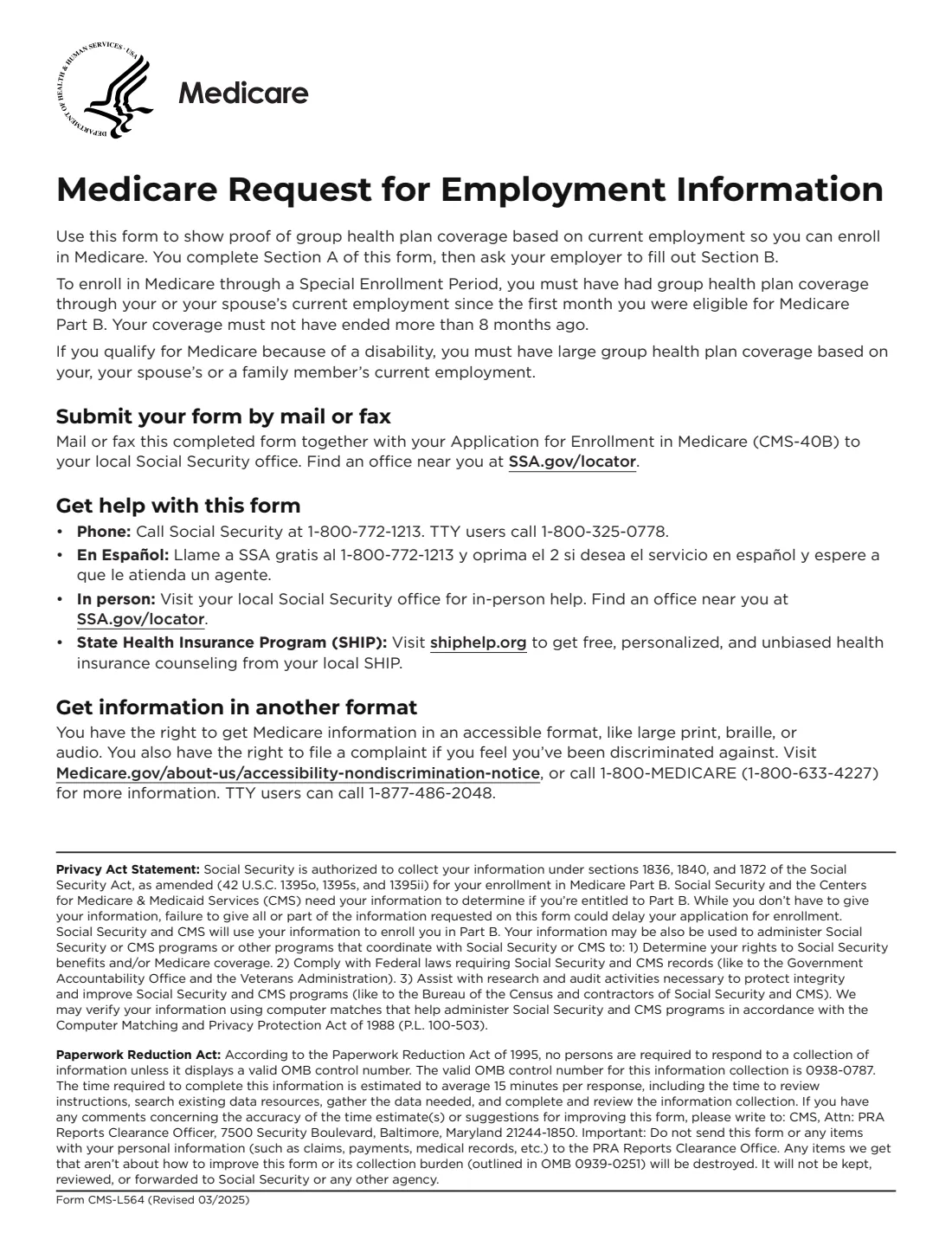
Form CMS-L564, Request for Employment Information, is the Centers for Medicare & Medicaid Services (CMS) form that shows Social Security you had group health plan coverage based on current employment. It is how you prove you qualify for a Special Enrollment Period to sign up for Medicare Part B after 65 without waiting for the General Enrollment Period, typically when you or your spouse were still working when you first became eligible for Medicare.
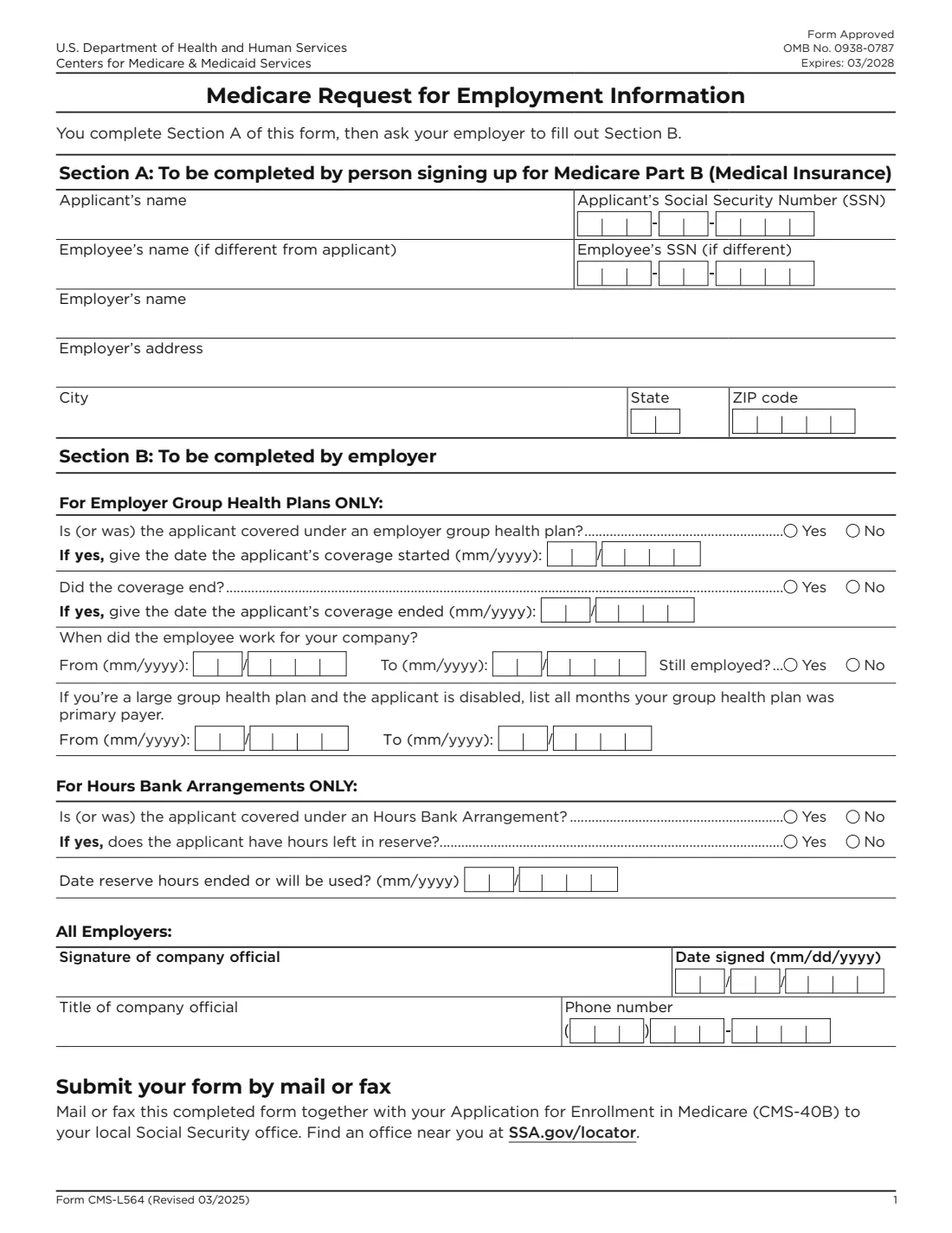
The form has two parts. You complete Section A with your name and Social Security number, the employee's name and number if the coverage came through someone else's job (such as your spouse's), and the employer's name and address. The employer then completes and signs Section B: whether you were covered under its group health plan (or an Hours Bank Arrangement), the months the coverage and the employment started and ended, and a company official's title and phone number.
The form says you must have had group health plan coverage through your or your spouse's current employment since the first month you were eligible for Part B, and that the coverage must not have ended more than 8 months ago. You mail or fax the completed form, together with your Part B application (Form CMS-40B), to your local Social Security office.
FileIt guides both parts in plain English and prints the answers onto CMS's own official PDF (Revised 03/2025), splitting the Social Security numbers and month/year dates into the form's boxes. The employer's part can be signed with eSignature, and the finished PDF is saved in your vault next to your CMS-40B. FileIt never submits anything to Social Security.
- Who fills it
- Section A: the person signing up for Part B. Section B: the employer that provides (or provided) the group health plan.
- Given to
- Mailed or faxed with Form CMS-40B to your local Social Security office.
- When
- When you sign up for Part B in a Special Enrollment Period based on job-based coverage.
- Signatures
- A company official signs and dates Section B.
- Pairs with
- Form CMS-40B, Application for Enrollment in Medicare Part B.
- Edition
- CMS-L564 (Revised 03/2025)
Who needs to fill out Form CMS-L564?
- People 65 or older who delayed Part B because they had health coverage through their own current job.
- People who delayed Part B because they were covered through their spouse's current job.
- People with Medicare because of a disability who have large group health plan coverage based on their own, their spouse's or a family member's current employment.
- Retirees and people who lost job-based coverage in the last 8 months and now want Part B.
- Employers and benefits administrators asked by an employee (or a spouse of an employee) to confirm coverage dates.
- Union plan members covered through an Hours Bank Arrangement.
When to use Form CMS-L564
- When you or your spouse stop working, or the job-based coverage ends, and you want to sign up for Part B. Medicare.gov says your 8-month Special Enrollment Period starts when you stop working, even if you choose COBRA or other coverage.
- Before you retire, if you want Part B to start when your job-based health insurance ends. Medicare.gov says to sign up the month before you or your spouse plan to retire.
- While still covered by an employer plan, if you choose to add Part B now.
- Whenever you send Form CMS-40B for a Special Enrollment Period: the two go together.
What you need before you start
- Your full name and Social Security number.
- If the coverage came through someone else's job (such as your spouse's): that employee's name and Social Security number.
- The employer's name and full address.
- From the employer: the month and year your group health plan coverage started and, if it ended, when it ended.
- From the employer: the months the employee worked there, and whether they are still employed.
- For a large group health plan when the applicant is disabled: all the months the plan was primary payer.
- For an Hours Bank Arrangement: whether you have hours left in reserve and when they ended or will be used.
- The title and phone number of the company official who signs Section B.
What’s on Form CMS-L564
The 2025 edition has 2 pages. FileIt asks for it in 5 parts, and it is signed by Employer (company official):
- Section A: The person signing up for Part BApplicant (the person signing up for part b)
- Section B: What kind of coverageEmployer (company official)
- Section B: For employer group health plansEmployer (company official)
- Section B: For Hours Bank ArrangementsEmployer (company official)
- Section B: Company officialEmployer (company official)
How to fill out Form CMS-L564, step by step
1 Section A: About you and the employer
Enter your name and Social Security number. If the coverage is through someone else's job, such as your spouse's, give that employee's name and Social Security number too; leave these blank if it's your own job. Then give the employer's name and address, including city, state and ZIP code.
2 Section B: Group health plan coverage
The employer answers whether you are (or were) covered under its group health plan, gives the month and year coverage started, and says whether the coverage ended and when. It also gives the months the employee worked for the company, or ticks that they are still employed.
3 Section B: Large group health plan and disability
If the employer is a large group health plan and the applicant is disabled, the employer lists all the months its group health plan was primary payer, as a from and to month.
4 Section B: Hours Bank Arrangements
Only for coverage through an Hours Bank Arrangement: whether you are (or were) covered under one, whether you have hours left in reserve, and the month the reserve hours ended or will be used. FileIt asks which kind of coverage it is and shows only the questions that apply.
5 Signature of company official
All employers: a company official signs and dates Section B and gives their title and phone number, so Social Security can check the information if needed.
6 Send it with your CMS-40B
Mail or fax the completed form together with your Application for Enrollment in Medicare Part B (CMS-40B) to your local Social Security office. You can find an office at SSA.gov/locator.
Common mistakes to avoid
- Sending CMS-L564 on its own. It goes with your Part B application, Form CMS-40B.
- Waiting too long. The form says your coverage must not have ended more than 8 months ago.
- Counting COBRA or retiree coverage as coverage based on current employment. Medicare.gov says the Special Enrollment Period starts when you stop working, even if you choose COBRA.
- Filling in the employee's name and number when the coverage is through your own job. Those lines are only for coverage through someone else's employment.
- Leaving Section B unsigned. A company official must sign and date it.
- Giving full dates where the form asks for month and year (mm/yyyy).
After you fill it out
Print Section A (or share the FileIt PDF) and have your employer complete, sign and date Section B.
Mail or fax the signed CMS-L564 together with your CMS-40B to your local Social Security office. Keep copies of both.
Medicare.gov says coverage starts the month after Social Security (or the Railroad Retirement Board) gets your completed forms when you sign up in the 8-month period after job-based coverage. FileIt keeps both PDFs in your vault, where you can also store your Medicare card once it arrives.
Fill out Form CMS-L564 online with FileIt
- Pick the person. Choose someone from People and FileIt fills in their name, date of birth, address and other details it already knows.
- Answer plain-language questions. One part of the form at a time, with the official help text beside each question — 24 fields in all. Your answers save as you go.
- Check the live preview. Watch your answers land on the real Centers for Medicare & Medicaid Services (CMS) form, and let FileIt do any worksheet arithmetic.
- Generate the official PDF. FileIt prints your answers into the agency’s own PDF and files it in that person’s folder in your vault. Sign it, or send it for e-signature.
FileIt fills the form — it never files or submits anything for you. Deliver the finished form to whoever asked for it, the way the form’s instructions say.
Start Form CMS-L564 now — it’s freeForm CMS-L564: frequently asked questions
What is Form CMS-L564 used for?
It proves to Social Security that you had group health plan coverage based on current employment, so you can sign up for Medicare Part B in a Special Enrollment Period. Medicare.gov lists it as the form for giving proof you're eligible to sign up for Part B if you're still working, retired within the last 8 months, or lost job-based coverage within the last 8 months.
Who fills out CMS-L564, me or my employer?
Both. You complete Section A, then ask your employer to fill out Section B, which a company official signs.
Do I send CMS-L564 with CMS-40B?
Yes. The form says to mail or fax it together with your Application for Enrollment in Medicare Part B (CMS-40B) to your local Social Security office.
How long do I have to sign up after my job coverage ends?
The form says your coverage must not have ended more than 8 months ago. Medicare.gov describes this as an 8-month Special Enrollment Period that starts when you or your spouse stop working.
Can I use my spouse's employer coverage?
Yes. The form covers group health plan coverage through your or your spouse's current employment. Put your spouse's name and Social Security number in the employee lines of Section A.
What if my former employer won't fill out Section B?
The form's cover page says to call Social Security at 1-800-772-1213 (TTY 1-800-325-0778) or visit your local office for help with this form.
Can I fill out CMS-L564 online?
With FileIt you fill in both sections online, and the answers are printed onto CMS's official PDF. The employer can sign with eSignature. You then mail or fax it with your CMS-40B yourself; FileIt doesn't submit it.
Official sources
- Blank form (PDF), published by Centers for Medicare & Medicaid Services (CMS): https://www.cms.gov/medicare/cms-forms/cms-forms/downloads/cms-l564e.pdf
- Official instructions and guidance: https://www.medicare.gov/basics/forms-publications-mailings/forms/enrollment
- Edition shown on this page: Form CMS-L564 (Revised 03/2025), OMB No. 0938-0787, expires 03/2028 (checked 2026-09-28).
FileIt is not affiliated with or endorsed by Centers for Medicare & Medicaid Services (CMS) or any government. This page explains the form in general terms and is not legal, tax or immigration advice. Always read the official instructions, and check that you are using the edition the recipient accepts. Page last reviewed 2026-09-28.