What is Modelo 145?
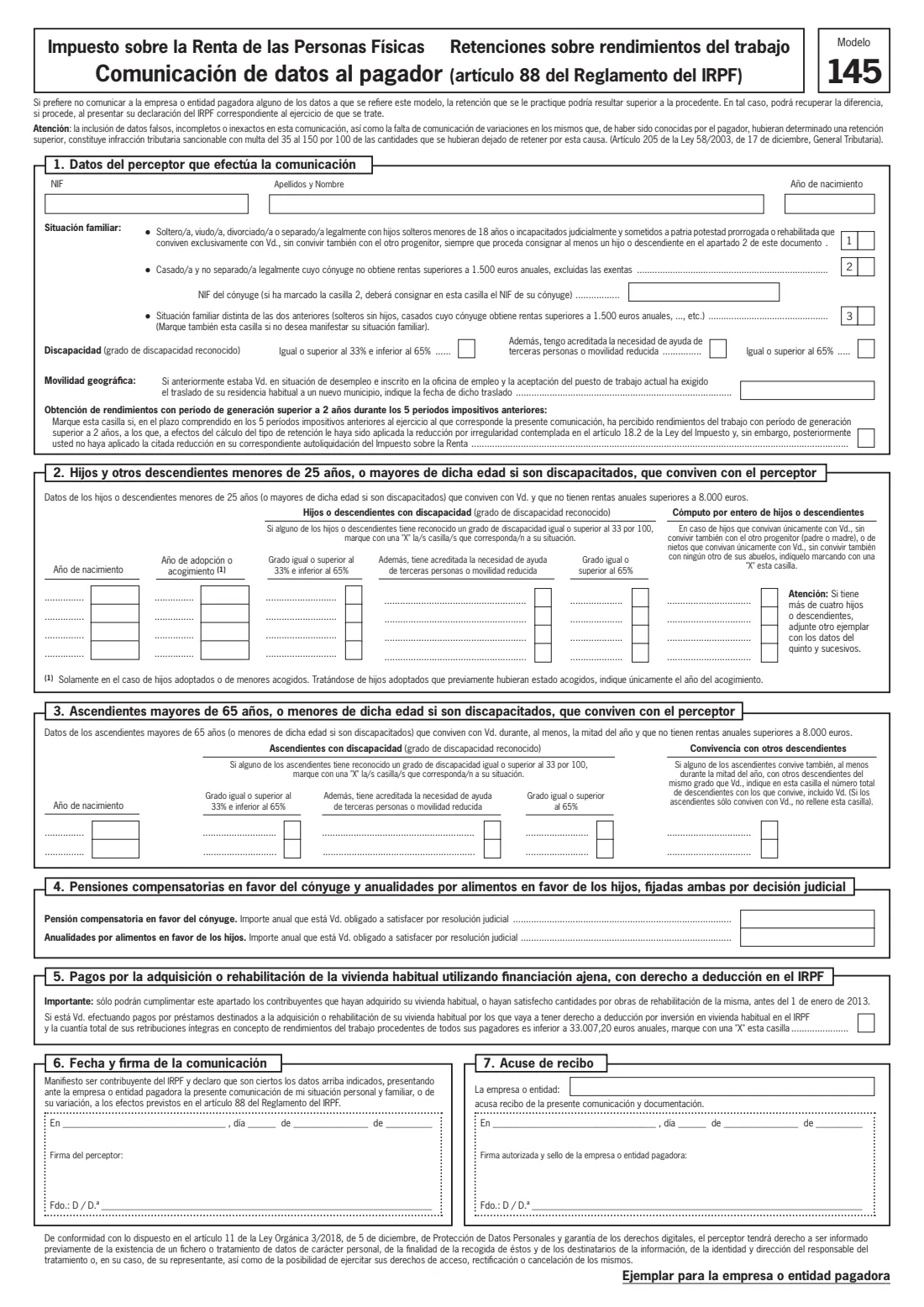
Modelo 145 is the Agencia Tributaria's (AEAT) form for telling whoever pays you — your employer, or the payer of a pension or other employment income — about your personal and family situation. The payer uses it to work out the withholding rate (retención) for Spanish income tax, the Impuesto sobre la Renta de las Personas Físicas (IRPF). It plays much the same role as a W-4 in the United States or a starter checklist in the UK, and it is based on article 88 of the IRPF Regulation.
The form asks about your family situation, children and grandchildren who live with you, parents or grandparents who live with you, any recognised disability, court-ordered payments to a former spouse or children, and a few special cases such as moving home for a new job. You don't have to disclose anything, but the form itself warns that if you leave details out your withholding may be higher than it should be — you would then recover the difference, if any, in your income tax return for that year. Giving false or incomplete details that lead to too little withholding is a tax offence.
FileIt walks you through each part of Modelo 145 in English, with the Spanish terms alongside, and prints your answers onto the official AEAT PDF — on both the payer's copy and your own copy. Your name and date of birth can be pre-filled from the People records in your FileIt vault, the NIF check letter is verified, and the finished PDF is saved in your vault. You can print it or send it for e-signature. FileIt never sends anything to your employer or to the AEAT: you hand the signed form to your payer yourself.
- Who fills it
- The employee or other recipient of employment income (el perceptor), such as a pensioner
- Given to
- Your employer or payer (el pagador) — it is not sent to the Agencia Tributaria
- When
- When you start a job or begin receiving a pension, and again whenever your personal or family situation changes
- Signatures
- You sign and date part 6; the payer signs and stamps part 7 to acknowledge receipt
- Copies
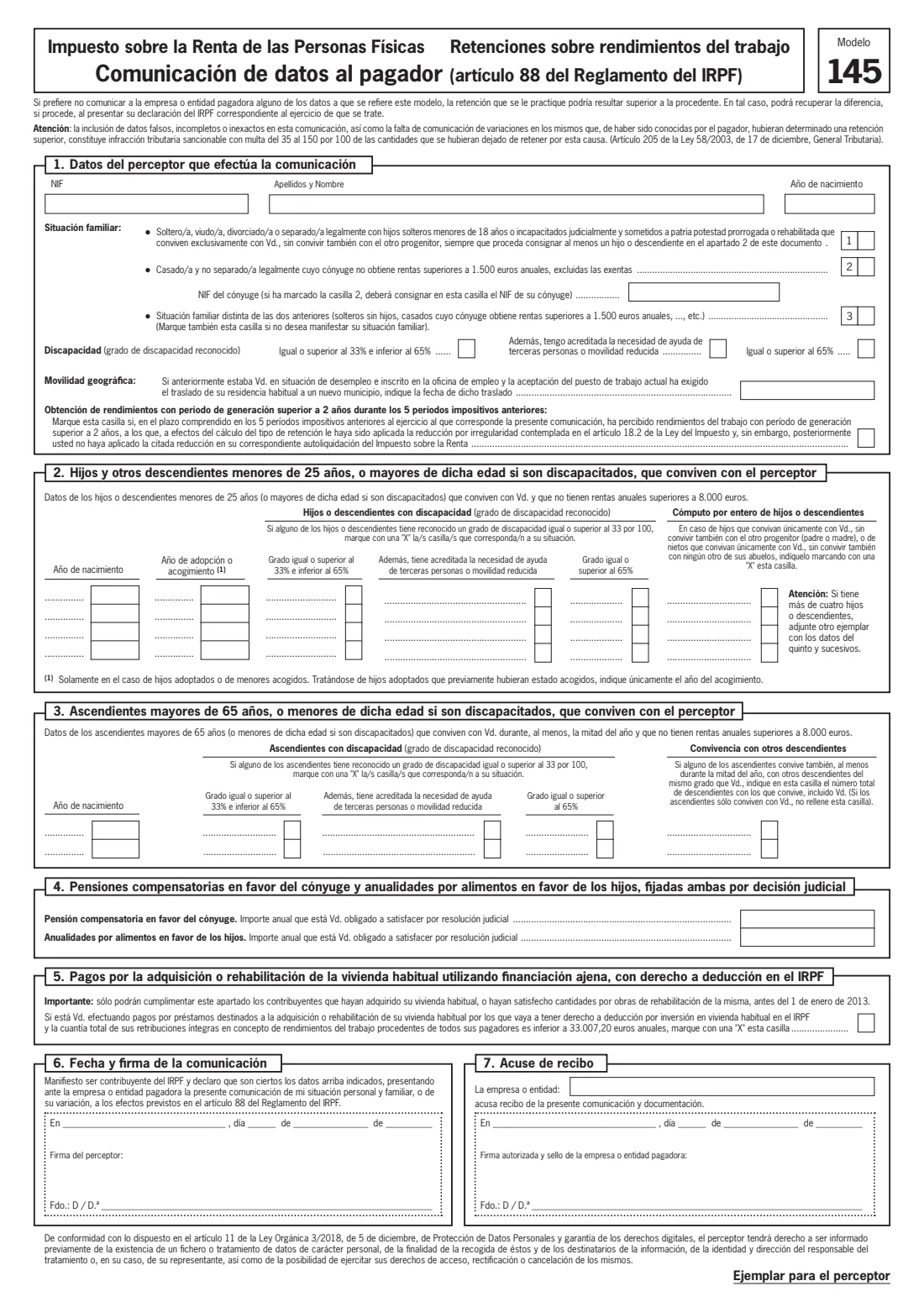
- Two identical pages: one for the payer (Ejemplar para la empresa o entidad pagadora) and one for you (Ejemplar para el perceptor)
- Authority
- Agencia Estatal de Administración Tributaria (AEAT)
Who needs to fill out Modelo 145?
- Employees starting a new job in Spain, whether Spanish nationals or foreign residents with a NIE.
- Pensioners and others receiving income from work (rendimientos del trabajo) from which the payer withholds IRPF.
- Anyone whose family circumstances have changed — a birth or adoption, a marriage, a separation, a child turning 25, or a parent coming to live with them.
- Parents who have children living only with them, and who want those children to count in full rather than shared with the other parent.
- People with a recognised disability of 33% or more, or who support children or ascendants with one.
- People paying a compensatory pension to a former spouse or maintenance to their children under a court decision.
When to use Modelo 145
- At the start of a new job or employment relationship, so that your first payslips already reflect your situation.
- Whenever something the form asks about changes — new children, a change in your spouse's income, a parent moving in, a new disability assessment or a new court order.
- When you have moved your home to a new municipality to take up a job after being registered as unemployed, to tell the payer the date of the move.
- If you notice that too much or too little tax is being withheld and your details on file are out of date.
What you need before you start
- Your NIF — the number and letter on your DNI, or your NIE if you are a foreign national.
- Your spouse's NIF, if you are married and your spouse earns no more than 1,500 euros a year.
- The year of birth of each child or descendant under 25 who lives with you (or of any age if they have a disability), and the year of adoption or fostering where that applies.
- The year of birth of each parent or grandparent aged 65 or over (or younger with a disability) who lives with you for at least half the year.
- Any official certificate of disability for you, your children or your ascendants, showing the recognised degree.
- The court decision setting any compensatory pension or child maintenance you must pay, with the yearly amounts.
- The date you moved home, if you relocated to a new municipality to take this job after being registered as unemployed.
- Your employer's or payer's name, for the acknowledgement of receipt.
What’s on Modelo 145
The 2026 edition has 2 pages. FileIt asks for it in 7 parts, and it is signed by Employee and Employer:
- 1. Your details (Datos del perceptor)Employee
- 2. Children and other descendants who live with you (Hijos y otros descendientes)Employee
- 3. Parents and grandparents who live with you (Ascendientes)Employee
- 4. Court-ordered payments to a spouse or children (Pensiones y anualidades)Employee
- 5. Mortgage payments on your main home (Vivienda habitual)Employee
- 6. Date and signature (Fecha y firma de la comunicación)Employee
- 7. Acknowledgement of receipt (Acuse de recibo)Employer
How to fill out Modelo 145, step by step
1 1. Datos del perceptor que efectúa la comunicación (your details)
Give your NIF, your surnames and first name, and your year of birth. Then tick one family situation box. Box 1 is for someone single, widowed, divorced or legally separated whose unmarried children under 18 (or judicially incapacitated children) live only with them, not also with the other parent — and you must list at least one child in part 2. Box 2 is for someone married and not legally separated whose spouse earns no more than 1,500 euros a year, excluding exempt income; you then give your spouse's NIF. Box 3 covers every other situation, and the form tells you to tick it too if you would rather not say.
The same part asks about your own recognised disability (33% to under 65%, or 65% or more, and whether you also need help from other people or have reduced mobility), the date of any move for geographic mobility, and a box about income with a generation period of more than two years in the previous five tax years. Most people leave that last box empty. FileIt checks the check letter of each NIF you enter.
2 2. Hijos y otros descendientes (children and other descendants)
List children and other descendants who live with you and have no more than 8,000 euros of annual income: those under 25, or of any age if they have a recognised disability. For each one give the year of birth and, for adopted or fostered children, the year of adoption or fostering — for a child adopted after being fostered, only the year of fostering.
Tick the disability boxes where they apply, and the 'cómputo por entero' box if the child lives only with you and not with the other parent (or, for a grandchild, not with any other grandparent), so that the child counts in full for you. There is room for four; with more, the form asks you to attach another copy for the fifth and later ones.
3 3. Ascendientes (parents and grandparents)
List parents, grandparents and other ascendants aged 65 or over, or younger if they have a recognised disability, who live with you for at least half the year and have no more than 8,000 euros of annual income. Give each one's year of birth and any disability.
If an ascendant also lives, for at least half the year, with other descendants of the same degree as you — typically your brothers and sisters — write the total number of descendants they live with, yourself included. Leave that box empty if they live only with you. There is room for two ascendants.
4 4. Pensiones compensatorias y anualidades por alimentos (court-ordered payments)
Enter the yearly amount of any compensatory pension you must pay to your spouse or former spouse, and of any maintenance you must pay for your children, but only where a court decision (resolución judicial) sets them. Voluntary payments don't belong here.
FileIt accepts the amounts written the Spanish way, such as 3.600 or 3.600,50, and prints them as you type them.
5 5. Pagos por la vivienda habitual (main-home loan payments)
This box is only for people who bought their main home, or paid for works to renovate it, before 1 January 2013, and who are repaying a loan for it that entitles them to the main-home deduction in IRPF. The form adds a second condition: your total gross income from work from all your payers must be below 33,007.20 euros a year (the figure printed on this edition).
If both conditions are met, tick the box. Otherwise leave it empty.
6 6. Fecha y firma de la comunicación (date and signature)
Write the place and date and sign. By signing you state that you are an IRPF taxpayer, that the details are true, and that you are giving this statement of your personal and family situation, or of a change to it, to your payer under article 88 of the IRPF Regulation.
FileIt prints the date the way the form writes it — day, the month in Spanish and the year — and repeats everything on your own copy.
7 7. Acuse de recibo (acknowledgement of receipt)
This part belongs to the payer. The company or organisation writes its name, the place and date, and an authorised person signs and stamps it to acknowledge receipt of the form and any documents. If your employer uses FileIt, they can fill in this part too; otherwise leave it for them to complete on paper. Keep the employee's copy once it has been acknowledged.
Common mistakes to avoid
- Ticking box 2 without giving your spouse's NIF — the form requires it whenever box 2 is ticked.
- Ticking box 1 without listing any child or descendant in part 2; box 1 only applies when at least one is listed.
- Including children aged 25 or over without a recognised disability, or children or ascendants with more than 8,000 euros of annual income.
- Listing a parent or grandparent under 65 who has no recognised disability, or one who lives with you for less than half the year.
- Entering voluntary payments to a former partner in part 4 — only amounts set by a court decision count.
- Ticking the main-home loan box when the home was bought after 1 January 2013.
- Forgetting to give your payer a new Modelo 145 when your situation changes, which can leave too little tax withheld during the year.
- Mistyping a DNI or NIE — the final letter is a check letter, and FileIt tells you if it doesn't match the number.
After you fill it out
Sign part 6 — by hand on the printed form, or through FileIt's optional e-signature if your employer accepts that — and give the form to your employer or payer. Modelo 145 is not sent to the Agencia Tributaria; the payer keeps it and uses it to calculate your withholding. The payer acknowledges receipt in part 7 and should return your copy.
The finished PDF, with both copies, is saved in your FileIt vault under the person it belongs to, so you have a record of what you told your payer and when. Keep the supporting documents, such as disability certificates or court decisions, alongside it.
Fill in a new Modelo 145 whenever your situation changes during the year, and check your details again at the start of each year. If the withholding turns out to be too high, any difference is settled in your annual IRPF return.
Fill out Modelo 145 online with FileIt
- Pick the person. Choose someone from People and FileIt fills in their name, date of birth, address and other details it already knows.
- Answer plain-language questions. One part of the form at a time, with the official help text beside each question — 52 fields in all. Your answers save as you go.
- Check the live preview. Watch your answers land on the real Agencia Estatal de Administración Tributaria (AEAT) form, and let FileIt do any worksheet arithmetic.
- Generate the official PDF. FileIt prints your answers into the agency’s own PDF and files it in that person’s folder in your vault. Sign it, or send it for e-signature.
FileIt fills the form — it never files or submits anything for you. Deliver the finished form to whoever asked for it, the way the form’s instructions say.
Start Modelo 145 now — it’s freeModelo 145: frequently asked questions
What is Modelo 145 used for?
It tells your employer or other payer about your personal and family situation so they can calculate how much IRPF income tax to withhold from your pay or pension. It covers your family situation, children, dependent parents or grandparents, disability, court-ordered payments and a few special cases.
Do I send Modelo 145 to the Agencia Tributaria?
No. You give it to your employer or payer, who keeps it. The payer acknowledges receipt in part 7 and keeps one copy; the second page is your own copy.
Am I obliged to fill in Modelo 145?
You can choose not to give some or all of the details. The form warns that your withholding may then be higher than it should be, and that you can recover any difference in your income tax return for that year. What you must not do is give false or incomplete details that lead to too little tax being withheld.
What happens if I give false information?
The form states that including false, incomplete or inaccurate details, or failing to report changes that would have meant more withholding, is a tax offence fined at 35% to 150% of the tax that was not withheld as a result (article 205 of the General Tax Law).
Can I fill out Modelo 145 online?
Yes. FileIt lets you fill in Modelo 145 online with English guidance, checks your NIF and the rules for children and ascendants, and prints your answers onto the official AEAT PDF on both copies. The PDF is saved in your vault, and you can print it or send it for e-signature.
Which family situation box should I tick?
Box 1 is for single, widowed, divorced or legally separated people whose unmarried minor children live only with them. Box 2 is for married people whose spouse earns no more than 1,500 euros a year. Everyone else ticks box 3, which you can also tick if you prefer not to state your family situation.
Which children can I include?
Children and other descendants who live with you, are under 25 (or any age with a recognised disability) and have no more than 8,000 euros of annual income. The form has room for four; for more, attach another copy.
When should I give my employer a new Modelo 145?
Whenever something the form asks about changes, such as a birth, a marriage or separation, a child turning 25 or a parent moving in with you. Keeping it up to date avoids too little tax being withheld during the year.
Is Modelo 145 only for employees?
It is for anyone receiving income from work that is subject to withholding, which includes pensions. The form calls you the perceptor (recipient) and the person paying you the pagador (payer).
Official sources
- Blank form (PDF), published by Agencia Estatal de Administración Tributaria (AEAT): https://sede.agenciatributaria.gob.es/static_files/Sede/Procedimiento_ayuda/G603/mod145_es_es.pdf
- Official instructions and guidance: https://sede.agenciatributaria.gob.es/Sede/procedimientoini/G603.shtml
- Edition shown on this page: Modelo 145 (AEAT PDF 'Modelo 145_2024', no edition date printed) (checked 2026-09-26).
FileIt is not affiliated with or endorsed by Agencia Estatal de Administración Tributaria (AEAT) or any government. This page explains the form in general terms and is not legal, tax or immigration advice. Always read the official instructions, and check that you are using the edition the recipient accepts. Page last reviewed 2026-09-26.