What is Form PD24?
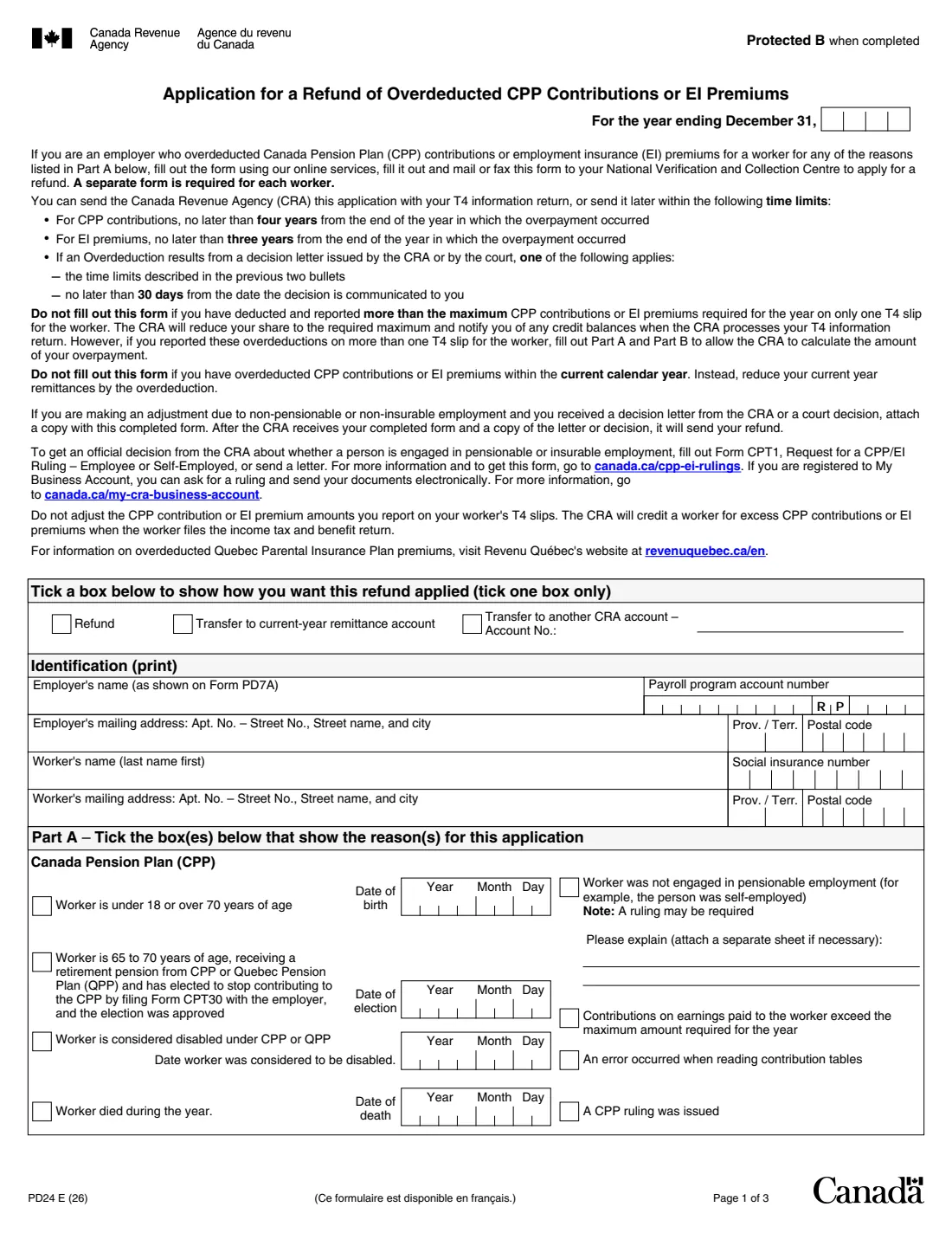
Form PD24 is how an employer applies to the Canada Revenue Agency (CRA) for a refund when it overdeducted CPP contributions, second additional CPP contributions (CPP2) or EI premiums for a worker for one of the reasons listed in Part A: a worker under 18 or over 70, an approved CPT30 election, a worker considered disabled, a death, employment that wasn't pensionable or insurable, earnings over the yearly maximum, an error reading the tables, or a ruling. A separate form is required for each worker.
It is not for the current calendar year: then you simply reduce your current remittances by the overdeduction. And if the excess over the maximum was reported on only one T4 slip, the CRA reduces your share when it processes your T4 return. You don't adjust the CPP or EI amounts on the worker's T4 slips; the CRA credits the worker when they file their return.
FileIt asks the questions in plain English, works out each pay period's overpayment, the totals, the employer's share and the total overpayment, and prints everything onto the CRA's own PDF (edition PD24 E (26)). The PDF is saved to your vault, with optional e-signature. You mail or fax it to the CRA, or use its online services, yourself; FileIt never submits anything. Filling forms is free on every plan.
- Who fills it
- The employer, one form per worker
- Sent to
- Your National Verification and Collection Centre, by mail or fax, or through the CRA's online services
- Time limit (CPP)
- Four years from the end of the year of the overpayment
- Time limit (EI)
- Three years from the end of the year of the overpayment
- After a CRA or court decision
- Those limits, or 30 days from the date the decision is communicated to you
- Edition
- PD24 E (26)
Who needs to fill out Form PD24?
- Employers who deducted CPP contributions from a worker who was under 18 or over 70, had an approved CPT30 election, or was considered disabled under the CPP or QPP.
- Employers who kept deducting after a worker died during the year.
- Employers whose worker turned out not to be in pensionable or insurable employment, for example self-employed, not dealing at arm's length, or controlling a share of the corporation's voting shares.
- Employers who made an error reading the contribution or premium tables, or who received a CPP or EI ruling.
- Employers who deducted more than the yearly maximum across more than one T4 slip for the same worker.
When to use Form PD24
- With your T4 information return for the year, or later within the time limits.
- For a year that has ended. For the current calendar year, reduce your current remittances instead.
- Within 30 days of a CRA or court decision, as one of the time limits the form gives, when the overdeduction results from that decision.
What you need before you start
- Your name as shown on Form PD7A, your payroll program account number (business number, RP and the 4-digit reference) and mailing address.
- The worker's name, social insurance number and mailing address.
- The reason(s) for the application, with the related date (birth, CPT30 election, disability or death) and an explanation for non-pensionable or non-insurable employment.
- For every pay period (or the whole year): pensionable and insurable earnings, CPP, CPP2 and EI amounts deducted, and the amounts that were actually required.
- A copy of any CRA decision letter or court decision, and the corporation's share register if a worker controls voting shares.
- Your reduced EI rate, if you use one instead of 1.4.
What’s on Form PD24
The 2026 edition has 3 pages. FileIt asks for it in 7 parts, and it is signed by Employer:
- Refund and yearEmployer
- IdentificationEmployer
- Part A – Reasons: Canada Pension Plan (CPP)Employer
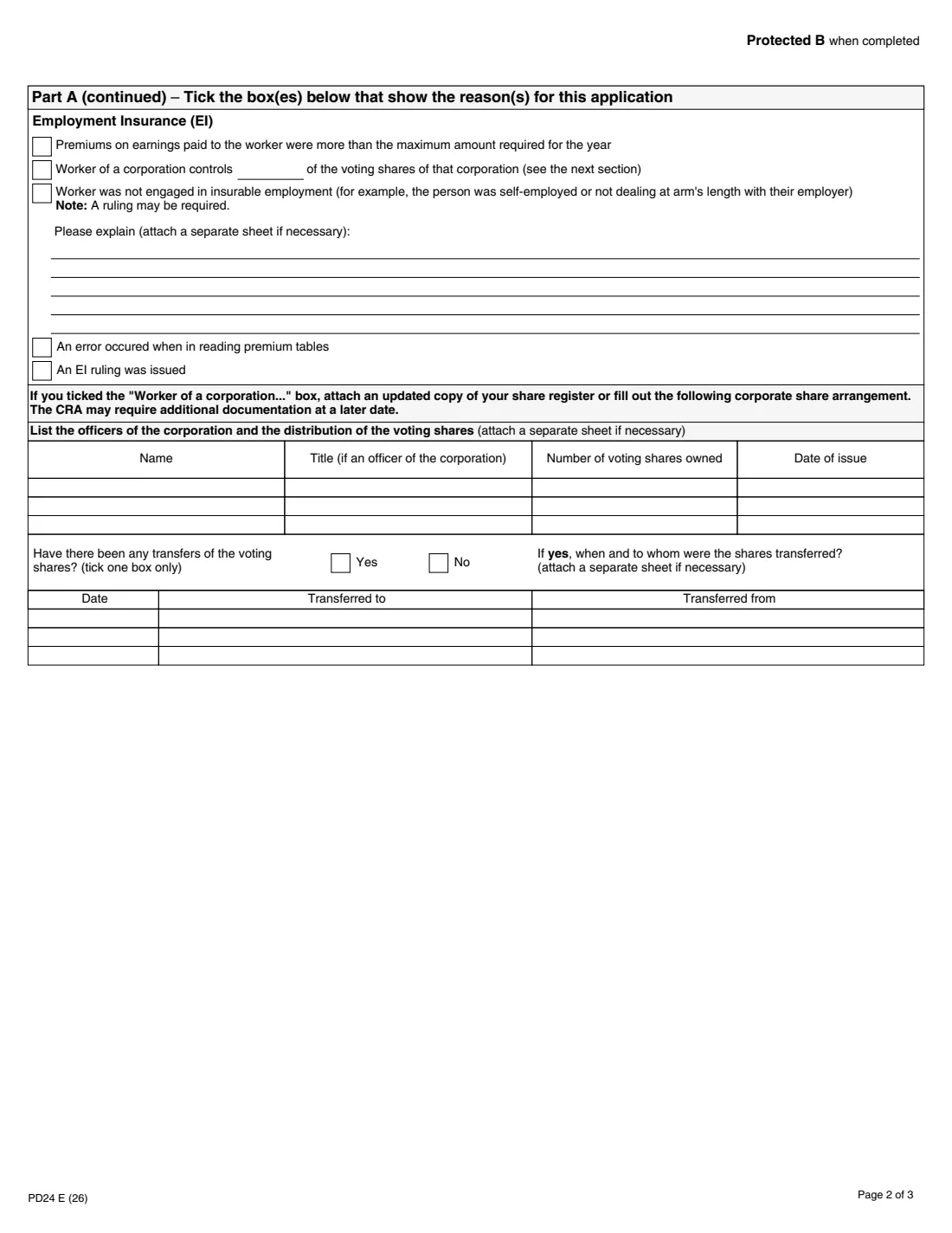
- Part A – Reasons: Employment Insurance (EI)Employer
- Corporate share arrangementEmployer
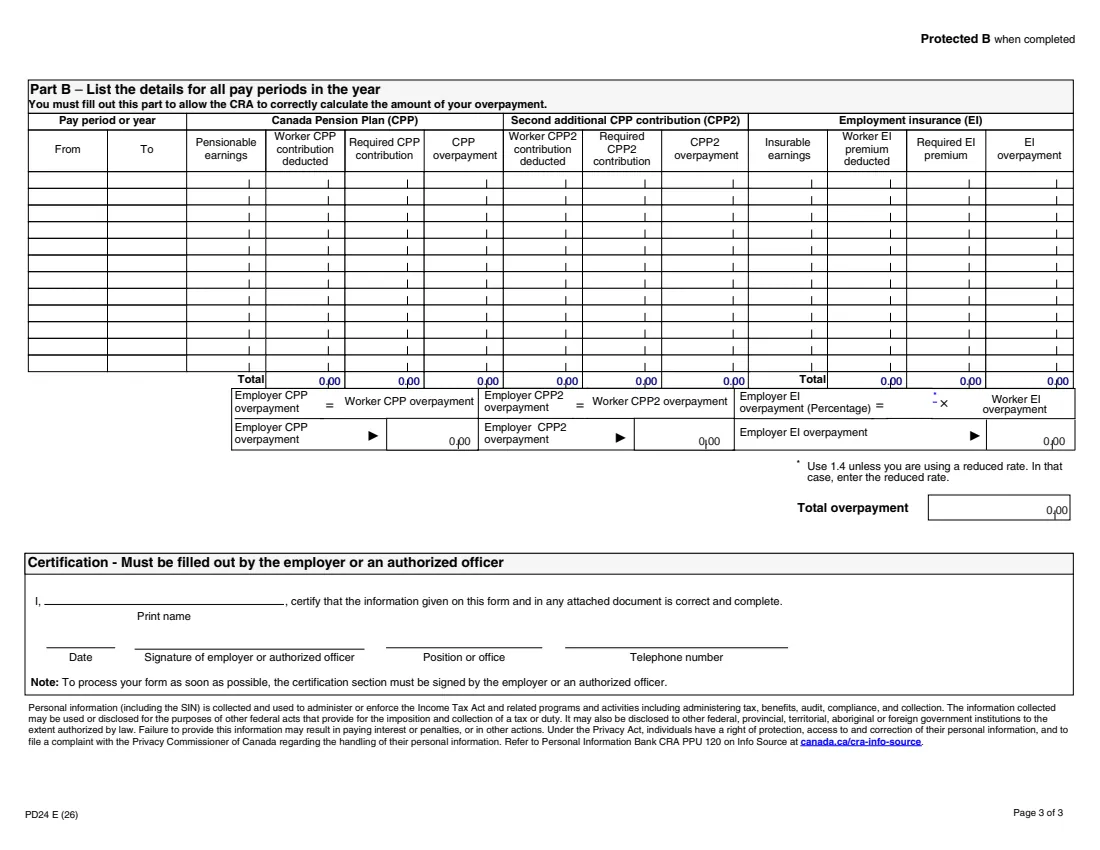
- Part B – Details for all pay periods in the yearEmployer
- CertificationEmployer
How to fill out Form PD24, step by step
1 Refund choice and year
Enter the year the overpayment happened and tick one box: a refund, a transfer to your current-year remittance account, or a transfer to another CRA account (give its number).
2 Identification
Enter the employer's name as shown on Form PD7A, the payroll program account number, the employer's mailing address, and the worker's name (last name first), social insurance number and mailing address.
3 Part A – Reasons (CPP)
Tick every CPP reason that applies and give the date the box asks for. If the worker was not in pensionable employment, explain why; a ruling may be required.
4 Part A – Reasons (EI)
Tick every EI reason that applies. For a worker who controls voting shares of the corporation, give the percentage and either attach an updated share register or list the officers and voting shares, and any transfers of shares, on page 2. If the worker was not in insurable employment, explain why.
5 Part B – Details for all pay periods
List each pay period (or the year) with pensionable earnings, the worker's CPP contribution deducted and the required contribution, the same for CPP2, and insurable earnings with the EI premium deducted and required. Each overpayment is deducted minus required. FileIt adds the Total row.
6 Employer share and total
The employer CPP and CPP2 overpayments equal the worker's. The employer EI overpayment is 1.4 (or your reduced rate) times the worker EI overpayment. FileIt adds them all into the total overpayment.
7 Certification
The employer or an authorized officer prints their name, signs and dates, and gives their position and telephone number.
Common mistakes to avoid
- Using PD24 for the current calendar year instead of reducing your current remittances.
- Filing when the excess over the maximum is on a single T4 slip: the CRA adjusts that when it processes the T4 return.
- Changing the CPP or EI amounts on the worker's T4 slips: the form says not to.
- Putting two workers on one form: a separate form is required for each worker.
- Skipping Part B: the CRA needs it to calculate the overpayment.
- Missing the time limits: four years for CPP, three years for EI.
- Leaving out the decision letter or court decision for non-pensionable or non-insurable employment.
After you fill it out
Review the PDF, then have the employer or an authorized officer sign and date the certification, by FileIt's optional e-signature or by hand. The form notes that it must be signed to be processed as soon as possible.
Attach any CRA decision letter or court decision, and the share register if it applies.
Mail or fax it to your National Verification and Collection Centre, or use the CRA's online services, as the form says. FileIt never sends it.
The CRA credits the worker for their excess contributions or premiums when they file their income tax and benefit return.
A copy stays in your FileIt vault.
Fill out Form PD24 online with FileIt
- Pick the person. Choose someone from People and FileIt fills in their name, date of birth, address and other details it already knows.
- Answer plain-language questions. One part of the form at a time, with the official help text beside each question — 229 fields in all. Your answers save as you go.
- Check the live preview. Watch your answers land on the real Canada Revenue Agency (CRA) form, and let FileIt do any worksheet arithmetic.
- Generate the official PDF. FileIt prints your answers into the agency’s own PDF and files it in that person’s folder in your vault. Sign it, or send it for e-signature.
FileIt fills the form — it never files or submits anything for you. Deliver the finished form to whoever asked for it, the way the form’s instructions say.
Start Form PD24 now — it’s freeForm PD24: frequently asked questions
Can I fill out the PD24 online?
Yes. FileIt guides you through every part, works out the Part B overpayments and totals, and prints everything onto the CRA's official PDF. It is free on every FileIt plan.
Who can use Form PD24?
Employers who overdeducted CPP contributions or EI premiums for a worker for one of the reasons in Part A. A separate form is needed for each worker.
What are the time limits?
No later than four years from the end of the year for CPP contributions and three years for EI premiums. When the overdeduction results from a CRA or court decision, you can also apply no later than 30 days from the date the decision is communicated to you.
How is the employer EI overpayment calculated?
The form multiplies the worker EI overpayment by 1.4, unless you use a reduced rate, in which case you enter that rate.
What about the current year?
Don't use PD24. Reduce your current-year remittances by the overdeduction instead.
Do I correct the worker's T4 slip?
No. The form says not to adjust the CPP or EI amounts on the T4 slips; the CRA credits the worker when they file their return.
What about Quebec Parental Insurance Plan premiums?
The form points you to Revenu Québec's website for overdeducted QPIP premiums.
Official sources
- Blank form (PDF), published by Canada Revenue Agency (CRA): https://www.canada.ca/content/dam/cra-arc/formspubs/pbg/pd24/pd24-fill-26e.pdf
- Official instructions and guidance: https://www.canada.ca/en/revenue-agency/services/forms-publications/forms/pd24.html
- Edition shown on this page: PD24 E (26) (checked 2026-09-28).
FileIt is not affiliated with or endorsed by Canada Revenue Agency (CRA) or any government. This page explains the form in general terms and is not legal, tax or immigration advice. Always read the official instructions, and check that you are using the edition the recipient accepts. Page last reviewed 2026-09-28.